
Every time you shop or dine out, you interact with a point of sale system. Understanding pos meaning can help business owners streamline operations and improve customer experiences. In this guide, you will learn about the POS abbreviation, full form, and practical aspects of POS technology.
- Understanding POS: From Abbreviation to Full Form
- Exploring POS Components and Features
- Implementing POS Solutions in Retail and Hospitality
- Integrating POS Technology with Business Workflows
- Selecting the Right POS Vendor: Benefits and Security Considerations
- About Biyo POS
- FAQs
Understanding POS: From Abbreviation to Full Form
When you encounter pos meaning online or in technical documents, you see that POS stands for Point of Sale. This concept covers the exact moment and location where a transaction completes. It plays a crucial role in modern commerce by connecting sales and payment data.
What Does POS Stand For?
The direct full form of the POS abbreviation is Point of Sale. In retail and hospitality, pos meaning refers to the precise moment a sales transaction completes. It typically covers both hardware and software that handle payments at checkout.
A clear point of sale definition states that it is the place where a customer pays for goods or services. For instance, at a supermarket register, the point of sale definition applies when the cashier scans items and the customer swipes their card. That setup forms the heart of every retail checkout system.
The pos meaning also extends beyond physical stores. Online marketplaces rely on virtual point of sale systems that integrate with e-commerce platforms. In that context, pos meaning covers digital checkouts and payment gateways.
Let’s now explore how pos meaning evolved over time within this key abbreviation.
History of the POS Abbreviation
Tracing the origin of the POS abbreviation reveals early cash registers and manual ledgers. Initially, pos meaning referred to a simple tally of sales on paper. Business owners relied on these records for daily revenue reports.
As computer technology advanced, pos meaning evolved in the 1970s with electronic registers. Developers introduced dedicated POS terminals featuring touchscreens and barcode scanners. That change ushered in faster transaction times and more accurate data capture.
Today, pos meaning covers cloud-based solutions, mobile point of sale apps, and integrated platforms. This evolution shows how point of sale technology adapts to business needs. It underlines the importance of staying current with POS advancements.
Next, consider how pos meaning shifts when localization shapes the term across languages.
POS Abbreviation in Different Languages
While English speakers use POS to denote Point of Sale, other regions adapt the abbreviation. In Spanish, the full form Punto de Venta shortens to PDV. Meanwhile, French retailers say Terminal de Point de Vente or TPV.
However, in many countries, the English acronym POS remains popular. International vendors stick with POS for consistent marketing and documentation. That approach highlights the global reach of the pos meaning concept.
When selecting a solution, ask what does POS stand for in your local context. Doing so ensures training materials and support guides fit your team. Clear understanding of pos meaning matters across borders.

Exploring POS Components and Features
Every POS solution relies on hardware and software working together, shedding light on pos meaning for merchants. In this section, we look at POS components, functions, and core features that drive efficiency. You will gain insight into how systems process sales and manage data.
POS Hardware Meaning and Components
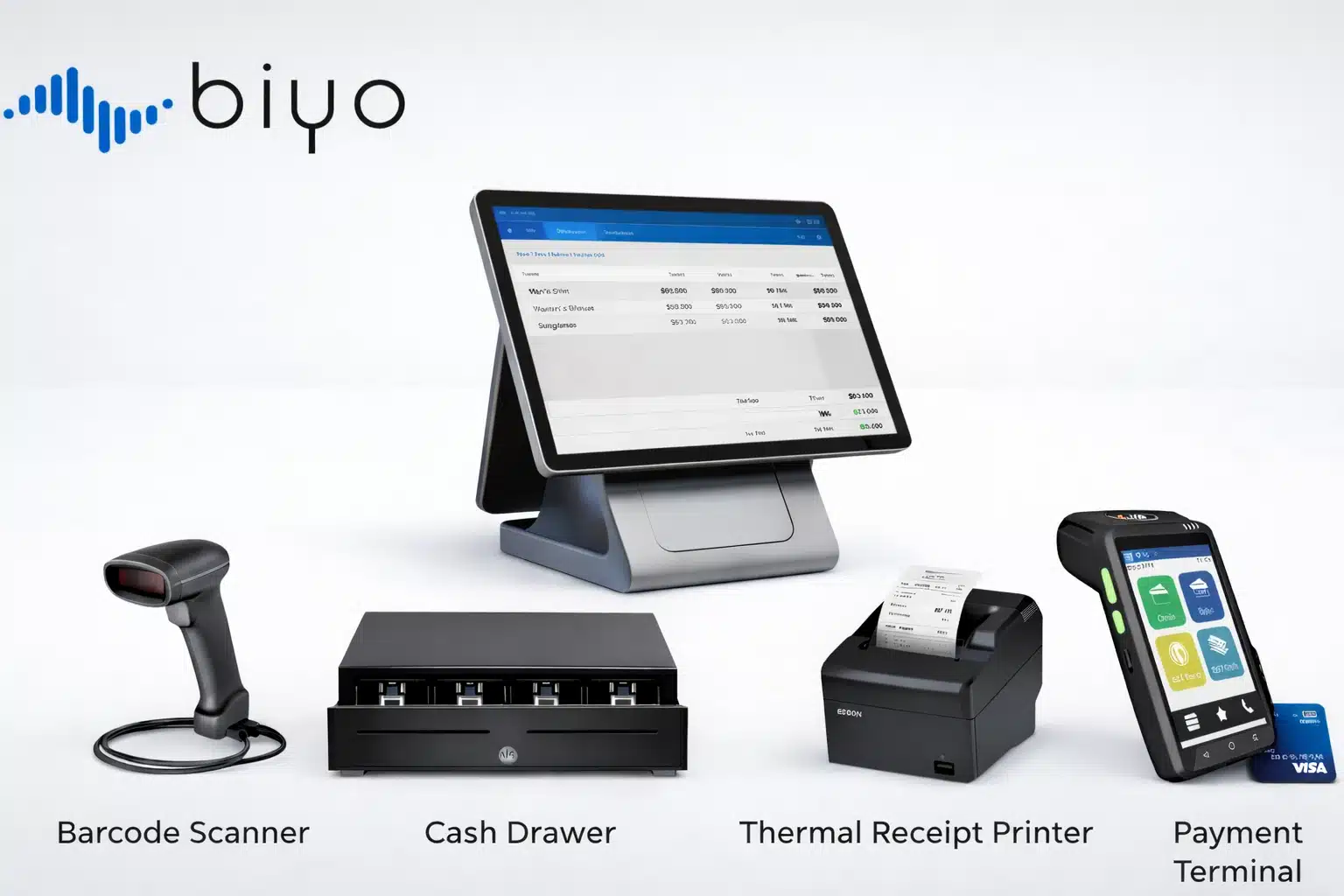
If you ask about POS hardware meaning, you refer to the tangible devices in a point of sale system. That includes terminals, receipt printers, barcode scanners, and cash drawers. Each component plays a vital role in a retail checkout system.
For instance, in a busy store, a high-speed scanner reduces queue times and errors. Terminals process payments and record transactions instantly. Meanwhile, receipt printers provide proof of purchase to customers.
Understanding POS hardware meaning and pos meaning helps you plan installation and maintenance. As a result, you avoid downtime that can hurt sales and customer satisfaction. You also ensure staff can operate the point of sale system meaningfully.
Now we turn to the software behind every modern POS to see pos meaning in its core functionality.
POS Software Meaning and Functionality
The term POS software meaning points to the applications that drive sales transactions. It covers inventory management, customer databases, and payment processing modules. A clear POS system definition highlights these core functions.
For instance, smart POS software sends real-time alerts when stock runs low. It also generates reports that reveal sales trends. That gives managers the insights they need to make timely decisions.
Understanding POS functionality and pos meaning ensures you pick a solution that matches your business. You must consider ease of use, integration options, and support services. Those factors shape overall satisfaction and ROI from your POS investment.
Let us examine the key features that distinguish top solutions and reinforce pos meaning.
Key POS Features Explained
Modern POS features include mobile payments, cloud backups, and customer loyalty programs. Many vendors market POS technology with built-in marketing tools and analytics dashboards. These capabilities help merchants stay competitive.
For instance, gift card processing and saved payment profiles boost convenience for repeat buyers. Meanwhile, integrated CRM features track customer preferences and spending history. Those insights lead to personalized offers and higher retention.
Selecting a system with robust POS features and clear pos meaning ensures long-term growth. Features like offline mode and API connectivity add resilience and flexibility. You will discover that feature-rich POS solutions adapt to changing market demands.
Implementing POS Solutions in Retail and Hospitality
Rolling out a new point of sale system meaning can feel complex. However, understanding pos meaning during POS implementation ensures smooth operations. In this section, we explore key steps for POS in retail and POS in hospitality.
POS in Retail
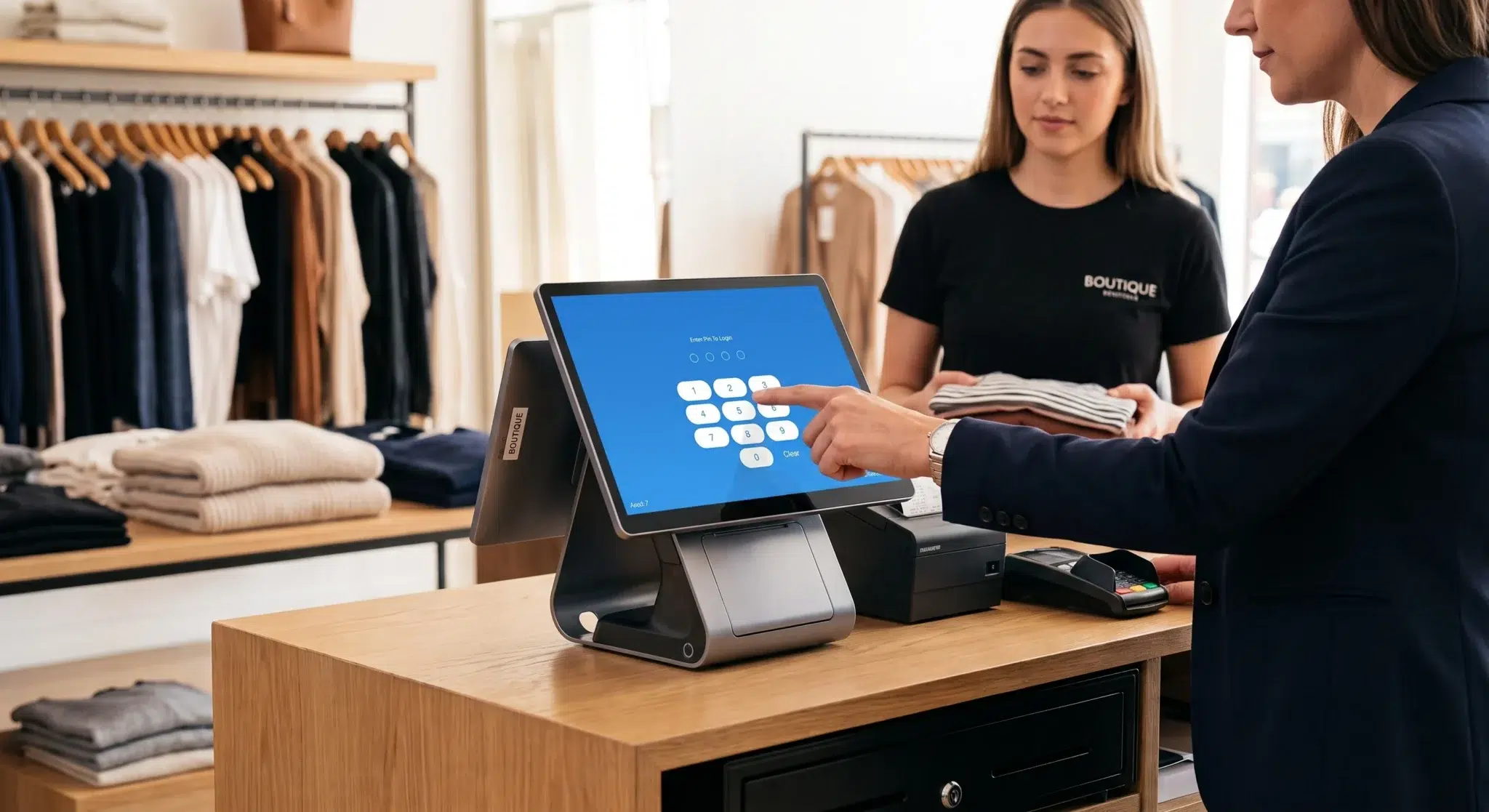
When we discuss POS in retail, we refer to software and hardware at store counters. An in-store POS explanation highlights how multiple devices work together to scan items and process payments. Retailers use these systems to update inventory in real time. That creates a seamless experience for customers and staff alike.
For instance, a supermarket installs barcode scanners, cash drawers, and touchscreen registers. The POS in retail definition covers all those elements working as a cohesive sales transaction system. That integration reduces lines and speeds up checkouts.
Understanding pos meaning in a retail context helps you tailor your environment. You can choose portable terminals or self-checkout kiosks based on your store layout. Such customization improves customer flow and satisfaction.
Next, we examine how pos meaning adapts to the hospitality industry.
POS in Hospitality
Restaurants and hotels rely on POS in hospitality to manage orders and payments. Servers enter food and beverage orders directly into the system, sending them to the kitchen. This setup minimizes errors and eliminates paper tickets.
As a result, staff can focus on guest experience instead of manual order taking. Hospitality POS systems often include table layouts, split-billing, and tip management. Those features match the unique needs of restaurants, bars, and cafes.
Considering pos meaning for hospitality ensures you select specialized solutions. You might need offline functionality or mobile order-taking on tablets. Matching your POS software meaning to real-world needs boosts efficiency.
Let us now explore the workflow that ties these solutions together and highlights pos meaning in each step.
POS Workflow and Integration
Every POS workflow defines how transactions move through your business process. It starts with scanning an item or entering an order and ends with a receipt and inventory update. A clear POS workflow ensures consistency and accuracy.
For instance, integration with accounting software automates end-of-day reconciliation. That step reduces manual data entry and human error. Meanwhile, real-time stock updates keep your inventory levels current.
Understanding POS integration benefits helps you streamline operations. You can connect your point of sale system meaningfully with e-commerce platforms, CRM, and marketing tools. Such connections lead to improved customer engagement and back-office efficiency by leveraging pos meaning within integrated workflows.
Integrating POS Technology with Business Workflows
In a modern business, POS integration goes beyond standalone systems and clarifies pos meaning in complex workflows. You need seamless data flow between point of sale, accounting, and customer management platforms. This integration amplifies the impact of your POS investment and clarifies pos meaning in complex workflows.
What is POS Integration?
POS integration refers to the process of linking your POS solution with other software and services. It can involve APIs, middleware, or prebuilt connectors. The goal is to create a unified environment where data flows freely.
For instance, integrating your POS with an e-commerce site syncs online and in-store sales. That gives you a complete view of revenue and inventory levels. As a result, you avoid overstock or stockouts.
Understanding POS integration helps you plan custom workflows. You can tailor data exchanges to match your business rules. Clear planning leads to smoother rollouts and fewer technical hiccups when you grasp pos meaning across systems.
Let us review the main advantages of POS integration next and its impact on pos meaning within workflows.
Benefits of POS Integration
Tight integration reduces manual work by automating data transfers. It ensures that sales, inventory, and customer data remain consistent across platforms. That consistency supports accurate reporting and forecasting.
For instance, automatic inventory updates trigger reorder alerts in your purchasing system. Meanwhile, syncing sales and accounting modules streamlines financial close processes. Those efficiencies free up time for strategic tasks.
Embracing POS integration also enhances customer experiences. You can access purchase histories during service interactions, leading to personalized upsells. Your data-driven insights drive loyalty and repeat business when you understand pos meaning behind customer actions.
Next, we focus on reporting and analytics features to illustrate pos meaning in data insights.
POS Reporting and Analytics
Robust POS reporting offers insights into sales trends, peak hours, and top-selling products. You can filter reports by date, category, or staff member. That flexibility supports data-driven decisions across your organization.
Meanwhile, analytics dashboards visualize performance metrics in real time. They highlight areas needing attention, such as slow-moving inventory or declining categories. For instance, a spike in returns might flag product issues or pricing errors.
Understanding POS reporting functionality lets you track KPIs like average transaction value and customer retention. With clear metrics, you can refine marketing strategies and operational processes. That leads to sustained growth over time and reinforces pos meaning through actionable metrics.

Selecting the Right POS Vendor: Benefits and Security Considerations
Choosing a POS vendor can make or break your deployment. Understanding pos meaning helps you choose the right vendor for your setup. You need to weigh POS benefits against cost, features, and security. In this section, we cover key factors to consider during vendor evaluation.
POS Benefits for Small Businesses
Small businesses often see quick returns from implementing POS solutions. They gain inventory visibility, track sales in real time, and accept multiple payment types while appreciating pos meaning in everyday operations. Those benefits boost efficiency and customer satisfaction.
For instance, a local bookstore can use POS software meaning to run customer loyalty programs. That fosters repeat visits and higher spend per transaction. Meanwhile, integrated marketing tools drive targeted campaigns.
Understanding pos meaning in your context ensures you pick features that matter. You might value mobile capabilities, offline operation, or simple user interfaces. Choosing the right mix leads to faster adoption and ROI.
Next, we explore how to keep your system secure while maintaining clear pos meaning in your operations.
POS Security Best Practices
Security should top your list when assessing POS solutions. You must protect cardholder data and prevent breaches. Look for systems that comply with PCI DSS standards and offer encryption at rest and in transit.
For instance, end-to-end encryption on POS terminals safeguards card data from interception. Meanwhile, regular software updates patch vulnerabilities proactively and reinforce pos meaning around data protection. That approach reduces your attack surface.
Understanding POS security features and pos meaning in compliance gives you peace of mind. You can implement role-based access controls, audit trails, and two-factor authentication. Those measures strengthen your defense against internal and external threats.
Next, we highlight criteria for vendor selection and align them with pos meaning metrics.
POS Vendor Selection Criteria
When you evaluate POS vendors, consider functionality, cost, and support services. Request demos to see the POS system definition and features in action. Ask about training resources and customer service availability.
It also pays to check POS vendor selection case studies and reviews. Talking to peers reveals real-world experiences with performance and reliability. For instance, uptime guarantees can matter for high-traffic stores.
Understanding vendor reputation, integration options, and pricing models helps you make informed decisions. Clear criteria ensure your POS solution scales with your business needs. That way, you avoid costly vendor migrations later by referencing pos meaning in each evaluation criterion.
About Biyo POS
Biyo POS offers a comprehensive point of sale solution designed for retailers and hospitality venues. With cloud-based POS software, intuitive hardware bundles, and built-in analytics, Biyo POS streamlines your sales transaction system. You get seamless POS integration, robust reporting, and secure payment processing in one package. It simplifies the pos meaning concept by offering intuitive features. Experience the benefits of a modern POS workflow by choosing Biyo POS today.
FAQs
What is the pos meaning?
The pos meaning is the abbreviation for Point of Sale. It identifies the point where a customer makes a payment in exchange for goods or services. This term covers both the hardware and software components that process transactions.
What does POS stand for in retail?
In retail, POS stands for Point of Sale. It refers to the systems that record sales, update inventory, and process payments at checkout. Many retailers use POS terminals and software to manage daily operations.
What are the main POS components?
Core POS components include terminals, receipt printers, barcode scanners, and cash drawers. On the software side, inventory management, payment gateways, and reporting modules form the backbone of the system. Together, they create a robust sales transaction system.
How do I choose a POS vendor?
Selecting a POS vendor involves evaluating features, pricing, and support services. Look for solutions that match your business size and industry requirements. Ask for demos, check security compliance, and read customer reviews before deciding.
Why is POS integration important?
POS integration connects your sales system with accounting, e-commerce, and CRM platforms. It automates data flow, reduces manual tasks, and ensures accurate reporting. As a result, integrated workflows improve efficiency and drive better business insights.