
Are Self-Service Kiosks Worth It in 2026? A Complete Breakdown for Restaurant Owners
With rising labor costs, longer wait times, and increasing customer expectations, many restaurants are asking the big question: are self-service kiosks worth it in 2026? The short answer is yes — for the right operations. The longer answer involves understanding exactly what kiosks can and cannot do, which types of restaurants benefit most, and what it actually costs to implement them.
This guide gives you the complete, honest breakdown so you can make a data-driven decision for your restaurant.
The State of Self-Service Kiosks in 2026
Self-service kiosk adoption in the restaurant industry has accelerated dramatically over the past three years. The National Restaurant Association’s 2025 Technology Report found that 40% of limited-service restaurants now have at least one self-ordering kiosk, up from 18% in 2022. Among quick-service and fast-casual chains, that number is closer to 65%.
What is driving this growth? Three converging pressures:
- Labor cost increases: Minimum wage increases across the US have raised the cost per labor hour by an average of 23% since 2021.
- Consumer behavior shift: Post-pandemic, a significant segment of diners now prefer minimal human interaction, particularly for routine orders.
- Technology improvements: Kiosk software has become significantly more capable and affordable, with cloud-based systems starting under $100 per month per unit.
What Self-Service Kiosks Actually Do Well
Reduce Order Errors
Miscommunication between customers and cashiers is one of the most common and costly sources of order errors in quick-service restaurants. When customers input their own orders — with clear modifier screens, allergen flags, and visual confirmation — order accuracy typically improves significantly. Studies show that customer-input orders have 15 to 25 percent fewer errors than cashier-entered orders.
Increase Average Ticket Value
This is the most consistently documented ROI driver for self-service kiosks. When a kiosk suggests an add-on — a side, a dessert, an upgrade — it does so every single time, without forgetting, without feeling awkward, and without judgment. Research by Tillster found that 30% of customers spend more when ordering from a kiosk than from a human cashier, with average ticket increases of 15 to 30 percent. McDonald’s attributed an average ticket increase of approximately $1.00 per kiosk order compared to counter orders — a significant number at scale.
Reduce Peak-Hour Wait Times
By routing a portion of customers directly to kiosks during peak hours, you effectively add ordering capacity without adding labor. A two-kiosk setup in a fast-casual restaurant can handle the equivalent ordering volume of one or two cashiers during rush periods, reducing wait times and improving customer satisfaction during your busiest hours.
Reallocate Staff to Higher-Value Work
One of the most misunderstood benefits of kiosks is not labor elimination — it is labor reallocation. When staff are not occupied taking orders, they can focus on hospitality, table maintenance, accuracy checking, and customer service. This shift can meaningfully improve the guest experience even as you reduce headcount at the front counter. Guests often report higher satisfaction scores at kiosk-enabled restaurants precisely because staff interactions become more personal and service-focused.
Where Kiosks Fall Short
High-Touch, Full-Service Dining
Self-service kiosks are poorly suited to full-service restaurants where the relationship between server and guest is a core part of the experience. In fine dining or upscale casual settings, kiosk ordering feels transactional in a way that conflicts with the experience guests are paying for. For these formats, focus on tableside payment technology instead.
Upfront Hardware Cost
The hardware cost for self-service kiosks is not trivial. A basic floor-standing kiosk unit — hardware, enclosure, installation — typically costs $3,000 to $7,000 per unit. Add software subscription fees, payment processing integration, and ongoing maintenance, and the total cost of ownership over three years can reach $15,000 to $25,000 per unit for a fully configured setup.
Older or Less Tech-Comfortable Demographics
If your core customer base skews toward guests less comfortable with self-service technology, kiosk adoption rates may be lower than expected. In these cases, the investment takes longer to pay off and you cannot reduce cashier headcount as aggressively. Know your customer before committing.
The Real ROI Calculation: Breaking Even on Kiosk Investment
To evaluate whether kiosks are worth it for your restaurant, you need to calculate your specific payback period. Here is a simplified framework.
Labor Savings
Estimate how many cashier hours per week your kiosks will replace or reduce. Multiply by your average hourly labor cost (including payroll taxes and benefits — typically 1.25 times the base hourly rate). This gives you monthly labor savings.
Example: 2 kiosks reduce cashier hours by 30 per week. At $18 per hour fully loaded: 30 hours times $18 times 4.3 weeks equals $2,322 per month in labor savings.
Revenue Uplift
Estimate your kiosk order volume and apply a conservative 15 percent average ticket increase. Multiply by your average ticket and daily kiosk transaction volume.
Example: 100 kiosk orders per day at a $12 average ticket with a 15 percent increase equals $180 per day in additional revenue, or $5,400 per month.
Total Monthly Benefit vs. Cost
Add labor savings plus revenue uplift, then subtract monthly kiosk costs (software subscription plus hardware amortization). The result is your monthly net benefit. Divide your upfront investment by the monthly net benefit to get your payback period in months. For most quick-service and fast-casual restaurants with sufficient volume, the payback period for self-service kiosks falls between 8 and 18 months.
Which Restaurants Benefit Most from Kiosks in 2026
Based on current adoption data and ROI outcomes, these restaurant formats see the strongest results from self-service kiosk implementation:
- Quick-service restaurants: High volume, standardized menus, and price-sensitive customers who value speed above all
- Fast-casual restaurants: Slightly higher average tickets mean revenue uplift has a larger absolute impact
- Cafes and coffee shops: Order customization is where kiosks shine — modifiers, milk alternatives, add-ons
- Ghost kitchens with walk-in pickup: Kiosks provide a natural pickup and reorder interface
- Food courts and high-foot-traffic locations: Volume drives ROI faster than anywhere else
Implementation Best Practices: What Separates Successful Kiosk Rollouts from Failed Ones
1. Design Your Kiosk Menu Specifically for Self-Service
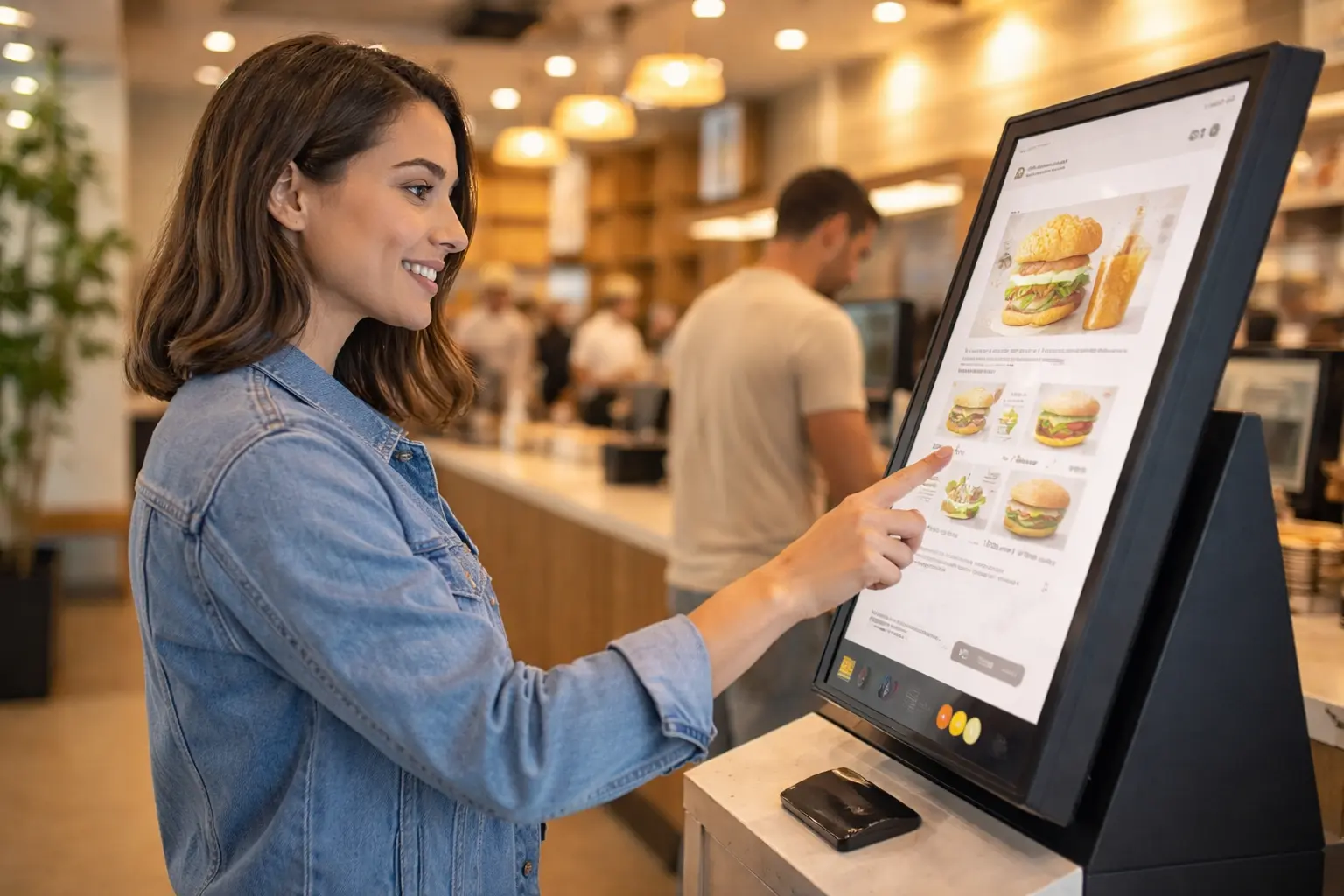
Your counter menu and your kiosk menu should not be identical. Kiosk menus should be simplified, visually compelling with high-quality photos for every item, and organized for easy navigation. Items that are hard to explain without staff assistance should be given detailed descriptions and visuals. Remove or simplify anything that creates decision paralysis at the screen.
2. Train Staff on Their New Role
Staff need to understand their new role alongside kiosks: greeting customers, helping those who need assistance with the kiosk, managing order pickup, and maintaining kiosk cleanliness. Kiosks that are ignored by staff feel impersonal and off-putting to customers who need help. The best kiosk implementations have a dedicated staff member visible near the kiosks during peak hours.
3. Place Kiosks Strategically
Kiosk placement matters more than most operators expect. The ideal placement is in clear view of the entrance, easily accessible, with clear signage indicating that kiosk ordering is available. Kiosks placed too close to the entrance create bottlenecks. Placed too far away, they get ignored by arriving customers who default to the counter.
4. Integrate with Your POS and Kitchen Display System
A kiosk that does not integrate with your kitchen display system creates a parallel workflow more confusing than helpful. Your kiosk should send orders directly to your KDS, with order numbers assigned and displayed on a customer-facing pickup screen to eliminate the need for staff to call orders. Integration removes friction from both the customer and kitchen sides of the transaction.
5. Monitor Kiosk Performance Data Weekly
Track your kiosk metrics weekly: average ticket from kiosk versus counter, kiosk transaction volume by hour, abandonment rate (customers who started an order and walked away), and most-added upsell items. This data helps you continuously optimize your kiosk menu for better conversion and higher tickets.
Kiosk Options Available in 2026
The kiosk market has matured significantly. You now have several distinct options at different price points:
- Floor-standing kiosks: The most common format for QSR. Highly visible, ADA-compliant, ideal for high-volume ordering. Most durable option.
- Counter-top kiosks: Lower cost, smaller footprint, suitable for smaller spaces and cafes with limited floor space.
- Tablet-based kiosk stands: Most affordable option — iPad or Android tablets in a lockable kiosk stand. Limited durability compared to purpose-built kiosks but adequate for lower-volume applications.
- QR code ordering: Customers scan a code at their table or at the counter and order from their phone. Zero hardware cost, but conversion rates are typically lower and the experience depends on customer device and connectivity.
Frequently Asked Questions About Restaurant Self-Service Kiosks
Do kiosks replace workers?
Most operators use kiosks to reduce the number of cashier positions, not to eliminate all front-of-house staff. In practice, kiosks allow you to reallocate staff toward hospitality and order fulfillment roles while reducing headcount at the ordering counter specifically. Many operators find overall service quality improves when staff are freed from order-taking to focus on guests.
Are customers comfortable ordering from kiosks?
Consumer comfort with self-service technology has increased dramatically. A 2025 Deloitte survey found that 68% of quick-service restaurant customers said they preferred kiosk ordering to counter ordering when both were equally available. Younger demographics show even stronger preferences. Customers who use kiosks regularly tend to order faster, explore more menu options, and spend more than counter customers.
What is the average kiosk reliability and uptime?
Modern commercial kiosk hardware from established vendors typically operates with 99 percent or higher uptime. Cloud-based software allows for remote troubleshooting and updates without on-site service visits. Most reliability issues arise during the first 90 days of operation as configurations are refined. Choose a vendor with a strong service and support track record in your region.
Can kiosks process all payment types?
Yes. Modern restaurant kiosks accept credit and debit cards, NFC contactless payments including Apple Pay and Google Pay, and in some cases cash via integrated bill acceptors. Gift card and loyalty redemption is also available through POS-integrated kiosk systems. Full payment flexibility is essential — a kiosk that cannot accept the customer’s preferred payment method creates abandonment.
How much staff training is required for kiosk implementation?
Initial staff training for kiosk operations typically takes two to four hours. The more important investment is in role redesign — helping staff understand how their responsibilities shift when customers are self-ordering. The restaurants with the best kiosk outcomes treat the launch as a full operational change initiative, not just a technology installation.
The Verdict: Are Self-Service Kiosks Worth It in 2026?
For quick-service, fast-casual, and cafe formats with sufficient daily order volume, yes — self-service kiosks are worth it in 2026. The combination of labor cost reduction, average ticket increases, and improved order accuracy creates a compelling ROI for most operations that implement them correctly.
The key word is correctly. A kiosk that is poorly designed, inadequately supported by staff, or disconnected from your POS will underperform. But a well-implemented, integrated kiosk program tied to your POS data will consistently demonstrate positive returns — and the investment gets more efficient as technology costs continue to decline.
If you are evaluating kiosks for your restaurant, start with a pilot program of one or two units in a single location. Use the data from that pilot to project ROI and refine your implementation before scaling across your operation.