POS System Decision-Making Made Simple: What You Must Know

POS System Decision-Making Made Simple: What You Must Know

Choosing the right point of sale solution can make or break your business operations. POS system decision-making involves careful evaluation of multiple factors such as features, costs, compatibility, and scalability. Whether you run a small café or a growing retail chain, understanding how to select the ideal POS system ensures smoother transactions, better inventory control, and enhanced customer experiences. This article dives deep into the essential considerations, practical tips, and insights you need to make informed POS purchasing decisions that drive lasting success.

Table of Contents

Evaluating Business Needs for the Right POS System

Before diving into the sea of POS options, a thorough business needs assessment sets a solid foundation. Every business has unique demands that a POS system must accommodate, ranging from payment processing to inventory management. A clear understanding of these needs helps narrow down choices and prevents costly mistakes later.

Understanding Your Business Model and Workflow

Knowing your business model and daily workflow in detail is critical when making POS system decisions. For example, a full-service restaurant requires a system that handles complex order customizations, table assignments, and split bills. Conversely, a boutique retail store might prioritize barcode scanning and real-time inventory updates. If your business is a hybrid, such as a café with retail items, the POS must accommodate both food service and retail sales smoothly. Mapping out these specific workflows before choosing a system will prevent operational bottlenecks and reduce staff frustration.

Furthermore, the volume and nature of transactions play a vital role. For instance, a fast-food outlet with rapid, high-volume sales needs a POS system that processes orders and payments swiftly without delays. On the other hand, a luxury boutique may process fewer transactions but require detailed customer profiles and personalized discounts. By considering such nuances, you ensure the POS system you choose aligns perfectly with how your business functions on a daily basis.

Engaging with your team during this stage is invaluable. Employees who operate cash registers or serve customers often spot challenges that management might miss. Their feedback can reveal critical requirements like specific report types, ease of navigation, or integration with other tools. This collaboration ensures the POS system supports actual workflows rather than theoretical needs, ultimately improving efficiency and user satisfaction.

Analyzing Payment Processing Needs

Payment processing is at the heart of POS system decision-making and should be scrutinized thoroughly. Your business must support the payment methods preferred by your customers. For instance, if many customers use mobile wallets like Apple Pay or Google Pay, your POS must accept contactless payments securely and swiftly. Ignoring these trends could mean losing sales or frustrating customers. Additionally, your POS should be capable of handling split payments or partial payments, common in group dining or custom retail purchases.

Understanding transaction volume and average ticket size also influences your choice. Some payment processors charge a flat rate per transaction, while others offer percentage-based fees. Selecting a POS system that integrates with a payment gateway offering competitive rates can save significant costs over time. Moreover, integrated payment processing often simplifies reconciliation, reducing accounting errors and administrative overhead. This integration ensures sales data, payments, and customer details synchronize automatically, giving you a clear picture of your finances.

International businesses or those serving tourists need to consider multi-currency payment capabilities and tax handling. For example, a hotel near an international airport might require a POS system that effortlessly converts and processes different currencies while calculating local taxes. Failing to address this could slow down checkouts and frustrate customers unfamiliar with your local payment methods. Hence, matching payment processing features to your specific customer base and location is vital for smooth operations.

Identifying Industry-Specific Requirements

Each industry has unique demands that heavily influence POS system decision-making. For example, in the restaurant industry, a POS system must support menu modifiers, kitchen display systems, and timed promotions to ensure quick and accurate orders. On the other hand, retail businesses require strong inventory control, supplier management, and barcode scanning to handle thousands of SKUs efficiently. Ignoring these specific requirements might result in choosing a generic POS system that lacks critical functionalities for your field.

Industry-specific POS solutions often come pre-loaded with templates and workflows tailored for your sector, which significantly reduce setup time and training efforts. For example, a salon POS system might include appointment scheduling, stylist commission tracking, and product inventory for retail sales. These built-in features can dramatically improve daily operations and customer satisfaction. Opting for a general system may require expensive customization or multiple third-party add-ons that complicate your setup.

Additionally, compliance with regulatory requirements is a key consideration. Food service businesses may need POS systems that assist in managing allergen information and health code documentation. Healthcare providers may require HIPAA-compliant systems with enhanced privacy features. Choosing an industry-specific POS ensures you meet these legal obligations while protecting your customers and your business. This attention to detail reduces risks and helps maintain a professional reputation.

Comparing Features and Costs: What Matters Most

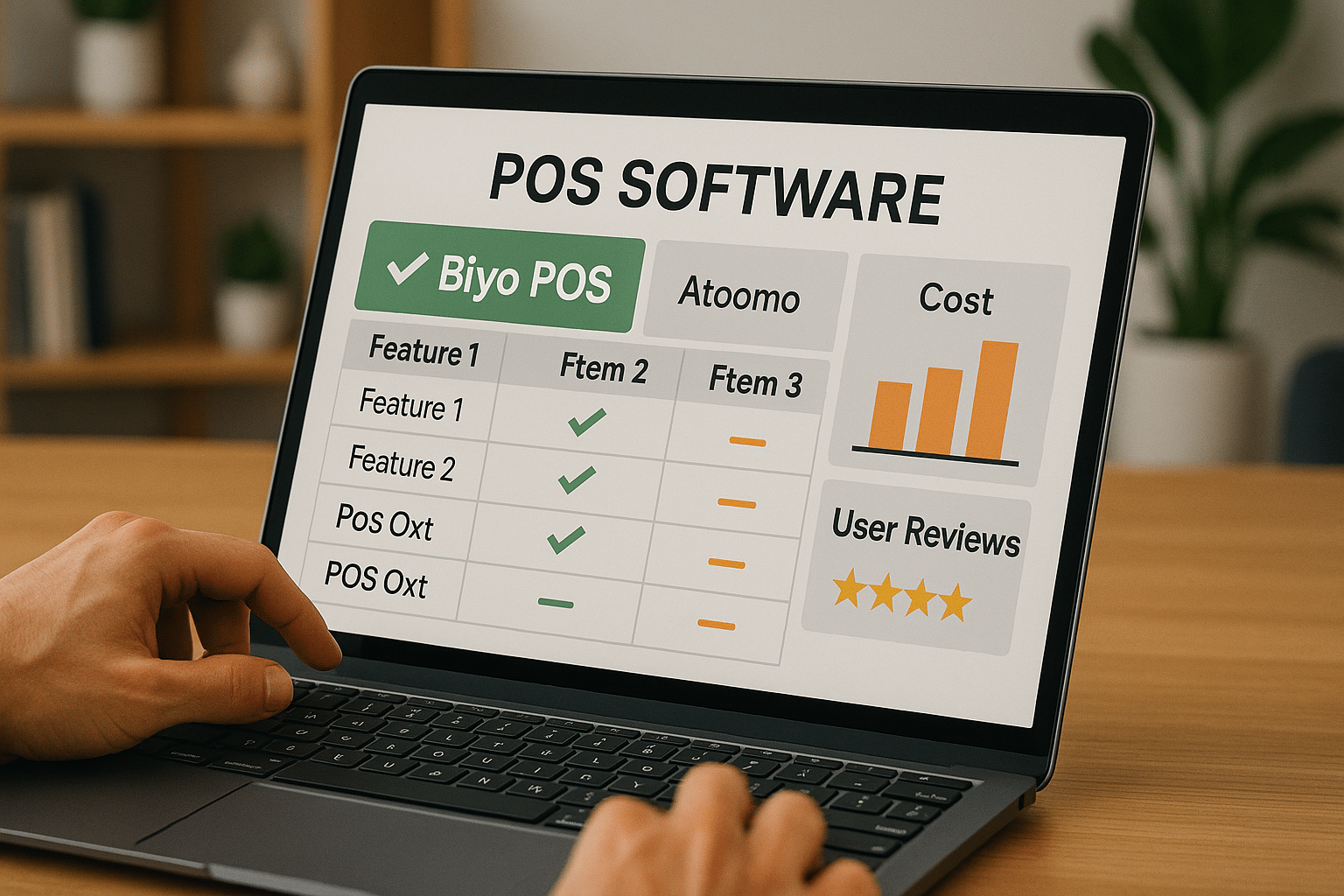
Balancing feature sets with cost considerations is a cornerstone of POS system decision-making. While some systems boast a plethora of functionalities, many may not be relevant to your business, potentially complicating operations and increasing expenses unnecessarily. On the other hand, undersized solutions might fail to meet essential needs, causing inefficiencies and lost revenue. Therefore, a focused comparison guided by your priorities is necessary to find the sweet spot.

Key Features to Prioritize

Start by identifying the core features that directly impact your daily operations. Inventory management is often high on the list, as accurate stock tracking prevents overselling and reduces waste. For example, a grocery store POS must track perishable goods with expiration dates, alerting staff to approaching sell-by dates. Meanwhile, customer loyalty programs help businesses retain patrons and increase repeat visits, which many modern POS systems support with integrated rewards and promotions.

Mobile POS has become increasingly important, especially for businesses requiring flexibility such as food trucks or event vendors. Mobile systems enable staff to ring up sales anywhere, improving customer service and reducing checkout lines. Cloud-based solutions offer additional advantages, like remote access to sales data and automated software updates, eliminating manual maintenance and ensuring your system is always up to date.

Customization options matter greatly for tailoring your POS to specific workflows. For instance, a restaurant may want to configure menu categories, modifiers, and combo meals while a retailer may need specialized pricing tiers for wholesale versus retail customers. Good POS systems provide intuitive interfaces that allow businesses to adjust settings without needing costly developer support, saving time and money.

Understanding Cost Structures and ROI

Price transparency is essential when weighing POS system options. Many vendors offer subscription pricing models based on the number of terminals or users, plus transaction fees, hardware costs, and optional features. For example, a cloud-based system might charge $50 per month per terminal plus a 2.5% transaction fee. It’s important to map out all potential costs to avoid surprises that could strain your budget.

Calculating total cost of ownership requires including indirect expenses like installation, employee training, and ongoing maintenance. For example, a complex system with extensive features may require specialized training sessions lasting days, increasing labor costs. Alternatively, simpler systems may be less expensive upfront but lack vital capabilities, potentially limiting growth.

Return on investment (ROI) goes beyond just upfront costs. Consider how a POS system might reduce errors, speed up service, or enhance marketing efforts, all contributing to increased revenue and customer satisfaction. For example, a POS system that automates inventory ordering based on sales trends can minimize stockouts and reduce overstock expenses. Tracking these benefits over time gives you a clearer picture of the system’s true value to your business.

Evaluating User Reviews and Expert Opinions

User reviews provide real-world feedback on how POS systems perform under actual business conditions. Look for recurring themes in reviews such as ease of use, reliability during peak hours, or quality of customer support. For instance, a system praised for fast checkout speeds but criticized for poor inventory reporting might be perfect for fast food but less ideal for a multi-product retail store.

Expert reviews and comparison reports often delve deeper, testing features rigorously and assessing vendor reputations. These insights can highlight hidden drawbacks like frequent software bugs, unclear pricing, or limited integration options. Industry experts also rate systems on security compliance, update frequency, and scalability potential—factors crucial for long-term success.

Combining user experiences with expert analysis creates a balanced perspective. While enthusiastic reviews may show a system’s strengths, expert critiques can reveal potential pitfalls. This approach helps in narrowing down your choices to systems with proven track records aligned with your business needs.

Hardware Compatibility and Software Integration

POS system decision-making cannot overlook how hardware and software elements interact. Compatibility issues may cause operational delays or increased costs if you need to replace functioning devices or invest in unsupported peripherals. Ensuring smooth integration enhances overall efficiency and user satisfaction.

Ensuring Hardware Compatibility

Hardware components like barcode scanners, cash drawers, receipt printers, and payment terminals are essential parts of a POS setup. When selecting a POS system, verify that it supports the hardware you currently own or plan to purchase. For example, if your business uses a specific brand of thermal printer, confirm the POS software’s compatibility to avoid costly hardware replacements or workarounds.

Some vendors offer complete hardware bundles optimized for their software, which can simplify setup but may limit flexibility. Alternatively, systems supporting a wide range of third-party devices allow you to pick hardware based on budget and preference. For example, a retail chain might want rugged barcode scanners for warehouse use, while a coffee shop may prioritize sleek, compact printers that fit behind the counter.

For mobile POS setups, device compatibility is equally important. Tablets or smartphones must run the POS app smoothly without frequent crashes or battery drain. Ensuring that your devices meet or exceed vendor recommendations prevents frustrating interruptions during busy periods and ensures reliable service delivery.

Integrating with Existing Business Software

Modern businesses rely on multiple software platforms such as accounting systems, customer relationship management (CRM) tools, and marketing automation. POS system decision-making should include evaluating integration capabilities with these essential tools. For example, syncing sales data automatically to accounting software like QuickBooks eliminates manual entry and reduces errors.

Cloud-based POS systems often come with APIs or pre-built connectors that facilitate seamless integration with popular software. For instance, a retailer using Shopify for e-commerce can choose a POS that syncs inventory and sales in real-time across both online and physical stores. This integration helps maintain accurate stock levels and a unified customer database.

Also, check whether the POS system supports exporting reports and data in common formats like CSV or Excel. This flexibility is important if you want to analyze data using external tools or plan to migrate systems in the future. Smooth data flow between your POS and other business software ultimately saves time, improves accuracy, and supports better decision-making.

Security Features for Hardware and Software

Security is a critical aspect of POS system decision-making, as these systems handle sensitive payment and customer data daily. Ensure your chosen POS employs robust security protocols such as end-to-end encryption to protect cardholder information during transactions. This reduces the risk of data breaches and builds customer trust.

Hardware security features also play a key role. For example, tamper-resistant card readers help prevent fraudulent skimming devices. Some POS systems include secure boot processes and physical locks on cash drawers to prevent unauthorized access. Selecting hardware with built-in security measures provides an extra layer of protection against theft and fraud.

Additionally, the POS vendor should maintain compliance with industry standards such as PCI DSS (Payment Card Industry Data Security Standard). Regular software updates to patch vulnerabilities and provide new security features are also essential. By choosing a vendor with a strong security focus, you safeguard your business reputation and avoid costly regulatory fines.

Assessing User Experience and Customer Support

A POS system’s usability and the support provided by its vendor significantly influence how quickly your team adopts the technology and resolves inevitable issues. Poor user experience can frustrate staff, leading to errors and slower service, while weak customer support prolongs downtime, harming revenue and customer satisfaction.

Evaluating Ease of Use and Training Requirements

Ease of use is a key factor in POS system decision-making. An intuitive interface with clear menus, logical workflows, and minimal required clicks reduces employee training time and minimizes mistakes during transactions. For example, touchscreen-friendly interfaces with large buttons suit fast-paced environments like quick-service restaurants.

Comprehensive training materials provided by the vendor enhance onboarding. These may include step-by-step video tutorials, detailed user manuals, and live training sessions. Businesses that invest in thorough staff training report fewer errors and higher confidence in using the POS. Also, some systems offer customizable dashboards and role-based permissions, tailoring the user experience to different employee roles and simplifying complex tasks.

Involving end-users in the testing phase before final purchase is highly recommended. Employees can identify usability issues, suggest feature improvements, or flag confusing workflows. This feedback helps avoid costly changes after implementation and improves overall satisfaction and efficiency.

Customer Support Availability and Quality

High-quality customer support is indispensable for POS systems, especially during peak business hours when downtime is costly. Vendors offering 24/7 support via multiple channels such as phone, email, and live chat provide peace of mind. For instance, a restaurant experiencing a checkout issue during dinner rush benefits greatly from immediate assistance.

Some vendors assign dedicated account managers to larger clients, providing personalized support and quicker response times. This approach allows businesses to resolve issues more efficiently and maintain system uptime. Additionally, access to extensive online knowledge bases and user communities enables self-service troubleshooting and learning.

Evaluating support quality through user reviews reveals how well vendors handle real-world problems. Pay attention to reported response times, resolution effectiveness, and professionalism. Choosing a vendor committed to excellent customer service ensures your investment remains reliable and your staff well-supported.

Mobile POS User Experience

Mobile POS solutions offer considerable flexibility but vary widely in user experience. A well-designed mobile POS app should be responsive, easy to navigate, and feature-rich without being cluttered. For example, the app should allow quick item searches, smooth payment processing, and instant receipt generation. Poorly designed mobile apps frustrate users and slow down service.

Real-time data synchronization between mobile POS devices and the main system is vital. This ensures that inventory updates, sales records, and customer data remain consistent across all platforms. Offline mode is another important feature, enabling transactions even without internet connectivity and syncing data automatically once online again.

Mobile POS enables employees to engage customers directly on the sales floor, speeding up service and increasing sales. Restaurants can take orders tableside, and retail staff can assist customers anywhere in the store. Prioritizing a mobile POS system with a smooth, reliable user experience boosts operational efficiency and customer satisfaction.

Scalability, Security, and Vendor Comparison

Looking beyond immediate needs is crucial in POS system decision-making. Selecting a scalable, secure, and reputable vendor protects your business investment and prepares you for future growth and challenges.

Planning for Scalability and Growth

Your business will evolve, and your POS system should be ready to grow alongside it. Scalable systems support adding registers, locations, and users without complicated upgrades or system replacements. For example, a single-location café that expands into a chain needs a POS that can synchronize data across stores and consolidate reporting effortlessly.

Cloud-based POS systems typically excel in scalability, allowing you to increase capacity simply by adjusting your subscription plan. This flexibility means you avoid costly hardware purchases upfront and can pay only for what you use. However, it’s essential to verify that system performance remains stable under increased load to avoid slowdowns or data issues during busy times.

Customization also factors into scalability. Modular systems enable adding new features or integrations as your business grows or changes. For instance, you might start with basic sales tracking and later incorporate advanced customer loyalty programs or detailed analytics. Planning for such growth ensures your POS remains a valuable tool rather than a limiting factor.

Comparing Vendors and Making the Final Choice

Vendor comparison in POS system decision-making involves assessing reputation, innovation, and customer success commitment beyond just price and features. Established vendors with strong track records tend to offer more reliable products and better support, reducing risk. However, innovative newcomers may provide cutting-edge technology or more flexible pricing models, so weigh these factors carefully.

Request product demos and trial periods to test the system in your real business environment. This hands-on experience helps you identify potential challenges and confirm that the system meets your expectations. Don’t hesitate to involve staff in this testing phase to gather diverse perspectives.

Review contract terms thoroughly, including cancellation policies, data ownership, and upgrade procedures. Transparent and fair agreements prevent unpleasant surprises and foster positive long-term relationships with your vendor. Consider also the vendor’s roadmap for future updates and how frequently they release improvements to stay current with industry trends.

Calculating Return on Investment (ROI)

Calculating ROI is an essential step to validate your POS system decision-making process. Beyond initial costs, consider how the system will improve operations, increase revenue, and reduce losses over time. For example, automating inventory management might reduce waste and prevent stockouts, directly affecting your bottom line.

Faster checkout processes can lead to increased customer throughput, especially during peak hours, which may translate to higher sales volumes. Additionally, features like integrated marketing tools and customer loyalty programs can boost repeat business and average purchase size. Quantifying these improvements in monetary terms strengthens the business case for your chosen POS system.

Also, consider intangible benefits such as improved employee morale due to easier workflows, enhanced customer satisfaction from faster service, and better data insights for strategic decisions. Combining these factors provides a holistic view of your investment’s value and helps justify the expenditure to stakeholders.

About Biyo POS

Biyo POS offers a versatile, cloud-based solution tailored to businesses seeking a powerful yet easy-to-use system. It combines comprehensive inventory management, flexible payment processing, and customizable user interfaces to support diverse business models. Its mobile POS capabilities allow staff to serve customers efficiently anywhere, while cloud access ensures managers stay connected to real-time data from any location.

Security features such as end-to-end encryption and PCI compliance protect sensitive transactions and customer data. Biyo POS’s transparent pricing and scalable plans help businesses control costs while expanding functionality as needed. The platform also includes extensive training resources and responsive customer support, smoothing onboarding and ongoing operations.

For companies prioritizing reliable technology, seamless integration, and user-friendly design, Biyo POS represents a forward-thinking choice in the complex world of POS system decision-making.

Frequently Asked Questions

What is the most important factor in POS system decision-making?

The most important factor is ensuring the POS system aligns with your unique business operations, including workflows, payment processing preferences, and industry-specific requirements. A system tailored to your needs streamlines processes, improves accuracy, and enhances customer experiences, laying the foundation for business success.

How can I compare POS systems effectively?

Begin by defining your must-have features and budget constraints, then evaluate hardware compatibility and software integration capabilities. Reading user reviews, consulting expert opinions, and testing demos provide practical insights into usability and support quality, all critical to making a well-informed choice.

Why is scalability important in selecting a POS system?

Scalability ensures your POS system can grow with your business, accommodating more locations, registers, or users without costly upgrades or replacements. A scalable system protects your investment by adapting to increasing operational demands and evolving business models.

How does a cloud-based POS system benefit my business?

Cloud-based POS systems offer flexibility by enabling remote access to sales and inventory data, automated software updates, and seamless integration with other cloud services. This leads to reduced IT maintenance, improved data security, and enhanced management oversight across multiple locations.

What role does customer support play in POS system decision-making?

Effective customer support ensures quick resolution of technical issues, minimizing downtime and maintaining smooth operations. Vendors that provide 24/7 assistance through multiple channels, offer training resources, and maintain responsive communication contribute significantly to a positive user experience and system reliability.

Related Posts