When you’re running a catering business, deciding on the right system is one of the most important moves you’ll make. In this article we’ll explore how to go about choosing a catering point of sale system that aligns with your business needs, supports growth, and integrates smoothly into your workflows. You’ll find detailed guidance on POS comparison, feature evaluation, event management integration, menu customization, contract management, order scheduling, payment processing, inventory tracking, mobile POS, client database, real-time reporting, staff coordination, delivery management, billing automation, scalability, cloud-based POS, customer communication, cost analysis, software integration, user-friendly interface and more.
Table of Contents
- Why a Tailored System Matters
- Key Features to Evaluate
- Comparing Vendor Options and Doing a POS Comparison
- Integration and Scalability Considerations
- Cost Analysis and Implementation Path
- How to Select the Right One for Your Business
Why a Tailored System Matters
In a catering business each day can bring a new challenge—from event bookings to delivery logistics, varying menus, and client expectations. Choosing a catering point of sale system that is designed for this environment means you’ll gain features geared toward those demands rather than generic retail-POS traps.
Understanding catering workflow management
Catering workflow management demands tracking everything from initial client inquiries to final delivery and billing. A specialized system helps you map this entire flow so nothing slips through the cracks. Without this focus you might rely on manual spreadsheets or disparate tools that don’t communicate, leading to errors and inefficiencies.
For instance a recurring office-lunch client may have special packaging, delivery windows, billing preferences, and menu variants. A catering-aware POS should let you store those details and re-use them without re-typing each time. According to recent industry articles, catering POS systems help you manage large scheduled orders, store client preferences, and generate invoices more easily.
When you think of event management integration (which we’ll cover later) and mobile POS terminals for on-site service, the right system embeds into your unique workflow. That means less work for your team and fewer mistakes for you.
The difference between general POS and catering-specific POS
A general POS system might handle cash register functions, simple inventory tracking, and basic payments. But if you try to apply it to catering you’ll often find missing pieces: there may be no built-in contract management, no advanced delivery scheduling, or no robust client database that links event history. In contrast, a catering-specific solution will emphasise those capabilities.
For example, one article indicates catering POS software should integrate payment processing, menu management and CRM in one platform. If you skip on these and use a generic POS, you’ll end up with bolt-on modules or manual workarounds.
Therefore when choosing a catering point of sale system, you should prioritise a system built for catering operations. That will increase efficiency, support growth and reduce operational risks.
How event management integration raises the bar
Catering businesses don’t just sell meals—they manage events, deliveries, setup, breakdown and client relationships. That means your POS must integrate with event management workflows. If it doesn’t, you’ll juggle multiple systems which introduces error and slows you down.
Event management integration means the POS can handle lead capture, quoting, contract generation, event scheduling, guest lists, delivery zoning, and post-event billing. For instance the article from Orders.co describes how a catering POS enables scheduled large orders and printing of prep sheets and BEOs.
When workflows and systems sync, your team gains real-time visibility and control. That means fewer surprises, better client satisfaction and fewer hours spent chasing details—exactly what you need when you’re choosing a catering point of sale system.
Key Features to Evaluate
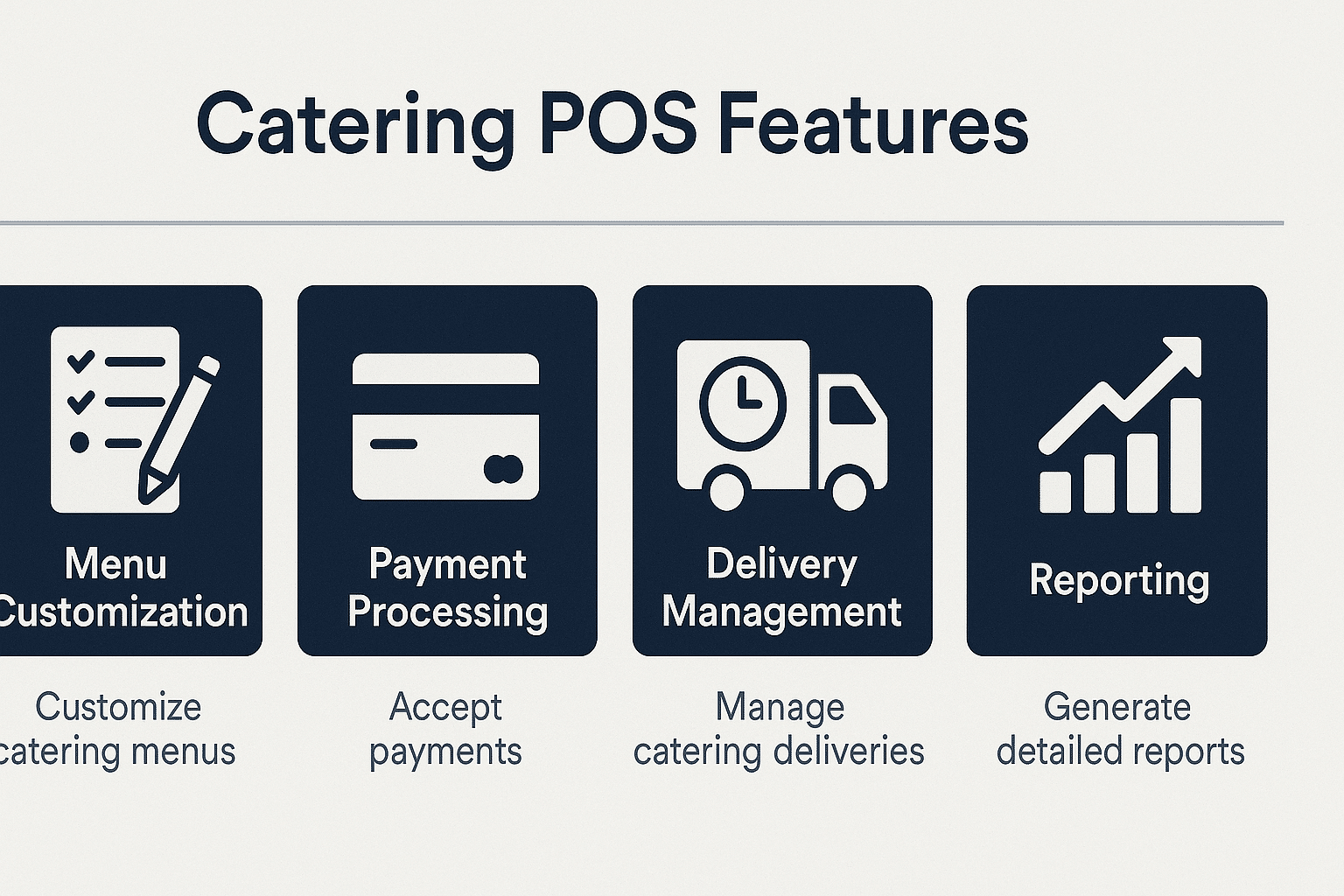
When you start your shortlist for choosing a catering point of sale system, focus on the feature set. A strong system will cover many of the auxiliary keywords in your brief: menu customization, order scheduling, payment processing, inventory tracking, mobile POS, client database, billing automation, real-time reporting and more.
Menu customization and billing automation
Your catering jobs will often require menus that differ from standard à la carte offerings—special pricing, seasonal dishes, custom presentations. The system you pick must let you build event-specific menus, apply custom pricing, and automate billing based on those menus. Good menu customization prevents errors in quotes and orders, while billing automation frees your admin team from repetitive invoicing.
One industry write-up emphasises that catering POS systems let you update menus, pricing and item modifiers easily across channels. Without that flexibility you’ll risk sending the wrong items, missing modifiers, or overcharging clients. Billing automation then ties into this by generating invoices, house accounts or payment terms for event clients without manual re-work.
When choosing a catering point of sale system, check whether it supports custom menus by event type, client-specific pricing, auto-generation of invoices and house accounts. These capabilities will differentiate between a system that serves you and one that simply ‘works’.
Order scheduling, delivery management and staff coordination
In catering, timing is paramount: schedule deliveries, setup teams, coordinate staff, track drivers and ensure each event flows smoothly. When you choose a catering point of sale system, you should look for modules or features dedicated to order scheduling and delivery management. That means you can assign time slots, track status, dispatch driver or courier, and monitor progress.
A POS system that tracks delivery status and coordinates drivers helps keep your operations tight. One article notes that modern catering POS software supports “delivery and pickup coordination” and “schedule of large orders” to reduce errors and late deliveries. Without these tools your team may rely on spreadsheets or ad-hoc apps and that introduces risk.
Staff coordination also matters: your POS should integrate staff scheduling or at least link to your scheduling system so the right team is on the job for each event. Therefore while evaluating options make sure you confirm how staff schedules, driver assignments and order timing are handled within the system when choosing a catering point of sale system.
Inventory tracking, payment processing and real-time reporting
Tracking inventory in real time is essential for catering. You don’t want to run out of chafing dishes, disposables or key ingredients just before a big event. A catering-aware POS system should allow you to monitor stock levels, ingredient usage, supplier orders and waste. The write-up in BIM POS emphasises that inventory forecasting and batch tracking matter for catering.
Payment processing is equally important. Your catering clients may pay via card, invoice, house account or split billing. The right system should handle multiple payment types and integrate seamlessly with your financial tools. According to one source, integrated billing and invoicing features are key to catering POS software.
Real-time reporting pulls together all these processes. It allows you to view trends (which menus perform best), measure delivery performance, track staff productivity and manage costs. When you are choosing a catering point of sale system, ensure the vendor offers dashboards, exports, alerts and analytics that match your business goals. Without that, you’ll fly blind.
Comparing Vendor Options and Doing a POS Comparison
After you’ve identified the features you need, a structured comparison of vendors will help you make the right choice. A POS comparison process gives you side-by-side contrasts on features, cost, user-friendliness, support, integration and scalability.
Creating a comparison matrix
Start by building a matrix that lists each vendor across columns and your required features down rows. Include the features we discussed: event management integration, menu customization, order scheduling, mobile POS, client database, delivery management, billing automation, inventory tracking and so on. Then mark whether each vendor supports them fully, partially or not at all.
In your matrix you should also include non-feature criteria: training time, user-friendly interface, implementation timeline, cancellation terms, support hours, data migration ease and mobile device compatibility. These often determine your real-world experience once the system goes live.
By using this matrix you’ll be able to quantitatively compare each option. That will take you beyond vendor marketing claims and into evidence-based decision-making. When you’re choosing a catering point of sale system this kind of rigour pays off.
User experience, interface and mobile POS capabilities
User-friendly interface is often overlooked during POS comparison but it drives adoption, training time and error rate. Your team will use the system every day under pressure so look for intuitive layout, touchscreen or tablet capability, mobile POS for on-the-go service and minimal learning curves.
The mobile POS capability matters especially for catering events where service staff or delivery teams may need to use tablets, phones or mobile terminals. This flexibility improves client satisfaction and enables remote check-in, payments and inventory updates.
When comparing vendors ask for hands-on demos, trial periods and feedback from current users (especially catering clients). Pay attention to usability, responsiveness, training resources and customization. These observations should feed into your comparison matrix when you are choosing a catering point of sale system.
Contract terms, support and vendor viability
Vendor contract terms are critical. You need to check cancellation policies, pricing tiers, software upgrade frequency, data export rights, backup procedures and support access (hours, channels, SLA). These factors can turn a great-looking deal into a headache later.
Support is especially important in catering because you may have events outside typical business hours. If your POS system fails during a large event you need vendor support swiftly. Ensure the vendor offers 24/7 or extended hours support or at least a strong service desk.
Vendor viability matters too. A POS vendor specializing in catering operations shows up differently from one targeting only retail. Check case studies, user testimonials and industry focus. That way, when choosing a catering point of sale system you’ll pick a provider aligned with your business model and growth plan.
Integration and Scalability Considerations
Choosing a system for today is good—but choosing one that can scale with you is better. The integration capabilities and scalability of your catering POS will determine how you handle growth, additional revenue streams and changing technology. Many of the auxiliary keywords tie into this theme: software integration, cloud-based POS, scalability, delivery management, customer communication and user-friendly interface.
Cloud-based POS and deployment flexibility
A cloud-based POS system allows remote access, real-time updates, and easier rollout across multiple events or locations. When your catering business expands into new markets or uses remote teams, the cloud becomes invaluable. One article describes how catering POS software uses cloud-based data storage to ensure accessibility across locations.
Meanwhile, cloud deployments typically reduce upfront hardware costs, support mobile devices, and simplify updates. For a business focused on flexibility and growth, this is a strong plus. When choosing a catering point of sale system you should give preference to cloud-based or hybrid systems unless you have specific on-premise requirements.
That said, consider offline functionality and backup modes—important when events are in remote venues with unreliable internet. Ensure the system you choose supports fallback operation without internet. This ensures your event runs smoothly even if connectivity fails.
Software integration with CRM, accounting and delivery platforms
Your catering business doesn’t exist in a vacuum. You will need to integrate with customer relationship management (CRM) systems, accounting/ERP, delivery or dispatch platforms, marketing tools, and possibly venue or event management systems. A POS system that integrates smoothly saves you manual exports and inconsistent data.
One source emphasises that the best catering POS system should integrate with existing systems like inventory management, accounting and CRM. If your POS can share data via API or native integrations, you will reduce duplication, improve data accuracy and streamline processes like client database updates or billing automation.
Therefore when choosing a catering point of sale system make sure you review the vendor’s integration roadmap, existing connectors and ease of adding new integrations as your business evolves.
Scalability and future-proofing your investment
Scalability means your POS system grows with your business—new cities, more clients, extra delivery trucks, more staff, larger events. When the vendor designed the platform for catering growth, you won’t hit a ceiling too soon. If you ignore scalability you risk needing to switch systems later—a costly and disruptive process.
A great example: if your business moves from handling 50 events a year to 500, you’ll need more automation, more reporting capacity, and more integrations (e.g., mobile success, advanced delivery). The POS you choose should handle that without major upheaval. Industry commentary on catering POS evolution shows that systems built for growth bring real value.
In short, when choosing a catering point of sale system make future growth part of your evaluation. Don’t just solve today’s pain points—address tomorrow’s opportunities too.
Cost Analysis and Implementation Path
Even the best system can turn into a poor investment if the cost structure and implementation path aren’t clear. When you’re choosing a catering point of sale system you must consider cost analysis, roll-out plan, training, change management and ROI.
Understanding cost components and ROI
Costs for a POS system generally include software subscription, hardware, payment processing fees, implementation/training, integrations and ongoing support. According to a POS guide, hardware and software costs vary widely and can range from modest to high depending on deployment.
As you examine vendors, build an ROI model: how will the system reduce staff time, reduce mistakes, increase repeat clients, improve margins, streamline billing, and give you better data? For example, if mobile POS and real-time reporting reduce errors and deliver faster billing, that leads to better cash flow and profitability.
When choosing a catering point of sale system, don’t just look at the subscription fee—factor in training time, staff productivity gains, potential for more sales and reduced waste. A thorough cost analysis will give you a clearer picture of which option delivers the best value.
Implementation timeline, training and change management
Rolling out a new POS system in a catering business involves more than installing software. You must configure menus, staff roles, event workflows, delivery scheduling, integrations and possibly hardware at venues. A poor implementation can disrupt operations and impact client experience.
Training your staff is crucial. If the interface is not intuitive or if training is lacking, your team may make mistakes or resist the system. That will hurt adoption and your ROI. During vendor comparisons you should ask for a detailed implementation timeline, training plans and support resources.
Therefore when you’re choosing a catering point of sale system include change-management planning: communication to staff, pilot testing, feedback loops and gradual rollout. A smooth transition will protect service quality and reduce business risk.
Contract management and vendor switching risks
Contract management is another significant aspect. Some vendors lock you into long terms or fees for early termination. Others may charge extra for upgrades or integrations. You need clarity on these terms before committing. Industry articles note that contract management features should be built into catering POS systems.
Vendor switching later can be extremely costly: data migration, retraining, downtime and client impact all matter. When choosing a catering point of sale system make sure you review the vendor’s contract terms, exit clauses, data ownership policy and upgrade path. That protects your business from being locked in or mis-aligned.
In summary, cost analysis and implementation planning are as important as feature sets and vendor fit. Get all your blades sharpened before you commit.
How to Select the Right One for Your Business
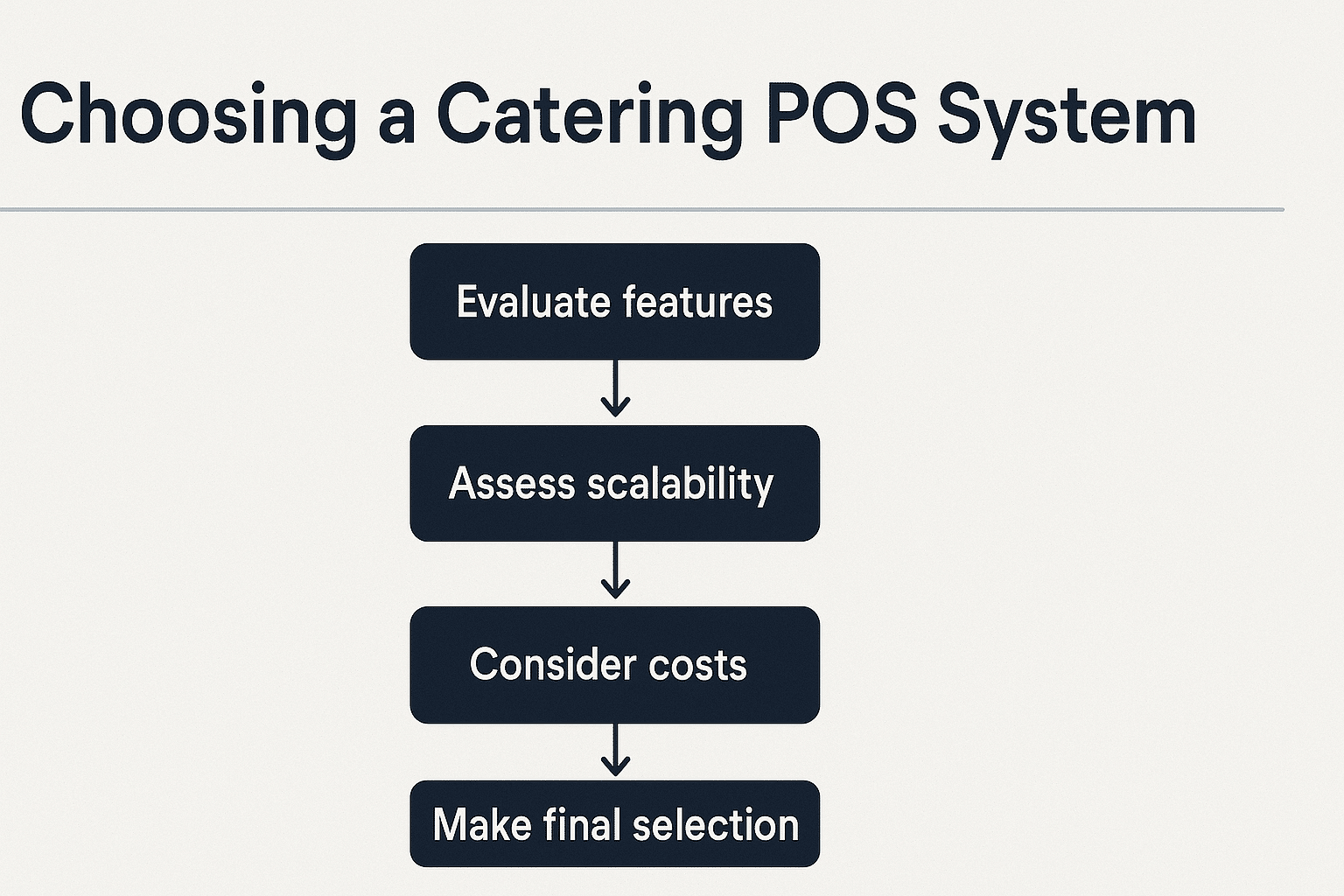
Having gone through feature evaluation, vendor comparison, integration and cost analysis, you now need to make a practical decision. In this section we’ll walk through actionable steps to ensure you pick the best catering POS system for your catering operations software needs.
Define business goals and must-have requirements
Start by listing your business goals. Are you aiming to increase number of events, improve billing accuracy, expand delivery zones, reduce staff training time, or scale into new markets? Once you have clear goals you can define must-have and nice-to-have requirements for the system.
For instance if you handle corporate events with net terms billing, then support for client database, house accounts and billing automation is a must. If you deliver across multiple cities, then delivery management and mobile POS also become essential. According to industry sources, storing client preferences, scheduling and invoices are key parts of catering POS systems.
When you’re clear on your priorities you can compare vendors more objectively and choose a system that aligns with your strategic direction—not just tick boxes on features.
Run pilot tests and gather team feedback
Once you narrow down vendors, run pilot tests. That means using the system in a real-event or simulated environment, to see how it works with your workflows. Let staff use the mobile POS, input an event, schedule delivery, test the menu customization, capture a repeat client, run reports and process invoice—all while capturing feedback.
During this testing you’ll highlight usability issues, missing integration parts, training pain points or workflow bottlenecks. This feedback will help you refine the final choice and ensure that when you deploy you’ll achieve adoption across your team.
In short, pilot testing helps you avoid selecting a system that looks good on paper but fails in practice when you’re managing a live event and under pressure a critical part of choosing a catering point of sale system.
Make the final decision and plan the rollout with your partner ecosystem
After pilot validation and cost analysis you’re ready to make the final decision. Choose the vendor that meets your must-haves, integrates well, has a user-friendly interface, scalable architecture and clear support terms. Sign the contract, clarify implementation timeline, training plan, data migration and backup strategy.
When you launch, communicate the change to your team, schedule training sessions, plan phased rollout, monitor adoption and feedback, and refine processes as you go. Also integrate your partner ecosystem if you have one—training ISO agents, merchant services providers, and any resellers if you work in a broader network (for example as you do with Biyo POS partner models).
At the end of the day, your goal is to minimise disruption, maximise value and get your team excited about using the system. That’s how you successfully complete the process of choosing a catering point of sale system and turning it into a growth tool rather than just another piece of software.
When you’re ready to explore a modern POS solution designed for catering and event operations, schedule a call with Biyo POS. Discover how Biyo POS supports event scheduling, menu customization, mobile POS, real-time reporting, and integrations for delivery, billing and staff coordination. Also consider signing up directly via Biyo POS signup to get started.
FAQ
- What is a catering point of sale system?
- A catering point of sale system is a software/hardware platform tailored to catering and event-based businesses. It covers order processing, menu customization, delivery logistics, billing, client database and reporting specifically for catering operations.
- How do I compare POS systems for catering?
- Start by defining your business goals and requirements. Then build a comparison matrix evaluating features (event management, menu customization, mobile POS, delivery scheduling), usability, vendor contract terms, cost, integrations and scalability. Pilot test shortlisted systems with real workflows.
- What features should I prioritise when choosing a catering POS?
- Prioritise menu customization, order scheduling, delivery management, mobile POS, payment processing, inventory tracking, client database, real-time reporting, user-friendly interface and integration capabilities. These features directly impact catering workflows and operational efficiency.
- Is a cloud-based POS system better for catering?
- Yes—cloud-based POS systems offer flexibility, remote access, and easier scaling. They allow your catering team to operate on-the-go and support remote venues. But ensure offline mode and robust backup exist, since catering events may face internet issues.
- How much does a catering-POS system cost?
- Costs vary by deployment type, hardware, feature modules and integrations. While general restaurant POS monthly fees range widely, a catered system may require more advanced modules (billing automation, event scheduling, mobile POS) so factor in implementation, training and recurring fees.
With the right approach in choosing a catering point of sale system you’ll not only simplify operations but position your business for growth, efficiency and excellent client service.