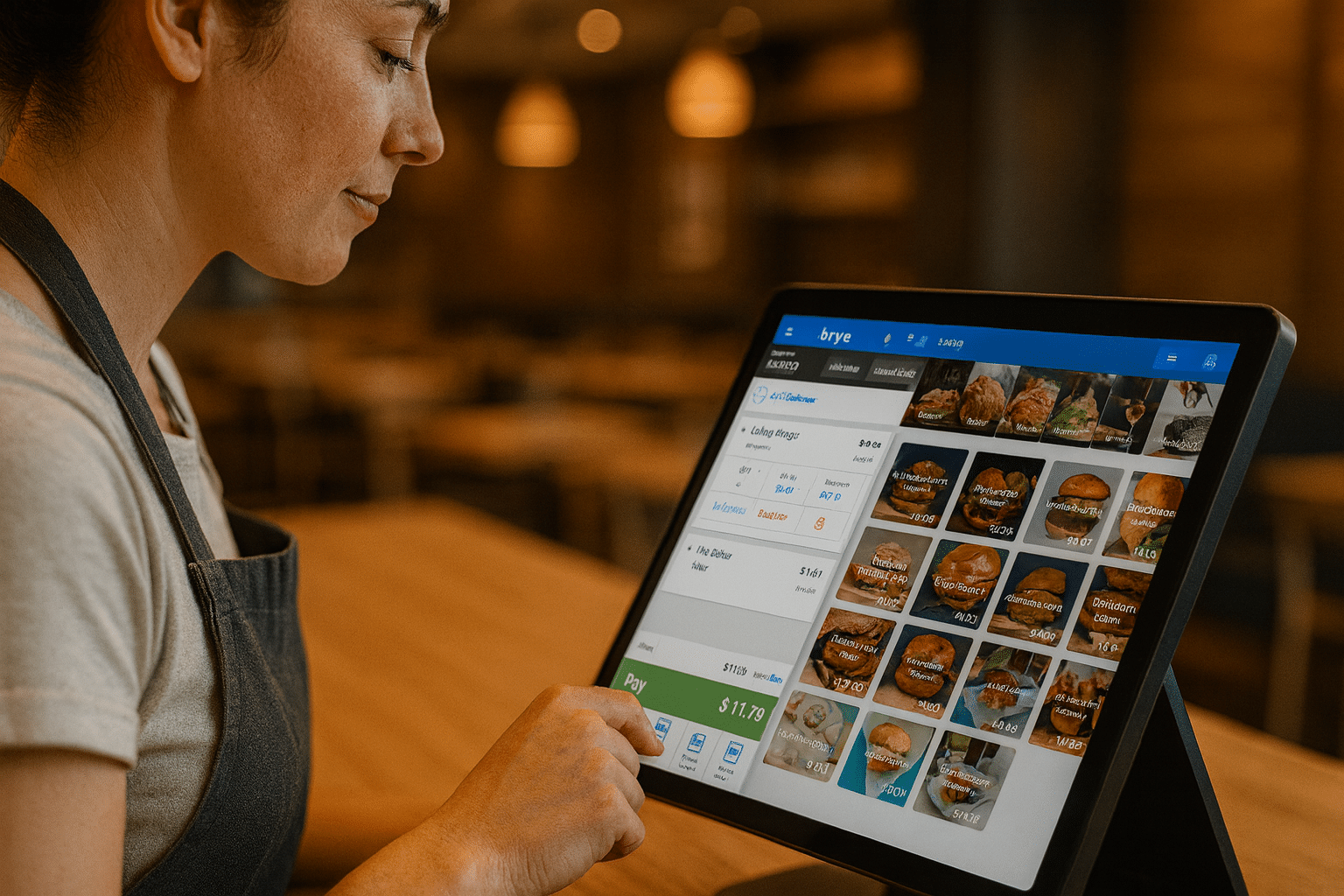

In the fast-paced world of food service, success depends on more than just delicious meals and friendly service. Behind every thriving restaurant is a strong operational backbone, one that seamlessly manages orders, payments, inventory, staff, and customer engagement. An all-in-one restaurant POS system is that backbone. It’s a comprehensive tool that unites multiple functions into a single, easy-to-use platform, giving restaurant owners the power to run their businesses with precision and confidence. Whether you operate a small café or a multi-location fine dining brand, the right all-in-one solution can improve efficiency, reduce costs, and create a smoother experience for both staff and customers.
Table of Contents
- Key Benefits of an All-in-One Restaurant POS System
- Essential Features Every Restaurant POS Should Have
- How an All-in-One POS Streamlines Restaurant Operations
- Enhancing the Customer Experience with a POS System
- How to Choose the Right All-in-One Restaurant POS System
Key Benefits of an All-in-One Restaurant POS System
When a restaurant replaces disconnected tools with a single integrated POS platform, the difference is often night and day. Instead of juggling separate systems for reservations, payment processing, and inventory tracking, everything is coordinated in real time. This means fewer errors, faster service, and more actionable insights into how the business is performing. For many restaurant owners, the biggest realization comes when they see how much time and money can be saved simply by eliminating redundant systems and automating routine tasks.
Improved Efficiency Across Departments
Efficiency is critical in food service, where every second can impact customer satisfaction and table turnover. An all-in-one restaurant POS system ensures that the front of house, kitchen, and management teams are all working from the same playbook. When a server inputs an order, it’s instantly transmitted to the kitchen display system (KDS) without the risk of misreading handwritten notes or dealing with lost paper tickets. This integration cuts down on communication errors and keeps orders moving smoothly from placement to delivery.
Consider a busy Saturday night at a popular bistro. Without an integrated system, servers might queue at a terminal, kitchen staff might misinterpret an order, and managers might struggle to keep track of table statuses. With an all-in-one solution, servers can take orders tableside using mobile POS devices, the kitchen receives the details immediately, and managers see a live dashboard showing which tables are seated, ordering, or ready for payment. The result is less downtime, faster table turnover, and higher customer satisfaction scores.
Even non-service areas like accounting and HR benefit from this efficiency. Payroll can be processed faster when staff scheduling and tip management are built into the same system. This reduces administrative work, allowing managers to spend more time on the floor ensuring guests are happy.
Better Financial Oversight
In restaurants, small percentage changes in cost control can make a huge difference in profitability. An all-in-one POS provides detailed sales reporting, cost analysis, and real-time data so you always know where your money is going. Managers can monitor gross margins, track sales by menu item, and see how daily specials perform compared to regular menu items. This type of visibility is impossible when data is scattered across multiple systems.
For example, if a particular dish is selling well but has slim profit margins due to ingredient costs, the POS can flag this and help you adjust pricing or portion sizes. Likewise, if you see that a high-margin item isn’t selling, you can promote it more heavily or feature it in loyalty program rewards. By making these small adjustments consistently, restaurants can see significant long-term gains.
Payment processing is another area where oversight matters. Secure, PCI-compliant transactions protect both your business and your customers, while integrated payment systems simplify reconciliation. With all payment data stored in one place, you can identify trends in customer spending habits and forecast revenue more accurately.
Enhanced Customer Loyalty
Customer loyalty is no longer just about handing out punch cards; it’s about building relationships based on personalized experiences. An all-in-one restaurant POS system can store customer profiles, track ordering habits, and automate rewards programs. This allows you to greet customers by name, recommend dishes they’ve enjoyed in the past, and send targeted promotions tailored to their preferences.
Imagine a regular customer who always orders a certain dessert. Your POS can automatically send them a “half-off dessert” coupon for their birthday month, or notify them when that item is back in stock if it’s seasonal. These small touches not only make customers feel valued but also increase the likelihood they’ll choose your restaurant over a competitor.
Integrating online ordering into this loyalty ecosystem makes it even more powerful. Customers can earn and redeem rewards whether they dine in or order takeout, creating a seamless experience that keeps them engaged with your brand year-round.
Essential Features Every Restaurant POS Should Have
Not all POS systems are created equal. A true all-in-one restaurant POS system should combine core operational tools with advanced features that anticipate the needs of a busy restaurant. The best systems are flexible enough to adapt to different service models, from quick-service cafés to fine dining establishments, while still providing the same level of control and visibility.
Order Management Tools
A POS’s ability to take and process orders efficiently is at its heart. The best systems support multiple order types—dine-in, takeout, delivery, and online—within a single interface. This ensures that a customer’s order is handled with the same speed and accuracy, regardless of how they place it. You can modify orders on the fly, split them among multiple guests, or reroute them to the correct prep station with just a few taps.
Table management is another crucial component. A visual floor plan on the POS helps hosts assign tables strategically, track seating times, and prevent double-booking. Servers can easily transfer orders between tables or merge tabs when groups join together. This flexibility keeps the dining room running smoothly, even during peak hours.
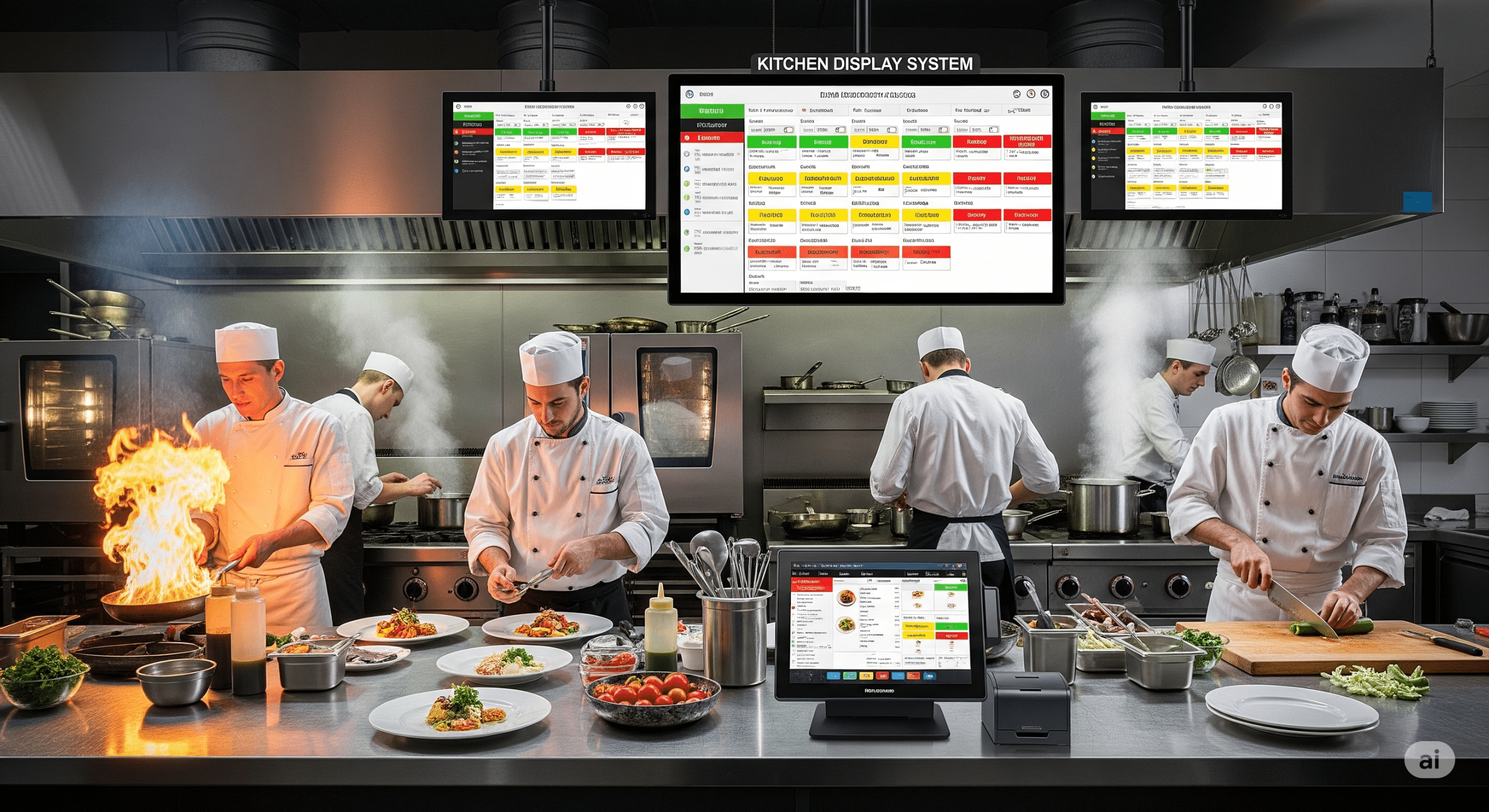
Integration with a kitchen display system further improves order flow. Instead of juggling printed tickets, the kitchen staff sees a digital queue that updates in real time. The KDS instantly reflects changes made at the table, reducing mistakes and ensuring orders are prepared exactly as requested.
Inventory Tracking
Inventory tracking isn’t just about knowing how many bags of flour you have in stock—it’s about managing costs and reducing waste. A strong all-in-one restaurant POS system automatically deducts ingredients from inventory as items are sold. This helps you identify usage patterns, forecast demand, and avoid over-ordering. You can also set alerts for low-stock items so you never run out of essentials during a busy shift.
For example, if you run a sushi restaurant, your POS might alert you that you’re low on fresh tuna halfway through the lunch rush. This allows you to adjust your menu offerings in real time, avoiding customer disappointment and minimizing waste. Over time, accurate inventory tracking can reduce food costs by identifying where waste occurs and allowing you to make targeted changes.
Some systems even integrate with suppliers, allowing you to place orders directly through the POS. This eliminates the need to log in to separate ordering platforms and keeps all procurement records in one place for easier accounting.
Payment Processing and Secure Transactions
Today’s diners expect a variety of payment options, from traditional credit cards to mobile wallets like Apple Pay and Google Pay. An all-in-one POS should support all major payment types while maintaining strict PCI compliance. Contactless payments, in particular, have grown in popularity as customers seek faster, safer transactions.
Mobile POS devices give servers the ability to take payments tableside, which not only speeds up the checkout process but also improves the guest experience by eliminating the need for customers to wait for their bill. Faster payment turnaround means quicker table turnover, allowing you to serve more guests during peak hours.
Security is equally important. The POS should encrypt all transaction data to prevent fraud, and provide detailed payment reports so you can track revenue accurately. This level of protection builds trust with customers, which is essential for long-term success.
How an All-in-One POS Streamlines Restaurant Operations
The real power of an all-in-one restaurant POS system lies in how it brings together all aspects of restaurant management under one roof. From the kitchen to the front of house to the back office, every department benefits from having accurate, real-time data and integrated tools that work together seamlessly.
Staff Scheduling and Management
Staff scheduling can be one of the most time-consuming tasks for a restaurant manager. An integrated POS can automate much of this process by analyzing historical sales data and predicting peak times, allowing you to staff accordingly. Shift changes, time-off requests, and overtime tracking can all be managed within the same platform used for order taking and payments.
Performance tracking is another valuable feature. By linking sales data to individual employees, you can identify top performers, recognize staff for upselling, and provide targeted coaching for those who need improvement. This creates a more motivated team and can directly increase sales.
Tip management is simplified as well. The system can track tips electronically, allocate them according to your policies, and include them in payroll processing automatically. This reduces disputes and ensures staff are compensated fairly.
Kitchen Display System Integration
A kitchen display system (KDS) is the modern replacement for paper ticket printers. When integrated with your POS, it provides a real-time view of incoming orders, organized by prep station. This helps kitchen staff prioritize tasks and ensures that dishes for the same table are ready at the same time.
For instance, a steak might take longer to prepare than a salad. The KDS can stagger ticket timing so both items are ready together, improving the guest experience. It can also alert servers when orders are ready, reducing the time food sits before being served.
The result is faster, more accurate order fulfillment, fewer mistakes, and a smoother workflow that benefits both customers and staff.
Real-Time Analytics and Reporting
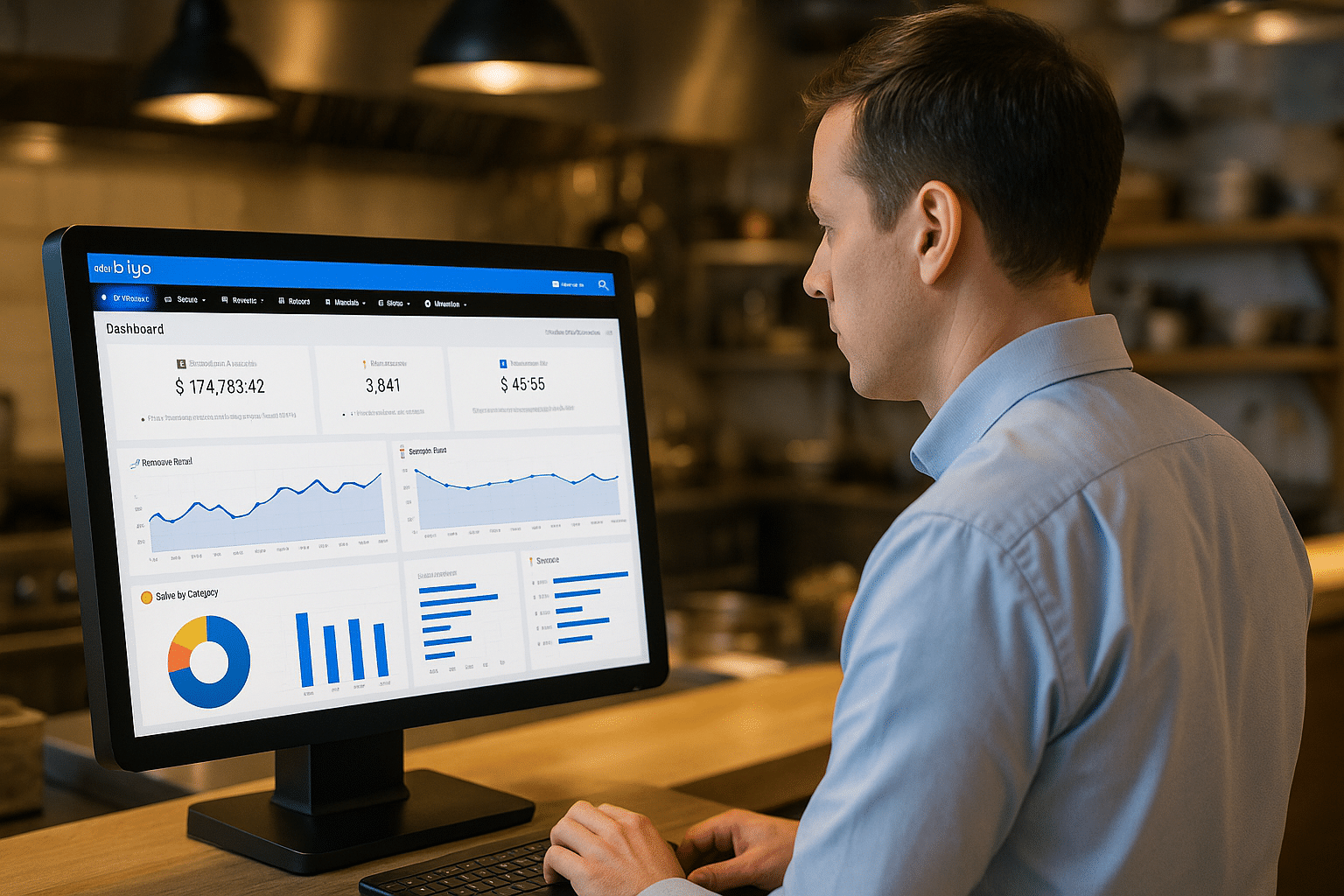
Data-driven decision-making is no longer optional—it’s essential for staying competitive. An all-in-one POS provides real-time analytics on sales, labor costs, and inventory usage. You can compare performance across different shifts, days, or locations, and spot trends that inform menu changes or marketing strategies.
For example, if you notice that certain items sell better during happy hour, you can feature them more prominently in promotions. If labor costs are high during slow periods, you can adjust schedules to match demand more closely.
Cloud-based reporting means you can access this data from anywhere, whether you’re in the restaurant, at home, or traveling. This flexibility allows for quicker, more informed decisions that can positively impact your bottom line.
Enhancing the Customer Experience with a POS System
While operational efficiency is crucial, the customer experience is what ultimately drives repeat business. An all-in-one restaurant POS system can enhance every step of the dining journey, from booking a table to paying the bill.
Online Ordering Integration
Online ordering has gone from a convenience to a necessity in recent years. A POS with built-in online ordering allows customers to place orders directly through your website or mobile app, avoiding third-party platforms that take a cut of your profits. The system sends orders straight to the kitchen, eliminating the need for manual entry and reducing the risk of mistakes.
This integration also allows you to collect valuable customer data. You can use this data to personalize marketing campaigns and improve service. For example, you can offer special promotions to customers who haven’t ordered in a while or suggest add-ons based on past orders.
The easier it is for customers to order from you—whether for pickup, delivery, or dine-in—the more likely they are to become regulars.
Reservation and Table Management
Reservation tools within your POS allow customers to book tables online, while table management features help hosts optimize seating arrangements. This minimizes wait times and maximizes table turnover, which can significantly boost revenue during peak periods.
By tracking table status in real time, staff can ensure guests are seated promptly and that no table sits empty for too long. This creates a smoother flow in the dining room and reduces frustration for waiting customers.
Well-managed reservations and seating not only improve operational efficiency but also contribute to a more pleasant dining atmosphere for everyone.
Personalized Service Through Data
Personalization is one of the most effective ways to make customers feel valued. By storing customer preferences and order history, your POS can help servers make tailored recommendations and offer personalized promotions. This could be as simple as suggesting a guest’s favorite wine or alerting them to a new dish similar to one they’ve enjoyed before.
Such small touches can have a big impact on customer loyalty. People are more likely to return to a restaurant where they feel recognized and appreciated, and they’re more likely to recommend it to friends and family.
When combined with loyalty programs and online ordering, this personalization becomes even more powerful, creating a seamless, branded experience across all customer touchpoints.
How to Choose the Right All-in-One Restaurant POS System
Choosing a POS system is a major investment that will impact every aspect of your restaurant’s operations. The right choice will save you time, improve service, and boost profitability. The wrong choice can lead to frustration, lost revenue, and costly system replacements.
Evaluate Your Restaurant’s Needs
Before comparing systems, make a list of the challenges you want to solve. Are you struggling with inventory waste? Do you need better table management? Is online ordering a priority? By identifying your specific needs, you can focus on solutions that address them directly instead of being distracted by unnecessary features.
For instance, a high-volume quick-service restaurant might prioritize speed of service and drive-thru integration, while a fine dining establishment might focus on reservation management and tableside ordering. Matching the system’s strengths to your business model is key to getting the most value.
Involving your staff in this evaluation process can also be beneficial. They’ll be using the system daily, so their input on usability and functionality can help you make a more informed decision.
Compare Pricing and Value
POS pricing can vary widely depending on the features, hardware, and payment processing rates. Some providers offer subscription-based models with lower upfront costs, while others require a larger initial investment but lower ongoing fees. It’s important to consider the total cost of ownership, including training, support, and future upgrades.
While it may be tempting to choose the cheapest option, remember that a reliable, feature-rich system can pay for itself quickly through improved efficiency and increased sales. Request demos, ask for detailed pricing breakdowns, and calculate the potential return on investment before making a decision.
A trial period can be invaluable for testing how well the system fits into your operations before committing to a long-term contract.
Check Support and Reliability
Your POS is mission-critical technology—you can’t afford for it to fail during a busy shift. Look for a provider with a strong track record of uptime, quick response times, and multiple support channels such as phone, chat, and email. Read customer reviews and ask other restaurant owners about their experiences with the vendor.
Cloud-based systems often provide automatic updates and backups, ensuring your software stays current without requiring manual intervention. This also means you can access your POS remotely, which is invaluable for multi-location operators or owners who travel frequently.
In the end, the right partner will not only provide reliable technology but also support your restaurant’s growth and evolving needs over time.
Why Choose Biyo POS
Biyo POS offers a true all-in-one restaurant POS system designed to handle every aspect of modern food service. From integrated order management and payment processing to inventory tracking, customer loyalty programs, and online ordering integration, Biyo POS delivers the tools you need to run your restaurant efficiently. It also includes an advanced Voice AI feature for hands-free order processing. With additional features like real-time analytics, staff scheduling, tip management, and secure contactless payments, it’s built to improve both operations and the customer experience. Whether you operate a single location or multiple outlets, Biyo POS gives you the flexibility, scalability, and reliability to grow your business.
FAQ
What is an all-in-one restaurant POS system?
An all-in-one restaurant POS system combines multiple restaurant management tools—such as order processing, payment handling, inventory tracking, and customer loyalty programs—into a single, integrated platform.
Can an all-in-one POS system work for small restaurants?
Yes. These systems are scalable, meaning they can be configured for small cafés, food trucks, and large multi-location restaurants alike, with features tailored to the business’s specific needs.
Is a cloud-based POS system better?
Many restaurants prefer cloud-based systems because they offer remote access, automatic updates, and real-time reporting from any device, making them more flexible and easier to maintain than traditional on-premise systems.
Does Biyo POS support online ordering?
Yes. Biyo POS integrates online ordering directly into the system, allowing customers to place orders through your website or mobile app without relying on third-party delivery platforms.
How secure are POS transactions?
Modern systems like Biyo POS use advanced encryption and comply with PCI standards to protect sensitive customer payment data, ensuring every transaction is safe and secure.