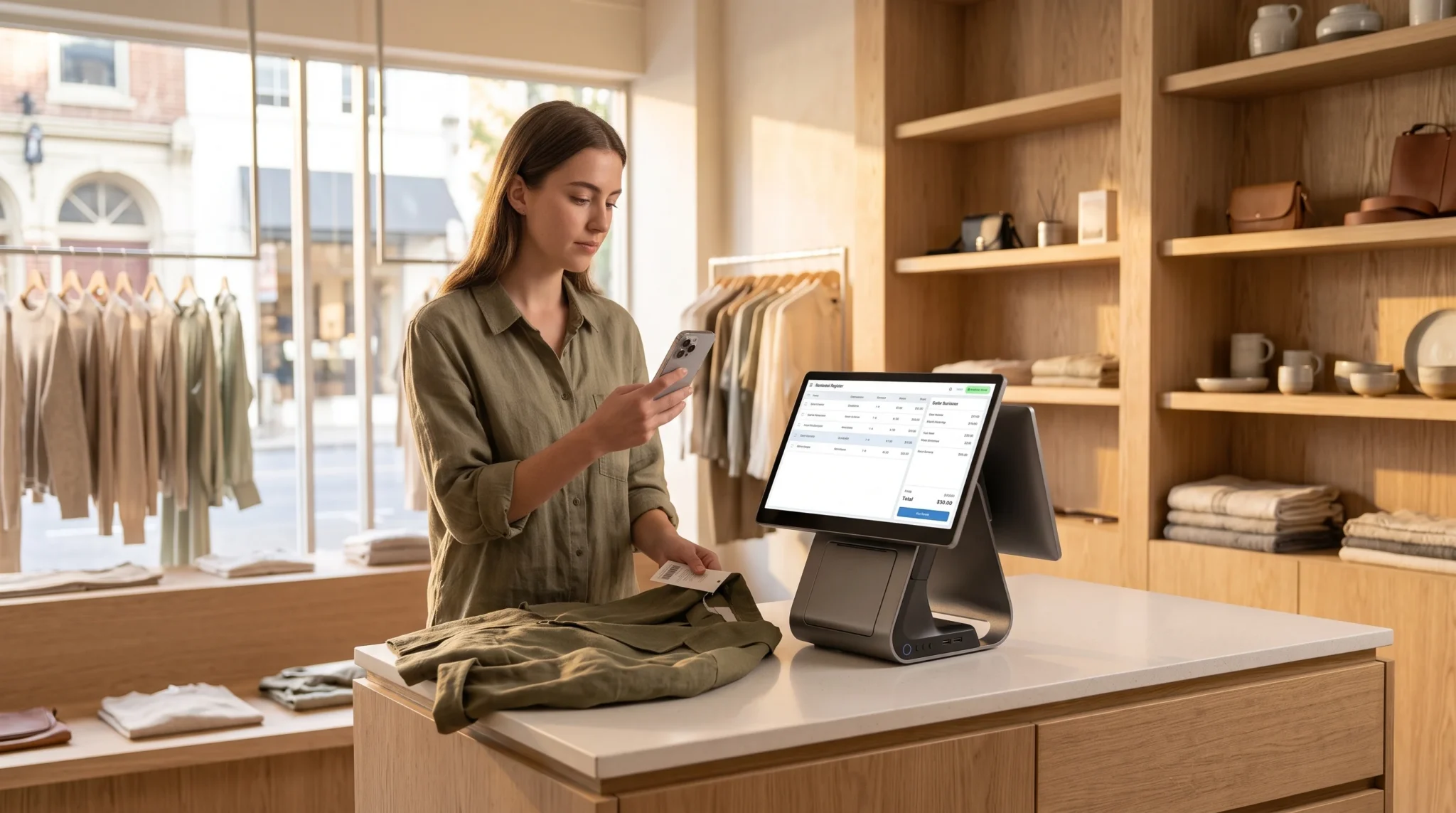

Retailers managing physical storefronts and e-commerce websites face an operational nightmare known as phantom stock. Picture a common scenario: at 2:15 PM, an in-store shopper purchases the last size medium designer jacket from your boutique rack. The cashier scans the tag, bags the jacket, and hands the customer a receipt. However, eight minutes later at 2:23 PM, an online shopper in another state browses your digital catalog, sees that exact same jacket listed as in stock, and completes an online purchase. Because your sales channels do not sync in-store and online inventory instantaneously, your business just sold a product that physically left your building ten minutes earlier.
Consequently, your operations team must absorb the costly fallout of an out-of-stock cancellation. An associate must draft an apologetic email, cancel the digital order, and initiate an electronic payment refund. In addition, your business absorbs non-refundable payment processing gateway fees, surrenders customer trust, and damages search rankings on digital marketplaces that penalize merchant cancellation rates. Furthermore, when retail associates spend hours hunting through backrooms for items that were already sold at the sales counter, store labor productivity plummets.
Fortunately, modern cloud infrastructure provides a dependable technical remedy to phantom inventory. By abandoning slow, batch-based database syncs and adopting event-driven webhook architecture, retailers can effortlessly sync in-store and online inventory across every touchpoint. This comprehensive technical guide breaks down the architectural root causes of phantom inventory, explains how atomic transactions and webhook payloads prevent overselling, and illustrates how unified retail point-of-sale systems bridge physical sales counters with digital storefronts in real time.
Table of Contents
- The Mechanics of Phantom Stock: Why Disconnected Retail Fails
- Batch Synchronization vs. Event-Driven Real-Time Webhooks
- The Anatomy of an Atomic Inventory Ledger
- Side-by-Side Comparison: Batch Polling vs. Event-Driven Sync
- Bridging the Sales Floor and Digital Carts: Webhooks in Action
- Safety Buffers, Virtual Holds, and BOPIS Reservation Logic
- A 5-Step Technical Blueprint for Zero Phantom Stock
- How Biyo POS Eliminates Phantom Inventory at the Register
- Frequently Asked Questions
The Mechanics of Phantom Stock: Why Disconnected Retail Fails
Phantom stock refers to inventory that enterprise software reports as available for sale, but which physically does not exist on the retail floor or warehouse shelf. While physical shrinkage, shoplifting, and vendor miscounts contribute to phantom numbers, asynchronous multi-channel software architecture represents the primary generator of phantom stock in modern retail.
When physical checkout registers and digital e-commerce carts operate on decoupled databases, inventory visibility fractures immediately.
The Multi-Channel Synchronization Gap and Polling Latency
Legacy multi-channel retail setups typically rely on scheduled data polling to update inventory levels across platforms. Under this antiquated framework, your e-commerce platform executes a scheduled CRON job—such as an automated script running every 15, 30, or 60 minutes—to ask the in-store POS database: “What are your current stock levels?”
However, this polling gap creates an unavoidable blind spot:
- The Blind-Spot Window: If a scheduled sync runs at 1:00 PM and 1:30 PM, any physical transaction completed at 1:02 PM remains invisible to your online storefront for twenty-eight minutes.
- High-Velocity Traffic Collisions: During seasonal sales rushes, flash sales, or holiday promotions, dozens of shoppers browse the same finite stock simultaneously, multiplying the likelihood of conflicting transactions.
- Cart Abandonment and Frustration: When online customers purchase items that staff cannot fulfill, the customer journey terminates in disappointment, prompting negative online reviews and permanent customer churn.
The Compounding Cost of Overselling: Chargebacks, Penalties, and Churn
Selling out-of-stock items is not merely an administrative inconvenience; it actively degrades retail operating margins. When an order cancellation occurs, the retailer pays credit card processing fees on both the initial charge and the subsequent refund. Payment merchant aggregators do not refund interchange or interchange-plus assessment fees on voided transactions.
Furthermore, digital advertising costs continue to climb. Acquiring an e-commerce customer through paid search or social media marketing often costs between $20 and $60. When you cancel an order due to phantom stock, you flush that acquisition investment down the drain while paying your warehouse staff to investigate empty stockroom bins. Additionally, third-party marketplaces—such as Google Shopping, Amazon, and Meta—strictly track merchant order defect rates (ODR). If your cancellation rate exceeds 1%, marketplaces down-rank your product listings or suspend your merchant accounts entirely.
 Batch Synchronization vs. Event-Driven Real-Time Webhooks
 Batch Synchronization vs. Event-Driven Real-Time Webhooks
To resolve the inventory latency gap, retail operators must understand the structural difference between batch-based polling and event-driven architecture.
Transitioning from periodic polling to instantaneous event broadcasting eliminates the time delays that generate phantom stock.
The Architectural Flaws of Periodic CRON Inventory Polling
Batch polling relies on repetitive request-response cycles. An e-commerce server continuously queries the retail POS server via API endpoints (such as `GET /api/v1/inventory/counts`). As catalog size expands to thousands of SKUs and variants, batch polling becomes computationally expensive and network-heavy.
Moreover, batch polling introduces severe operational compromises:
- Excessive Server Overhead: Querying thousands of static SKUs every fifteen minutes exhausts server memory and consumes API rate limits, even when 99% of product counts remain unchanged.
- Artificial Rate Throttling: To prevent server crashes during peak traffic, e-commerce platforms throttle API requests, inadvertently widening the synchronization gap from fifteen minutes to several hours.
- Asymmetrical Data Flow: Batch scripts often push updates in one direction at a time (e.g., POS to Web, then Web to POS), creating temporal imbalances where stock appears available on one channel while locked on another.
Event-Driven Webhook Pipelines and Sub-Second Payload Delivery
In contrast to scheduled polling, event-driven architecture operates on instant behavioral triggers. Rather than asking a server for periodic status reports, the point-of-sale system publishes an outbound HTTP POST payload—a webhook—the millisecond a specific transaction occurs.
When a cashier completes a transaction on the sales floor:
- The POS engine finalizes the line-item sale and triggers an internal state event: `order.completed`.
- The system packages an ultra-lightweight JSON payload containing the exact transaction metadata:
{ "event": "inventory.decrement", "sku": "LBN-BLZ-42R", "quantity_deducted": 1, "remaining_stock": 0, "location_id": "STORE-01", "timestamp": "2026-09-11T14:15:02.104Z" } - The webhook dispatches asynchronously over high-speed HTTPS pipelines directly to the online store’s receiving endpoint.
- Within 150 to 300 milliseconds, the e-commerce database ingests the payload, executes the decrement, and flips the product status on the digital storefront to “Sold Out.”
Therefore, deploying webhooks ensures that you sync in-store and online inventory instantaneously, closing the blind-spot window permanently.
The Anatomy of an Atomic Inventory Ledger
Eliminating phantom stock requires more than just rapid communication pipelines; it requires rock-solid transactional integrity within the inventory database itself. If two customers attempt to purchase the exact same single remaining unit at the exact same millisecond, the database must determine who claims the item without corrupting inventory counts.
This structural safety is achieved through atomic transaction design and disciplined database locking mechanisms.
Database Concurrency and Checkout Race Conditions
In computer science, a race condition occurs when two distinct computing processes attempt to read and modify shared data simultaneously. In multi-channel retail, imagine that your downtown boutique has exactly 1 unit of an artisan candle remaining. At 3:00:00 PM, an in-store cashier scans the barcode at the counter. At 3:00:00 PM, an online customer clicks “Complete Order” on your website.
If your database executes non-atomic updates, both processes read `quantity = 1`. Both systems deduct 1 unit (`1 – 1 = 0`), and both transactions succeed. As a result, the database reports `quantity = 0`, but your store has promised two separate customers the same single item. To prevent this race condition, the database must enforce ACID compliance (Atomicity, Consistency, Isolation, Durability). Atomicity guarantees that an inventory adjustment executes as an all-or-nothing operation, preventing partial or duplicated transactions.
Pessimistic vs. Optimistic Locking in High-Velocity Retail
To manage concurrent checkout events safely, enterprise databases utilize two primary concurrency control models:
- Pessimistic Locking: When a checkout process begins, the database places an exclusive lock on that specific SKU record (`SELECT * FROM stock WHERE sku = ‘XYZ’ FOR UPDATE;`). No other sales channel or customer can modify, hold, or inspect the record until the active transaction commits or rolls back. This approach eliminates overselling entirely, but can introduce minor queue latency during extreme traffic rushes.
- Optimistic Locking: The database permits multiple channels to read the inventory record simultaneously, but validates a version timestamp upon transaction commit. If another process altered the inventory version number during checkout, the secondary transaction aborts safely, alerting the customer that the item was just claimed.
Deploying optimistic locking with immediate rollback rules ensures that physical counter transactions and digital carts maintain sub-second synchronization without locking up catalog navigation.
Side-by-Side Comparison: Batch Polling vs. Event-Driven Sync
Understanding how legacy periodic synchronization contrasts with real-time event-driven infrastructure highlights why modern omnichannel retailers are abandoning scheduled batch jobs.
The following comparison illustrates the operational differences between disconnected retail setups and unified cloud architecture designed to sync in-store and online inventory.
| Architectural Dimension | Legacy Scheduled Batch Polling | Event-Driven Webhook Sync (Biyo POS) |
|---|---|---|
| Inventory Update Latency | 15 to 60 minutes (CRON intervals) | Sub-second (150ms to 300ms execution) |
| Overselling & Phantom Stock Exposure | Extremely high during rush hours and flash sales | Virtually zero; immediate digital cart lockout |
| Data Transfer Method | Heavy GET requests querying thousands of static SKUs | Lightweight, asynchronous JSON POST payloads |
| Server & API Rate Usage | High bandwidth consumption; risk of API throttling | Negligible bandwidth; payload fires only on state change |
| Database Transaction Handling | Loose, non-atomic batch overwrite scripts | ACID-compliant atomic commits with optimistic locking |
| In-Store BOPIS Fulfillment | High risk of in-store customers buying items off racks | Instant virtual reservation bucket locks item immediately |
| Offline Network Resilience | Sync fails completely until next scheduled run | Local transaction caching with automatic queue flushing |
| Customer Trust & Retention | Damaged by frequent cancellation and refund emails | Protected by 100% reliable real-time catalog accuracy |
| Order Defect Rate (ODR) | Frequently exceeds marketplace penalty limits (>1%) | Maintained well below 0.1% across all sales channels |
Bridging the Sales Floor and Digital Carts: Webhooks in Action
Executing real-time inventory synchronization requires mapping the physical motion of sales floor associates directly to cloud database events. Every physical scan, till opening, and receipt print must correspond to an immediate digital state shift.
Understanding this hardware-to-cloud journey reveals how barcode scanning protects your digital storefront.
Register Barcode Scans as Real-Time Event Triggers
The moment a sales associate aims a 2D optical scanner at an item hangtag, the physical barcode triggers an unbroken chain of digital execution. The scanner reads the optical pattern, converts it to an ASCII string, and inputs the SKU into the cloud POS cart session.
However, advanced point-of-sale platforms do not wait for the customer to swipe their credit card to begin inventory reservation:
- Scan Verification: The POS checks the local database cache to confirm item identity, pricing rules, and matrix variant attributes (such as size and color).
- Tender Settlement: Once the cashier taps “Exact Cash” or the customer completes a card swipe, the local terminal executes a localized ledger commit.
- Event Dispatch: The POS client sends an encrypted HTTPS call to the central cloud router, which broadcasts an instantaneous webhook to all external digital endpoints simultaneously.
Bi-Directional State Synchronization Across Web and In-Store Nodes
Inventory synchronization must never be a one-way street. A customer purchasing merchandise on an e-commerce website must immediately affect physical sales floor operations as well.
When an online customer finalizes an order:
- Inbound Webhook to Central Cloud: The e-commerce shopping cart fires a webhook alerting the central inventory engine that an item has been purchased.
- Register Catalog Updates: The central cloud streams an updated stock count down to sales floor registers over persistent WebSocket connections.
- Preventing Floor Walkouts: If an in-store shopper carries that same physical item to the checkout counter thirty seconds later, the cashier’s screen instantly alerts them: “Item committed to pending online order #9402.” The cashier politely explains the situation, preventing the store from selling stock already promised to a remote buyer.
Safety Buffers, Virtual Holds, and BOPIS Reservation Logic
Even with sub-second webhook pipelines, physical store realities introduce operational friction. A walk-in customer might pick up a physical garment, carry it around the store for twenty minutes, and drop it in an incorrect dressing room stall.
To protect customer satisfaction, sophisticated multi-channel retailers deploy safety buffers and virtual reservation pools.
Dynamic Safety Thresholds and Virtual Allocation Pools
A safety threshold—or buffer stock rule—prevents your digital sales channels from displaying 100% of your physical floor stock. Retailers configure automated rules within their cloud inventory engine to hide items online once physical stock reaches a critical floor threshold.
For example:
- The Single-Unit Buffer: When an SKU’s total on-hand count drops to 1 unit, the system automatically sets online availability to 0 (“Out of Stock”), reserving that final physical unit exclusively for walk-in storefront foot traffic.
- Tiered Category Rules: High-shrinkage departments (such as cosmetics or costume jewelry) can maintain a safety buffer of 2 units, while secure, boxed warehouse goods operate with a buffer of 0.
- Seasonal Dynamic Buffering: During peak foot-traffic periods like Black Friday weekend, the inventory engine automatically widens safety buffers to protect against rapid counter sellouts.
Managing Buy-Online-Pick-Up-In-Store (BOPIS) Inventory Holds
Click-and-Collect and Buy-Online-Pick-Up-In-Store (BOPIS) orders present a unique operational risk. When an online customer selects in-store pickup, that item remains physically present on the sales floor until an associate retrieves it.
Advanced retail systems manage this interval using an intermediate **Virtual Reservation Ledger**:
- The online BOPIS order finalizes, instantly decrementing the item from “Sellable Stock” and incrementing it into “Committed BOPIS Stock.”
- The in-store register displays the item as unavailable for sale, even though the unit still rests on the showroom hanger.
- The system dispatches a digital picking manifest to store staff mobile devices, routing associates directly to the shelf bin to retrieve the item and place it in the designated pickup cubby.
A 5-Step Technical Blueprint for Zero Phantom Stock
Migrating an omnichannel retail enterprise from disconnected databases to a unified real-time synchronization model requires structured technical execution.
Following this 5-step operational blueprint ensures your business eliminates phantom inventory without disrupting active checkout registers.
Phase 1 & 2: Catalog Harmonization and Webhook Endpoint Configuration
1. Standardize Master SKU Architecture: Audit your entire product catalog across physical storefronts and e-commerce platforms. Eliminate duplicate listings, harmonize parent-child matrix variants (size, color, material), and assign universal 12-digit UPC or custom barcode strings to every SKU. Ensure that both systems recognize identical SKU strings.
2. Deploy Secure Webhook Receiver Endpoints: Configure hardened webhook listeners on your e-commerce platform and inventory middleware. Implement HMAC SHA-256 signature verification on all incoming webhook payloads to confirm payload authenticity and reject unauthorized external requests.
Phase 3 to 5: Buffer Allocation, Scanner Verification, and Fail-Safe Caching
1. Establish Automated Dynamic Safety Buffers: Configure localized safety thresholds inside your central management console. Set low-stock buffers based on branch sales velocity and physical shrinkage patterns to prevent multi-channel collisions on final units.
2. Equip Associates with Mobile Optical Scanning Tools: Remove paper clipboards and manual stock lookups from daily floor operations. Equip sales associates with dedicated mobile barcode scanning tools to conduct continuous cycle counts and verify incoming shipment receipts directly on sales racks.
3. Configure Offline Idempotency and Local Caching: Ensure your point-of-sale registers feature local offline transaction caching. If your storefront loses internet connectivity, the register must store transaction events locally and dispatch serialized, idempotent webhook payloads the millisecond broadband connectivity is restored, ensuring zero lost updates or duplicated decrements.
How Biyo POS Eliminates Phantom Inventory at the Register
 How Biyo POS Eliminates Phantom Inventory at the Register
Biyo POS delivers a cloud-native commerce operating system running directly inside the Google Chrome browser on any PC, Mac, iPad, or Android tablet, allowing retailers to seamlessly sync in-store and online inventory without proprietary register locks or expensive middleware. The exact millisecond an item barcode is scanned at the counter, Biyo’s atomic transaction engine decrements on-hand stock across your central cloud database and broadcasts sub-second webhooks to your built-in, commission-free online store, immediately marking purchased products unavailable to eliminate overselling and order cancellations. Floor associates can execute rapid cycle counts using the Biyo Inventory Scanner app on the Apple App Store, while hybrid storefronts route beverage and food tickets instantly via the Biyo Kitchen Display (KDS) app on Google Play or Kitchen Hub. Backed by true offline caching that keeps registers scanning, cash drawers firing, and receipts printing during broadband outages before automatically re-syncing to the cloud, Biyo ensures end-to-end inventory accuracy—inviting you to schedule a live demo or register today on the Biyo signup page.
Frequently Asked Questions
What causes phantom stock in multi-channel retail?
Phantom stock is primarily caused by asynchronous database synchronization between physical point-of-sale registers and online storefronts, where scheduled polling delays allow customers to purchase items online that were already bought in-store.
How do webhooks prevent overselling in retail?
Unlike periodic batch polling that checks stock every 15 to 30 minutes, webhooks fire an automated, sub-second HTTP POST notification the exact millisecond an item barcode is scanned at checkout, immediately updating digital catalogs and locking online carts.
What is the difference between atomic inventory transactions and batch updates?
Atomic inventory transactions treat every stock adjustment as an isolated, all-or-nothing operation that executes instantaneously, preventing two shoppers from claiming the same SKU simultaneously. In contrast, batch updates overwrite inventory data periodically in delayed clusters.
How does a dynamic safety buffer protect retail inventory?
A dynamic safety buffer sets a predetermined stock threshold (such as 1 or 2 units) that automatically hides products from online sales channels while keeping them visible on the physical retail floor, preventing sales collisions on final remaining inventory units.
Can Biyo POS sync inventory with third-party platforms?
Yes. In addition to its native commission-free online store, Biyo POS features robust webhook pipelines and pre-built connectors for platforms like WooCommerce, Zapier, and Make.com, enabling real-time stock synchronization across external digital channels.
What happens to online inventory sync if a store register goes offline?
With Biyo’s true offline transaction mode, the terminal records all physical checkout events and barcode scans locally in secure cache storage. The exact millisecond internet connectivity is restored, the terminal flushes its queued transactions to the cloud, synchronizing digital stock levels immediately.