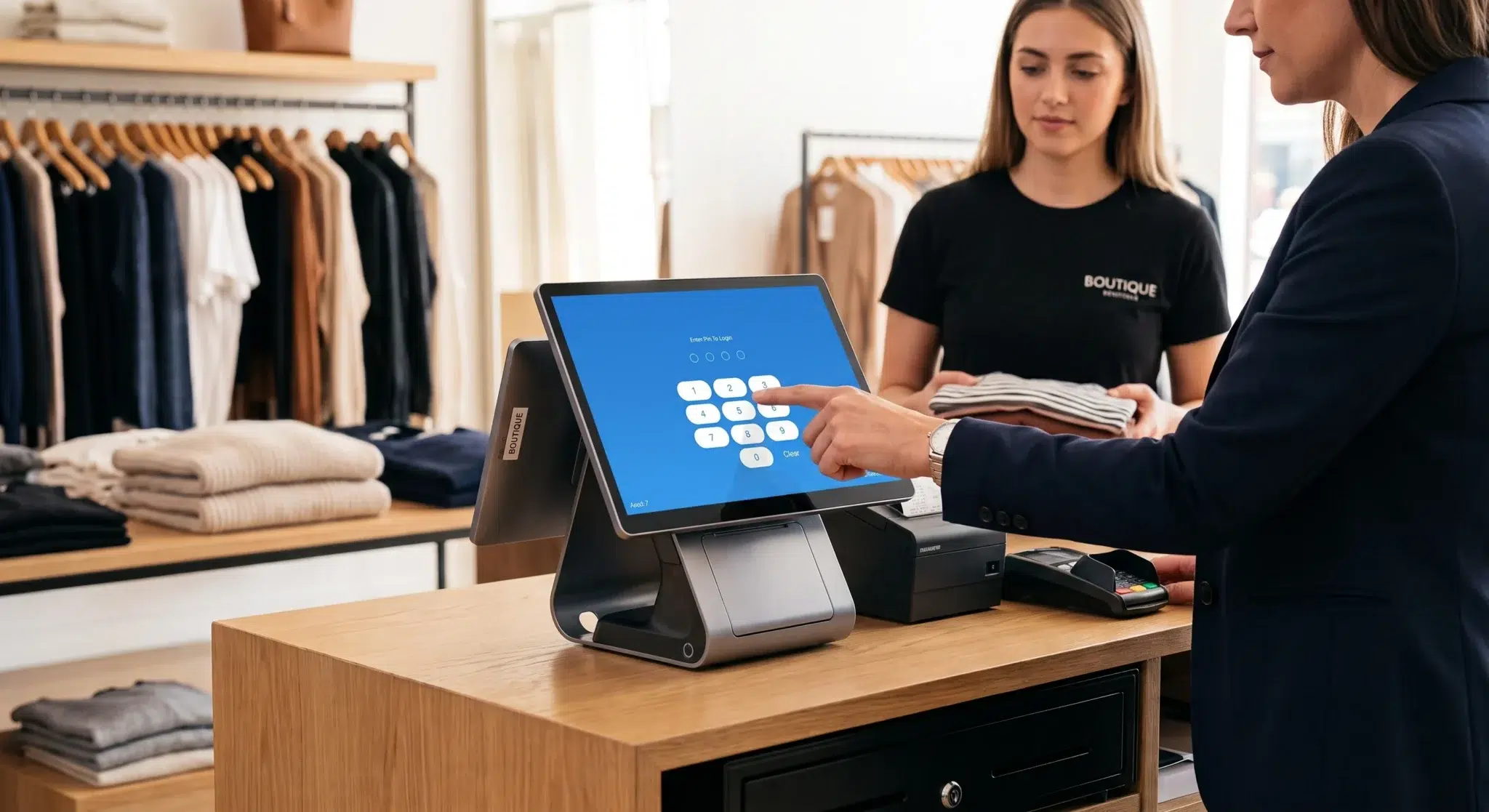
Opening a new boutique requires careful capital management. Most store owners spend their startup budget on store leases, interior fixtures, and seasonal merchandise. Consequently, very little cash remains when building the checkout counter. Legacy point-of-sale vendors take advantage of this tight financial position. In fact, they routinely bundle basic registers with massive markups or lock merchants into expensive multi-year hardware leases.
However, modern retail architecture no longer requires locked commercial registers. Today, retailers run their sales counters through flexible cloud software directly inside standard web browsers like Google Chrome. By selecting open-market peripherals, you can assemble an affordable retail POS hardware setup that looks sleek and performs reliably. In addition, this strategy gives you complete ownership of your store equipment.
Building a dependable budget retail checkout counter simply requires understanding how universal hardware components communicate with your cloud point of sale. In fact, you can easily source a commercial tablet, an 80mm thermal receipt printer, a heavy-duty steel cash drawer, a 2D barcode presentation scanner, and a counter stand for under $600 total. This practical guide provides an itemized sourcing blueprint, connectivity instructions, and step-by-step setup workflows to build an enterprise-grade retail counter on a bootstrap budget.
Table of Contents
- The Hidden Markup in Legacy Retail POS Hardware Bundles
- Why Cloud POS in Google Chrome Eliminates Hardware Lock-In
- The 5 Core Components of a Modern Retail Counter
- Sourcing the $600 Hardware Stack: Item-by-Item Blueprint
- Mobile Inventory Intake: Using the iOS Scanner App
- Connectivity Protocols: Ethernet, Bluetooth, and Solenoid Wiring
- Countertop Ergonomics, Hidden Mounts, and Cable Routing
- Common Budget Hardware Mistakes to Avoid
- 5-Minute Plug-and-Play Setup in Google Chrome
- Side-by-Side Comparison
- Why Biyo POS Delivers Complete Hardware Freedom
- Frequently Asked Questions
The Hidden Markup in Legacy Retail POS Hardware Bundles
For decades, legacy point-of-sale providers forced retail merchants into closed hardware systems. Traditional vendors manufactured bulky computer terminals with proprietary motherboards and locked touchscreens. In addition, regional hardware distributors added heavy sales commissions to each equipment bundle. As a result, boutique owners routinely paid upwards of $2,500 for hardware packages that cost under $400 to build.
When cloud point of sale systems arrived, many providers kept the exact same markup structure. Instead of lowering costs, they locked consumer tablets inside custom plastic housings. Then, they rebranded standard equipment as proprietary commercial terminals. Unsuspecting merchants continue to overpay for simple off-the-shelf electronics today.
The 300% Reseller Equipment Markup
When you buy hardware peripherals directly from a closed POS company, you pay steep distributor markups. For example, standard commercial 80mm thermal receipt printers sell on open marketplaces for roughly $130. However, proprietary vendors print their logo on the casing and charge over $350 for the exact same unit.
Similarly, standard steel cash drawers carry massive distributor markups. Universal cash drawers use standard mechanical solenoids and standard triggering cables. Even so, closed POS brands double the retail price on their invoices. Therefore, purchasing your hardware independently on the open market saves you over $1,000 immediately during your store opening.
The Danger of Locked Proprietary Firmware
High upfront purchase prices are only part of the problem. More importantly, closed hardware creates severe operational risks for your store. Many vendors install locked firmware onto their devices. This firmware stops the hardware from working with third-party software or alternative payment processors.
If your provider increases transaction fees or delivers poor support, you cannot switch platforms easily. Instead, you must throw away your entire hardware register and purchase new equipment from scratch. In contrast, investing in open retail POS hardware ensures that you own every device permanently. Consequently, your hardware remains a reusable, independent asset for your business.
The Strength of Modern Consumer Tablets
Hardware sales agents often claim that standard tablets cannot handle daily retail traffic. In reality, modern consumer tablets feature faster multi-core processors and brighter screens than most specialized commercial POS touchscreens.
Furthermore, consumer tablets receive continuous security patches and operating system updates directly from major technology leaders. When you place a standard tablet inside a solid steel enclosure, you create an elegant, long-lasting register. Best of all, you spend a fraction of what enterprise terminal packages cost.
 Why Cloud POS in Google Chrome Eliminates Hardware Lock-In
 Why Cloud POS in Google Chrome Eliminates Hardware Lock-In
The biggest revolution in retail checkout technology is browser-based cloud architecture. Modern point of sale platforms no longer require complicated software installations, dedicated backroom servers, or proprietary operating systems. Instead, the entire register runs directly inside a standard web browser like Google Chrome.
As a result, store owners gain instant flexibility. You can turn almost any internet-connected device into a functional retail register within seconds. This browser-based architecture simplifies store operations and significantly lowers your hardware costs.
Zero Installation and Universal Device Access
Running your retail register inside Google Chrome means you never have to worry about app store compatibility or operating system updates breaking your checkout flow. In fact, you simply open Chrome on your device, navigate to your cloud register URL, and sign in.
Because modern browsers support standard web printing and web USB communication, your Chrome register communicates directly with receipt printers, cash drawers, and barcode scanners. Therefore, you can launch a temporary pop-up register on a laptop or run your main checkout on an iPad without changing your workflow.
Real-Time Cloud Synchronization Across Locations
A browser-based POS system keeps your store synchronized with cloud servers in real time. For example, when an associate rings up a sale in Google Chrome, the system decrements inventory immediately across your central database.
Consequently, your back-office managers can track live store revenue, monitor stock levels, and generate sales reports from any remote computer. In addition, browser-based systems update automatically in the background. As a result, you always access the latest retail features without manual software upgrades.
The 5 Core Components of a Modern Retail Counter
To deliver a fast, professional customer checkout experience, your sales counter must handle five core physical jobs. These jobs include fast cart building, instant barcode scanning, crisp receipt printing, secure cash handling, and customer-facing visibility.
Understanding how these five components interact prevents compatibility issues. In addition, it helps you construct a clean, reliable checkout station without buying extra equipment.
1. The Central Processing Screen
The tablet functions as the central command terminal for your retail counter. It runs your Google Chrome register, manages your product catalog, and processes customer payments. In addition, it coordinates local communication with all connected peripherals.
Therefore, your primary counter display needs a sharp, responsive capacitive touchscreen. Furthermore, it requires sufficient onboard memory to load large catalogs with thousands of variant SKUs smoothly.
2. 80mm Direct Thermal Receipt Printer
Digital email receipts are helpful, but printed paper receipts remain an absolute necessity in retail. For example, shoppers regularly need paper receipts for clothing returns, warranty claims, and holiday gift exchanges.
Your retail printer must always use direct thermal printing technology. Thermal printers use heat-activated paper rolls, which completely removes the ongoing expense of replacement ink or toner ribbons. Moreover, standard 80mm paper width provides ample room for store logos, return policies, and promotional coupons.
3. Heavy-Duty Steel Cash Drawer
Physical currency continues to represent a significant share of daily boutique transactions. Because of this, your counter requires a secure, heavy-gauge steel cash drawer. Quality cash drawers include steel ball-bearing slide rails, adjustable bill slots, and removable coin trays.
Critically, you should always choose an automated, printer-driven cash drawer. These drawers connect directly to your thermal receipt printer using a standard modular cable. When you complete a cash transaction, the system signals the printer to pop the drawer open automatically in under a second.
4. 2D CMOS Presentation Barcode Scanner
Typing product codes manually at checkout slows down lines and leads to inventory errors. For this reason, a high-speed barcode scanner is a mandatory counter tool for every boutique.
Modern retail stores require 2D digital imaging scanners instead of older single-line 1D laser units. 2D image scanners capture product barcodes instantly from any direction. Furthermore, 2D imagers read digital barcodes directly from customer smartphone screens for digital gift cards and loyalty coupons.
5. 360-Degree Rotating Counter Stand
A loose tablet resting flat on your checkout desk looks untidy and exposes the device to accidental spills or drops. A solid metal countertop stand locks the tablet in place while hiding power cords cleanly.
Additionally, a 360-degree swivel stand lets your team spin the screen toward the customer smoothly. As a result, shoppers can review itemized prices, enter their loyalty phone number, and choose digital tipping options with complete confidence.
Sourcing the $600 Hardware Stack: Item-by-Item Blueprint
You do not need a large corporate budget to build an attractive checkout counter. In fact, by purchasing standard commercial equipment across major online marketplaces, you can buy all five components for under $600.
Below is an exact itemized blueprint detailing what hardware to source, what specifications to look for, and what price to target.
Component 1: The Core Display Tablet ($180 – $220)
You do not need an expensive, top-tier tablet to run a cloud register inside Google Chrome. Instead, entry-level commercial models or certified refurbished devices offer fantastic speed:
- Recommended Apple iPad Option: Apple iPad 9th or 10th Generation (10.2″ or 10.9″ Retina Display, Wi-Fi, 64GB). Certified refurbished or open-box units sell between $200 and $240.
- Recommended Android Option: Samsung Galaxy Tab A9+ (11.0″ Screen, Wi-Fi, 64GB). These units sell brand new on open marketplaces for $160 to $190.
- Why This Choice Works: Cloud retail systems run efficiently inside Google Chrome. Therefore, 4GB of RAM and standard solid-state storage easily manage large product catalogs without slowing down.
Component 2: 80mm Commercial Thermal Printer ($120 – $150)
Avoid expensive brand-name markups by selecting universal, standard ESC/POS thermal receipt printers:
- Recommended Models: Rongta RP326 / RP80, Munbyn ITPP047, or Volcora 80mm Commercial POS Printer.
- Target Price Range: $115 to $145.
- Key Specifications to Confirm: Direct thermal technology, standard 80mm roll width, integrated auto-cutter, RJ11/RJ12 drawer kick port, and Ethernet LAN network connectivity.
Component 3: Heavy-Duty 16-Inch Cash Drawer ($60 – $75)
Standard cash drawers are simple mechanical chassis powered by a 24V internal solenoid. Therefore, purchasing a universal model provides the exact same durability as high-priced brands:
- Recommended Models: Volcora 16″ Heavy Duty Cash Drawer, Vasario series equivalent, or standard 16-inch 5-Bill/8-Coin steel drawer.
- Target Price Range: $59 to $75.
- Key Specifications to Confirm: Heavy-gauge steel housing, durable roller rails, an included 24V RJ11/RJ12 kick cable, and dual front slots for filing paper checks without opening the drawer.
Component 4: 2D Hands-Free Barcode Scanner ($45 – $65)
Fast customer checkout requires an omnidirectional 2D optical scanner:
- Recommended Models: Eyoyo 2D Presentation Scanner with Auto-Sensing Base, NetumScan 2D Hands-Free Scanner, or Inateck 2D Wireless Barcode Scanner.
- Target Price Range: $42 to $65.
- Key Specifications to Confirm: 2D CMOS optical imager, hands-free auto-sensing scan mode, Bluetooth or 2.4GHz USB wireless link, and standard USB HID keyboard mode.
Component 5: Aluminum Swivel Countertop Mount ($35 – $50)
A sturdy metal stand protects your tablet while maintaining a clean, modern aesthetic:
- Recommended Models: Bovke Aluminum Swivel POS Stand, CTA Digital Universal Desktop Stand, or Elevate II locking tablet mount.
- Target Price Range: $35 to $49.
- Key Specifications to Confirm: Weighted aluminum or steel base, smooth 360-degree rotation, key-lock security, and internal cable management channels.
Total Hardware Acquisition Tally
Reviewing the combined costs for this complete equipment package reveals significant savings:
- Display Tablet (Apple iPad or Samsung Galaxy Tab): $200.00
- 80mm Thermal Receipt Printer (ESC/POS with Auto-Cutter): $130.00
- Heavy-Duty Steel Cash Drawer (24V RJ11/12): $65.00
- 2D Barcode Presentation Scanner: $49.00
- Aluminum 360-Degree Swivel Stand: $39.00
- Complete Sourcing Total: $483.00 (Leaves over $115 in budget for receipt paper rolls and sales tax).
Mobile Inventory Intake: Using the iOS Scanner App
While your main checkout register operates smoothly in Google Chrome on your counter, managing stock on the sales floor requires mobile agility. Traditional retail setups forced staff to buy expensive handheld enterprise scanners costing $800 to $1,500 each just to count stock.
Modern retail systems eliminate this extra expense through dedicated mobile companion applications. For instance, store staff can download the **Biyo POS Inventory Scanner app directly from the Apple App Store** onto an iPhone or iPad.
Turning Your Smartphone Into a High-Speed Stock Scanner
The Biyo Inventory Scanner app transforms your mobile device’s camera into an enterprise-grade barcode reader. In fact, staff can walk through aisles, scan apparel tags, and complete full cycle counts without touching the main checkout counter.
As a result, your team saves hours during seasonal inventory counts. In addition, the mobile app allows staff to quickly create Stock In and Stock Out movements, check warehouse stock levels, and audit shelf inventory on the fly.
Instant Cloud Catalog Synchronization
When you scan items or adjust quantities in the Biyo iOS mobile app, changes synchronize instantly with your central cloud database. Therefore, the moment you receive new shipment boxes in your backroom, those items become immediately available for sale on your Google Chrome register counter.
Furthermore, this mobile intake workflow eliminates manual CSV spreadsheet imports and paper counting sheets. Consequently, your inventory records stay perfectly accurate with zero extra hardware investment.
Connectivity Protocols: Ethernet, Bluetooth, and Solenoid Wiring
After unboxing your hardware, creating reliable communication links ensures smooth daily transactions. Different retail devices use distinct communication protocols.
Selecting the right connection method for each peripheral prevents dropped signals during busy sales rushes.
Why Direct-Drive Solenoid Wiring (RJ11/12) Is the Industry Standard
New store owners often wonder how the tablet commands the cash drawer to open. Cash drawers do not use direct Bluetooth or Wi-Fi connections. Adding wireless cards and batteries inside a steel drawer chassis would increase equipment costs unnecessarily.
Instead, the retail industry uses direct-drive printer integration. The cash drawer features a modular cable that plugs directly into the back of your thermal receipt printer. When you finalize a cash transaction in Google Chrome, the system commands the printer to trigger the drawer. Next, the printer fires an electrical 24-volt pulse down the cable, popping the drawer open instantly.
Ethernet Network Printing vs. Bluetooth
When connecting your tablet to your thermal receipt printer, **Ethernet LAN (hardwired network cable)** delivers maximum reliability:
- Ethernet LAN Setup: You run a network cable from your store router straight into the printer’s LAN port. As long as your tablet shares that local Wi-Fi network, your Google Chrome register discovers the printer immediately. Network printing is instantaneous, highly stable, and allows multiple registers to share a single receipt station.
- Bluetooth Setup: If your checkout counter sits far from your network router, Bluetooth provides a completely wireless link. However, make sure your printer features auto-reconnect protocols so it reconnects automatically after the tablet wakes from sleep mode.
USB HID Scanner Configuration
Modern 2D barcode scanners operate using **USB HID (Human Interface Device) Keyboard Emulation**. Consequently, these devices require no special drivers or custom configuration software.
When the scanner reads a barcode label, it instantly translates the optical patterns into text characters. Then, it types those digits into your POS search field and automatically adds an instant Enter keystroke. As a result, the scanned item appears in the active checkout cart immediately.
Countertop Ergonomics, Hidden Mounts, and Cable Routing
A cluttered checkout desk with tangled cords and loose power bricks creates an unprofessional visual impression. Furthermore, exposed wires increase the danger of accidental disconnections during busy store hours.
Implementing smart cable management transforms budget-friendly hardware into a sleek, minimalist checkout station.
The Under-Counter Mounting Strategy
The easiest way to maintain a clean counter surface is by mounting large hardware components underneath the wooden counter:
- Under-Counter Drawer Brackets: Using basic steel brackets ($15–$25), you can mount your cash drawer directly beneath the countertop. This frees up valuable counter space for merchandise displays or customer bags.
- Securing Power Adapters: Fasten your power strips and charging bricks beneath the counter using heavy-duty hook-and-loop strips or zip-tie mounts. Make sure all cables remain fully tucked away to prevent accidental foot snags.
Customer Engagement with Swivel Displays
Installing your tablet on a smooth swivel base enhances customer trust. When scanning items, your sales associate faces the screen to build the cart. Once items are entered, the associate smoothly swivels the screen toward the customer.
Consequently, customers can see their items, confirm pricing, type their phone number for loyalty rewards, and select receipt preferences. This open interaction speeds up checkout and prevents billing misunderstandings.
Common Budget Hardware Mistakes to Avoid
Sourcing your own hardware is simple when you know what features to choose. However, ordering the wrong specifications can cause operational delays and hardware returns.
Be sure to avoid these three common mistakes when purchasing your budget retail components.
Mistake 1: Buying Narrow 58mm Receipt Printers
Many cheap printers priced between $30 and $50 use narrow 58mm (2-inch) paper rolls. These devices are meant for food trucks or parking tickets. In a boutique setting, 58mm paper results in cramped receipts that cannot fit standard return policies or clear variant descriptions. Always ensure your receipt printer uses full-size **80mm (3 1/8 inch)** thermal paper.
Mistake 2: Ordering 12V Solenoids for 24V Printers
Commercial receipt printers generate a standard **24-volt trigger pulse** to pop cash drawers open. In contrast, some cheap entry-level drawers use 12-volt solenoids. Connecting a 12V drawer to a 24V printer port will eventually damage the internal solenoid. Therefore, always verify that your cash drawer lists 24V RJ11/RJ12 compatibility.
Mistake 3: Using Outdated 1D Laser Scanners
Old single-line red laser scanners are obsolete. They require staff to align the laser beam across barcodes with exact precision, slowing down transactions. Furthermore, 1D lasers cannot read digital barcodes displayed on smartphone screens. Investing a few extra dollars in a **2D CMOS Area Imager** ensures instant scanning from tags, fabric labels, and mobile screens.
5-Minute Plug-and-Play Setup in Google Chrome
Once your hardware arrives, configuring the entire checkout counter in Google Chrome takes only a few minutes.
Follow these four simple steps to bring your new retail checkout station online quickly and reliably.
Step 1: Physical Placement and Cabling
1. Place your steel cash drawer in your chosen counter location.
2. Set your thermal receipt printer on the counter and connect its main power adapter.
3. Take the modular RJ11/RJ12 cable included in the cash drawer box. Plug one end into the drawer base and the other end into the **DK (Drawer Kick)** port on the back of your printer.
4. Run an Ethernet cable from your network router into the LAN port on your printer.
5. Insert an 80mm thermal paper roll into the printer compartment and snap the lid shut.
Step 2: Securing the Tablet and Opening Google Chrome
1. Mount your tablet inside the aluminum counter stand and plug in the charging cable.
2. Connect the tablet to your store’s private Wi-Fi network.
3. Open the Google Chrome browser, navigate to your Biyo POS register dashboard, and sign into your account.
Step 3: Pairing Peripherals and Testing Drawer Kick
1. Inside your Biyo dashboard, open the **Hardware & Printers** settings menu.
2. Select **Add Printer** and choose your printer model. The system detects your printer across the local network automatically.
3. Turn on the **Auto-Open Cash Drawer on Cash Sale** toggle switch.
4. Press **Print Test Receipt**. The printer will immediately print a test slip and trigger the solenoid, popping your cash drawer open smoothly.
Step 4: Pairing the 2D Scanner and Checking SKUs
1. Turn on your wireless 2D barcode scanner and activate its Bluetooth pairing mode.
2. On your tablet, open Bluetooth Settings and select the scanner to establish a direct connection.
3. Open the POS register screen in Google Chrome and scan a product tag from your sales floor. The item will instantly appear in the active cart with its corresponding size, color variant, and pricing.
Side-by-Side Comparison
| Operational Criteria | Legacy Proprietary POS Bundle | DIY Open-Hardware Stack (Biyo POS) |
|---|---|---|
| Upfront Hardware Cost | $1,500 – $3,000+ per terminal | $450 – $600 total per station |
| System Access Method | Locked proprietary desktop OS | 100% cloud-based in Google Chrome |
| Equipment Ownership | Locked hardware leases or closed firmware | 100% merchant-owned commercial assets |
| Peripheral Compatibility | Restricted to expensive proprietary catalogs | Universal support for standard ESC/POS and APG devices |
| Mobile Inventory Tools | Expensive proprietary guns ($800+) | Free Biyo iOS Inventory Scanner App |
| Kitchen / Cafe Support | Proprietary expensive kitchen screens | Free Biyo KDS App on Google Play Store |
| Repair & Replacement Speed | Weeks waiting for vendor RMA shipping | Instant same-day replacement from open electronics stores |
| Installation Complexity | Hours of setup or expensive technician calls | Simple 5-minute self-installation in Google Chrome |
Why Biyo POS Delivers Complete Hardware Freedom
 Why Biyo POS Delivers Complete Hardware Freedom
Biyo POS believes that independent store owners deserve complete freedom over their business technology. Instead of trapping merchants inside expensive, proprietary hardware ecosystems, Biyo provides a modern cloud operating system that runs directly inside the Google Chrome browser on any PC, Mac, iPad, or Android tablet.
With Biyo, you never have to buy expensive branded hardware packages. You can simply open Google Chrome, pair standard 80mm ESC/POS thermal printers, connect universal 24V APG-compatible cash drawers, and link any 2D barcode scanner in minutes. Furthermore, Biyo expands your operational reach with dedicated mobile companion apps. You can download the **Biyo Inventory Scanner app from the Apple App Store** for rapid mobile stock takes, or install the **Biyo Kitchen Display (KDS) app from the Google Play Store** if you run an attached cafe or food concept.
Beyond open hardware compatibility, Biyo delivers an advanced backend for complete store management. You gain instant access to matrix variant inventory, multi-location stock tracking, integrated customer loyalty profiles, automated purchase orders, and commission-free online ordering. In addition, Biyo features true offline transaction caching. Even if your internet connection drops, your registers keep scanning products, opening cash drawers, and printing receipts without interruption.
To see how easily your store can deploy a modern, professional checkout counter on a bootstrap budget, you can schedule a live demo with our team or create your account today on the Biyo signup page.
Frequently Asked Questions
Can I run Biyo POS on my existing laptop or tablet?
Yes. Biyo POS is 100% cloud-based and runs smoothly inside the Google Chrome browser on any iPad, Android tablet, Mac, or Windows computer without requiring special installations.
Does Biyo have a mobile app for scanning inventory?
Yes. You can download the Biyo POS Inventory Scanner app directly from the Apple App Store onto an iPhone or iPad to scan barcodes, audit stock, and perform cycle counts on your sales floor.
Does Biyo support kitchen displays for cafes and restaurants?
Yes. Biyo offers a dedicated Kitchen Display System (KDS) companion app available on the Google Play Store, allowing food and beverage concepts to route orders directly to kitchen screens in real time.
What is the difference between an APG cash drawer and a manual drawer?
An APG-compatible cash drawer contains a 24V electronic solenoid that connects to your receipt printer via an RJ11/RJ12 cable. When a cash sale concludes, the software triggers the printer to pop the drawer open automatically. In contrast, manual drawers require a physical key turn for every sale.
What does “ESC/POS compatible” mean when buying receipt printers?
ESC/POS is the universal command standard for thermal receipt printers. Choosing an ESC/POS printer ensures that your point of sale software can format receipts, cut paper, and open cash drawers across almost any standard printer model.
Why should I choose a 2D barcode scanner instead of a 1D scanner?
2D barcode scanners use digital camera sensors that capture codes from any direction. Furthermore, 2D imagers can scan digital barcodes directly off customer phone screens for loyalty rewards and coupons, whereas 1D scanners only read printed lines.
What happens if the internet goes down on a browser-based POS setup?
Point of sale platforms with true offline caching allow your register to continue scanning items, ringing sales, opening cash drawers, and printing physical receipts. Once your internet connection returns, all cached transaction data syncs to the cloud automatically.