Restaurant menu management software is the control center that keeps your menu accurate, synchronized, and optimized across every sales channel. Instead of manually updating menu items, prices, descriptions, modifiers, and availability on multiple platforms, restaurants can manage everything from a single dashboard.
As restaurants continue expanding into online ordering, mobile ordering, delivery marketplaces, and digital menus, maintaining consistency has become increasingly difficult. A single outdated price or unavailable item can create customer frustration, operational inefficiencies, and lost revenue. Restaurant menu management software solves this challenge by providing one centralized location where operators can make updates that automatically sync everywhere.
Whether you operate a single restaurant or manage multiple locations, centralized menu management helps reduce errors, improve efficiency, and create a better customer experience. Instead of spending valuable time maintaining separate menus across different systems, operators can focus on delivering great food and exceptional service.
This guide explores how restaurant menu management software works, the features that matter most, how it improves restaurant operations, and what to consider when selecting the right solution.
Table of Contents
- Understanding Your Menu Command Center
- How Centralized Control Transforms Your Operations
- Essential Features Every Restaurant Should Look For
- Choosing the Right Restaurant Menu Management Software
- Implementing Your New Menu Management System
- How Biyo Helps Restaurants Simplify Menu Management
- Frequently Asked Questions
Understanding Your Menu Command Center
Think of your restaurant menu as the foundation of your entire operation. Every order, inventory deduction, kitchen ticket, customer purchase, and sales report starts with menu data. When menu information becomes inconsistent across systems, operational problems quickly follow.
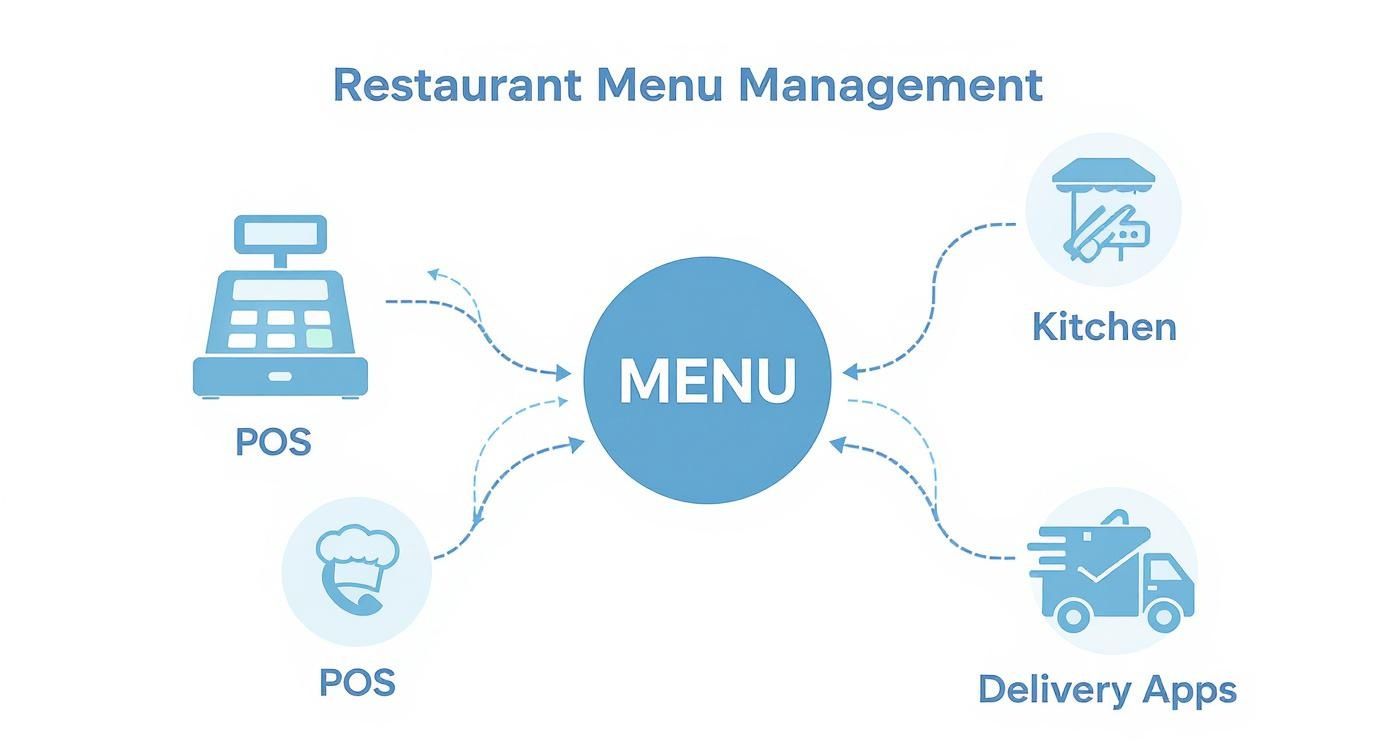
Restaurant menu management software acts as a single source of truth for your menu. Instead of updating information separately in your POS system, online ordering platform, delivery apps, digital menu boards, and website, operators make changes once and distribute them everywhere automatically.
This centralized approach eliminates duplication, reduces administrative work, and helps ensure customers always see accurate information regardless of how they place an order.
The Growing Complexity of Modern Restaurant Menus
Today’s restaurants operate across multiple channels. Customers may place orders through a restaurant website, mobile app, delivery marketplace, kiosk, QR code menu, or in-person POS system. Each channel requires accurate menu information.
Without centralized management, maintaining consistency across these channels becomes time-consuming and prone to errors. Even small discrepancies can negatively impact customer trust and operational efficiency.
Menu management software helps solve this complexity by connecting all channels to a centralized menu database.
Reducing Administrative Work
Manual menu updates consume valuable staff time. Operators often need to log into multiple systems to update prices, modify descriptions, remove unavailable items, or launch promotions.
Centralized software reduces this burden significantly by allowing changes to be made once and synchronized automatically across all connected platforms.
This efficiency frees managers and staff to focus on higher-value tasks that directly impact customer satisfaction and revenue.
Creating Consistent Customer Experiences
Customers expect consistency regardless of where they interact with a restaurant. Whether they browse a menu on a website, place an order through a delivery app, or visit the restaurant in person, menu information should remain accurate and aligned.
Consistent pricing, descriptions, images, and availability help build customer confidence and reduce confusion.
Strong menu consistency contributes directly to a better overall customer experience.
How Centralized Control Transforms Your Operations
Restaurant menu management software provides far more than convenience. It creates operational advantages that improve efficiency, reduce costly mistakes, and support better business performance.
Real-Time Availability Management
Inventory shortages happen regularly in restaurant operations. Ingredients run out, suppliers experience delays, and certain menu items may become temporarily unavailable.
With centralized menu management, operators can instantly remove unavailable items across all ordering channels. This prevents customers from ordering products that cannot be fulfilled and reduces frustration for both guests and staff.
Real-time availability management helps maintain operational accuracy during busy service periods.
Maintaining Accurate Pricing Everywhere
Price updates are one of the most common sources of menu inconsistencies. A price may be updated on the POS system but remain unchanged on delivery platforms or online menus.
Centralized menu software eliminates this issue by synchronizing pricing changes automatically across all connected channels.
Consistent pricing helps protect profitability while creating a more reliable customer experience.
Supporting Inventory and Operational Efficiency
Many modern menu management systems integrate directly with inventory tracking tools. As ingredients are consumed and stock levels change, menu availability can be adjusted automatically.
This integration helps reduce waste, improve purchasing decisions, and minimize the likelihood of stock-related service disruptions.
Better visibility into menu and inventory relationships contributes to more efficient restaurant operations.
Essential Features Every Restaurant Should Look For
Not all restaurant menu management software platforms offer the same capabilities. While specific needs vary by business type, several core features provide value across nearly every restaurant environment.
Centralized Menu Dashboard
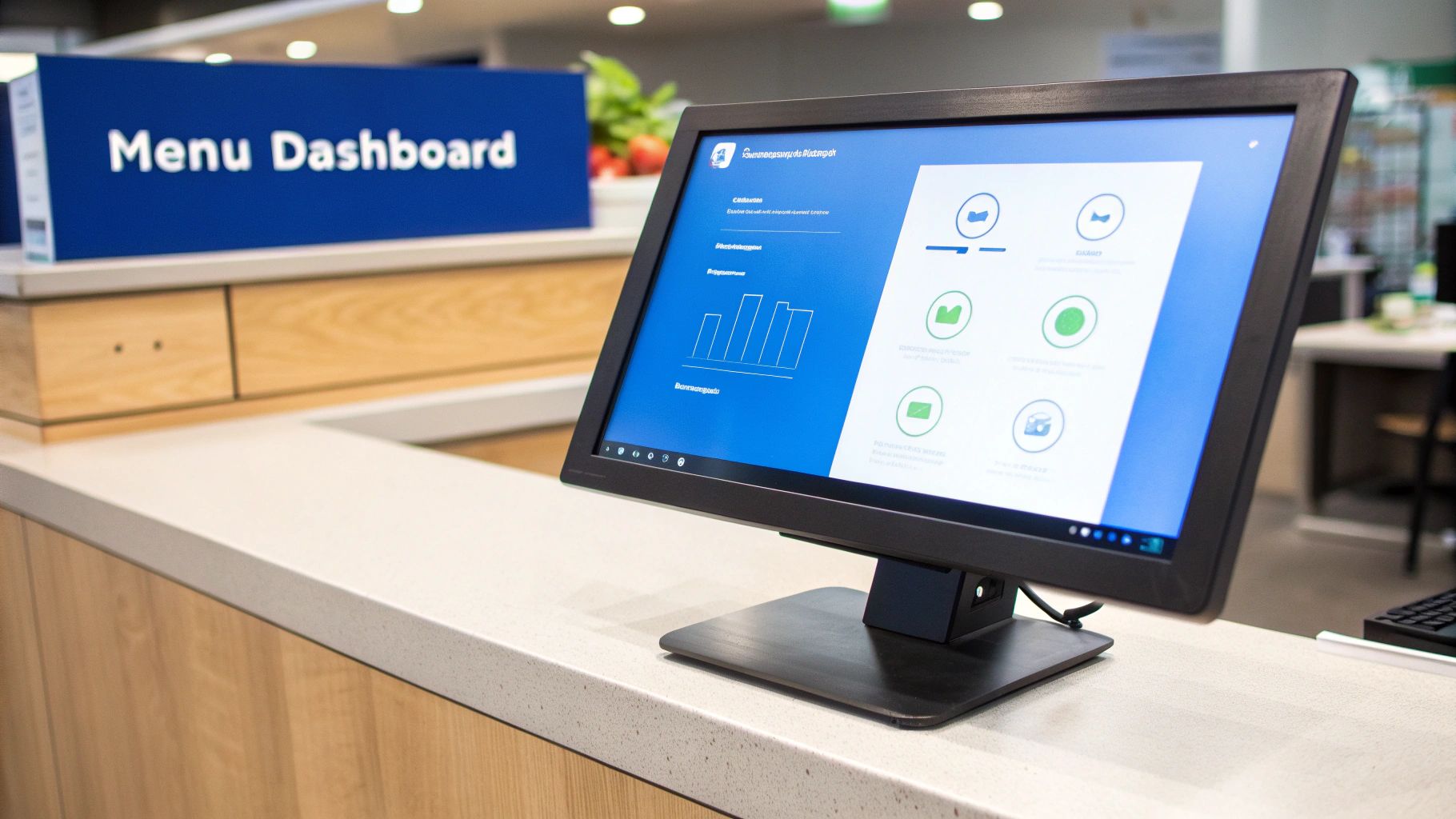
A centralized dashboard is the foundation of any effective menu management system. Operators should be able to update menu items, descriptions, prices, modifiers, images, and availability from one location.
The dashboard should provide real-time synchronization across all connected channels and systems.
A simple and intuitive interface helps ensure managers can make updates quickly when needed.
Menu Performance Analytics
Modern software should provide insights into menu performance, helping operators understand which items drive revenue and profitability.
Analytics can reveal top-selling products, low-performing menu items, customer preferences, and ordering trends across channels.
These insights support more informed decisions about menu design, pricing strategies, and promotional efforts.
Modifier and Customization Management
Customers increasingly expect customization options. Whether adding toppings, selecting sides, or choosing dietary modifications, clear modifier management improves order accuracy.
Centralized modifier controls ensure customization options remain consistent across all ordering platforms.
Better modifier management helps reduce kitchen errors and improve customer satisfaction.
Allergen and Dietary Information
Many customers rely on menu information to make informed dietary decisions. Menu management software should make it easy to display allergen warnings, nutritional information, dietary tags, and ingredient details.
Providing accurate information supports customer trust while helping restaurants meet operational and regulatory requirements.
Clear communication around dietary needs contributes to a safer and more transparent dining experience.
Choosing the Right Restaurant Menu Management Software
Selecting the right platform requires evaluating both current operational needs and future growth objectives. The ideal solution should align with your restaurant’s workflows while remaining flexible enough to support expansion.
Evaluate Integration Capabilities
Menu management software should integrate seamlessly with existing restaurant technology. POS systems, online ordering platforms, delivery marketplaces, kitchen display systems, and inventory tools should all work together within a connected ecosystem.
Strong integrations reduce manual work and improve operational efficiency.
Restaurants should carefully verify compatibility before making a purchasing decision.
Consider Scalability
As restaurants grow, menu management requirements often become more complex. Multi-location businesses require centralized oversight while still maintaining flexibility for location-specific adjustments.
Scalable software supports growth without requiring restaurants to replace systems as they expand.
Planning for future needs helps maximize long-term return on investment.
Focus on Ease of Use
Even powerful software can create challenges if it is difficult to use. Restaurant managers often need to make menu updates quickly, especially during busy service periods.
An intuitive user experience reduces training requirements and improves adoption across the organization.
Simple workflows help ensure menu updates are completed accurately and efficiently.
Implementing Your New Menu Management System
Successful implementation involves more than simply installing software. Restaurants should approach deployment strategically to ensure a smooth transition and maximize value from the platform.
Prepare Menu Data Carefully
Accurate menu data forms the foundation of a successful implementation. Restaurants should review item names, descriptions, prices, modifiers, and images before importing information into the new system.
Clean data helps prevent issues during rollout and improves overall system performance.
Investing time in preparation often reduces future maintenance requirements.
Train Staff Thoroughly
Managers and staff should understand how to update menu items, adjust availability, manage modifiers, and review menu performance reports.
Role-specific training helps employees focus on the features most relevant to their responsibilities.
Proper training improves adoption and helps ensure consistent usage across the organization.
Test Before Full Deployment
Before launching the system across all channels, restaurants should conduct thorough testing. This includes verifying integrations, confirming menu synchronization, and validating ordering workflows.
Testing helps identify issues before they affect customers or disrupt operations.
A phased rollout often provides the smoothest path to successful implementation.
How Biyo Helps Restaurants Simplify Menu Management
Managing menus across multiple channels can quickly become overwhelming without the right technology. Biyo helps restaurants centralize menu management while connecting online ordering, POS operations, inventory tracking, reporting, and customer engagement tools into a single platform.
With Biyo, operators can update menu items, pricing, modifiers, descriptions, and availability from one centralized dashboard. Changes can be reflected across online ordering channels while helping maintain consistency and operational accuracy.
Biyo also supports inventory visibility, menu performance analysis, and business reporting, giving restaurant operators greater control over daily operations and long-term growth strategies.
If you’d like to see how centralized menu management can improve your restaurant operations, you can schedule a consultation with Biyo. Restaurants ready to explore the platform can also create an account and discover how integrated restaurant technology can simplify menu management and support growth.
Frequently Asked Questions
What is restaurant menu management software?
Restaurant menu management software is a platform that allows restaurants to create, update, organize, and synchronize menu information across POS systems, online ordering platforms, websites, delivery apps, and other sales channels.
Why is centralized menu management important?
Centralized menu management helps maintain consistency, reduce errors, improve operational efficiency, and ensure customers always see accurate pricing, availability, and menu information.
Can menu management software integrate with delivery apps?
Yes. Many modern platforms integrate directly with major delivery marketplaces and online ordering channels, allowing restaurants to manage menus from a single location.
How does menu management software improve inventory control?
Many systems connect menu items to inventory tracking tools, allowing availability updates based on stock levels and helping reduce waste, shortages, and fulfillment issues.
Can multi-location restaurants use menu management software?
Absolutely. Many solutions provide centralized control for multiple locations while still allowing location-specific menu adjustments when necessary.
What features should restaurants prioritize?
Important features include centralized menu management, real-time synchronization, POS integration, inventory connectivity, modifier management, performance analytics, and support for dietary and allergen information.