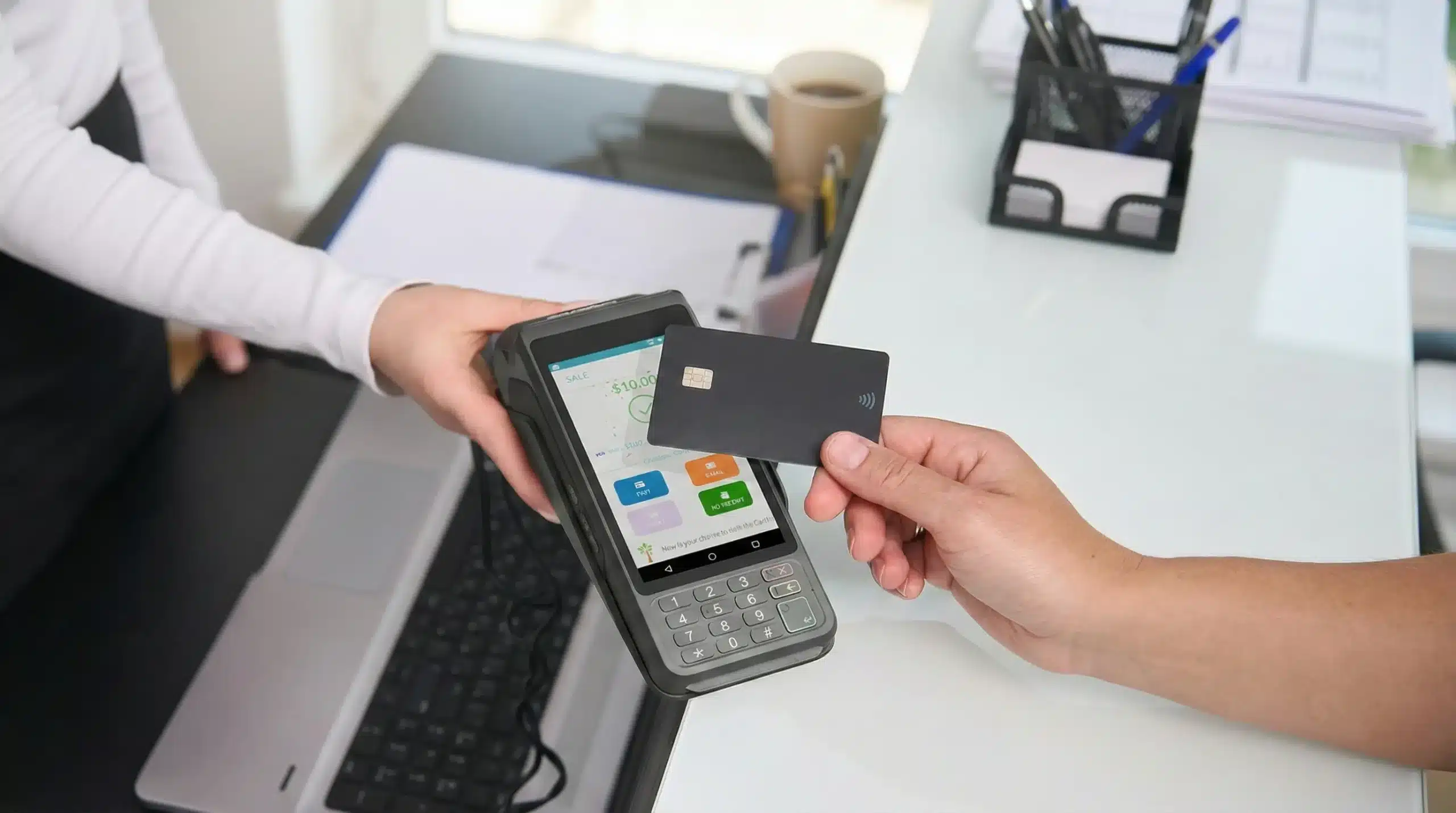

The Dejavoo P1 is more than just another payment terminal—it’s a comprehensive Android countertop POS solution designed for modern retailers and service providers. Whether you’re managing a quick-service restaurant, a retail store, or a service-based business, understanding the Dejavoo P1 features capabilities can help you make an informed investment decision. This guide will walk you through its technical specifications, usability, integrations, and how it fits into a scalable POS strategy for your business.
Table of Contents
- Hardware and Build Quality
- Payment Processing Capabilities
- Connectivity and Compatibility
- Software and Integration Features
- Ideal Use Cases for Dejavoo P1
- Why Choose Biyo POS With Dejavoo P1
- FAQ
Robust Hardware and Build Quality
Let’s start by examining the hardware design of the Dejavoo P1 terminal. This device is compact yet durable, meant to withstand the rigors of high-volume usage environments.
5″ HD Touchscreen Display
The vivid 5-inch HD screen offers crisp resolution and responsive touch capabilities. This makes it easy for staff or customers to navigate menus or complete transactions swiftly.
Its touchscreen technology rivals modern smartphones, enhancing user satisfaction and reducing error rates.
Whether mounted on a counter or used handheld, visibility and ease of use remain consistent throughout shifts.
Integrated Thermal Printer
The Dejavoo P1 comes with a built-in thermal printer, eliminating the need for separate hardware components. This contributes to a streamlined checkout process.
Receipts print quickly and quietly, maintaining efficiency without disrupting customer interaction.
Its compact printer mechanism minimizes paper jams, a crucial feature during peak hours.
Rugged Build for Commercial Use
The P1’s casing is made of industrial-grade materials built for reliability. Dropping it from counter height won’t knock it out of service.
With IP-rated resistance against light splashes and dust, it’s well suited for hospitality and retail environments.
This terminal can handle continuous daily use with minimal degradation in performance.
 Advanced Payment Capabilities
 Advanced Payment Capabilities
Versatility in payment processing is a critical advantage when evaluating Dejavoo P1 features capabilities. The device supports multiple payment formats in a secure and user-friendly environment.
EMV Chip and NFC Support
With native support for EMV chip cards and contactless NFC payments, the P1 ensures fast, secure transactions across the board.
Apple Pay, Google Pay, and tap-to-pay credit cards are compatible with zero setup hassle.
This feature is essential in meeting customer expectations for frictionless checkouts.
PCI PTS 5.x Certified
Security is paramount. The Dejavoo P1 meets PCI PTS 5.x certification standards, ensuring full encryption and fraud protection during each transaction.
Retailers avoid penalties and instill customer trust with this compliance built in from the start.
The POS system stores no cardholder data locally, adhering to strict best practices for data privacy.
QR and Barcode Payment Options
Beyond physical cards, the terminal accepts QR-based payment apps and barcode scans, providing even more flexibility for businesses with a tech-savvy customer base.
This feature is particularly useful for loyalty programs, gift cards, or coupon campaigns.
The scanner is built into the touchscreen frame, optimizing counter space.
Reliable Connectivity and Peripheral Support
One of the often-overlooked benefits of the Dejavoo P1 features capabilities is its robust connectivity suite that ensures uninterrupted operations across different use cases.
Dual-Band Wi-Fi and Ethernet
Whether your business runs on Wi-Fi or wired Ethernet, the P1 ensures reliable network uptime.
Dual-band support provides fallback redundancy, preventing downtime due to connectivity loss.
This capability is essential for maintaining speed during high-traffic hours.
Bluetooth and USB Compatibility
The terminal includes USB-C and Bluetooth support for connecting peripherals such as barcode scanners or cash drawers.
This expands the terminal’s role beyond a payment processor to a central POS hub.
Setup is seamless, allowing plug-and-play integration in most cases.
Battery Backup Option
Though countertop-based, the Dejavoo P1 can operate on battery during outages with an optional backup pack.
This feature supports mobile setups or trade show environments without compromising functionality.
Battery life covers multiple hours of use, giving staff ample time before needing to recharge.
Software Flexibility and POS Integration
Another highlight of the Dejavoo P1 features capabilities lies in its Android-based operating system and flexibility in software integration.
Open Android OS Environment
Running on Android, the P1 supports both proprietary and third-party POS apps, including loyalty, CRM, and analytics tools.
This adaptability reduces vendor lock-in and improves customization for different industries.
Updates are OTA-enabled (over the air), keeping the system up to date without manual intervention.
Inventory and Reporting Sync
With real-time syncing of inventory and sales reports, the terminal aids in decision-making and day-to-day operations.
Dashboards and insights can be accessed remotely for multi-location businesses.
This integration turns a simple terminal into a business intelligence device.
POS Customization and Branding
Merchants can customize menus, UI design, and workflows directly from the admin interface.
Brand colors and logos can be embedded into the UI for brand consistency.
Unique workflows help improve order speed, especially in food and beverage settings.
Ideal Use Cases for Dejavoo P1
The versatility of the Dejavoo P1 features capabilities makes it a perfect fit across a wide range of businesses.
Restaurants and Cafes
Quick-service environments benefit from fast transactions, simplified menus, and integration with kitchen displays.
Its durable hardware handles grease, spills, and rapid taps without error.
Multiple P1 units can work together as part of a unified system with shared data.
Retail Shops and Boutiques
The compact size fits well into boutique counters without cluttering limited space.
Inventory updates are instant, supporting flash sales or multi-location stock updates.
Integrated receipt printing and scanning eliminate extra device needs.
Service-Based Businesses
For salons, spas, or repair services, customer scheduling and invoice generation are smooth and seamless.
The CRM tools help track repeat customers and automate loyalty programs.
The touchscreen UI allows fast navigation between services and products.
Why Choose Biyo POS With Dejavoo P1
 Why Choose Biyo POS With Dejavoo P1
Biyo POS is fully compatible with Dejavoo P1, offering a seamless integration experience that enhances business automation. From employee management to inventory tracking and sales analytics, Biyo POS empowers business owners to optimize performance across the board.
Schedule a demo with Biyo POS to see how the Dejavoo P1 can revolutionize your checkout process. Ready to upgrade? Sign up here to get started instantly.
FAQ
Is the Dejavoo P1 secure for card transactions?
Yes, it meets PCI PTS 5.x standards and supports encrypted EMV and NFC transactions.
Does the terminal support custom POS apps?
Yes. It runs on Android OS, making it compatible with a wide variety of POS software tools.
Can I connect barcode scanners or printers to it?
Absolutely. It supports USB and Bluetooth peripherals with simple configuration.