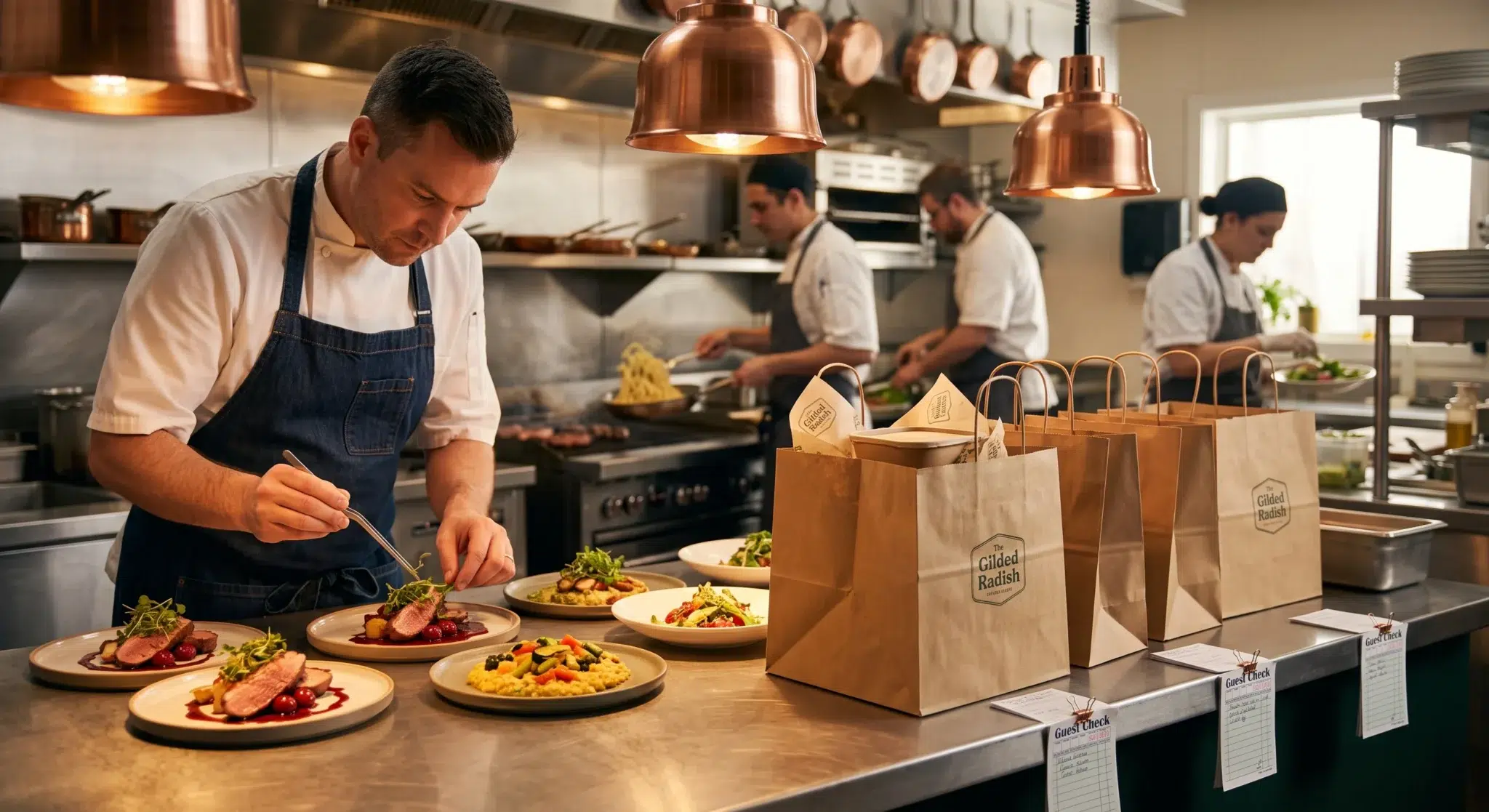

Managing a high-volume restaurant during peak dinner service requires split-second operational precision, but learning how to integrate delivery apps into POS systems has become essential for long-term survival. Walk into almost any busy neighborhood eatery, and you will see the exact same chaotic scene: four to six different third-party delivery tablets glowing, dinging, and cluttering the hostess station. Front-of-house staff scramble between DoorDash, Uber Eats, Grubhub, and direct online ordering screens while simultaneously greeting dine-in guests and answering ringing phones.
Consequently, this infamous “tablet farm” creates severe operational bottlenecks across your entire restaurant. Hostesses and cashiers spend hundreds of hours manually re-keying orders from third-party tablets into the main checkout register. During busy sales rushes, tired staff misread special modifier requests, skip critical allergy notes, and miscalculate order fire times. In addition, line cooks receive a confusing mix of handwritten slips, separate thermal receipt chits, and delayed terminal tickets that disrupt kitchen pacing.
However, operating a multi-channel digital restaurant does not require drowning in hardware clutter or sacrificing your kitchen sanity. In fact, modern restaurant operators can easily integrate delivery apps into POS architecture to create a unified, automated kitchen assembly line. Direct two-way application programming interfaces (APIs) allow all incoming delivery orders to flow straight into your master point of sale, dispatching tickets directly to kitchen display systems (KDS) and prep printers without human intervention. This comprehensive guide breaks down the hidden costs of manual tablet management, explains the mechanics of two-way API consolidation, and shows how unified cloud systems streamline restaurant workflows.
Table of Contents
- The Hidden Operational Costs of the Restaurant “Tablet Farm”
- Anatomy of Manual Re-Keying: Where Food Margins Disappear
- How Direct Two-Way API Integration and Kitchen Hub Work
- Centralized Menu Synchronization and Instant 86-ing
- Optimizing Kitchen Prep with Unified Kitchen Display Systems (KDS)
- Managing Surge Capacity, Driver Handoffs, and Dine-In Balance
- 5-Step Blueprint to Integrate Delivery Apps into POS Systems
- Side-by-Side Comparison
- How Biyo POS Consolidates Multi-Channel Delivery Workflows
- Frequently Asked Questions
The Hidden Operational Costs of the Restaurant “Tablet Farm”
Many restaurant operators view maintaining individual delivery tablets as an unavoidable cost of doing business online. However, when you calculate the total labor, lost customer goodwill, and administrative overhead associated with managing separate tablets, the true cost becomes staggering.
As a result, your front-of-house staff remains glued to blinking screens rather than delivering hospitable service to in-house guests. Understanding the true toll of the tablet farm helps operators prioritize workflow consolidation.
Hostess Stand Bottlenecks and Non-Productive Labor
The primary purpose of front-of-house staff is welcoming guests, seating tables efficiently, and driving on-premise hospitality. When a hostess stand holds five different delivery tablets, that station transforms into a frantic data-entry call center.
During a three-hour dinner rush, an employee might spend ninety minutes simply transcribing digital tickets into your primary register. If you pay your host or expeditor sixteen dollars an hour, you spend thousands of dollars annually in wasted labor just to re-type data that customers already entered on their smartphones. Therefore, choosing to integrate delivery apps into POS hardware instantly frees your staff to focus on high-touch guest hospitality.
Notification Fatigue and Front-of-House Stress
Every third-party delivery marketplace utilizes its own distinct auditory ping, chime, or siren to alert staff to incoming orders. When three different tablets ring simultaneously while the phone rings and dine-in guests wait at the host stand, staff experience severe cognitive overload.
This constant auditory stress leads directly to employee burnout, high front-of-house turnover, and missed orders. When staff miss a tablet ping, the delivery platform penalizes your store’s algorithmic ranking or cancels the order automatically, driving frustrated diners straight to your local competitors.
Countertop Clutter and Damaged Dining Ambiance
Hospitality begins with visual ambiance. When customers enter your restaurant and encounter a messy entanglement of power strips, tablet chargers, plastic stands, and tangled cords at the front counter, it degrades your brand perception.
Consolidating all digital revenue streams into your primary checkout terminal cleans up your service counter, protects expensive tablet hardware from accidental liquid spills, and restores a professional dining aesthetic.
 Anatomy of Manual Re-Keying: Where Food Margins Disappear
 Anatomy of Manual Re-Keying: Where Food Margins Disappear
The most damaging consequence of maintaining separate delivery tablets is the high frequency of manual data-entry errors. Whenever humans must manually transcribe text from one screen to another under intense time pressure, mistakes are mathematically inevitable.
These transcription errors cascade straight into the kitchen, resulting in wasted ingredients, delayed orders, and expensive customer chargebacks.
Modifier Translation Failures and Severe Allergy Hazards
Modern diners customize their orders extensively. Customers add extra sauces, request gluten-free substitutions, specify meat temperatures, and flag life-threatening food allergies.
When a busy cashier manually re-types an order, modifier details are frequently truncated or misinterpreted:
- Truncated Modifiers: An order requesting “Extra Dressing on the Side, No Croutons, Add Avocado” often gets entered into the POS as a simple “House Salad” during intense rushes.
- Life-Threatening Allergy Oversights: If a customer notes a severe peanut allergy on a delivery app and the host misses that custom note while re-keying, the kitchen serves a dangerous dish that creates immense liability.
- Inventory Depletion Mismatches: When cashiers ring up generic placeholder buttons instead of specific variant SKUs, your recipe inventory tracking loses synchronization with actual walk-in cooler stock.
The Financial Drain of Remakes, Cancellations, and Chargebacks
When a delivery customer receives an incorrect dish, they do not bring it back to your counter; they immediately request a full refund through the third-party app. Delivery marketplaces approve customer refund requests almost automatically, deducting the full order amount directly from your weekly restaurant payout.
Consequently, your restaurant suffers a triple financial penalty: you lose the original wholesale food cost, you waste labor preparing a wasted meal, and you lose the top-line revenue from the sale. Implementing software that allows you to integrate delivery apps into POS terminals eliminates manual re-keying completely, reducing order accuracy errors by over ninety-five percent.
Timing Desynchronization and Cold Food Delivery Complaints
When an order arrives on a standalone tablet, the delivery driver is often dispatched based on the time the order was accepted on the app, not when your kitchen actually starts cooking. If your cashier waits ten minutes to notice the tablet alert before punching it into the register, the delivery driver arrives before the kitchen even fires the food.
Conversely, if the cashier enters the order immediately during a slow period, the food sits under a heat lamp for twenty minutes waiting for an assigned courier. Direct POS integration synchronizes kitchen ticket firing with automated driver arrival estimates, ensuring food is packaged at the exact moment the courier walks through the door.
How Direct Two-Way API Integration and Kitchen Hub Work
To eliminate tablet clutter, restaurant operators must understand how direct API two-way integration functions. Instead of using humans as manual data bridges between separate devices, modern software establishes direct, encrypted cloud communication pathways between delivery marketplaces and your central point of sale.
This technological shift automates the entire order lifecycle from initial customer click to hot food delivery.
The Technical Mechanics of Direct API Order Injection
1. **Order Placement:** A customer selects items on DoorDash, Uber Eats, Grubhub, or your native online store.
2. **Direct API Transmission:** The delivery marketplace sends the structured JSON order payload directly to your POS cloud server via secure WebSockets or webhooks.
3. **Automated Order Injection:** Your cloud POS platform validates the transaction, maps modifier IDs, processes digital payments, and injects the order into your active sales ledger instantly.
4. **Kitchen Routing:** The POS software routes the order across designated kitchen prep stations, firing the ticket on your kitchen display screens and thermal expeditor printers automatically.
5. **Driver Telemetry Sync:** The POS communicates real-time kitchen prep statuses back to the delivery platform, updating delivery drivers and customers with exact handoff times.
How Kitchen Hub Powers Seamless Two-Way Aggregation
Modern point of sale platforms partner directly with specialized integration engines like **Kitchen Hub** to deliver true bi-directional synchronization. Instead of maintaining fragile custom connections with every delivery app, Kitchen Hub serves as a central clearinghouse.
When an order is placed on any third-party app, Kitchen Hub normalizes the data and injects it straight into your POS terminal. When you update a price or mark an item out of stock (86-ed) on your POS, Kitchen Hub pushes that status across all third-party delivery menus instantly. Furthermore, kitchen prep delays entered on your KDS automatically update customer delivery estimates across all connected channels.
Centralized Menu Synchronization and Instant 86-ing
Managing multiple digital menus across separate third-party vendor portals is an administrative nightmare. When your head chef introduces seasonal dishes or adjusts wholesale pricing, managers must log into four different vendor backends to make identical updates.
Centralized menu management unifies this entire workflow under one master catalog.
Single-Click Master Menu Publishing
With direct POS integration, your point of sale functions as the single source of truth for your entire culinary catalog. You build your master menu, modifier trees, tax categories, and product descriptions inside your POS dashboard:
- Omnichannel Price Rules: Configure your POS to automatically apply custom markup percentages (e.g., +15%) to third-party delivery channels while keeping your direct website menu at standard in-store pricing.
- Instant Catalog Publishing: When you modify a recipe description or add high-resolution food photography, clicking “Publish” updates your POS register, online store, and connected third-party delivery apps simultaneously.
- Scheduled Dayparting: Automatically transition menus between Breakfast, Lunch, Dinner, and Late-Night menus across all platforms based on pre-set operational schedules.
The Power of Universal Real-Time 86-ing
Nothing damages a restaurant’s digital reputation faster than accepting an online order for an item that ran out an hour earlier. When a kitchen runs out of fresh salmon during dinner service, a manager must physically locate and log into multiple tablets to disable that dish.
Under a unified system, your chef simply taps the salmon item on the kitchen display screen or POS terminal and marks it **86 (Out of Stock)**. The cloud integration pushes that status to DoorDash, Uber Eats, and your website within five seconds. Diners cannot order items you cannot cook, eliminating painful customer cancellation calls.
Optimizing Kitchen Prep with Unified Kitchen Display Systems (KDS)
The true operational magic of deciding to integrate delivery apps into POS systems happens inside the kitchen. In a traditional tablet-heavy setup, line cooks must balance paper chits spitting out of multiple separate printers with tickets from in-house tables.
A unified Kitchen Display System (KDS) replaces paper chaos with clean, digital order pacing.
Multi-Station Ticket Splitting: Grill, Fryer, Cold Prep, and Bar
High-volume commercial kitchens rely on specialized prep lines. When an online delivery order contains a wood-fired pizza, a Caesar salad, and a craft cocktail, a unified KDS routes those items intelligently:
- Pizza Station Screen: Receives only the pizza item with specific crust and cheese modifiers.
- Salad/Cold Prep Screen: Displays the salad item with custom dressing and topping instructions.
- Bar Display / Service Printer: Prints the beverage ticket directly at the bar rail.
- Master Expo Screen: Displays the full consolidated order, tracking the completion status of each sub-station in real time.
Color-Coded Cook Timers and Pacing Automation
Digital kitchen screens eliminate lost paper slips and improve kitchen ticket times through visual cues. Orders are color-coded based on active prep duration:
- Green (0–7 Minutes): Order received and actively being prepped within standard operating parameters.
- Yellow (8–14 Minutes): Order approaching target fulfillment threshold; alerts cooks to expedite.
- Flashing Red (15+ Minutes): Order delayed; triggers visual alerts for shift supervisors and kitchen expeditors.
Standardized Expo Receipts and Bag Verification
When the cold line, hot line, and bar complete their respective items, the expeditor station prints a single, standardized packaging receipt. This receipt clearly displays the customer name, delivery service logo, unique driver pickup code, itemized checklist, and tamper-evident sealing prompt.
The expeditor checks off each item, seals the bag, and stages the order in the delivery pickup zone with zero confusion.
Managing Surge Capacity, Driver Handoffs, and Dine-In Balance
A common fear among restaurant operators is that high delivery volumes will overwhelm the kitchen and degrade food quality for dine-in guests. When on-premise dining rooms fill up on Friday evening, unmanaged delivery orders can easily crash the kitchen line.
Unified POS systems provide automated traffic-control tools that maintain balance between dining room tables and off-premise couriers.
Automated Kitchen Throttling and Surging Order Controls
When your dining room reaches maximum capacity and kitchen ticket times cross your target threshold (e.g., twenty minutes), modern POS platforms automatically activate **Kitchen Throttling**:
- Automated Prep-Time Extension: The system dynamically extends third-party delivery quotes from thirty minutes to forty-five or sixty minutes, pacing incoming digital volume.
- Temporary Order Pausing: If the kitchen line becomes severely backlogged, managers can pause incoming delivery orders across all apps with a single tap on the POS terminal for fifteen, thirty, or sixty minutes.
- Dine-In Priority Routing: Prioritize in-house guest orders during peak dining windows while smoothly pacing off-premise tickets.
Dedicated Pickup Staging Zones for Delivery Couriers
Delivery couriers hovering around the host stand create congestion and disrupt the dining experience for sit-down guests. Consolidating delivery operations allows you to establish a dedicated **Digital Pickup Staging Zone**:
- Numerical Staging Shelves: Assign delivery bags to numbered cubbies or staging racks matching the last two digits of the POS order ID.
- Driver-Facing Status Displays: Mount a low-cost tablet or monitor in the pickup area showing order readiness (e.g., “Order #42: Prepping” vs. “Order #42: Ready for Pickup”).
- Contactless Driver Handoffs: Couriers walk in, verify the order number on their smartphone against the staging shelf tag, grab the sealed bag, and depart in under ten seconds without interrupting front-of-house staff.
5-Step Blueprint to Integrate Delivery Apps into POS Systems
 5-Step Blueprint to Integrate Delivery Apps into POS Systems
Consolidating your restaurant’s digital delivery operations is a systematic process. When your management team follows an organized transition framework, bringing all delivery channels under one roof takes very little time.
Below is the proven 5-step implementation blueprint to integrate delivery apps into POS workflows smoothly.
Step 1: Clean Up Menu Taxonomy and Standardize Modifier Trees
1. Compile a comprehensive master list of all active digital revenue channels (DoorDash, Uber Eats, Grubhub, native web store).
2. Clean up your menu taxonomy. Ensure that modifier groups (e.g., “Choice of Side”, “Meat Temperature”, “Salad Dressing”) utilize identical naming conventions across all items.
3. Remove redundant or obsolete menu items from legacy third-party accounts.
Step 2: Establish the Central POS Master Catalog
1. Open your cloud POS dashboard inside your Google Chrome web browser.
2. Build your master culinary catalog, inputting accurate wholesale costs, recipe components, and high-resolution food imagery.
3. Configure channel-specific pricing rules if you choose to maintain different price tiers for marketplace channels versus direct online ordering.
Step 3: Connect Two-Way Marketplaces via Kitchen Hub
1. Inside your POS management settings, navigate to the **Online Ordering & Delivery Integrations** module.
2. Authorize two-way API links for DoorDash, Uber Eats, and Grubhub using your Kitchen Hub connector credentials.
3. Map your third-party menu categories directly to your POS master catalog departments.
4. Execute initial catalog push to verify that prices, photos, and modifier rules synchronize flawlessly across all platforms.
Step 4: Configure KDS Stations, Printers, and Routing Rules
1. Download your kitchen display software onto your kitchen tablets or mount thermal receipt printers at individual prep stations.
2. Assign menu categories to specific kitchen lines (e.g., Grill, Fryer, Cold Prep, Expo).
3. Test digital ticket firing to confirm that multi-item orders split accurately across prep screens and combine cleanly at the expeditor station.
Step 5: Train Staff and Safely Store Countertop Tablets
1. Train front-of-house hosts on reading unified incoming order notifications on the main POS register.
2. Instruct kitchen line cooks on bumping completed tickets on the digital KDS screens.
3. Establish clear packaging and bag-sealing procedures at the expo station.
4. Safely box up and store the redundant third-party countertop tablets, freeing up your hostess stand permanently.
Side-by-Side Comparison
| Operational Dimension | Disconnected Multi-Tablet “Farm” | Unified Direct POS Integration (Biyo POS) |
|---|---|---|
| Hardware Footprint | 4–6 clunky tablets, chargers, and power strips | Single unified POS register & KDS screens |
| Order Entry Speed | Slow manual re-typing (2–4 minutes per ticket) | Instant automated cloud injection (0 seconds) |
| Order Transcription Errors | High error rate (Missed modifiers & allergies) | Virtually 0% error rate (Exact data capture) |
| Menu Update Workflow | Log into 4 separate vendor portals manually | 1-Click master sync to all platforms instantly |
| Item 86-ing Speed | Slow; requires finding and updating each tablet | Instant 1-tap 86-ing across all delivery apps |
| Kitchen Pacing & Routing | Mixed paper slips & delayed ticket firing | Smart KDS routing with cook-time timers |
| Front-of-House Labor Cost | Hundreds of wasted hours transcribing tickets | Staff focused 100% on guest hospitality |
| Customer Refund Losses | Frequent chargebacks due to incorrect items | Drastically cuts remakes and missed items |
How Biyo POS Consolidates Multi-Channel Delivery Workflows
Biyo POS delivers an enterprise-grade hospitality management system engineered to eliminate tablet clutter and streamline complex restaurant operations[cite: 1]. Running smoothly in the cloud directly inside the Google Chrome browser on any Mac, PC, iPad, or Android tablet, Biyo provides restaurant operators with complete multi-channel order control without expensive proprietary hardware lock-in[cite: 1].
Through direct integration with Kitchen Hub, Biyo POS allows orders from DoorDash, Uber Eats, Grubhub, and your native commission-free online store to flow directly into one centralized register interface[cite: 1]. Incoming tickets are injected into your sales ledger automatically, completely eliminating manual re-keying errors, missed allergy modifiers, and counter tablet clutter[cite: 1].
Furthermore, Biyo synchronizes your entire food preparation ecosystem in real time[cite: 1]. Route incoming orders directly to prep stations using the **Biyo Kitchen Display (KDS) app available on Google Play**, featuring color-coded urgency timers, multi-station ticket splitting, and one-tap order bumping[cite: 1]. When seasonal ingredients run low, Biyo’s master catalog allows you to 86 items across your registers, digital menus, and connected delivery channels simultaneously with a single tap[cite: 1].
Beyond kitchen workflows, Biyo empowers your entire hospitality enterprise[cite: 1]. Manage attached retail, merchandise, or packaged goods with the **Biyo Inventory Scanner app on the Apple App Store**, configure custom loyalty programs, and maintain continuous service during internet outages with Biyo’s true offline transaction mode[cite: 1].
To discover how easily your restaurant can eliminate tablet chaos and streamline kitchen fulfillment, you can schedule a live demo with an onboarding specialist or get started today on the Biyo signup page[cite: 1].
Frequently Asked Questions
Why should restaurants integrate delivery apps into POS systems?
When you integrate delivery apps into POS systems, you eliminate the need to manually re-type orders from separate tablets, stopping costly modifier mistakes, reducing front-of-house labor expenses, and speeding up kitchen ticket times.
How does Kitchen Hub work with Biyo POS?
Kitchen Hub acts as a two-way synchronization bridge between third-party delivery marketplaces (like DoorDash, Uber Eats, and Grubhub) and Biyo POS, automatically injecting orders into the register and pushing live menu updates and 86-ed items back to the delivery platforms.
What happens when an item is 86-ed in a unified POS system?
When an item is marked out of stock (86-ed) on your central POS or KDS screen, the two-way API integration automatically updates all connected third-party delivery apps and your direct online store within seconds to prevent out-of-stock orders.
Can online delivery orders be routed to specific kitchen prep stations?
Yes. Modern cloud POS platforms automatically split multi-item delivery tickets across dedicated prep lines (such as Grill, Fryer, Salad, and Bar) on digital KDS screens, combining them at the expeditor station for packing.
Do I still need physical tablets from DoorDash and Uber Eats?
No. Once direct two-way API integration is established via Kitchen Hub, all incoming orders, customer details, and modifier requests flow straight into your POS terminal and kitchen screens, allowing you to box up and store third-party tablets permanently.
Does Biyo POS support offline kitchen printing during internet drops?
Yes. Biyo POS features true offline local network communication, ensuring that kitchen ticket printers and local KDS screens continue processing and routing orders even if your external internet connection drops.