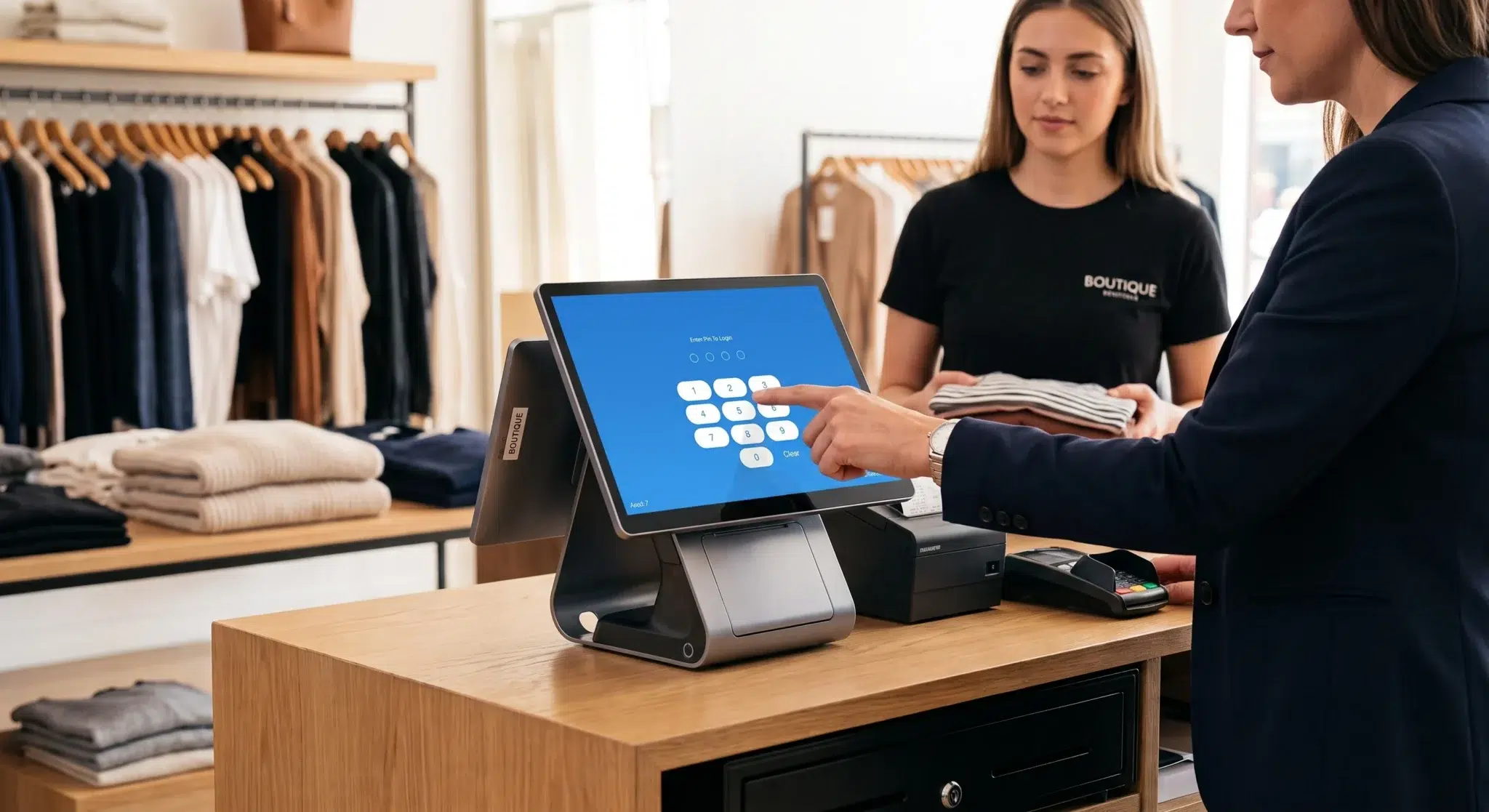
Running a profitable boutique requires constant financial vigilance, but learning how to prevent retail counter theft is one of the most critical operational challenges store owners face. While many retailers focus primarily on catching external shoplifters, industry loss prevention data reveals that internal employee theft accounts for nearly thirty percent of annual retail inventory shrinkage. When register operations lack digital security controls, dishonest employees exploit software loopholes to steal merchandise and pocket cash right at the checkout counter.
Unfortunately, many independent retailers give all staff members full administrative access to their point of sale registers. As a result, cashiers can execute manual price overrides, process unverified customer returns, delete active cart line items, and trigger cash drawers without supervisor approval. These unrestricted permissions make it nearly impossible for store managers to detect fraud until monthly inventory audits reveal severe stock losses.
However, eliminating cashier fraud does not require micromanaging your staff or creating a tense workplace environment. In fact, establishing structured permission boundaries effectively removes the opportunity for internal shrinkage while protecting honest team members. By implementing role-based access controls and monitoring automated software exception reports, store owners can reliably prevent retail counter theft while maintaining a fast, friendly checkout experience. This comprehensive guide breaks down the most common cashier fraud schemes, outlines the five register permission rules required to eliminate them, and explains how modern cloud POS systems protect your store profits.
Understanding Counter Shrinkage and Register Leakage
Many independent store owners assume that inventory shrinkage happens primarily when external shoplifters conceal items in clothing or slip merchandise into fitting rooms. In reality, register-level theft committed by staff members represents a continuous, compounding financial drain. Because internal theft occurs during daily store shifts, dishonest employees can repeat fraudulent maneuvers dozens of times each week without drawing attention.
Consequently, unchecked register fraud drains your net operating margins and distorts your inventory records. Understanding the mechanics of register leakage is the first step toward securing your checkout counter.
The Direct Margin Impact of Internal Counter Theft
Retail boutiques operate on narrow net profit margins after paying for commercial rent, utilities, inventory wholesale costs, and store payroll. When an employee gives away a sixty-dollar garment or steals twenty dollars from the cash drawer, that loss comes directly out of your net profit.
For example, if your boutique operates on a ten percent net profit margin, you must generate six hundred dollars in gross sales just to recover the loss of a single sixty-dollar stolen item. Therefore, taking proactive steps to prevent retail counter theft is the fastest, most cost-effective way to protect store profitability without spending more money on customer acquisition.
How Register Fraud Destroys Inventory Accuracy
When dishonest associates give away stock or manipulate transaction line items, your inventory management software loses synchronization with physical shelf stock. The point of sale assumes the merchandise remains on the rack, even though the item has already left the building.
As a result, your inventory replenishment alerts fail to trigger on time, leading to unexpected stockouts on high-demand items. In addition, your sales staff waste valuable time searching backroom bins for products that were stolen weeks earlier. Enforcing strict register permissions ensures that every physical item departure matches a verified, recorded transaction.
The Operational Vulnerability of Shared Cashier Logins
Small retail stores frequently make the mistake of using a single shared cashier login across all checkout terminals. When multiple employees ring up sales under the same generic “Cashier” account, establishing individual accountability becomes impossible.
Dishonest employees thrive in anonymous operating environments because they know managers cannot trace fraudulent actions back to their specific shift. Implementing individualized PIN access and role-based permission tiers removes this anonymity and protects your daily revenue.
4 Common Cashier Fraud Schemes Draining Store Margins
To secure your checkout counter, you must first understand the specific techniques dishonest cashiers use to steal merchandise and cash. Modern cashier theft rarely involves grabbing handfuls of bills from an open till. Instead, employees use subtle digital maneuvers to mask their theft within legitimate daily transactions.
Recognizing these four common schemes enables you to configure your point of sale software to block them automatically.
1. Sweethearting and Fake Scan Merchandise Passing
Sweethearting is the most widespread form of cashier fraud in the retail industry. It occurs when a cashier provides free or heavily discounted merchandise to friends, family members, or fellow employees at the checkout counter.
To execute sweethearting, the cashier may pretend to scan a barcode while covering the scanner lens with their finger, or intentionally ring up a low-priced accessory while bagging an expensive designer dress. Because the customer walks away with a store bag and a receipt slip, surrounding shoppers and floor managers suspect nothing.
2. The Post-Sale Cash Void Scam
The post-sale void scam is a classic method used to steal physical cash from the register till. This fraud happens when a customer purchases merchandise with exact physical cash and declines a printed receipt.
After the customer leaves the storefront, the cashier reopens the completed transaction and executes a full void or cancelation command. The POS software deletes the transaction from the daily sales ledger and adjusts the expected cash total downward. The cashier then pockets the cash from the drawer without creating an end-of-day register shortage.
3. Phantom Customer Returns and Bogus Refunds
Phony return processing allows dishonest staff to extract cash or credit card refunds directly from your store accounts without an actual customer present. The cashier creates a fake return transaction for an expensive item from the system catalog.
Next, the employee refunds the balance to their own personal debit card or pulls physical cash directly from the till. Because the cashier selects an item from the catalog, the POS software artificially increases inventory quantities, creating ghost stock that disrupts future inventory audits.
4. Unauthorized Manual Price Overrides and Discount Stacking
When store owners leave discount settings unrestricted, employees can apply arbitrary price reductions to any item in the cart. A cashier might ring up a two-hundred-dollar jacket and manually override the price to twenty dollars for an acquaintance.
In some cases, the cashier rings up full price, collects cash from the customer, applies a fifty percent manager discount post-sale, and pockets the difference. Restricting manual discount overrides prevents staff from manipulating product margins without supervisor sign-off.
5 Register Permission Rules to Prevent Retail Counter Theft
Eliminating internal counter fraud requires establishing a clear hierarchy of register privileges. Modern point of sale software allows store owners to define specific roles, such as Cashier, Shift Supervisor, and Store Manager.
By enforcing these five fundamental permission rules, you eliminate the loopholes that facilitate cashier fraud while empowering trusted supervisors to keep checkout lines moving smoothly.
Rule 1: Mandate Manager PIN Overrides for All Line Voids
Never permit standard cashiers to void line items or cancel entire transactions after an item has been scanned into the active cart:
How the Rule Works: When a cashier attempts to delete a scanned product or cancel a transaction, the POS screen prompts for an authorized manager PIN override.
Why It Stops Theft: This rule eliminates the post-sale cash void scam. Cashiers cannot delete sales after receiving cash from shoppers.
Operational Balance: If a customer genuinely changes their mind at checkout, a floor supervisor enters their PIN in three seconds, verifying that the physical item remains on the counter.
Rule 2: Restrict Customer Return and Refund Processing
Processing returns and issuing refunds must remain an exclusive supervisor privilege:
How the Rule Works: Standard cashiers can view past customer receipts, but initiating a refund to cash, credit cards, or store gift cards requires manager authentication.
Why It Stops Theft: Cashiers cannot generate fake returns to pocket cash or load refund balances onto personal cards.
Enforcing Return Receipt Validation: Require managers to cross-reference the original physical receipt or digital customer transaction history before approving any refund.
Rule 3: Lock Down Manual Discounting and Price Edits
Eliminate arbitrary discount entry by locking custom percentage and dollar overrides behind management permissions:
How the Rule Works: Standard employees can only apply pre-configured, automated promotions (such as “Buy One, Get One 50% Off” or official VIP loyalty discounts). Custom manual overrides require supervisor approval.
Why It Stops Theft: Cashiers cannot grant unauthorized sweetheart discounts to friends or manipulate cash totals to skim drawer funds.
Setting Maximum Discount Caps: Even for supervisors, configure your POS to cap single-item manual discounts at a maximum threshold (e.g., 20%) without owner notification.
Rule 4: Gated “No-Sale” Drawer Kicks with Reason Codes
Opening the physical cash drawer should only occur during legitimate cash transactions:
How the Rule Works: Lock the manual “No-Sale” function so that only managers can trigger the drawer open without an active sale.
Why It Stops Theft: Restricting manual drawer pops prevents cashiers from accessing cash reserves during slow periods.
Digital Logging: Ensure that every time a supervisor uses the No-Sale button, the POS software prompts for a mandatory reason code (such as “Making Change” or “Adding Coin Float”).
Rule 5: Implement Individual Cashier PINs and Inactivity Lock Timers
Shared terminals create accountability blind spots that encourage dishonest behavior:
How the Rule Works: Every sales associate uses a unique four-digit PIN or physical barcode badge to unlock the register. The POS automatically locks the screen after thirty seconds of inactivity.
Why It Stops Theft: Every transaction, line item modification, and timecard entry is permanently tagged with a specific employee ID.
Eliminating Shift Confusion: When associates switch stations, signing out takes one tap, ensuring that no cashier rings sales under another team member’s credentials.
POS Exception Reporting: Catching Anomalies in Real Time
Setting up register permissions is the first half of loss prevention; monitoring software data is the second half. Modern cloud POS systems generate detailed **Exception Reports** that highlight unusual cashier activities.
Reviewing these audit logs weekly allows store managers to identify suspicious patterns and prevent retail counter theft before significant financial losses accumulate.
Tracking Void-to-Sale Ratios by Employee ID
An exception report filters out thousands of standard sales transactions and displays only irregular register events. When auditing your weekly logs, focus on these critical metrics:
High Void Ratios: Compare the number of item voids across all sales associates. If one cashier averages fifteen voids per week while the store average is two, investigate their transactions immediately.
Frequent No-Sale Events: Look for employees who trigger multiple No-Sale drawer opens during single shifts.
Repetitive Manual Discounts: Track which staff members request manager discount overrides most frequently.
Post-Transaction Receipt Re-Prints: Cashiers who reprint receipts frequently may be using duplicate customer receipts to execute fraudulent returns.
Spotting Cashier Collusion with Supervisors
In rare cases, a dishonest cashier may collude with a shift supervisor to bypass permission rules. For example, a supervisor might share their PIN with a cashier or routinely approve suspicious voids without inspecting the counter.
To detect collusion, analyze exception reports by supervisor ID. If a specific manager approves an unusually high number of price overrides or cash returns for a single cashier, conduct a direct audit of those transactions using security camera footage.
Hardware Safeguards: Protecting Tills and Peripheral Triggers
Software permissions must be supported by physical counter security. Securing your cash drawer, terminal cables, and peripheral hardware prevents employees from tampering with devices to bypass digital controls.
Implementing these physical safeguards strengthens your defense against register shrinkage.
Physical Cash Drawer Key Management
Every commercial cash drawer includes manual lock keys for emergency access during power outages. These physical keys represent a severe security vulnerability if left unattended:
Never Leave Keys in the Drawer: Never leave emergency cash drawer keys sitting in the keyhole on the front of the register.
Lock Keys in the Store Safe: Store all manual drawer keys inside your primary store safe. Only the general manager and store owner should have access to physical drawer keys.
Enforce Electronic-Only Opening: Require that all daily drawer pops occur exclusively through electronic solenoid commands generated by the POS software.
Positioning Overhead Register Cameras
Installing a high-definition security camera directly above the checkout counter provides vital visual verification for POS exception reports. Position the camera angle so it clearly captures the POS screen, the cash drawer interior, and the customer transaction space.
When your exception report flags a suspicious void or manual discount, you can review the exact video timestamp to confirm whether the cashier followed proper store procedures.
Conducting Mid-Shift Audits and Fostering Accountable Culture
In addition to daily closing reconciliations, conducting periodic mid-shift drawer audits is a powerful deterrent against cashier fraud. When employees know that managers perform random drawer counts, the temptation to skim cash disappears.
Executing structured mid-day audits keeps your cash handling operations disciplined and predictable.
How to Perform a Mid-Shift X-Report Audit
1. Approach the register during a calm sales period without advance warning to the cashier.
2. Sign into the POS using manager credentials and generate an **X-Report** snapshot.
3. The X-report displays the exact cash balance the drawer should contain at that precise moment without closing the shift batch.
4. Remove the till to the back office and perform an immediate physical currency count.
5. Compare the physical cash count against the X-report balance to verify that the drawer matches to the penny.
Addressing Discrepancies Professionally
If a surprise till audit reveals a cash shortage, address the issue immediately in a private, one-on-one setting. Review the shift transaction log together with the associate to identify missed change entries or unrecorded paid-out receipts.
Document the variance in the employee file. If recurring shortages occur with the same associate, take formal disciplinary action in accordance with your written store policy.
Drafting Clear Loss Prevention Policies for Onboarding
Implementing strict register permissions should never feel like an attack on your staff. When communicating new loss prevention policies, frame the rules as protective safeguards that benefit the entire team.
Building a culture of transparent accountability ensures high staff morale while maintaining firm security standards.
Framing Security Rules as Employee Protection
Explain to your team that strict register permissions protect honest cashiers from false accusations. When a cash drawer finishes twenty dollars short at the end of the day, an unmonitored system places every associate under suspicion.
In contrast, individualized PIN logins, blind cash drops, and permission locks prove exactly who operated the register, clearing innocent staff of any wrongdoing.
Standardizing Written Cash Handling Agreements
Ensure that every new hire reads and signs a written cash handling agreement during their onboarding training. The document should clearly outline register rules, acceptable variance limits, refund authorization procedures, and the consequences of policy violations.
How Biyo POS Helps Retailers Prevent Retail Counter Theft
Biyo POS is engineered to give independent retail store owners total control over their checkout operations. Built as an advanced cloud point of sale platform running smoothly inside the Google Chrome browser on any Mac, PC, iPad, or Android tablet, Biyo provides enterprise-grade loss prevention tools without adding operational friction to your sales floor.
With Biyo’s granular role-based permissions, you can customize register privileges for every employee in your organization. Lock line item voids, transaction cancelations, customer refunds, and manual discounts strictly behind manager PIN overrides with just a few clicks. Cashiers can ring up sales quickly using their individual PINs, while sensitive financial actions remain firmly protected.
Furthermore, Biyo POS features a powerful **Exceptions Reporting Engine**. The software monitors register activity across all store locations in real time, automatically flagging unusual void spikes, high refund volumes, and frequent drawer-open events. Managers receive instant notifications for suspicious transactions directly on their mobile devices and the centralized Biyo owner dashboard.
Beyond register controls, Biyo protects your entire retail ecosystem. Perform high-speed stock audits using the **Biyo Inventory Scanner app on the Apple App Store**, manage attached food concepts using the **Biyo Kitchen Display app on Google Play**, or process customer transactions securely during internet outages with Biyo’s true offline transaction mode.
To discover how easily your boutique can eliminate internal shrinkage and prevent retail counter theft, you can schedule a live demo with an onboarding specialist or create your account today on the Biyo signup page.
Frequently Asked Questions
How do POS permissions prevent retail counter theft?
Role-based POS permissions prevent retail counter theft by requiring supervisor PIN overrides for sensitive actions like voids, refunds, manual discounts, and cash drawer opens, eliminating unauthorized employee manipulation.
What is sweethearting in retail checkout environments?
Sweethearting is an internal retail theft tactic where a cashier gives unauthorized discounts, fake scans, or free products to friends, family members, or coworkers at the checkout counter.
How do manager overrides stop post-sale cash void fraud?
Manager overrides require an authorized supervisor to input a secure PIN before any transaction or line item can be voided, preventing cashiers from pocketing cash and deleting the sale afterward.
What is a POS exception report?
A POS exception report is an audit tool that filters transaction data to highlight unusual activities, such as excessive voids, manual price overrides, abnormal refund volumes, and unrecorded cash drawer kicks by employee ID.
Why should store owners restrict the “No-Sale” cash drawer button?
Restricting the No-Sale button ensures that the cash drawer only opens during legitimate sales, stopping dishonest employees from opening the till to skim cash or hide unrecorded payments.
Can Biyo POS track drawer open events across multiple store locations?
Yes. Biyo POS operates in the cloud and logs every drawer open event, void, and discount in real time, providing multi-location owners with centralized exception reports and instant discrepancy alerts.