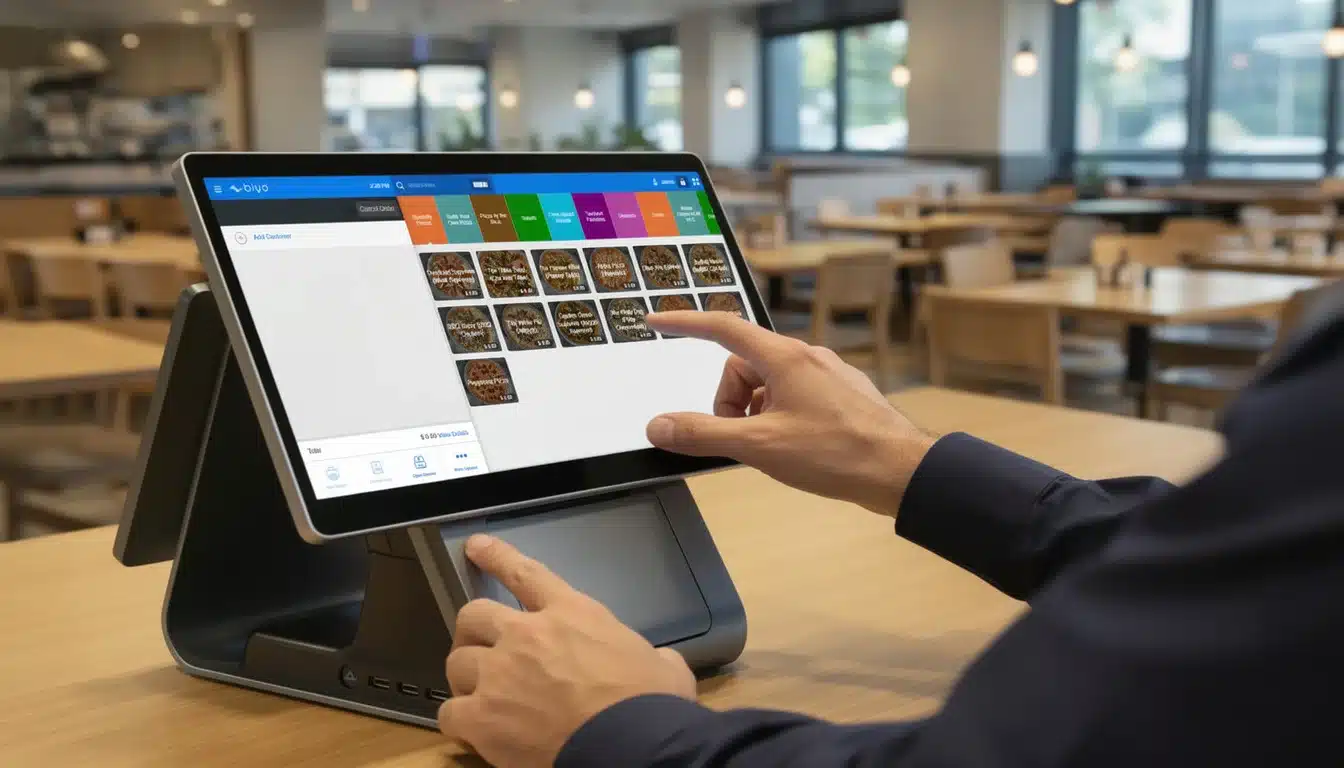
Fast-casual dining has emerged as one of the fastest-growing segments in the restaurant industry, blending the convenience of quick service with the quality and customization traditionally associated with full-service dining. Customers today expect meals that are fresh, personalized, and delivered quickly—without sacrificing accuracy. Meeting these expectations requires more than skilled kitchen staff and efficient workflows. It requires technology that can manage complex orders while maintaining speed and consistency.
A **touchscreen POS for fast-casual dining with menu-modifier support** enables restaurants to handle large volumes of orders while accommodating the customization modern diners expect. With intuitive interfaces, digital ordering tools, and real-time kitchen communication, these systems help restaurants balance speed, accuracy, and personalization.
In today’s competitive restaurant landscape, technology also plays a strategic role in operational efficiency and profitability. Touchscreen POS systems can increase order throughput, reduce mistakes, and provide actionable data about customer behavior. These insights help restaurant owners refine menus, optimize staffing, and maximize revenue.
This guide explores how touchscreen POS technology with menu-modifier support transforms fast-casual restaurant operations—from improving customer satisfaction to enhancing kitchen efficiency and enabling future innovation.
Table of Contents
- Why Touchscreen POS Systems Matter for Fast-Casual Dining
- Essential Features of a Touchscreen POS with Menu-Modifier Support
- Key Benefits of Menu-Modifier Support in Fast-Casual Dining
- How Touchscreen POS Enhances Restaurant Operations
- The Future of Fast-Casual Dining Technology
- About Biyo POS
- FAQ
Why Touchscreen POS Systems Matter for Fast-Casual Dining
Fast-casual restaurants operate in a unique position between quick-service chains and full-service restaurants. They promise higher-quality food and customizable options while maintaining the speed customers expect from quick dining experiences. Achieving this balance requires operational systems that can process orders quickly while capturing detailed customization requests.
Touchscreen POS systems address this challenge by simplifying the order process and eliminating manual communication errors. Instead of relying on handwritten notes or memory, staff and customers can select options directly on a digital interface. Each order, including every modifier, is transmitted instantly to the kitchen.
Industry data shows that digital ordering systems can reduce order errors by up to 30% while significantly improving service speed. In busy fast-casual environments, these improvements translate directly into higher customer satisfaction and greater operational efficiency.
Customer Expectations in the Fast-Casual Market
Modern diners want meals that reflect their preferences. According to restaurant industry surveys, more than 60% of customers prefer dining at establishments that allow them to customize their meals. This demand is particularly strong in fast-casual dining, where build-your-own concepts and personalized menu options are common.
A touchscreen POS with menu-modifier support enables staff and customers to adjust orders quickly. For example, a customer ordering a burrito may request extra guacamole, remove sour cream, or substitute a gluten-free tortilla. With digital modifiers, these changes can be recorded instantly and transmitted to the kitchen without confusion.
Customization also supports dietary restrictions and lifestyle preferences. Guests following vegetarian, vegan, or allergen-free diets rely on the ability to adjust ingredients easily. Restaurants that support these needs build stronger relationships with customers and gain a competitive advantage.
Role of Technology in Customer Satisfaction
Technology now shapes nearly every part of the dining experience. Touchscreen POS systems mirror the intuitive interfaces customers already use in retail stores, travel kiosks, and mobile apps. This familiarity makes ordering easier and more engaging.
Self-service kiosks and tablet-based ordering allow customers to browse menus, view ingredients, and customize items independently. This autonomy enhances satisfaction because guests feel in control of their dining choices.
Another important benefit is consistency. Whether a customer orders through a kiosk, mobile app, or staff terminal, all order details synchronize across the system. This ensures the kitchen receives accurate information regardless of where the order originates.
POS systems can also integrate loyalty programs, enabling personalized promotions. For example, a customer who frequently orders salads with avocado may receive targeted offers for premium toppings. Personalization like this strengthens customer relationships and encourages repeat visits.
Competitive Edge for Restaurants
In an industry where speed and accuracy determine customer loyalty, technology provides a critical competitive advantage. Restaurants equipped with advanced POS systems can process more orders, reduce wait times, and increase average ticket size through strategic upselling.
Many fast-casual brands that introduced self-service kiosks experienced sales increases of up to 20%, largely due to improved order flow and automated upsell suggestions.
Additionally, reliable order accuracy improves online reviews and customer reputation. In competitive dining markets, positive customer experiences translate directly into long-term growth.

Essential Features of a Touchscreen POS with Menu-Modifier Support
Not every POS system is suited for fast-casual dining. Restaurants in this segment require systems designed for rapid transactions, flexible customization, and seamless kitchen communication.
Menu Modifier Buttons for Customizable Orders
Menu modifier buttons allow restaurants to offer structured customization options. These buttons enable quick adjustments such as ingredient substitutions, add-ons, or exclusions.
For example, a sandwich order may include modifiers like “extra bacon,” “no tomatoes,” or “gluten-free bread.” These options appear clearly on the POS screen, ensuring the order details are communicated accurately.
Modifier buttons also encourage upselling by presenting premium add-ons such as avocado, specialty cheeses, or extra protein. When these options appear visually during the ordering process, customers are more likely to select them.
Self-Service Kiosks and Digital Ordering
Self-service kiosks are becoming increasingly common in fast-casual dining. These kiosks allow customers to browse menus, customize orders, and pay independently.
The benefits are significant. Kiosks reduce lines at the counter, increase order throughput, and free staff to focus on food preparation and customer service.
Digital ordering also enables multilingual menus and contactless payment options, making restaurants more accessible to diverse customers.
Studies have shown that customers using kiosks often spend more because digital prompts consistently encourage add-ons and upgrades.
Integration with Kitchen Display Systems
A touchscreen POS becomes even more powerful when integrated with a kitchen display system (KDS). Orders appear instantly on kitchen screens with all modifiers clearly listed.
This eliminates paper tickets and verbal communication errors, allowing kitchen staff to prioritize and prepare orders efficiently.
Integration also enables real-time inventory tracking. When modifiers add extra ingredients to an order, the POS automatically adjusts stock levels. Managers can monitor ingredient usage and reorder supplies before shortages occur.
Key Benefits of Menu-Modifier Support in Fast-Casual Dining
Menu modifiers may seem like a minor feature, but they significantly influence customer experience and restaurant profitability.
Improved Order Accuracy
Order mistakes can quickly damage customer trust. Digital modifier systems capture detailed requests automatically, ensuring kitchens receive clear instructions.
Reducing order errors minimizes wasted ingredients and staff time. This efficiency lowers operating costs while improving service consistency.
Customers who consistently receive their orders exactly as requested are far more likely to return.
Boosted Upsell Opportunities
Modifier prompts naturally encourage upselling. When customers see options such as “add extra protein” or “upgrade to a combo meal,” they often accept these suggestions.
Even small add-ons can increase the average order value significantly. Across hundreds of daily transactions, these increases can generate substantial additional revenue.
Restaurants can strategically highlight high-margin items within modifier menus to maximize profitability.
Enhanced Customer Experience
Customization creates a more satisfying dining experience. Guests appreciate the freedom to tailor meals according to their tastes and dietary needs.
Self-service ordering also reduces stress for both customers and staff by minimizing miscommunication and wait times.
Positive experiences lead to repeat visits, online recommendations, and long-term customer loyalty.
How Touchscreen POS Enhances Restaurant Operations
Beyond improving customer interactions, touchscreen POS systems streamline internal operations and management processes.
Staff Efficiency and Training
Restaurant staff often face high turnover, making efficient training essential. Touchscreen POS systems simplify onboarding by offering intuitive interfaces with clearly labeled menu items and modifiers.
New employees can learn the system quickly, reducing training time and operational disruption.
During busy periods, faster order entry helps prevent bottlenecks at the counter and keeps service flowing smoothly.
Streamlined Checkout and Contactless Payments
Modern POS systems support a wide range of payment options including credit cards, mobile wallets, and contactless payments.
Fast and flexible checkout processes reduce lines and improve customer convenience, particularly during peak hours such as lunchtime rushes.
Contactless payments also align with growing consumer preferences for hygienic and touch-free transactions.
Sales Reporting and Inventory Tracking
Data analytics is one of the most powerful features of a touchscreen POS system. Real-time sales reports allow managers to monitor performance across menu items, staff productivity, and peak business hours.
Inventory tracking ensures that every sale automatically updates stock levels, helping managers maintain optimal inventory and reduce waste.
By analyzing these insights, restaurant owners can refine menus, adjust pricing strategies, and improve operational efficiency.
The Future of Fast-Casual Dining Technology
Technology continues to evolve rapidly in the restaurant industry. Touchscreen POS systems with menu-modifier support are only the beginning of a broader digital transformation.
AI and Smart Upselling
Artificial intelligence will soon enable POS systems to provide personalized upsell suggestions based on customer preferences and past orders.
Instead of generic prompts, AI can recommend items tailored to individual tastes, increasing both satisfaction and revenue.
Predictive analytics can also forecast demand, helping restaurants plan staffing levels and ingredient purchases more effectively.
Mobile Ordering and Table-Side Service
Mobile POS devices allow staff to take orders directly at the table and process payments immediately.
This reduces wait times and improves the overall dining experience. Customers can also place orders through mobile apps, creating a seamless digital ordering ecosystem.
Cloud-Based Solutions and Scalability
Cloud-based POS systems enable restaurant owners to manage multiple locations from a centralized platform.
Menus can be updated instantly, sales data can be accessed remotely, and performance analytics can be monitored in real time.
These capabilities make cloud POS systems essential for restaurants planning to scale their operations.

About Biyo POS
Modern restaurants require technology that supports speed, customization, and operational efficiency. Biyo POS provides a powerful touchscreen POS system designed for fast-casual dining environments. With advanced menu-modifier support, self-service kiosks, real-time inventory tracking, and detailed sales analytics, the platform helps restaurants streamline operations and enhance the customer experience.
Restaurants looking to improve order accuracy, increase upselling opportunities, and manage multiple locations efficiently can explore the platform further by creating an account through the Biyo POS system.
FAQ
What is menu-modifier support in a POS system?
Menu-modifier support allows restaurants to customize orders with add-ons, substitutions, and exclusions directly within the POS interface.
Why do fast-casual restaurants benefit from touchscreen POS systems?
Touchscreen POS systems speed up order processing, reduce errors, and allow customers to personalize meals easily.
Can touchscreen POS systems integrate with self-service kiosks?
Yes. Many modern POS systems integrate seamlessly with self-service kiosks, enabling customers to place and pay for orders independently.
How do POS systems increase upselling opportunities?
POS systems display modifier prompts that suggest upgrades, add-ons, and combo options during the ordering process.
Is Biyo POS suitable for fast-casual restaurants?
Yes. Biyo POS is designed specifically for modern restaurants and includes features such as touchscreen ordering, modifier support, cloud management, and advanced analytics.