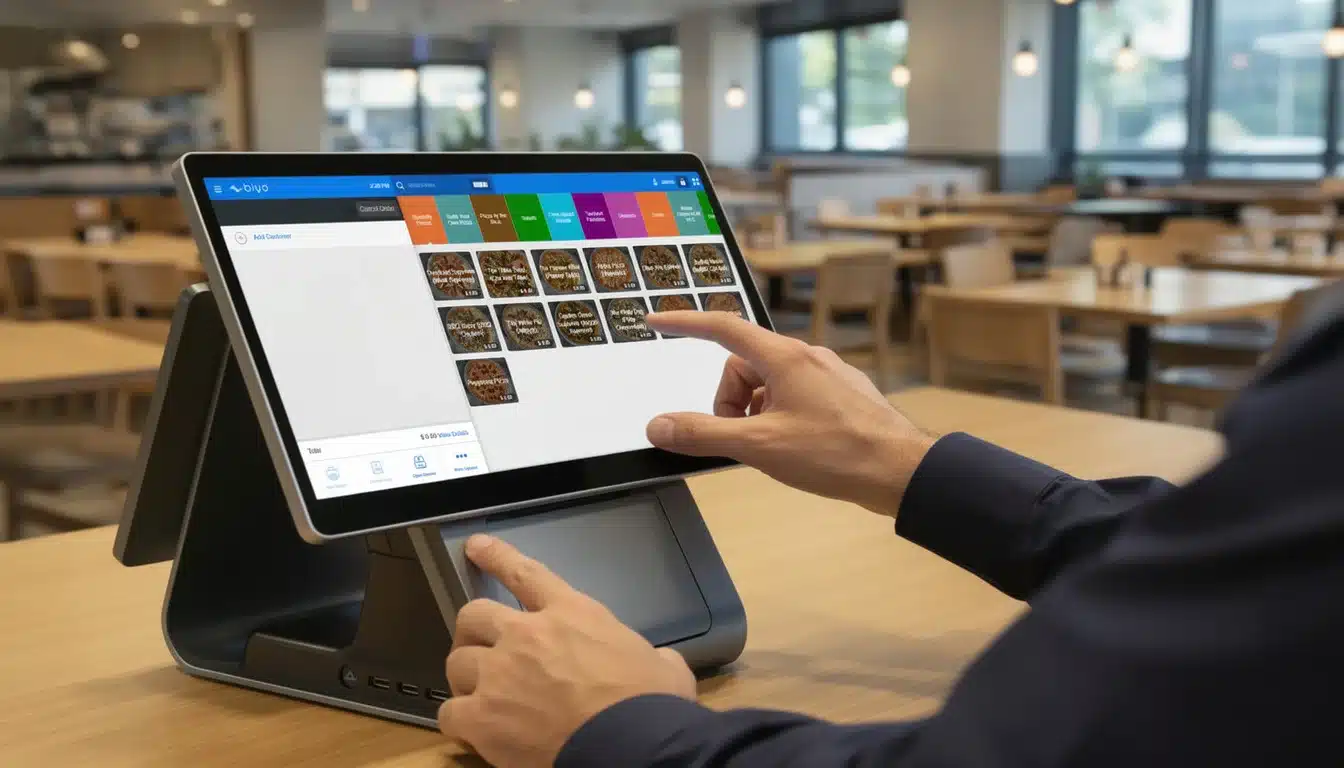
A payment processor is the behind-the-scenes system that powers modern digital commerce. Whenever a customer taps, swipes, inserts, or enters their card details online, the payment processor acts as the secure financial intermediary connecting the customer, the merchant, and their respective banks. It handles the communication required to authorize, verify, and complete a transaction within seconds.
Without a payment processor, businesses would not be able to accept credit cards, debit cards, or most digital payments. The processor ensures that funds move safely from the customer’s account to the merchant’s bank account while protecting both parties from fraud and errors.
Digital payments have become the dominant form of transaction worldwide. According to recent financial industry estimates, the global payment processing market is valued at over $140 billion and continues to grow as businesses shift toward cashless operations. From retail stores and restaurants to online marketplaces and service providers, payment processors enable companies to accept modern payment methods efficiently.
In this article, we will explore how payment processors work, the different parties involved in every transaction, how payment flows through the system step by step, and what businesses should consider when choosing a payment processor.
Table of Contents
- What a Payment Processor Actually Does
- The Key Players in a Card Transaction
- How Payment Transactions Work Step by Step
- Payment Processing Models
- Key Features to Look for in a Payment Processor
- Understanding Payment Processing Fees
- Why Integrated Payments Matter for Businesses
- How Biyo POS Simplifies Payment Processing
- Frequently Asked Questions
What a Payment Processor Actually Does
A payment processor performs the critical task of securely transmitting transaction information between the merchant, the card network, and the customer’s bank. When a customer makes a purchase using a card, the processor collects the payment details, encrypts the data for security, and sends the transaction request through the payment network.
The customer’s bank then checks whether the account has sufficient funds or credit available. If the transaction is approved, a confirmation message travels back through the network to the processor and then to the merchant’s point-of-sale system or online checkout. The entire process usually takes only two to three seconds.
Beyond simply transmitting payment data, processors also provide several essential services for businesses, including fraud detection, encryption technologies, transaction reporting, and settlement services that move funds into the merchant’s account.
Modern payment processors support multiple payment methods, including:
- Credit and debit cards
- Mobile wallets such as Apple Pay and Google Pay
- Online payments
- Contactless transactions
- Recurring subscription payments
By managing these payment flows securely and efficiently, processors allow businesses to accept digital payments without needing to build complex financial infrastructure themselves.
The Key Players in a Card Transaction
To understand payment processing, it helps to know the organizations involved in each transaction. Every card payment requires coordination between several financial institutions and technology providers.
Main Participants in Card Payments
| Entity | Role in the Transaction |
|---|---|
| The Merchant | The business selling goods or services and accepting card payments. |
| The Cardholder | The customer using a credit or debit card to complete a purchase. |
| The Issuing Bank | The bank that issued the payment card to the customer. |
| The Acquiring Bank | The merchant’s bank responsible for receiving payment funds. |
| The Card Network | Organizations such as Visa, Mastercard, Discover, or American Express that route payment transactions. |
The payment processor acts as the communication bridge connecting all of these participants. It ensures that transaction data flows securely and efficiently between each party involved in the payment process.
Businesses interested in learning more about how these systems work can explore the detailed explanation of a payment processor within the Biyo POS knowledge base.
How Payment Transactions Work Step by Step
When a customer makes a card payment, a sequence of events takes place behind the scenes. Although it appears instantaneous, several verification and communication steps occur to ensure the transaction is legitimate and secure.
The Four Core Stages of Payment Processing
- Authorization: The merchant’s POS system sends the transaction request to the processor, which forwards it to the card network and the customer’s bank. The issuing bank checks the available balance or credit and either approves or declines the transaction.
- Authentication: Security protocols verify that the cardholder is legitimate. This may involve PIN verification, signature confirmation, or security checks such as CVV validation for online payments.
- Clearing: At the end of the day, approved transactions are grouped into batches and sent through the payment processor to the acquiring bank for settlement processing.
- Settlement: Funds are transferred from the customer’s issuing bank to the merchant’s acquiring bank. The merchant typically receives the funds in their account within one to three business days.
For additional context, businesses can explore how a financial transaction moves through payment networks and banking systems.
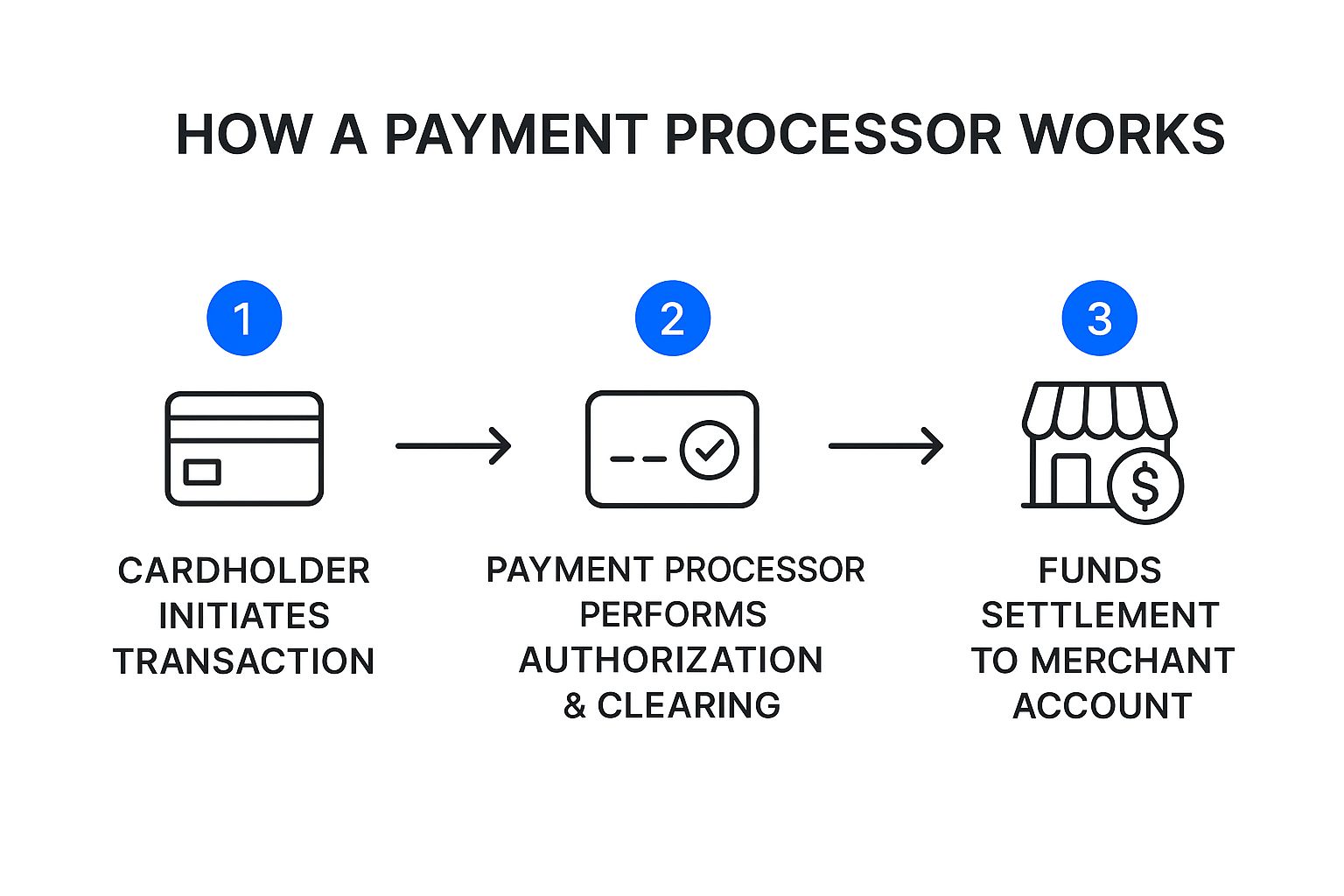
These stages ensure that payments are validated, approved, and settled accurately while maintaining high security standards.
Payment Processing Models
Businesses can typically choose between two main payment processing models depending on their size, transaction volume, and operational needs.
Dedicated Merchant Accounts
A dedicated merchant account is a specialized bank account created specifically for accepting card payments. The acquiring bank establishes this account after reviewing the merchant’s business history and financial profile.
This model often provides lower transaction fees and greater stability for high-volume businesses. However, it usually requires a detailed application process and may involve monthly fees or long-term contracts.
Payment Service Providers (PSPs)
Payment Service Providers, commonly known as PSPs, bundle payment processing services into a single platform. Well-known examples include Square and Stripe.
PSPs simplify the setup process and allow businesses to start accepting payments quickly. Instead of creating a dedicated merchant account, businesses share a larger aggregated account managed by the PSP.
While PSPs offer convenience and fast onboarding, they may have slightly higher transaction fees compared to traditional merchant accounts.
Key Features to Look for in a Payment Processor
Choosing a payment processor involves more than comparing transaction fees. Several other features can significantly affect how efficiently a business operates.
Security and Compliance
Payment processors should comply with PCI DSS security standards and use encryption technologies to protect cardholder data. Tokenization and fraud detection systems add additional layers of security.
System Integrations
An effective payment processor should integrate with POS systems, inventory software, and accounting platforms. Integration reduces manual work and improves data accuracy.
Reporting and Analytics
Modern processors provide dashboards with real-time transaction reports. These insights help businesses track sales trends, monitor peak hours, and analyze customer purchasing behavior.
Reliable Customer Support
Payment processing problems can disrupt sales, so reliable support is essential. Businesses should look for processors offering 24/7 support through phone, chat, or email.
Understanding Payment Processing Fees
Payment processors charge several types of fees for their services. These fees generally include three main components:
- Interchange Fees: Paid to the issuing bank that provided the customer’s card.
- Assessment Fees: Paid to the card networks for maintaining payment infrastructure.
- Processor Markup: The processor’s own service fee.
Different pricing models combine these fees in various ways. The most common models include interchange-plus pricing, flat-rate pricing, and tiered pricing structures.
Businesses that understand these pricing models can evaluate payment processor offers more effectively and avoid unnecessary costs.
To explore a detailed breakdown of these charges, visit the guide on transaction fees.
Why Integrated Payments Matter for Businesses
Integrated payment systems connect payment processing directly with business software such as POS platforms. Instead of entering transaction amounts manually into separate devices, integrated systems automatically transfer data between systems.
This integration improves efficiency, reduces errors, and allows businesses to track sales and inventory in real time.
Integrated payments also simplify financial reporting. Transaction data flows directly into sales analytics and accounting tools, eliminating the need for manual reconciliation.
For growing businesses, integrated payment systems create a more streamlined workflow while providing valuable operational insights.
How Biyo POS Simplifies Payment Processing
Managing payments becomes significantly easier when businesses use an integrated POS platform. Biyo POS combines payment processing, inventory tracking, customer management, and sales reporting into a single system.
With Biyo POS, businesses can process payments securely while automatically updating inventory levels and sales data. The platform provides real-time reporting tools that help merchants understand performance trends and optimize operations.
Businesses interested in simplifying their payment infrastructure and improving operational efficiency can start exploring the platform through Biyo POS.
Frequently Asked Questions
What does a payment processor do?
A payment processor securely transmits transaction data between a merchant, card network, and banks to approve and complete card payments.
How long does payment settlement take?
Most payment processors deposit funds into a merchant’s bank account within one to three business days after the transaction is processed.
What is the difference between a payment processor and a payment gateway?
A payment gateway collects and encrypts card information during checkout, while the payment processor communicates with banks and card networks to complete the transaction.
Do small businesses need payment processors?
Yes. Any business that accepts credit cards, debit cards, or digital payments requires a payment processor to handle transactions securely.
Can businesses change payment processors?
Yes. Businesses can switch processors if they find better pricing, improved features, or better integration with their systems. It is important to review contract terms and early termination fees before switching providers.