Think of a restaurant order management system as the central nervous system of your entire operation. It's the digital command center that captures, organizes, and tracks every single order, no matter where it comes from—your dining room, website, a third-party app, or a phone call. Its job is to make sure every order flows smoothly from the customer's click to your kitchen's ticket line.
Understanding Your Restaurant Order Management System

Picture a busy airport with planes constantly landing and taking off. Without an expert air traffic controller, you'd have chaos—collisions, delays, and utter gridlock. In your restaurant, the orders are the planes, and a proper order management system (OMS) is that indispensable air traffic controller.
This system does more than just take down orders; it intelligently manages them. It pulls in requests from every source and organizes them into a single, unified workflow. This ensures your front-of-house staff, kitchen crew, and delivery drivers are all on the same page, preventing the kind of operational crashes that happen during a dinner rush.
This kind of coordinated approach is no longer a luxury, especially as restaurants lean more heavily on digital sales. The global market for these systems is proof, with a valuation expected to hit around $15 billion in 2025 and projected to climb to a staggering $45 billion by 2033. This massive growth underscores just how vital centralized management has become for staying competitive. You can get more details on the expanding restaurant tech market and its trajectory.
From Order Chaos to Coordinated Flow
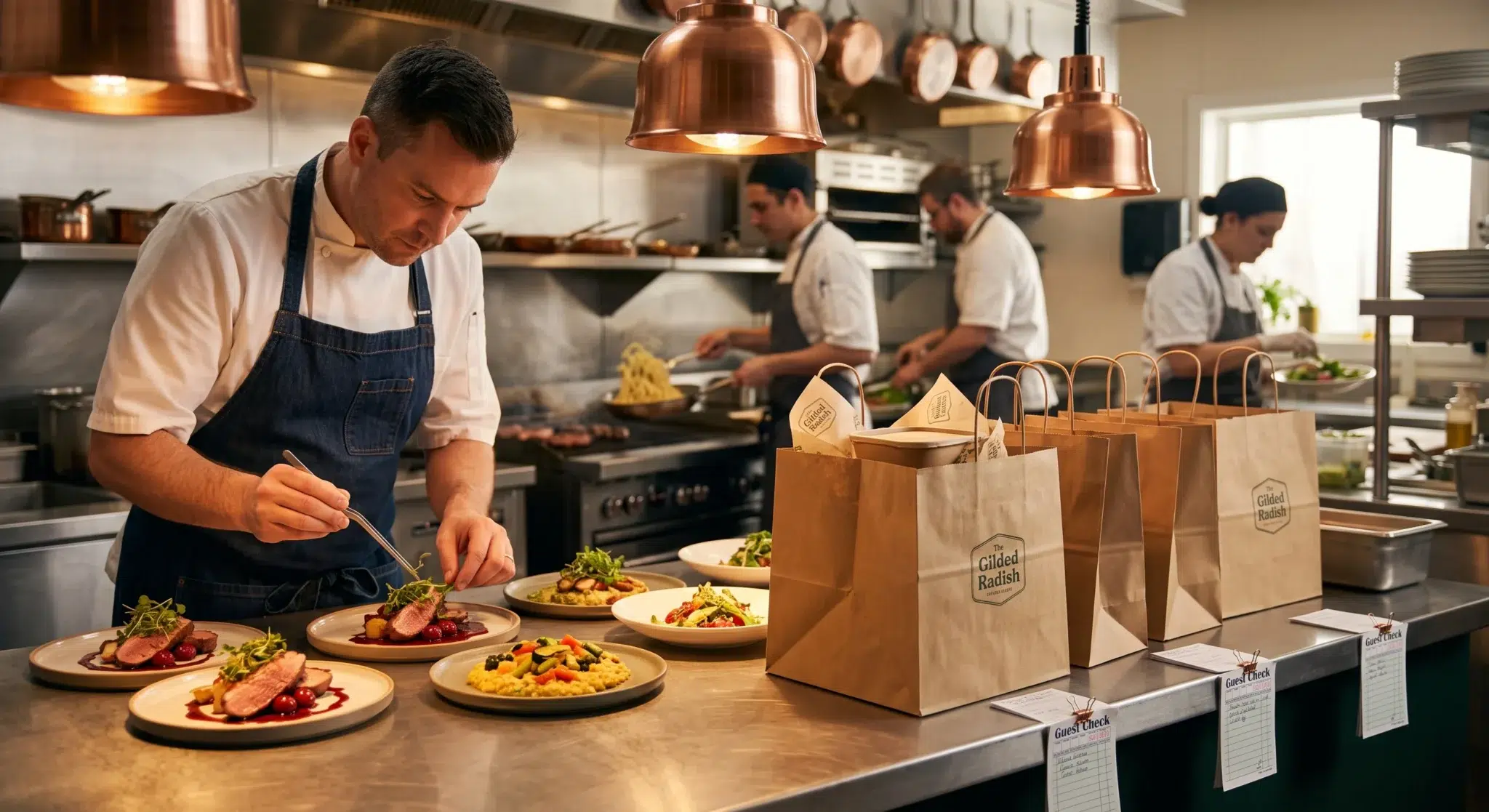
In a restaurant without a dedicated OMS, the scene is all too familiar: a counter cluttered with tablets for different delivery apps, staff frantically punching online orders into the POS, and phone orders scribbled on notepads. This manual juggling act is a recipe for disaster.
A modern OMS completely changes that dynamic by automating and unifying the whole process. It creates a seamless communication channel that connects every moving part of your restaurant.
The sheer number of channels a modern restaurant has to manage can be overwhelming. A good OMS brings them all under one roof.
Channels Managed by a Modern OMS
| Order Channel | How it Works | Key Benefit |
|---|---|---|
| Dine-In | Waitstaff enter orders on a POS or tablet, which are sent directly to the kitchen. | Speed and accuracy; eliminates handwritten ticket errors. |
| Online/Website | Orders from your site are automatically injected into the POS and KDS. | Frees up staff from manual data entry. |
| Third-Party Apps | Orders from delivery apps are aggregated into one unified queue. | No more "tablet farms" and missed orders. |
| Phone-In | Staff enter call-in orders into the same system for a consistent workflow. | Ensures takeout orders follow the same efficient path. |
By consolidating these once-separate channels, an OMS transforms a high-stress, error-prone environment into a predictable and efficient operation.
It's not just about adding another piece of tech. It’s about creating a single source of truth for your entire business, from the front door to the back of the house.
Why This Central Hub Matters
The real magic of an OMS is its ability to stop small mistakes from snowballing into big problems. A single missed modification on an order or a delayed ticket can easily lead to a frustrated customer, wasted food, and a scathing online review.
By providing a clear, chronological, and centralized view of every order, the system empowers your team to be proactive. The kitchen knows exactly what to fire and when, while your hosts and servers can give customers accurate wait times and status updates. This kind of foundational stability is the first, most crucial step toward scaling your operations and, ultimately, growing your bottom line.
Core Features Your Restaurant OMS Must Have
Picking the right restaurant order management system is a bit like choosing the engine for a high-performance car. The features you prioritize will directly impact its power, efficiency, and reliability. Let's be clear: not all systems are built the same, and a modern OMS needs to do a lot more than just take orders. It requires a specific set of tools designed to handle the beautiful chaos of today's restaurant world.
These core features are the absolute non-negotiables. They’re what separate a glorified digital notepad from a powerful command center that actually makes your life easier. Without them, you're just adding another screen to the mix instead of solving a problem. Let's dig into what your system absolutely has to have.
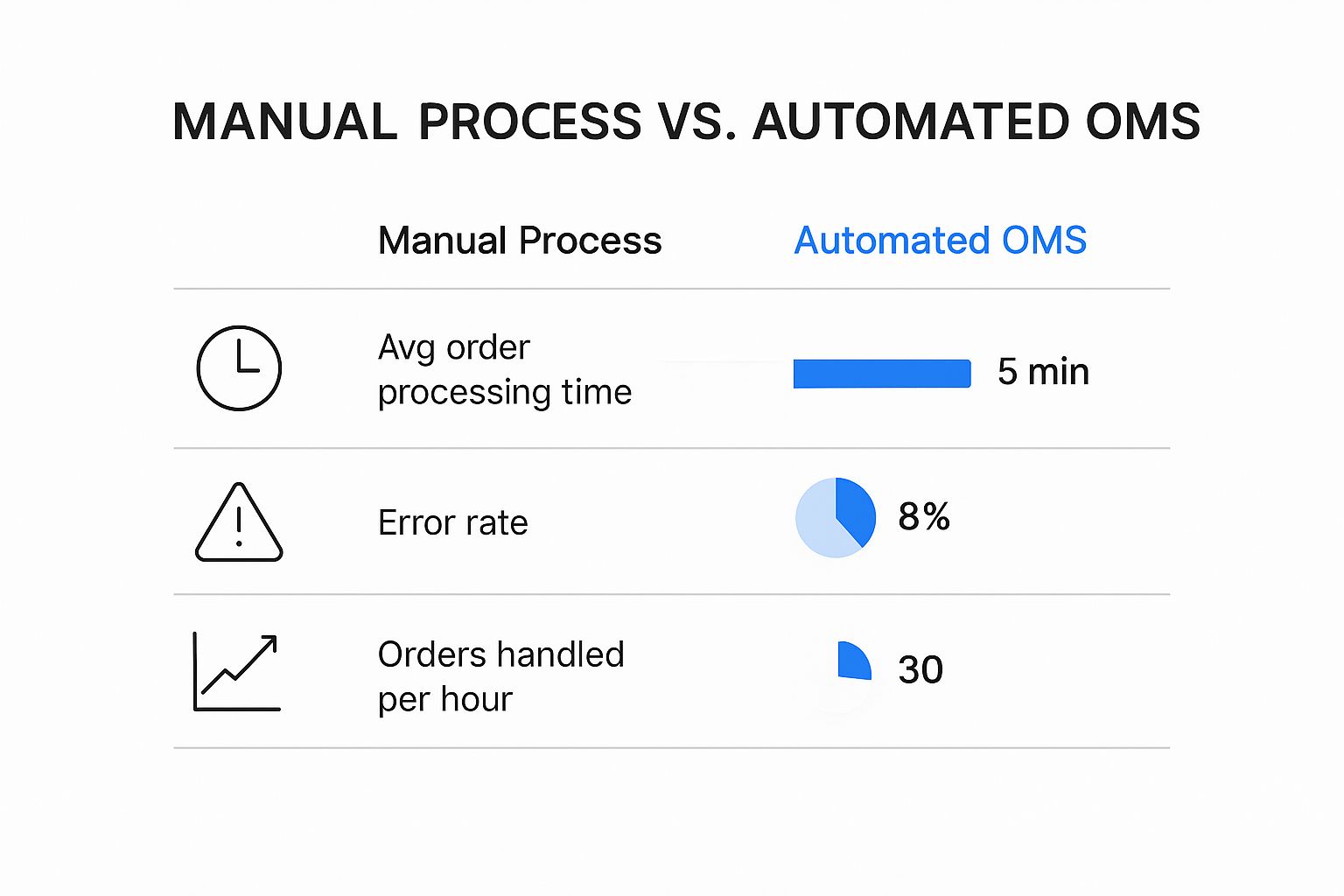
This visual perfectly illustrates the difference between juggling orders by hand and using an automated OMS. The numbers on processing time, errors, and overall capacity speak for themselves.
As you can see, a solid OMS can more than double how many orders you can handle in an hour while slashing the kind of expensive mistakes that happen during a rush.
Multi-Channel Order Aggregation
If there's one feature that's absolutely essential, it's order aggregation. Think about it—you wouldn't carry separate phones for calls, texts, and emails. It’s just not efficient. The same logic applies to your orders. When customers are ordering from your website, third-party apps, and in-person, you need one central dashboard to see it all.
This is the feature that funnels every single order into one unified queue. It’s the cure for the dreaded "tablet farm" that forces your staff to juggle multiple devices, manually punch orders into the POS, and pray they don't miss a notification when things get crazy.
A system that doesn’t aggregate orders isn’t a management system; it’s just another screen to watch. True efficiency comes from consolidation, not fragmentation.
A great OMS will deliver on this with:
- Direct Third-Party Integration: It has to automatically pull orders from platforms like Uber Eats and other delivery services straight into your main interface.
- Website and App Consolidation: Orders from your own online channels need to sync up just as smoothly.
- A Unified Order Queue: Every single order, no matter where it came from, should appear in one clean, easy-to-manage list.
Real-Time Menu Synchronization
"So sorry, we're actually out of the special." Those are words that instantly deflate a customer's excitement. Real-time menu synchronization is what prevents this from ever happening. It gives you the power to update your menu in one place and watch those changes roll out across all your channels instantly.
When you 86 an item, mark something as sold out, or just need to update a price, the system should automatically push that change to your website, third-party delivery apps, and your in-house POS. This isn't just about avoiding customer frustration; it saves your team from having to make that awkward phone call to ask someone to change their order.
Automated Order Routing and KDS Integration
Okay, so the order is in. Now what? The best systems use automated routing to send tickets directly to the right station in the kitchen, usually by integrating with a Kitchen Display System (KDS).
This means grill items pop up on the grill screen and salad orders go straight to the prep station, all without anyone having to sort tickets by hand. This kind of smart distribution is a game-changer for preventing kitchen bottlenecks and dramatically speeding up prep times. Think of it as a digital expeditor who never gets flustered.
This seamless flow is crucial for your entire tech stack, especially your Point of Sale system. The market for restaurant POS terminals is already huge and getting bigger, valued at an estimated $25.1 billion in 2025 and projected to climb to $49.3 billion by 2035. This incredible growth is happening because technology is making integrations between systems like your OMS and POS smoother and more powerful than ever. You can dig deeper into the restaurant POS market trends to see what's driving this expansion.
Choosing the right features can feel overwhelming. It helps to separate the absolute necessities from the "nice-to-haves." This table breaks down what you should prioritize to get the most impact from your investment.
Essential OMS Features vs. Nice-to-Have Add-ons
| Feature Category | Must-Have Functionality | Advanced (Nice-to-Have) Functionality |
|---|---|---|
| Order Management | Multi-channel order aggregation into one dashboard. | AI-powered order acceptance and fraud detection. |
| Menu Management | Real-time, one-click menu sync across all platforms. | Dynamic pricing based on demand or time of day. |
| Kitchen Operations | Automated routing to KDS stations. | AI-based cook time predictions and ticket prioritization. |
| Reporting & Analytics | Basic sales reports by channel, item, and time period. | Customer lifetime value (CLV) tracking and predictive analytics. |
| Integrations | Seamless two-way integration with your POS system. | Loyalty program and marketing automation platform integrations. |
| Customer Communication | Automated order status updates (e.g., "Order Received"). | Two-way SMS messaging with customers for support issues. |
Ultimately, your focus should be on building a strong foundation with the "must-have" features. Once those are in place and working smoothly, you can explore the advanced functionalities to further refine your operations and gain a competitive edge.
The Real-World Benefits of a Centralized System
It's one thing to talk about features, but what does an order management system actually do for your bottom line? Let's get practical. This isn't just another piece of software; it's a complete operational overhaul that turns the typical restaurant chaos into calm, profitable efficiency.
Think about a Saturday night rush. Without a unified system, you're dealing with shouted orders, scribbled tickets that get lost or misread, and missed modifications. That chaos leads directly to wrong dishes, wasted food, and comped meals that slowly chip away at your profits. A centralized system is your single source of truth, cutting out the guesswork for good.
When every order is zapped directly to a Kitchen Display System (KDS) with perfect clarity, mistakes just…disappear. That seamless link between your front-of-house and back-of-house is the first step toward huge cost savings and a much happier kitchen crew.
Boost Your Speed and Service Quality
In the restaurant world, speed is everything. Faster service doesn't just keep customers happy—it means turning tables quicker, which translates to more revenue every single shift. A centralized system injects some serious speed into your entire service flow, from the moment a guest orders to the second the plate hits their table.
Orders are fired to the kitchen instantly and routed to the right prep station automatically. No more delays. This frees up your staff to focus on genuine hospitality instead of running back and forth, fixing mistakes, or punching in orders a second time. Better service becomes a powerful engine for growth, and you can explore more ideas on https://biyopos.com/blog/how-to-increase-restaurant-sales/ in our detailed guide.
A fantastic customer experience is your best marketing tool. An efficient OMS ensures your operations consistently back up your service promises, driving repeat business and glowing online reviews.
This operational smoothness is what sets great restaurants apart. Yet, about 35% of small and independent restaurants are still stuck with old, inefficient processes because they don't have unified software. In sharp contrast, over 40% of new restaurants are building their business on modern digital tools from day one, knowing it's crucial for survival. You can learn more about the strategies for boosting restaurant bookings through local SEO.
Turn Your Data Into Smarter Decisions
Maybe the biggest long-term win from an order management system is the treasure trove of data it collects. When every single order from every channel—dine-in, delivery, takeout—flows through one hub, you get a crystal-clear picture of your business. This is where you stop guessing and start making data-driven moves.
This unified data gives you the power to make smarter decisions across the board:
- Menu Engineering: Instantly see which dishes are your rockstars and which ones are duds. Use that insight to redesign your menu, push high-profit items, and ditch the ones that are just taking up space and inventory.
- Smarter Staffing: Pinpoint your exact peak hours for dine-in versus delivery. This lets you build schedules that match demand perfectly, so you're never overstaffed during a lull or scrambling during a rush.
- Channel Performance: Figure out which delivery apps are actually making you the most money. This is invaluable information when it's time to negotiate commission rates or decide where to focus your marketing budget.
Ultimately, a well-oiled order management system makes for happier customers. And happy customers leave great reviews, which are the lifeblood of your online reputation and a key part of successful strategies for boosting restaurant bookings through local SEO. By turning raw numbers into real-world insights, you can fine-tune your entire operation for more profit and lasting growth.
How Your OMS and POS System Work Together
A powerful restaurant order management system is a fantastic tool, but it doesn’t operate in a silo. Its real potential is only unlocked when it's tightly integrated with your Point of Sale (POS) system. Think of them as a dynamic duo, the one-two punch you need for a truly efficient, data-smart restaurant.
Let's break it down with an analogy. Your OMS is like the air traffic controller for your restaurant. It sits high in the tower, monitoring all incoming orders from every channel—dine-in, online, third-party apps—and directs them where they need to go. It sees the whole picture.
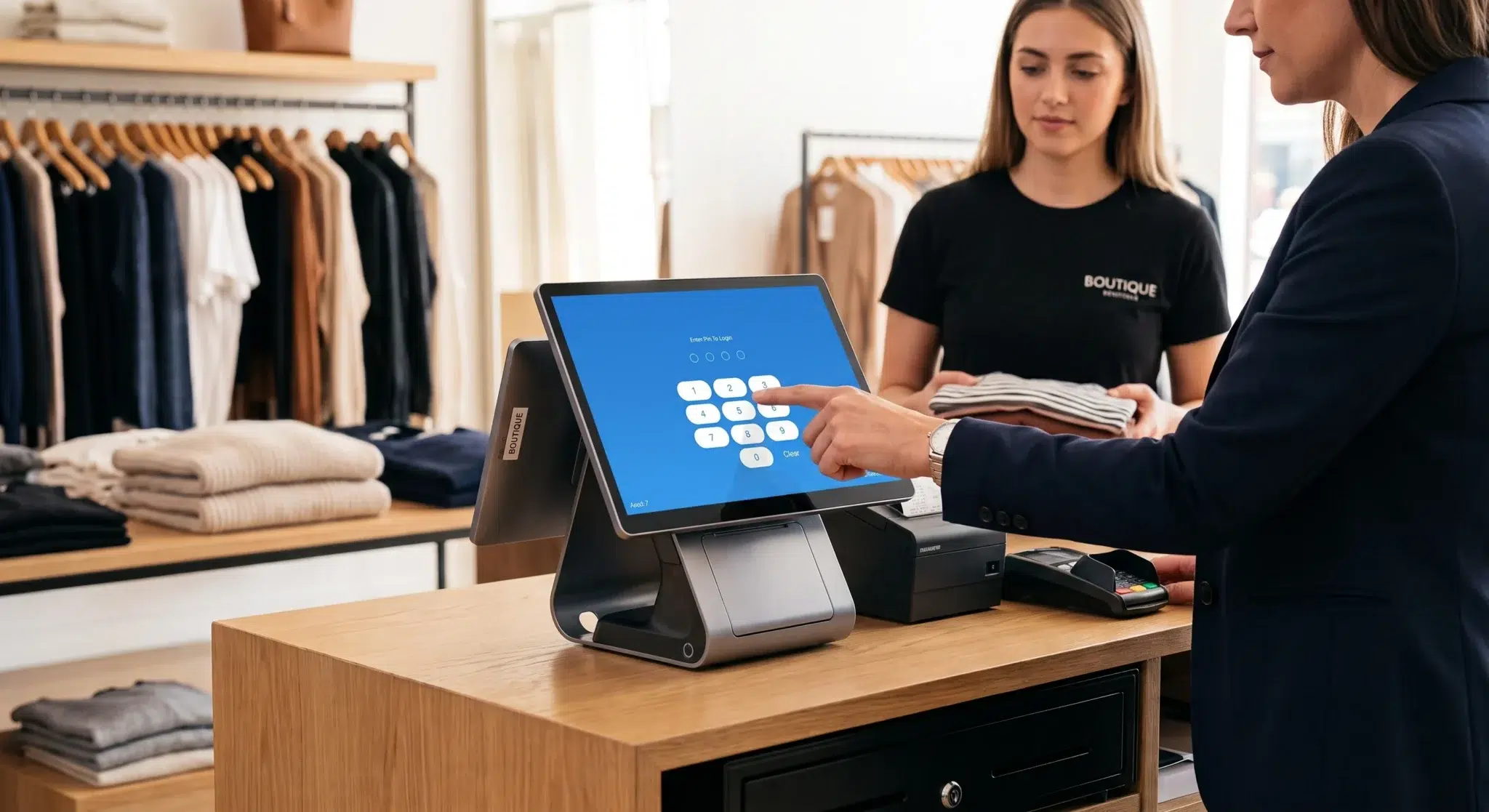
Your POS system, on the other hand, is the ground crew. It’s the hands-on part of the operation, executing the transactions, sending orders to the kitchen, and connecting all the moving parts on the ground, from the front-of-house to the back office.
Creating a Single Source of Truth
When your OMS and POS don't talk to each other, you're essentially running two different operations that have to be manually stitched together. This usually means a staff member is stuck re-punching orders from a third-party tablet into the POS. It's slow, tedious, and a recipe for disaster.
One tiny typo during that manual transfer can send the wrong order to the kitchen. The result? Wasted food, a frustrated customer, and a stressed-out team.
A seamless integration gets rid of this manual step entirely. The moment an order comes in from a delivery app, your website, or even a server's handheld, the OMS instantly pushes it directly into the POS. No re-typing, no delays, no human error.
This creates a single source of truth for your entire business. Every single sale, item, and customer detail is logged in one central, unified system.
In today's restaurant world, this synchronization is non-negotiable. It's the difference between running your business with clarity and control versus managing through constant chaos and guesswork.
The Power of Synchronized Data
The real magic happens once these two systems are in constant communication. This two-way data flow keeps your most critical information updated in real-time, which has some massive benefits for your day-to-day operations.
This constant dialogue allows for:
- Accurate Sales Reporting: Every order, no matter where it came from, hits your POS. This gives you a complete financial picture without having to spend hours patching together reports from different platforms.
- Live Inventory Tracking: When the POS rings up a sale for a cheeseburger, it can instantly tell your inventory system to deduct one beef patty and one bun. This real-time tracking helps prevent the dreaded moment when you 86 a popular item during a rush.
- Unified Customer Profiles: Customer information from online orders gets fed right into your POS database. This helps you build rich profiles, see who your regulars are, track their favorite dishes, and create marketing that actually works.
Why This Integration Matters for Your Bottom Line
Without this connection, you're just leaving money on the table. It's common for restaurants to juggle an average of three online ordering platforms, and without integration, that means a lot of manual data entry and fragmented reporting.
The most immediate benefit of integration is a sharp drop in labor costs and order errors. When you automate the data entry, your team can stop being data clerks and focus on what they do best: taking care of your guests. It also dramatically cuts down on the cost of comping meals or remaking incorrect orders.
To really get the full picture, it's worth learning more about the foundational role of a modern restaurant POS system and how it acts as the anchor for your entire tech setup.
Ultimately, the partnership between your OMS and POS is about more than just convenience. It's a strategic move that delivers the accuracy, speed, and clear insights you need to make smarter decisions, control costs, and build a more profitable restaurant.
Choosing and Implementing the Right System
Picking and launching a restaurant order management system isn’t something you do on a whim. Think of it less like buying a new piece of software and more like integrating a new central nervous system into your restaurant. A well-thought-out plan is everything, ensuring you get a smooth transition without throwing your daily operations into chaos.
The real goal here is to find a system that actually solves your problems, not just add another screen to your counter. By taking the time to really understand your needs, check out your options, and plan the rollout, you're setting your whole team up for success down the road.
Step 1: Assess Your Restaurant's Unique Needs
Before you even start looking at demos, take a hard look at your own operation. Where are the real pain points? Are your staff drowning in a sea of third-party tablets, manually punching in every single order? Are mistakes on those orders leading to angry customers and wasted food?
You have to pinpoint these challenges first. This little self-audit gives you a clear checklist of must-have features versus nice-to-have bells and whistles. After all, a ghost kitchen that does 70% of its business through delivery has completely different needs than a fine-dining spot focused on the in-house experience.
Start by asking yourself a few key questions:
- Which delivery apps are absolutely essential for us?
- Where are most of our order mistakes coming from (e.g., missed special requests, typos)?
- How much time are my people spending on order admin instead of with our guests?
Step 2: Evaluate Features and Integrations
Once you have a solid grasp of what you need, it's time to start looking at systems. The absolute most important thing to look for is how well it plays with your existing technology, especially your POS. If an order management system doesn't sync perfectly with your POS, it’s just going to create more headaches.
Getting a live demo is non-negotiable. This is your chance to see the system in action and grill the sales rep with tough questions. Don't get distracted by flashy features; stay focused on how it solves the specific problems you identified earlier. You need to be confident it can handle your menu's quirks and your busiest Friday night rush.
A successful integration means the OMS and POS speak the same language, sharing data on sales, inventory, and customers in real-time. This creates a single, reliable source of truth for your entire operation.
While you're overhauling your tech, it's a good time to think about the bigger picture of restaurant management. For instance, a clean and professional operation goes beyond digital tools. It also means having a solid restaurant pest control strategy in place. A complete approach ensures every part of your business, from tech to health and safety, is buttoned up.
Step 3: Plan Your Implementation and Training
You’ve made your choice. Great! Now comes the critical part: the rollout. Rushing the launch is a recipe for disaster. A much smarter move is a phased rollout, which minimizes disruption and gives your crew a chance to get comfortable with the new way of doing things.
Your secret weapon for a smooth launch is great staff training. Don't just hand everyone a user manual and hope for the best. Schedule hands-on sessions for both your front-of-house and kitchen teams. Walk them through the entire journey of an order, from the moment it comes in to when it goes out the door. Run a bunch of test orders to iron out any kinks before you go live. A confident team is an effective team. Plus, the data from your new OMS can sharpen other parts of your business, like using sales trends to build a smarter restaurant inventory management system.
A solid game plan for implementation looks something like this:
- Technical Setup: Work with the provider to get the OMS talking to your POS, KDS, and all those delivery apps.
- Staff Training: Run dedicated training sessions that focus on the day-to-day tasks your team will actually be doing.
- Phased Go-Live: Start by turning on just one delivery platform first. Once that's running smoothly, bring the others online.
- Monitor and Adjust: After launch, keep an eye on the system’s analytics. This data will help you spot any bottlenecks and fine-tune your new workflow for peak efficiency.
Got Questions About Order Management Systems? We've Got Answers.
Even after seeing what a restaurant order management system can do, it's smart to have a few questions before you commit. This is where we’ll tackle the most common things we hear from restaurant owners, giving you straight answers so you can feel confident about your decision.
Think of this as the final walk-through before opening night. We'll clear up any last-minute details and make sure you're ready to bring this powerful tool into your restaurant.
What’s the Real Difference Between a POS and an OMS?
This is easily the most common point of confusion, and it’s a great question. While a Point of Sale (POS) system and an Order Management System (OMS) work hand-in-hand, they have very different core jobs.
Your POS is the cashier and the bookkeeper. Its primary role is to handle the final transaction—ringing up the sale, processing the payment, and keeping track of the financial data. It’s where the money changes hands.
The OMS, on the other hand, is your floor manager or air traffic controller. Its main job is to manage the journey of an order. It pulls in orders from every channel—your website, third-party apps, dine-in tickets—and lines them up in one clean, organized queue for the kitchen. It’s the system that prevents chaos before the sale is even finalized. While many modern POS systems have some order management features built-in, a dedicated OMS is specifically designed for the high-volume, multi-channel reality of today's restaurants.
How Much Is This Going to Cost Me?
The price tag on an OMS can swing quite a bit depending on a few key factors, so there’s no single answer. Most providers run on a subscription model, usually billed monthly.
Here’s what typically shapes the price:
- Number of Locations: A single coffee shop will naturally have a lower subscription fee than a chain with ten locations.
- Order Volume: Some pricing plans are tiered based on how many orders you push through the system each month.
- Feature Set: A basic system that just pulls orders together will cost less than one packed with advanced analytics, inventory management, and marketing tools.
- Integration Fees: Sometimes there are extra costs to connect to certain delivery platforms.
It's better to think of the cost as an investment, not just an expense. A solid OMS should pay for itself by cutting down on labor, virtually eliminating order mistakes, and boosting sales through sheer efficiency.
When you're looking at different options, always ask for a full breakdown of the costs so there are no surprises down the road.
How Long Will It Take to Get My Staff Trained Up?
The learning curve really depends on how intuitive the system is and the quality of the training you get. The good news is that most modern systems are designed to be user-friendly, especially for staff who are already comfortable using tablets or a POS.
A typical training schedule might look something like this:
- Manager Setup (1-2 days): This is where you or a manager works with the provider to get your menus configured, hook up your delivery apps, and learn the back-end controls.
- Team Training (2-4 hours): Your front-of-house and kitchen crew can usually get the hang of it in a single session. The key is to let them get their hands on it—practicing accepting orders, seeing how they pop up, and communicating with the kitchen.
- Go-Live Week (1-2 weeks): Once you launch, there's always a short adjustment period as the team gets used to the new flow during a busy service.
The best advice here is not to rush it. A little extra time spent on hands-on training and running a few test orders before you go live will make the transition smooth and give your team confidence.
Can an OMS Actually Fix My Third-Party Delivery Mess?
Yes, absolutely. In fact, this is one of the biggest reasons restaurants get an OMS in the first place. Trying to manage a half-dozen tablets for different delivery services is a recipe for disaster. It leads to missed orders, frantic staff, and costly mistakes when someone has to re-punch an order into the POS.
A restaurant order management system solves this problem with what’s called order aggregation. It sucks in every order from delivery services and displays them all on one screen.
This means no more tablet juggling. An order is an order, no matter where it comes from. It appears in the same unified list, ready to be accepted and fired off to the POS and kitchen printers with a single tap. It transforms delivery from a chaotic headache into just another streamlined part of your business, putting you firmly back in control.
Ready to eliminate order chaos and unlock new levels of efficiency? Biyo POS offers an all-in-one solution that integrates powerful order management directly into your point-of-sale system. Take control of your dine-in, takeout, and delivery channels from a single, intuitive platform. Start your 14-day free trial today to see how we can help your restaurant thrive.