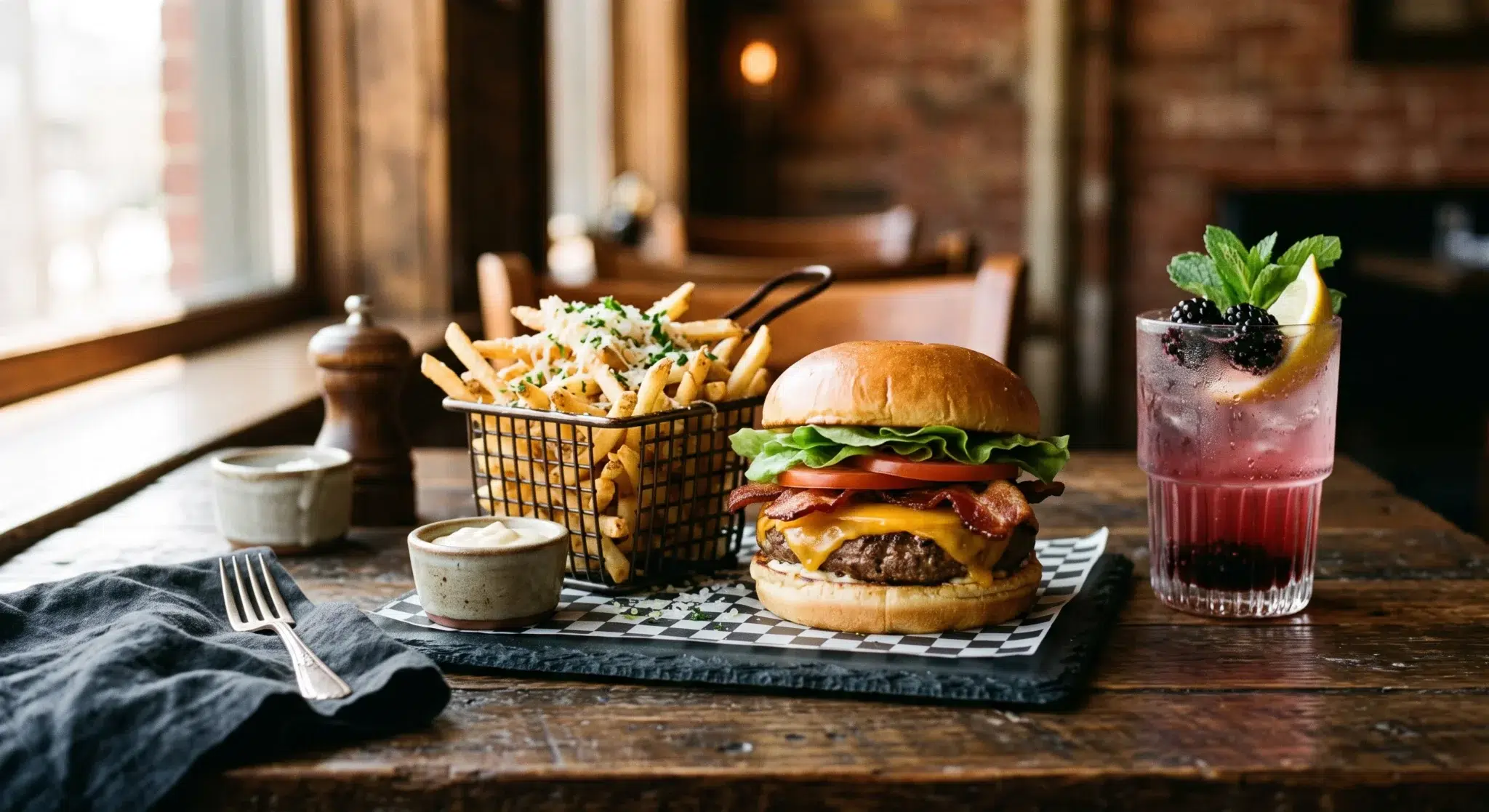

Understanding how self-service kiosks increase order value is transforming modern fast-casual and quick-service restaurant operations. For decades, restaurant operators believed that suggestive selling depended entirely on charismatic front-of-house cashiers. Managers spent countless hours training employees to ask guests if they wanted to upgrade their side dish or add a beverage. In practice, however, busy cashiers rarely execute verbal upsell scripts consistently during peak rushes.
Meanwhile, consumer purchasing behavior has shifted dramatically toward digital touchscreens. When diners interact with an interactive ordering kiosk, average transaction sizes consistently climb by fifteen to twenty-five percent. This revenue lift is not accidental; it is driven by deeply rooted cognitive psychology. Touchscreen interfaces remove social anxiety, showcase mouth-watering imagery, and give guests complete control over their ordering journey.
Consequently, forward-thinking restaurant owners are deploying digital kiosks to capture higher profit margins without increasing front-of-house labor expenses. By replacing hurried counter interactions with structured visual workflows, operators unlock higher modifier volumes and premium combo upgrades on every shift. This comprehensive guide explores the behavioral science behind digital ordering, breaks down visual appetency mechanics, and explains how self-service kiosks increase order value across all restaurant categories.
Table of Contents
- The Behavioral Psychology Behind Digital Self-Ordering
- Visual Appetency and High-Definition Sensory Triggers
- Why Automated Kiosk Prompts Outperform Human Cashiers
- Engineering the Kiosk Ordering Flow to Maximize Basket Size
- Calculating the Financial ROI and Labor Reallocation of Kiosks
- Side-by-Side Comparison
- How Biyo POS Powers High-Converting Self-Service Kiosks
- Frequently Asked Questions
The Behavioral Psychology Behind Digital Self-Ordering
Human decision-making changes fundamentally when a digital interface replaces a face-to-face social interaction. In a traditional counter ordering environment, customers experience subtle social pressure that unconsciously constrains their choices. When interacting with an automated touchscreen, however, those psychological barriers dissolve completely.
As a result, guests feel empowered to explore menu options freely and customize dishes to their exact preferences. Understanding these underlying cognitive drivers allows restaurant operators to engineer higher-yielding menu layouts.
Eliminating Social Judgment on Indulgent Customizations
Social desirability bias causes people to moderate their public behavior to avoid negative perception by peers or service staff. At a physical order counter, a diner might hesitate to ask a cashier for double cheese, extra bacon, fried onion rings, and a large milkshake. The customer subconsciously fears appearing gluttonous or demanding to the cashier and the patrons standing in line behind them.
In contrast, a self-service screen provides an entirely private, judgment-free environment. Customers customize their meals with indulgent ingredients because a machine cannot judge their dietary choices. Behavioral data shows that modifier attachments—such as premium sauces, extra cheese, and double protein portions—increase by more than thirty percent when customers order through touchscreens. Therefore, removing social friction directly expands ticket profitability.
Cognitive Freedom and Extended Browsing Patience
The presence of a physical queue creates intense cognitive urgency for counter customers. When guests step up to a cashier with five people waiting behind them, they rush to make a decision. Consequently, patrons default to basic menu items they already know, avoiding unfamiliar specialty appetizers, desserts, or seasonal beverages.
Self-service kiosks eliminate this artificial time pressure. Diners interact with the digital catalog at their own pace, exploring hidden categories and discovering premium menu variants. Studies show that customers spend up to forty percent more time browsing a kiosk menu than speaking to a cashier. This extended dwell time creates valuable opportunities to introduce high-margin add-ons before the guest proceeds to payment.
 Visual Appetency and High-Definition Sensory Triggers
 Visual Appetency and High-Definition Sensory Triggers
The human brain processes visual information sixty thousand times faster than written text. Traditional overhead restaurant menu boards rely heavily on dense typography, small font sizes, and minimal product photography. Consequently, customers must mentally imagine what a dish looks like before ordering.
Conversely, modern digital kiosks leverage high-definition visual appetency to trigger immediate sensory cravings. Presenting vibrant culinary photography at the exact moment of decision dramatically alters customer buying behavior.
The Neurological Impact of High-Resolution Food Photography
Viewing an appetizing image of food triggers the cephalic phase of digestion, causing the brain to release ghrelin—the hormone responsible for appetite stimulation. When a kiosk displays a crisp, high-resolution photo of a gourmet burger with melted cheddar and caramelized onions, the customer’s brain reacts with immediate biological desire.
Text descriptions like “Cheeseburger with grilled onions” fail to provoke this involuntary physiological reaction. By showcasing dishes in their most attractive visual presentation, kiosks transform abstract menu listings into tangible culinary cravings. As a result, customers frequently upgrade their orders from basic entrees to premium signature dishes.
Dynamic Add-On Imagery vs. Flat Text Menu Lines
Traditional printed menus list optional add-ons as dry text bullets, such as “Add Truffle Fries for +$2.50” or “Extra Guacamole +$1.75.” These flat descriptions force the customer to weigh the financial cost without experiencing the visual reward.
In contrast, interactive touchscreens present add-ons as vibrant, mouth-watering visual cards:
- Visual Side Upgrades: A crisp image of golden, herb-dusted truffle fries next to a standard burger prompt converts at quadruple the rate of a plain text checkbox.
- Beverage Pairings: Displaying an iced artisan blackberry lemonade with condensation on the glass encourages guests to swap out plain tap water for a premium beverage.
- Dessert Previews: Presenting a warm chocolate lava cake with dripping fudge right before checkout captures high-margin impulse purchases from satisfied diners.
Why Automated Kiosk Prompts Outperform Human Cashiers
Every restaurant manager understands the theoretical power of suggestive selling. In a busy commercial environment, however, human execution inevitably breaks down under operational stress. Expecting front-of-house staff to deliver consistent, customized upsell prompts across hundreds of transactions is unrealistic.
Digital kiosks solve this execution gap by applying strict mathematical logic to every customer interaction. Automated prompts never forget a script, tire during peak rushes, or feel awkward asking for an upgrade.
The Reality of Cashier Fatigue and Inconsistent Upselling
Front-of-house cashiers face immense pressure during lunch and dinner rushes. Their primary operational goal is maintaining speed of service to keep checkout lines moving quickly. Consequently, suggestive selling is the first task cashiers abandon when lines form.
Furthermore, employees frequently feel uncomfortable offering upsells because they worry about annoying the guest or sounding like a robotic salesperson. Industry audits reveal that cashiers attempt verbal upsells in less than fifteen percent of eligible transactions. This inconsistency leaves tens of thousands of dollars in potential revenue uncollected every month.
One-Hundred Percent Systematic Trigger Execution
A self-service kiosk executes its programmed upselling logic on one hundred percent of customer orders without exception. The software evaluates the contents of the customer’s digital basket in real time and presents the most relevant, context-aware recommendation:
- If a customer selects a standalone sandwich, the system automatically asks, “Would you like to make that a combo with seasoned waffle fries and a craft beverage for $3.50?”
- If a guest builds a salad, the kiosk dynamically suggests adding grilled chicken breast or sliced avocado before proceeding to the cart.
- If an order contains multiple entrees but zero drinks, the checkout screen prompts the guest with an image of signature beverages.
Because every customer receives a timely, visually appealing recommendation, the cumulative conversion rate compounds across hundreds of daily transactions. This relentless execution explains why self-service kiosks increase order value so reliably.
Engineering the Kiosk Ordering Flow to Maximize Basket Size
Deploying touchscreen hardware without optimizing the underlying digital menu architecture limits revenue performance. Maximizing average order value requires thoughtful menu engineering designed specifically for self-service navigation.
Structuring your digital catalog with intuitive modifier trees, strategic popup timing, and decoy pricing tiers ensures that guests naturally build larger baskets.
Strategic Placement of Pre-Checkout Cross-Sell Popups
The timing of an upsell prompt determines whether a customer accepts the offer or dismisses it as an interruption. Interrupting a guest while they are actively searching for an entree creates cognitive friction. The optimal moment to suggest an add-on is the “micro-moment” right after they click the “Review Order” or “Checkout” button.
At this stage, the customer has mentally committed to spending money and believes their order is nearly complete. Presenting a single, beautifully framed cross-sell card—such as “Complete your meal with our freshly baked garlic knots for $2.99″—presents a low financial barrier. Because the upgrade cost feels small relative to the total order, diners accept the suggestion with minimal hesitation.
Decoy Pricing and Value-Tier Bundling Architecture
Menu engineering principles apply powerfully to digital touchscreen layouts. By using decoy pricing and tiered sizing, operators guide customers toward higher-margin options:
- The 3-Tier Sizing Decoy: Presenting a Small beverage for $2.50, a Medium for $3.25, and a Large for $3.50 makes the Large option feel like an obvious bargain. Customers upgrade to the largest size because the incremental twenty-five-cent cost seems negligible.
- Combo Anchoring: Pricing an entree at $12.00, fries at $4.50, and a drink at $3.00 sets individual item costs high. Offering the complete combo for $16.50 anchors the customer on the perceived three-dollar savings, encouraging them to buy all three items.
- Tiered Protein Customizations: Grouping burger patties into Single, Double, and Triple tiers with prominent visual badges encourages guests to select the Double patty as the standard baseline choice.
Calculating the Financial ROI and Labor Reallocation of Kiosks
Investing in self-service technology provides substantial, measurable returns across both revenue generation and labor optimization. Rather than evaluating kiosks merely as novelty ordering stations, operators should analyze them as high-yielding financial assets.
Reviewing unit economics illustrates how rapidly touchscreen kiosks pay for themselves while transforming front-of-house operations.
Measuring Average Ticket Lift Across Dayparts and Categories
The financial impact of a twenty percent increase in average ticket size compounds dramatically over an annual operating cycle. Consider a fast-casual restaurant processing four hundred transactions per day with an initial base ticket average of fifteen dollars:
- Initial Daily Revenue: 400 tickets * $15.00 = $6,000.00 per day ($2,190,000.00 annually).
- Kiosk-Driven Ticket Lift (+20%): New average ticket size increases to $18.00 per transaction.
- Optimized Daily Revenue: 400 tickets * $18.00 = $7,200.00 per day ($2,628,000.00 annually).
- Annual Gross Revenue Increase: +$438,000.00 in additional topline sales from the exact same customer foot-traffic volume.
Because upsell items like fountain beverages, extra cheeses, premium sauces, and dessert pastries carry high gross margins, the majority of this revenue lift flows straight to your net operating profit.
Shifting Front-of-House Labor from Cash Handling to Hospitality
A common misconception is that self-service kiosks are designed to eliminate restaurant jobs. In reality, kiosks allow operators to reallocate expensive labor hours away from repetitive register data entry and toward high-value guest hospitality.
Instead of stationing three cashiers behind physical registers, an operator can run two self-service kiosks and reassign those team members to the kitchen pass, table delivery service, or dining room management. Orders reach the kitchen faster, food arrives hotter, and dining areas remain cleaner. Consequently, overall guest satisfaction increases, driving repeat visits and positive reviews.
Side-by-Side Comparison
| Operational Factor | Traditional Cashier Counter Checkout | Self-Service Kiosk Mode (Biyo POS) |
|---|---|---|
| Upsell Prompt Consistency | Inconsistent (Under 15% execution during rushes) | 100% systematic execution on every single transaction |
| Average Order Value (AOV) | Baseline ticket size constrained by line pressure | 15% to 25% higher average ticket size |
| Customization & Modifiers | Limited by social embarrassment and ordering speed | 30%+ higher modifier attachments (No social judgment) |
| Visual Menu Presentation | Flat text overhead boards or small counter chits | High-definition, appetizing culinary photography |
| Order Entry Accuracy | Prone to cashier mishearing and manual typing errors | 100% guest-verified line items and modifier choices |
| Queue Wait Times | Long lines form quickly during lunch and dinner peaks | Parallel ordering stations cut counter congestion by 50% |
| Labor Cost Efficiency | Requires 2–3 dedicated cashiers per shift | Staff reallocated to food assembly and guest hospitality |
| Menu Update Speed | Expensive printed board reprints and manual changes | Instant real-time cloud catalog updates in seconds |
How Biyo POS Powers High-Converting Self-Service Kiosks
 How Biyo POS Powers High-Converting Self-Service Kiosks
Biyo POS delivers a modern cloud point of sale and self-ordering platform designed to help restaurants maximize guest spend while streamlining daily kitchen operations. Running smoothly inside the Google Chrome web browser on any PC, Mac, iPad, or Android touchscreen device, Biyo eliminates the need for expensive proprietary hardware contracts and proprietary register locks.
With Biyo’s integrated Kiosk Mode, turning any standard touchscreen into an automated sales engine takes only minutes. Operators can configure custom visual upselling rules that prompt customers at optimal micro-moments. Whether suggesting an artisanal beverage upgrade, an extra protein topper, or a visual pre-checkout dessert card, Biyo ensures that self-service kiosks increase order value effortlessly across every shift. Managers can easily upload high-definition food photography, establish forced modifier paths, and deploy decoy pricing rules directly from the centralized cloud dashboard.
Furthermore, Biyo connects your customer-facing kiosks directly with back-of-house culinary stations. Orders placed at the kiosk route instantly to prep lines via the Biyo Kitchen Display (KDS) app available on Google Play, splitting items across dedicated stations like grill, fry, and cold prep automatically. Front-of-house teams can audit retail inventory using the Biyo Inventory Scanner app on the Apple App Store, sync off-premise orders through Kitchen Hub, and maintain continuous checkout operations during network outages using Biyo’s true offline mode.
To see how easily your restaurant can deploy high-converting touchscreen kiosks and expand average ticket sizes, you can schedule a live demo with an onboarding specialist or get started today on the Biyo signup page.
Frequently Asked Questions
Why do self-service kiosks increase order value in restaurants?
Self-service kiosks increase order value by eliminating social judgment on indulgent modifications, displaying high-definition food photography, providing guests with unhurried browsing time, and executing 100% consistent automated upsell prompts.
How much do self-service kiosks increase average ticket size?
Industry data and restaurant case studies show that deploying self-service touchscreens increases average order value (AOV) by fifteen to twenty-five percent compared to traditional cashier-operated checkout counters.
What is the best stage in the ordering flow to suggest an upsell?
The most effective stage to suggest an upsell is the pre-checkout screen right after the customer finishes building their main meal, presenting a single, high-margin side, beverage, or dessert card with a clear upgrade price.
Do self-service kiosks replace restaurant employees?
No. Self-service kiosks do not replace staff; they reallocate labor from manual register data entry toward food preparation, order expediting, table service, and dining room hospitality, improving overall guest satisfaction.
Can customers customize complicated modifiers on a kiosk screen?
Yes. Modern kiosk software utilizes forced and optional modifier trees that guide guests step-by-step through bread selections, cooking temperatures, cheeses, sauces, and extra toppings with complete visual clarity.
How does Biyo POS handle self-service kiosk orders in the kitchen?
Biyo POS transmits kiosk orders instantly over local WebSockets to the Biyo Kitchen Display (KDS) app on Google Play, splitting complex tickets across specialized prep stations with zero delay or manual re-keying.