How Do You Accept Credit Cards A Practical Guide for Modern Businesses

How Do You Accept Credit Cards A Practical Guide for Modern Businesses

To get set up for credit card payments, you'll need two key things: a merchant account where the money goes and a payment processor to handle the heavy lifting of the transaction. This combination is what lets you take payments anywhere—in your store, through your website, or even on the move with your phone. It's a non-negotiable for modern businesses and exactly what customers have come to expect.

Why Your Business Needs to Accept Credit Cards Today
A smiling barista helps a customer pay with a credit card at a coffee shop counter.

Let's be honest: in today's economy, accepting credit cards isn't just a nice-to-have, it's a basic requirement for survival. Sticking to a cash-only model puts a major roadblock in front of your customers, often costing you a sale before you even get to say hello.

Today's shoppers demand speed and convenience. If you can't offer it, you risk looking out of touch, which can erode trust in your brand. But when you make paying easy, you're not just completing a transaction; you’re showing customers you're a professional, legitimate business they can rely on. This guide will demystify the process and turn payment acceptance from a technical headache into a growth engine for your business.

Understanding the Modern Payment Landscape

So, how does a credit card payment actually work? It boils down to three essential parts that communicate behind the scenes every time a customer pays.

  • Merchant Account: This isn't your regular business checking account. It's a special kind of bank account designed specifically to hold funds from credit and debit card sales before they're transferred to you.
  • Payment Processor: This is the company that does all the technical work. They act as the secure messenger between your business, the customer's bank, and your merchant account to approve and route the payment.
  • Payment Hardware/Software: These are the tools of the trade. Think of your countertop point-of-sale (POS) terminal, a small mobile card reader that plugs into a tablet, or the online payment gateway integrated into your e-commerce site.

The Real Cost of Being Cash-Only

Deciding not to accept cards isn't a savings strategy—it's an opportunity cost. In developed economies, taking card payments is simply the standard way of doing business.

Consider the numbers. It's estimated that by 2025, the merchant card acceptance rate in the United States will hit 94%, with Canada close behind at 89%. The message here is crystal clear: if you don't accept cards, you’re invisible to a massive slice of the market. You can dig into more data on merchant card acceptance trends to see just how dominant this trend is.

The bottom line is that when you limit how people can pay, you're not just losing one sale. You're losing a potential long-term customer who prioritizes convenience. We consistently see that businesses who start accepting cards report a jump in both how often customers buy and how much they spend.

Finding the Right Payment Processing Partner

Figuring out how to accept credit cards can feel like a huge task, but it really boils down to two main paths. The right one for you depends entirely on your business's size, how many sales you're running, and how fast you need to get up and running.

At the end of the day, the choice is this: do you want a traditional, highly customizable setup, or do you need a fast, all-in-one solution that just works out of the box? Both are solid options, but they're built for very different business needs. Let's dig into which path makes the most sense for you.

The Traditional Route: Merchant Account and Payment Gateway

For more established businesses, especially those doing serious sales volume, the classic pairing of a merchant account and a payment gateway usually offers the most flexibility and the best value in the long run.

Think of it like getting a custom-tailored suit. You pick every piece to fit your exact measurements. The merchant account is a special bank account just for your card transactions, while the payment gateway is the secure tech that connects your website or terminal to the payment networks.

Splitting them up gives you a few key advantages:

  • Lower Rates: If you're processing a high volume of transactions, you can often negotiate lower per-transaction fees. Over time, those savings really add up.
  • Greater Customization: You can mix and match providers. Find the perfect gateway that plugs into your e-commerce platform and the best merchant account for your specific industry.
  • Dedicated Support: This path often comes with more personalized support, which can be a lifesaver for businesses with complex payment setups.

A busy online retailer processing thousands of orders a day is a perfect example. The tiny percentage they save on each transaction becomes a massive annual saving, making the more involved setup process well worth it. As you explore, it’s a good idea to compare payment gateways for your business to see how they stack up.

The Modern Alternative: All-in-One Solutions

For startups, small businesses, or anyone who just wants things to be simple, all-in-one solutions are fantastic. These platforms, often called Payment Service Providers (PSPs), bundle everything—the merchant account, payment gateway, and processing—into a single, easy-to-use package.

This approach is like buying a high-quality suit right off the rack. It’s ready to go immediately, looks sharp, and gets the job done without a long, drawn-out tailoring process.

These all-in-one providers handle the entire process of accepting credit card payments from start to finish. You sign up for one service, and they take care of everything from approving the transaction to dropping the money into your bank account.

This simplicity is a huge win for, say, a local coffee shop. The owner can sign up online, get a card reader in a few days, and start taking payments right away on a tablet. They don't have to waste time negotiating rates or managing different accounts; they just need a system that works, every single time. If you want to dive deeper, you can learn more about the role of a https://biyopos.com/encyclopedia/payment-service-provider-psp/ in our encyclopedia.

Choosing Your Path

So, which one is for you? There’s no single right answer, but here’s a straightforward way to look at it.

  • Go the Traditional Route if: You have a high sales volume, need to connect with specific software, and want to negotiate for the lowest possible processing rates.
  • Choose an All-in-One Solution if: You're a new or small business, you value a fast and easy setup above all else, and you prefer predictable, flat-rate pricing.

Ultimately, your decision should be guided by how you plan to accept payments—whether it's face-to-face at a retail counter or online through a shopping cart. Getting this foundational piece right sets you up for a smooth payment experience for both you and your customers.

Understanding the True Cost of Accepting Credit Cards

Let's get one thing straight: accepting credit cards isn't free. While it absolutely opens the door to more sales, every tap, swipe, and click comes with a cost. A small slice of every transaction goes toward processing fees, and getting a handle on these costs is the key to protecting your profit margins.

Think of it this way: the fees you pay are dictated by your processor's pricing model. At first glance, they can seem confusing, but they all just boil down to how risk and cost are managed. Once you understand the basics, you'll be in a much better position to choose the right partner and negotiate a deal that actually works for your business.

Deconstructing the Main Pricing Models

When you start shopping for a payment processor, you'll run into three main pricing structures. Each has its own pros and cons, and the best one for you really depends on your sales volume, how much your average sale is, and what kind of cards your customers use most often.

  • Flat-Rate Pricing: This is simplicity itself. You pay one fixed percentage plus a small, per-transaction fee, no matter what card is used. A common example is 2.9% + $0.30 on every single sale. It’s incredibly predictable, which makes it a go-to for new businesses, pop-up shops, and coffee shops that just want to keep things easy. You trade the lowest possible rate for consistency.

  • Tiered Pricing: This is where things get a bit murky. The processor bundles hundreds of different card types into a few "tiers"—usually called something like Qualified, Mid-Qualified, and Non-Qualified. A basic debit card might get the low "Qualified" rate, but that fancy airline miles reward card will likely land in the expensive "Non-Qualified" tier. The catch? The processor decides what goes where, so your costs can be unpredictable and often higher than you expect.

  • Interchange-Plus Pricing: Often called Cost-Plus, this is the most transparent model out there. It breaks down your cost into two parts: the non-negotiable interchange fee (the wholesale rate from the card-issuing bank) and the processor's markup. Your rate might look like "Interchange + 0.20% + $0.10." You see exactly what the base cost is and what your processor makes. Businesses with high sales volumes, especially in e-commerce, tend to save a lot of money with this model. To really get it, you need to understand what an interchange fee is and how it eats into your revenue.

Comparing Payment Processor Pricing Models

This table breaks down the three main pricing models to help you decide which is the most cost-effective for your business based on sales volume and predictability.

Pricing Model How It Works Best For Potential Pros Potential Cons
Flat-Rate A single, fixed percentage + a flat fee per transaction (e.g., 2.9% + $0.30). Startups, small businesses, low-volume merchants, businesses with small average tickets. Simple, predictable, and easy to budget for. No monthly surprises. Can be the most expensive option for high-volume businesses. You overpay on low-cost cards.
Tiered Processor groups card types into tiers (e.g., Qualified, Non-Qualified) with different rates for each. Businesses looking for rates seemingly lower than flat-rate, but it requires careful monitoring. Can be cheaper than flat-rate if most of your transactions fall into the lowest tier. Lacks transparency. Processors can downgrade transactions to higher-cost tiers, making costs unpredictable.
Interchange-Plus Passes the wholesale interchange rate directly to you, plus a fixed processor markup. High-volume businesses, e-commerce stores, B2B, businesses with large average tickets. The most transparent and often the most affordable model. You benefit from low-cost cards. Monthly statements are more complex and harder to read. The rate fluctuates slightly month to month.

Ultimately, picking the right model is a strategic choice. You're balancing the dead-simple predictability of Flat-Rate against the potential savings you can get from a transparent model like Interchange-Plus.

A Tale of Two Businesses

Let's put this into a real-world context. Imagine a small boutique owner who just wants things to be easy. A Flat-Rate model is perfect. She knows exactly what she’ll pay on every sale, which makes her bookkeeping a breeze.

Now, picture a busy online store processing thousands of orders a month. With Interchange-Plus, they get to take advantage of the lower interchange rates on all the standard debit and credit cards their customers use. That tiny percentage they save on each sale adds up to thousands of dollars over the year, making the more detailed monthly statements totally worth it.

Choosing the right model is a strategic decision. It’s a trade-off between the predictability of Flat-Rate pricing and the potential cost savings of a transparent model like Interchange-Plus.

Uncovering the Hidden Fees

Beyond the main processing rate, your monthly statement can be littered with other fees. Knowing what to look for helps you ask the right questions upfront and avoid getting blindsided.

As we look toward 2025, merchants will still be navigating these costs, which are heavily influenced by sales volume and business type. Your all-in cost per transaction will typically land somewhere between 1.5% and 3.5%. This range depends on your pricing model and the mix of cards you accept—a premium corporate card will always cost more to process than a basic debit card. You can discover more insights about these fee structures to get a better handle on what to expect.

Keep an eye out for these common add-on costs:

  • Monthly Account Fees: Just what it sounds like—a monthly charge for having the account.
  • PCI Compliance Fees: A fee for ensuring your business meets security standards. Some processors will waive this if you use their gear.
  • Chargeback Fees: When a customer disputes a charge and you lose, the processor slaps you with a penalty fee on top of the refund.
  • Hardware Costs: You'll either have to buy or rent your POS terminal, card reader, and other equipment.
  • Early Termination Fees (ETFs): This is a big one. It's a hefty penalty for leaving your contract early. Always, always ask if a contract has an ETF.

Before you sign anything, ask a potential processor for a complete schedule of all their fees. This is the only way to get a true picture of what it will cost to accept credit cards and make sure you're choosing the most profitable option for your business.

Choosing Your Payment Hardware and Software
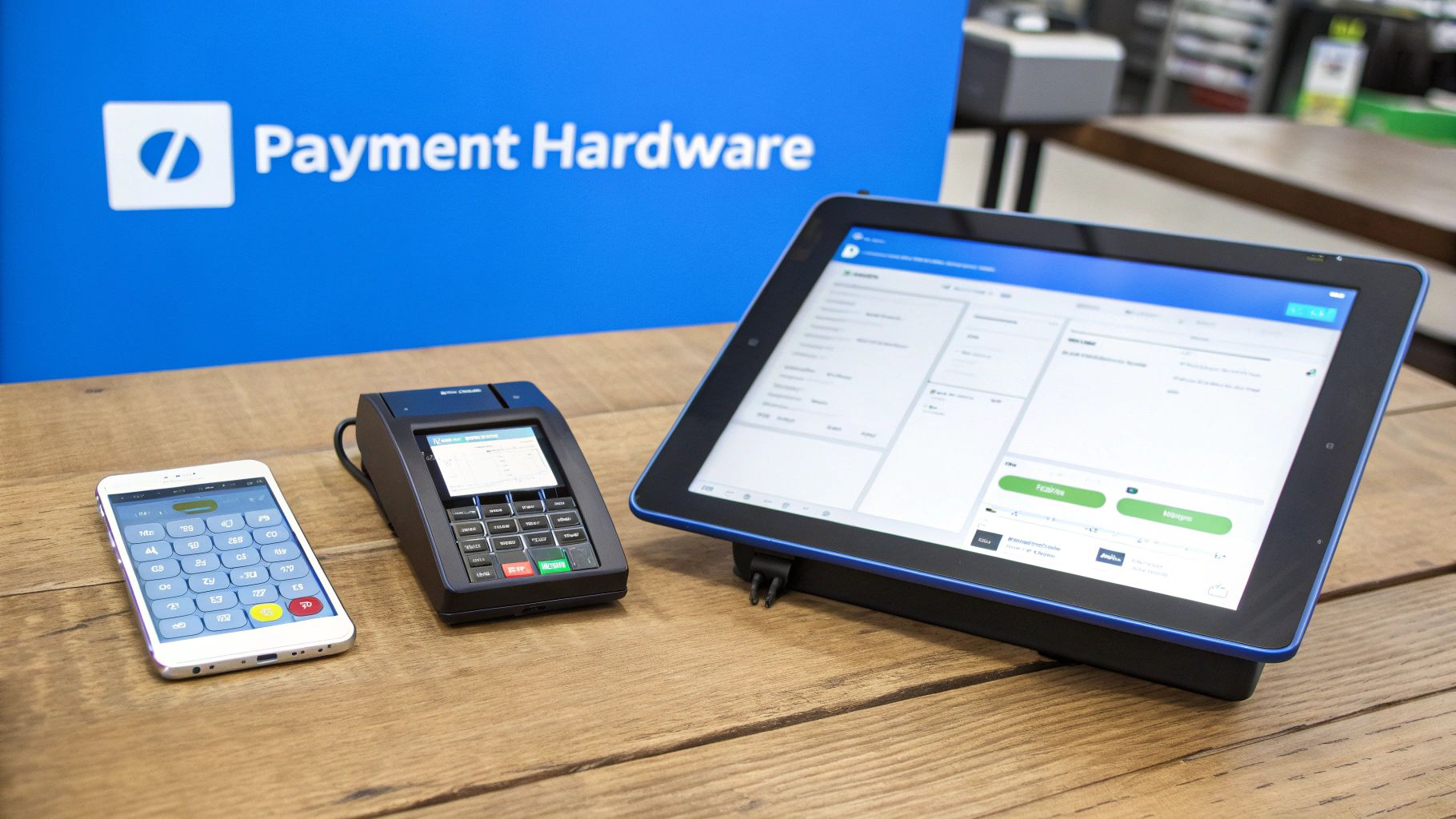
Various payment hardware, including a smartphone, card terminal, and tablet, on a wooden desk.

Alright, you’ve started thinking about a payment processor. Now for the fun part: picking the actual gear you'll use every single day. The hardware and software you choose really comes down to where you meet your customers—are you ringing them up at a counter, sending invoices online, or swiping cards at a weekend market?

This decision is more than just a technical one; it directly shapes how smooth the checkout feels for your customers and how easily your team can manage sales. Let's break down what you actually need to get the job done.

Tools for In-Person Sales

If you’re running a business where customers physically hand you a card, your hardware is mission-critical. Your goal should be a setup that’s fast, secure, and doesn't create a bottleneck at checkout.

  • Traditional Countertop Terminals: These are the reliable workhorses you see everywhere, from corner stores to your local mechanic. They’re built for one thing—processing cards quickly and securely. They connect via an internet or phone line and are perfect for any business with a dedicated checkout spot.

  • Modern POS Systems: A full-blown Point-of-Sale (POS) system is so much more than a credit card machine. Usually running on a tablet, a modern POS ties payments together with your inventory, sales reports, and even customer loyalty programs. Imagine a food truck using one to take orders, process payments, and instantly see which menu items are selling out—all from a single screen.

  • Mobile Card Readers: These little gadgets are game-changers for businesses on the move. They plug right into a smartphone or tablet, turning it into a powerful, portable register. A plumber taking payment right after a house call, a craft vendor at a festival, or a pop-up shop can't operate without one.

Essentials for Online and Remote Payments

When your business lives online or you take payments over the phone, your "hardware" becomes software. The focus shifts to creating a secure and seamless digital handshake between your customer's bank and yours.

The heart of this operation is the payment gateway. Think of it as the digital bouncer for your website. It’s the secure portal that connects your online shopping cart to the payment network, encrypting all that sensitive data and making sure the transaction is legit.

You'll also likely need:

  • Shopping Cart Plugins: These are simple but powerful add-ons for e-commerce platforms like Shopify, WooCommerce, or BigCommerce. They bridge the gap between your online store and your processor, giving your customers that smooth, one-click checkout experience they expect.

  • Virtual Terminals: This is simply a secure webpage where you can manually type in a customer's credit card details. It's an absolute must-have if you take orders over the phone. A caterer securing a deposit for a future event or a consultant invoicing for their time would use this daily.

The right setup isn't about having the most expensive gear; it's about matching the tool to the task. A freelance graphic designer doesn't need a countertop terminal, but a virtual terminal and online invoicing software are indispensable.

Your Must-Have Feature Checklist

No matter what setup you choose, some features are simply non-negotiable in today's market. Make sure any solution you're considering checks these boxes.

For In-Person Transactions:

  • EMV Chip Reader: This isn't optional anymore. You absolutely must be able to accept chip cards to protect your business from fraud liability.
  • NFC/Contactless Capability: Customers want to tap-to-pay with their cards and phones (Apple Pay, Google Pay). It's faster, more secure, and is quickly becoming the standard expectation.

For Online Transactions:

  • Robust Fraud Detection: You need tools working in the background to protect you. Look for essentials like AVS (Address Verification System) and CVV verification, which are the first line of defense against stolen cards.
  • Tokenization: This is a crucial security feature. Instead of storing raw credit card numbers, the system replaces them with a secure, unique "token." If a breach ever happens, the thieves get useless tokens, not your customers' data.

By really thinking through how and where you sell, you can put together a payment system that not only works flawlessly but actually helps you run a smarter business.

Mastering Payment Security and PCI Compliance

When you start accepting credit cards, you’re doing more than just taking money—you’re handling your customers' sensitive financial information. That’s a serious responsibility, but securing that data doesn't have to be a nightmare. It all comes down to understanding a set of rules called the Payment Card Industry Data Security Standard (PCI DSS).

Think of PCI DSS as the gold standard for protecting card data. It was created by the big players like Visa and Mastercard to fight fraud, and following these rules isn't optional. If your business processes, stores, or even just transmits cardholder data, you're on the hook for compliance.

Making PCI Compliance Simple

Here's the good news: you don’t need to become a cybersecurity guru. Modern payment systems are built to handle the most difficult parts of security for you. Your role is really about choosing the right tools and sticking to some basic, common-sense practices.

The single easiest way to stay on the right side of the rules is to use pre-certified payment hardware and software from a trusted provider. When you use a validated POS system or card reader, you know the device already meets strict security standards right out of the box. This one decision can take a huge weight off your shoulders.

Building customer trust is at the heart of your payment process. When customers see you take security seriously, they feel more confident buying from you. Compliance isn't just about avoiding fines; it's about showing you value and protect their information.

Another foundational rule is incredibly simple but absolutely critical: never, ever write down or store credit card numbers. Not on a sticky note, not in a spreadsheet, not anywhere. Storing raw card data is a massive security risk and a direct violation of PCI DSS rules. Modern systems make this practice totally unnecessary.

How Modern Technology Protects You

Today’s payment tech has some impressive tricks up its sleeve to keep data safe automatically. One of the most important is something called tokenization.

Here's the gist of how it works: the moment a customer pays, the system encrypts their card number and swaps it for a unique, random string of characters—a "token." That token is safe to use for things like refunds or recurring payments, but it’s completely worthless to a hacker if your system is ever breached. The real card number is never stored on your equipment, which massively reduces your risk and your compliance workload.

To keep everything official, you'll likely need to complete a Self-Assessment Questionnaire (SAQ) each year. It’s essentially a checklist to confirm you’re following the right security procedures. Your payment processor should walk you through this, and for small businesses using compliant tech, it's usually pretty straightforward. If you want to dive deeper, you can learn all about what PCI compliance involves and how it applies to your specific business.

By choosing the right technology and sticking to these core principles, you can handle payments with confidence. Security stops being a hurdle and simply becomes part of how you operate.

Your Final Checklist Before Going Live

You’ve made the big decisions, chosen your hardware, and got everything set up. But before you officially flip the switch and start processing customer payments, there's one last crucial phase: the final check. This isn't just about making sure the tech works; it's about building confidence in your new system so you and your team are ready for anything on day one.

The first thing I always recommend to business owners is to run a few test transactions. It’s simple. Just grab your own credit card and ring up a small sale—even a single dollar will do. Immediately follow that up by processing a full refund for the same amount. This quick drill confirms your entire payment cycle is firing on all cylinders, from the initial charge right through to the void or refund.

After that, keep an eye on your merchant account dashboard to see those test funds land. It might take a day or two, but seeing that dollar show up is the final piece of the puzzle. It verifies that money is actually flowing from the processor to your bank, which is, after all, the whole point.

Empowering Your Team for a Smooth Launch

A seamless checkout is only as good as the person running it. Before you welcome your first customer, get your team together for a hands-on training session. Everyone who will be handling payments needs to feel completely comfortable with the new system.

Make sure your staff can confidently tackle these everyday scenarios:

  • Running a Standard Sale: Practice with different payment methods—chip cards, contactless taps, and mobile wallets like Apple Pay or Google Pay.
  • Issuing Refunds: Both full and partial refunds are a fact of life in retail. The process should feel just as straightforward as making a sale.
  • Handling a Declined Card: This can be an awkward moment. Give your team a simple, professional script to fall back on, something like, "It looks like this card isn't going through at the moment. Would you like to try a different one?"

A little bit of practice goes a long way. It helps your team avoid fumbling through a transaction and ensures every customer interaction stays positive, even if there’s a small hiccup.

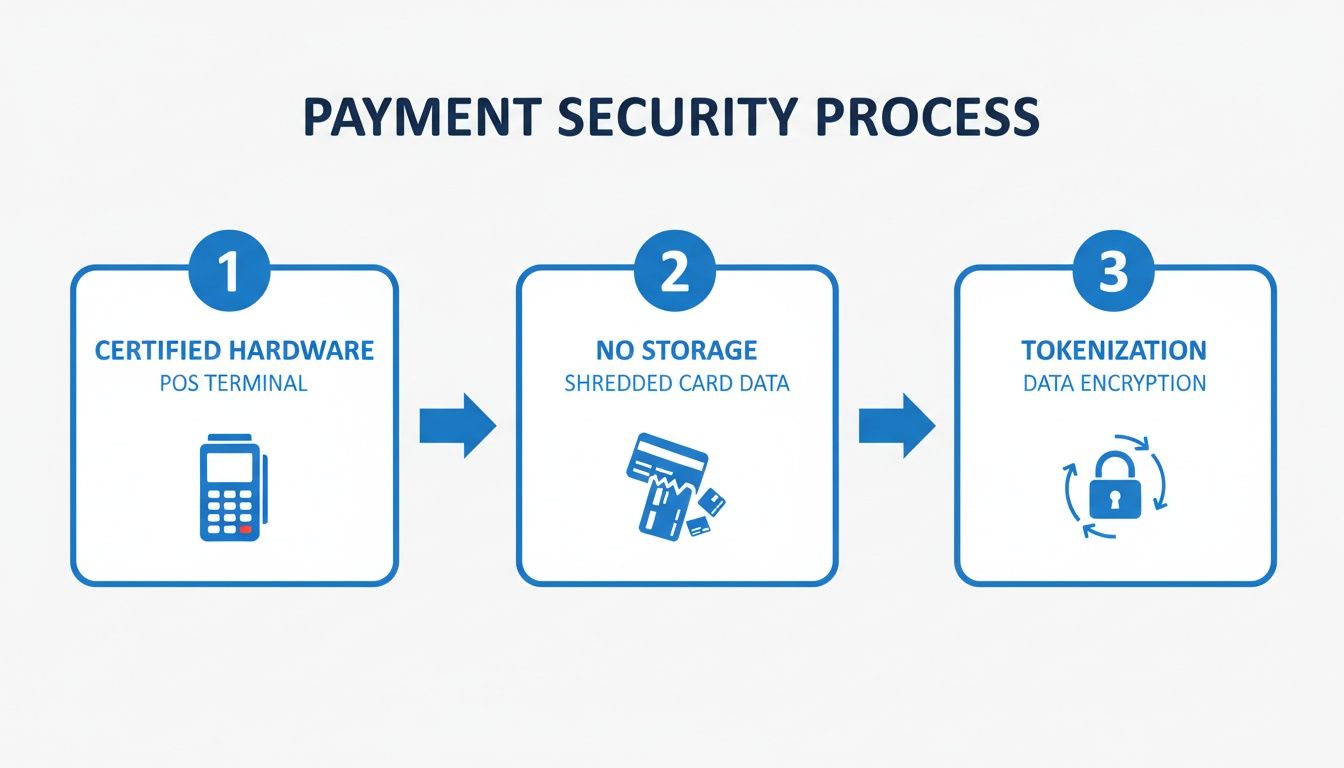
The security of these transactions is paramount, protecting both your business and your customers. This is how modern systems are designed to keep sensitive data safe.

A three-step payment security process showing certified hardware, no card data storage, and data encryption.

As you can see, the process relies on certified hardware and end-to-end encryption, which means raw card numbers are never stored on your devices. This is a core principle of modern payment security.

Announce You’re Open for Business

Alright, it's time to let your customers know you're ready for them. The best way to do this is with simple, visual cues. Put up those little stickers showing the logos of the credit cards you accept—Visa, Mastercard, American Express, etc.—right on your front door or by the cash register. For your online store, add these same logos to the footer of your website.

A simple logo is a powerful signal. It instantly tells customers you offer the convenient and secure payment options they’ve come to expect, removing a key point of friction before they even decide to buy.

As you finalize your setup, especially for e-commerce, a streamlined checkout is non-negotiable. It’s worth looking into how you can customize your WooCommerce checkout page for better sales to minimize abandoned carts.

With these final checks ticked off your list, you’re ready to start accepting credit cards with total confidence.

Still Have Questions About Taking Credit Cards?

Diving into payment processing for the first time can feel like learning a new language. You're not alone if you've got a list of questions. Let's walk through some of the most common things business owners ask when they're getting set up.

A big one is whether you really need to accept every single type of credit card out there. The short answer? Probably not. You can cover most of your bases by focusing on the major players. By the mid-2020s, credit and charge cards were already making up about a third of all consumer payments in major economies. The vast majority of that spending happens on just a few networks—think Visa, Mastercard, and UnionPay. Accepting these giants means you can serve almost any customer who walks through your door, domestic or international. If you want to dig into the numbers, you can find more credit card statistics here to see just how much market share they hold.

Can I Pass on Processing Fees to Customers?

This is a hot topic, and for good reason. The practice of passing credit card fees on to customers is called surcharging, but whether you can do it is a bit of a legal patchwork that changes from state to state.

As of late 2024, it's allowed in most places, but a few states, like Connecticut and Massachusetts, have outright banned it. Even where it is legal, there are rules. Most states cap the surcharge, usually somewhere between 2% and 3%, and you have to be upfront about it. That means posting clear signage and letting the customer know before they pay. You'll also need to give the major card brands a heads-up in writing that you plan to start surcharging.

Quick but crucial tip: Surcharges are for credit card transactions only. You're not allowed to add that fee to debit card or prepaid card purchases, even if the customer runs it "as credit." The card networks are very strict about this rule.

What About International Payments?

If you're selling online, the world is your marketplace. So, what happens when a customer from another country wants to buy from you? The good news is that you can almost certainly accept their card, as long as your payment processor is configured for it.

There are just a few things to keep in mind:

  • Currency Conversion: Your processor can convert the currency for you, but they'll usually charge an extra fee for the service.
  • Fraud Risks: Unfortunately, cross-border payments can be a bit riskier. Make sure your payment gateway has strong fraud detection tools specifically for international transactions.
  • Higher Costs: The interchange fees on international cards are almost always higher, so expect these sales to cost you a little more to process.

Taking international cards is a fantastic way to grow, but it pays to be aware of the extra costs and security steps involved.


Ready to make all of this simple? Biyo POS is an all-in-one system that handles everything—payments, inventory, customer management, and more—in one clean package. See how Biyo POS can pull it all together for your business.

Related Posts