Inventory control is all about having the right stuff, in the right place, at the right time. It’s far more than just counting boxes in the back; it's the hands-on, daily system you use to manage every item from the moment it arrives from your supplier to the second it’s in your customer's hands. Think of it as a core part of a healthy supply chain.
What Is Inventory Control and Why It Matters
Imagine your inventory is like a city's traffic system. Inventory control is the traffic controller on the ground—the stoplights, the signs, the daily operations that keep things moving smoothly. It's the set of processes that prevents costly pile-ups (overstocking) and frustrating gridlock (stockouts). When you get it right, inventory control stops being a backroom chore and becomes a powerful strategic tool for your business.
The main goal is simple: squeeze the most profit out of the least amount of inventory investment. Holding onto too much stock is a cash killer. It jacks up storage costs and increases the risk of products expiring, getting damaged, or just going out of style. But the opposite is just as bad. Having too little stock means lost sales and unhappy customers who will quickly find someone else who has what they need.
The Foundation of Profitability
Good inventory control is directly tied to your bottom line—no question about it. By keeping a close eye on your stock levels, you slash carrying costs, cut down on waste from unsold goods, and free up your cash flow. It gives you the hard data you need to make smarter buying decisions, so your money isn't just sitting on a shelf collecting dust.
To really grasp its importance, it helps to understand the comprehensive loss prevention definition, which focuses on preventing unexplained losses. This shows just how critical these control systems are for protecting your assets and keeping your business profitable.
Enhancing Customer Loyalty
Beyond the numbers, solid inventory control is a cornerstone of great customer service. Nothing turns a customer off faster than finding out the item they came for is out of stock. A reliable system means you can meet demand consistently, which builds trust and keeps people coming back.
This really breaks down into a few key actions:
- Tracking Stock Levels: Always knowing exactly what you have on hand.
- Monitoring Customer Demand: Using your sales data to predict what people will want to buy next.
- Setting Reorder Points: Creating automatic triggers to restock an item before you run out.
The business world is taking this more seriously than ever. The global inventory optimization market was valued at USD 5.87 billion in 2025 and is expected to hit USD 12.42 billion by 2032. That’s a massive jump, showing a huge industry-wide push for better control systems.
Essential Inventory Control Methods Explained
Once you get past simple stock counts, you need a solid playbook of proven techniques. The secret to effective inventory control isn't about working harder—it’s about working smarter. It’s about applying the right methods to bring predictability and order to your stockroom. These strategies are the very foundation of a system that protects your profits and keeps your customers happy.
The big idea here is to focus your energy where it will make the most impact. Instead of giving every single product the same level of scrutiny, you can prioritize them based on their value, cost, and how quickly they sell. This strategic approach makes sure your most important items always get the attention they deserve.
This diagram breaks down the three pillars of inventory control. It shows how having the right amount of stock at the right time and in the right place creates a perfectly balanced system.
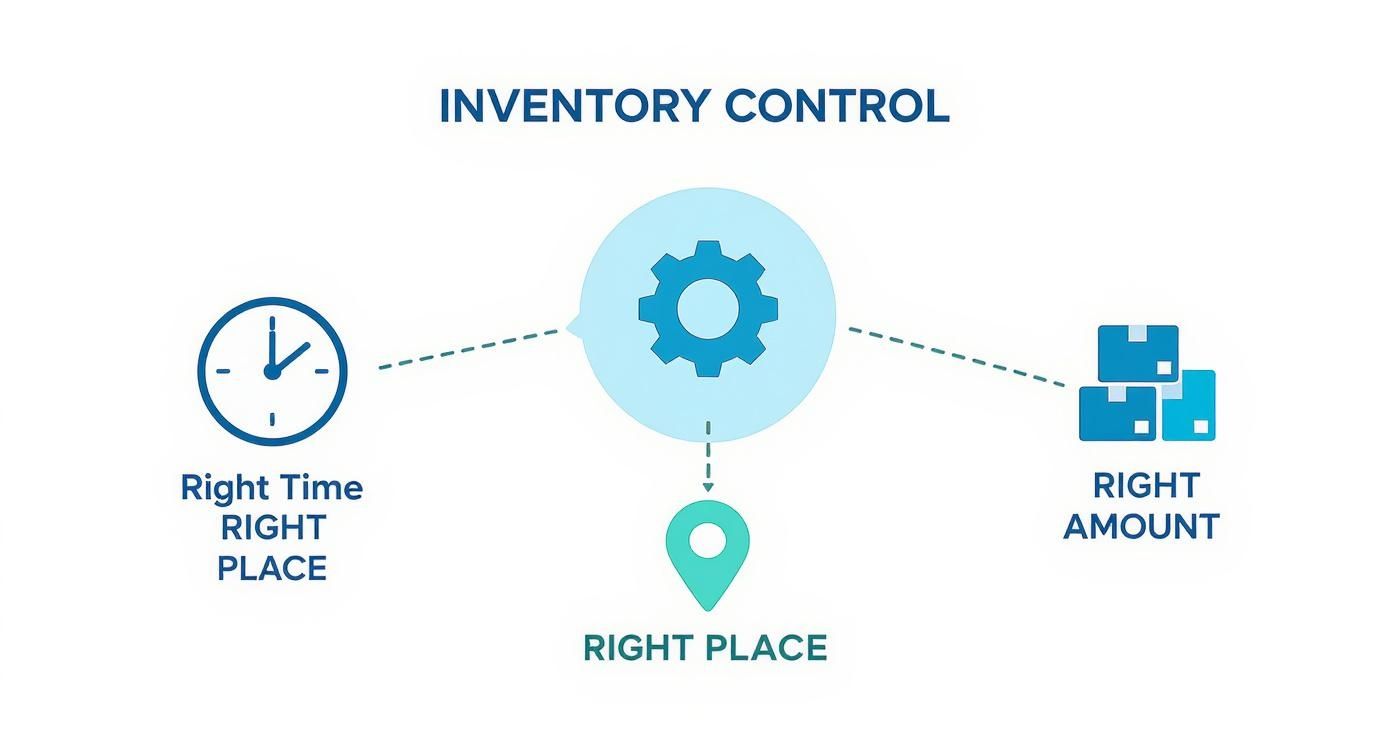
As you can see, control is an active process. It’s a constant balancing act between time, location, and quantity that keeps your entire operation running like a well-oiled machine.
Using ABC Analysis to Prioritize Stock
One of the most powerful and intuitive methods out there is ABC analysis. Just think of it as applying the Pareto Principle (you know, the 80/20 rule) to what’s on your shelves. This technique sorts your inventory into three distinct tiers so you know exactly where to focus your efforts.
- Category A: These are your rockstars, your VIP products. They usually only make up a small slice of your total items (around 20%) but are responsible for the lion's share of your revenue (about 80%). These demand the tightest control and most frequent monitoring. No exceptions.
- Category B: These are your steady, middle-of-the-road items. They represent a bigger chunk of your inventory count (around 30%) but bring in a more modest portion of revenue (about 15%). They need regular management, but not the intense focus of your A-list items.
- Category C: This group is the bulk of your inventory items (around 50%) but barely moves the needle on revenue (about 5%). You can manage these with much simpler, less frequent checks.
By sorting your inventory this way, you make sure your most valuable assets get the white-glove treatment they need without getting bogged down micromanaging the small stuff.
FIFO and LIFO Costing Methods
Alright, let's talk about how you actually account for the cost of your goods. Two of the most fundamental methods are FIFO (First-In, First-Out) and LIFO (Last-In, First-Out). To make it simple, picture yourself running a bakery that sells fresh bread.
FIFO (First-In, First-Out): This is the go-to method for most businesses, especially those dealing with perishable goods. The first loaf of bread you baked this morning is the first one you sell. It’s a completely logical flow that ensures older stock gets sold before it goes stale.
LIFO (Last-In, First-Out): With this approach, the last loaf of bread you baked is the first one out the door. This is far less common, and in fact, it isn't even allowed under some accounting standards. But you might see it used for non-perishable goods, like a hardware store selling nails, where the age of the product doesn't really matter.
Your choice between FIFO and LIFO has a direct line to your financial reports. It changes your cost of goods sold (COGS) and, in turn, can affect your taxable income. For a deeper look at these and other strategies, check out our complete guide on inventory control methods. Picking the right technique is a critical step toward building a truly efficient system.
How to Measure Your Inventory Performance with Key Metrics
You can't fix what you can't see. Once your control methods are in place, the real work begins: tracking your performance with key metrics. These are often called Key Performance Indicators (KPIs), and they act as the vital signs for your inventory's health.
Think of these KPIs as the gauges on your car's dashboard. They give you the crucial feedback needed to make smart, proactive decisions instead of just reacting to problems after they’ve already cost you. Without them, you’re flying blind. Regularly watching these numbers helps you turn the idea of inventory control into a powerful, money-saving strategy.
Figuring Out Your Inventory Turnover Ratio
One of the first metrics you’ll want to get a handle on is the Inventory Turnover Ratio. This number tells you exactly how many times your business sells through its entire stock and replenishes it over a certain period. A higher ratio is usually a good sign—it means products are moving efficiently and not gathering dust on your shelves.
The calculation is straightforward:
Inventory Turnover Ratio = Cost of Goods Sold (COGS) / Average Inventory
Let's say your COGS for the year was $200,000, and your average inventory value was $25,000. Your turnover ratio would be 8. That means you sold and replaced your entire inventory eight times over the year. This insight is gold for managing cash flow and sharpening your purchasing strategy.
Nailing Your Safety Stock and Reorder Point
"Out of stock." Two words every business owner dreads. Safety Stock and your Reorder Point are the two metrics that work together to make sure you never have to say them. They act as a crucial buffer against surprise sales surges or supplier hiccups.
-
Safety Stock: This is your "just in case" inventory. It’s that extra bit of stock you hold to cover you if a supplier is late or a product suddenly goes viral. The trick is having enough to avoid stockouts without tying up too much cash in excess inventory.
-
Reorder Point (ROP): This isn't just a random number; it's the specific stock level that tells you, "It's time to order more." The goal is to have the new shipment arrive just as you start dipping into your safety stock. The formula looks like this: (Average Daily Sales x Lead Time in Days) + Safety Stock.
Imagine you run a bookstore and a new bestseller is flying off the shelves. You sell about 10 copies a day, and it takes the publisher 5 days to deliver a new order. To be safe, you keep a safety stock of 20 books. Your reorder point would be (10 x 5) + 20 = 70 books. As soon as your stock count hits 70, you know it's time to call your supplier.
Getting these calculations right is a huge step, but it’s just one piece of the puzzle. To get even better at predicting what your customers will want next, check out our guide on different inventory forecasting techniques.
Another useful metric is Days of Inventory Outstanding (DIO), which tells you how many days, on average, a product sits in your inventory before it's sold. Recent industry data shows DIO scores have climbed by 8.3% over the last five years, a clear signal that many businesses are finding it harder to keep their inventory moving efficiently.
Using Technology for Smarter Inventory Control
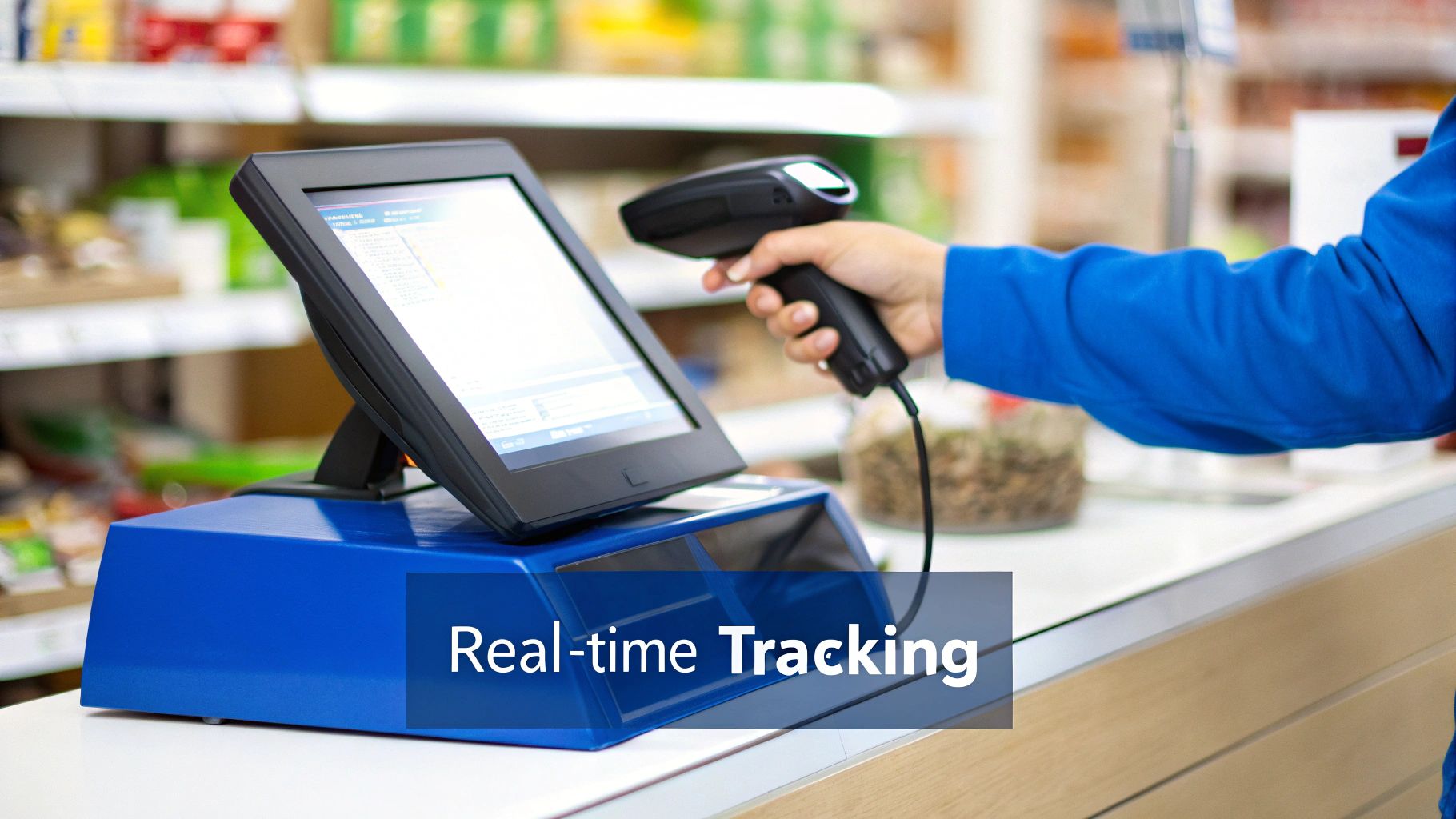
If there's one move that will completely change your inventory game, it's ditching the old manual spreadsheets. Stepping up to a modern Point of Sale (POS) system is like installing a central nervous system for your stock, transforming a reactive chore into a proactive, data-driven strategy. Technology makes your inventory work for you, automating all the tedious tasks that used to be a breeding ground for costly human error.
Think of a system like Biyo POS as more than just a fancy cash register. It's really the command center where all the methods and metrics we've talked about come to life automatically. Every time you scan a product and make a sale, the system instantly adjusts your stock levels in real time. This gives you a constantly accurate picture of exactly what you have on hand, moment by moment.
From Manual Guesswork to Automated Precision
The leap from manual tracking to an automated POS system is huge. It fundamentally changes how you run your business. Instead of dedicating hours to counting boxes and triple-checking spreadsheets, your time is freed up to focus on the big picture—like growth and customer experience. This shift unlocks some powerful capabilities that directly improve your efficiency and your bottom line.
A good system gives you tools that used to be reserved for major corporations:
- Automated Low-Stock Alerts: You can set the system to ping you the second an item hits its reorder point. This simple feature is a lifesaver, ensuring you restock before a customer is left empty-handed.
- Data-Rich Sales Reports: Want to know your best and worst sellers? Or see sales trends by season, day of the week, or even time of day? You can pull these reports instantly, giving you the hard data you need to make smarter buying decisions.
- Elimination of Manual Errors: Barcode scanning and automatic updates virtually eliminate the typos and miscounts that are so common with manual entry. That means you can finally trust your inventory numbers.
The numbers don't lie. When businesses adopt data-driven inventory control, the results are impressive. They often see a 23% reduction in stockouts, a 32% improvement in inventory turnover, and an 18% decrease in carrying costs. These aren't just small wins; they're gains that come from using real sales history and smarter forecasting.
So, how does this all compare? Let’s look at the difference side-by-side.
Manual vs POS-Based Inventory Control
| Feature | Manual Tracking (Spreadsheets) | Automated POS System (Biyo POS) |
|---|---|---|
| Stock Updates | Manual entry after sales or during counts; delayed and prone to error. | Real-time updates with every sale, return, or delivery. Always accurate. |
| Low-Stock Alerts | Relies on visual checks or manual formula monitoring. Easy to miss. | Automatic notifications sent when stock reaches a pre-set reorder point. |
| Sales Reporting | Requires building complex formulas and manually compiling data. | Instant, detailed reports on sales trends, best-sellers, and profit margins. |
| Error Rate | High risk of typos, miscounts, and formula errors. | Extremely low; barcode scanning and automation ensure data integrity. |
| Time Investment | Hours per week spent on data entry, counting, and report building. | Minimal; the system does the heavy lifting, freeing up staff for other tasks. |
Ultimately, a modern POS system makes managing inventory far more accurate and less of a headache.
The POS as Your Central Inventory Hub
At the end of the day, a great POS is where every part of inventory control comes together in one practical, streamlined system. It's the tool that runs your ABC analysis, calculates your turnover ratio, and flags your reorder points without you having to lift a finger.
If you want to get a complete picture of what these systems can do, learning what is inventory management software is a great next step. By pulling all these functions into one place, technology gives you the clarity and control you need to turn your inventory from a liability into a genuine competitive advantage.
Common Inventory Control Challenges and Solutions
Even with a great system in place, keeping your inventory in check feels like a constant balancing act. Every business, big or small, hits roadblocks that can mess with operations and drain profits if you ignore them. Knowing what these common hurdles are is the first step to building a system that can take a punch and keep going.
You'll run into mismatched stock counts, sudden spikes in demand, and late shipments. These things happen. The trick is to stop putting out fires and start fire-proofing your business. That means getting ahead of these problems with real solutions before they can do any damage.
Solving the Inaccurate Data Dilemma
One of the most frustrating problems is working with data you just can't trust. Your system says you have ten widgets, but the shelf is bare. When that happens, every decision you make is built on shaky ground. It’s usually caused by simple things like a typo during manual entry, a customer return that wasn't logged, or theft.
The fix is to tighten up your daily processes and let technology do the heavy lifting to reduce human error.
- Bring in Barcode Scanners: This one tool can make a world of difference. Scanning items as they come in and go out creates a reliable, live record of every single thing you have in stock.
- Start Doing Cycle Counts: Forget the dreaded, once-a-year inventory count that shuts down your whole operation. Instead, do smaller, regular counts on different sections of your inventory. Focus on your most valuable "A" items first. This helps you catch and fix small mistakes before they become massive problems.
Managing Unpredictable Customer Demand
Nothing throws a wrench in your plans like a sudden change in what your customers are buying. One minute a product is hot, the next it’s collecting dust—or worse, it's sold out and you're missing sales. While you can't predict the future, you can get a whole lot better at forecasting by looking at the data you already have. Your POS system is a treasure trove here.
By digging into your past sales, you can spot seasonal patterns, identify your true best-sellers, and get ready for demand surges around holidays or local events. This data-first approach takes the guesswork out of planning.
Of course, internal issues can cause just as many problems. A disorganized or unsafe warehouse directly affects your inventory. Making sure you have solid forklift safety protocols in place isn't just about safety; it's about preventing costly damage to goods and keeping your supply chain moving.
Handling Unreliable Supplier Lead Times
Sometimes the problem comes from outside your four walls. A supplier delay can throw off your entire schedule, leading to an empty shelf even when you did everything right. The best way to guard against this is to build a little wiggle room into your ordering.
This is where your safety stock becomes absolutely essential. Look at how your suppliers have performed in the past. Are they consistently on time or often a few days late? Use that history to set a realistic safety stock level. That buffer ensures that a delayed shipment is just a minor inconvenience, not a full-blown crisis that disappoints your customers.
Putting It All Together: Your Action Plan
Knowing the theory is great, but the real magic happens when you put it into practice. Think of this as your game plan for turning all that inventory knowledge into a system that actually works—one that transforms your stockroom from a chaotic money pit into a smooth, profit-driving machine.
It’s all about taking action. Whether you're juggling produce in a busy kitchen or managing thousands of SKUs in a retail store, these steps will give you a clear roadmap. Let’s get started.
Step 1: Conduct Your First Comprehensive Inventory Audit
You can't fix what you can't see. Before you can make any improvements, you need a crystal-clear picture of what you actually have on hand. A full, wall-to-wall physical count is the only way to get a true baseline and uncover the gaps between your records and reality. This audit is the bedrock of your entire inventory control strategy.
Here’s how to do it right:
- Schedule It Smart: Pick a time when you won't be interrupted. For most businesses, that means after closing or before the morning rush.
- Tidy Up First: An organized stockroom makes for an accurate count. Straighten shelves and group like items to avoid missing anything.
- Divide and Conquer: If you have a team, assign each person a specific section. This is faster and keeps anyone from accidentally counting the same items twice.
- Document Everything: Don't just count. Make notes on any items that are damaged, nearing their expiration date, or collecting dust on the shelves. This is valuable intel.
Step 2: Choose and Implement Your Control Methods
Once you have solid numbers from your audit, you can start applying the right control methods. The trick is not to do everything at once. Focus on the strategies that will give you the biggest bang for your buck right away.
For a retail shop, running an ABC analysis is a fantastic starting point. It immediately shows you which high-value 'A' items need your closest attention. If you run a restaurant, the FIFO (First-In, First-Out) method is non-negotiable for keeping perishable ingredients fresh and minimizing waste.
The key is to match the method to your specific inventory needs. A one-size-fits-all approach rarely works. Tailor your strategy to protect your most valuable assets and address your biggest pain points first.
Finally, it's time to set up your guardrails. Calculate the reorder points and establish safety stock levels for your most critical 'A' and 'B' items. This proactive move creates a buffer that protects you from surprise sales spikes or supplier delays, ensuring you never have to tell a customer, "Sorry, we're out of stock."
Frequently Asked Questions
Still got a few questions buzzing around about what inventory control really means and how to make it work for you? Let's clear up some of the most common ones.
What's the Real Difference Between Inventory Control and Management?
Think of it like this: inventory control is what you do inside your four walls. It’s the hands-on, day-to-day work of counting stock, tracking its movement from the storeroom to the sales floor, and organizing everything you physically have on hand.
Inventory management, on the other hand, is the bigger strategic picture. It looks outward and into the future—forecasting demand, deciding which new products to bring in, and nurturing relationships with your suppliers. Control is a crucial part of the much broader discipline of management.
I'm a Small Business. Where on Earth Do I Start?
The best first step is always a complete physical inventory count. You can't control what you don't know you have. Get a baseline, even if it's messy.
Once you have an accurate count, do a quick and dirty ABC analysis to figure out which items are your bread and butter. From there, use a solid POS system to track your sales data and set some basic reorder points for those A-list products.
Don't boil the ocean. Seriously. Just focus on getting a handle on the 20% of your inventory that drives 80% of your sales. Nailing that will give you the biggest bang for your buck right out of the gate.
Why Can't I Just Use a Spreadsheet to Track My Inventory?
Spreadsheets might feel like a free and easy solution, but they often cost you more in the long run. They’re a minefield for human error—one little typo can cascade into major ordering mistakes, causing you to run out of a popular item or sink cash into products that just sit there.
Plus, spreadsheets are static. They can't give you the live, real-time data you need to make smart decisions on the fly. A modern POS system automates all the tedious work, giving you accurate, up-to-the-minute information without the headaches and wasted hours.
Ready to stop letting your inventory run your business and start making it a strategic asset? Biyo POS gives you the real-time tracking, automated alerts, and clear reporting you need to finally feel in control. Start your free 14-day trial today and see what a difference it makes.