Ever had your card payment go through at a busy cafe, even when you knew their Wi-Fi was down? That’s an offline credit card transaction in action. It's a way for businesses to process a sale without a live, real-time internet connection to the bank. The terminal simply saves the card details securely and pushes the charge through for approval once it's back online.
What Are Offline Credit Card Transactions?
Picture this: you're buying a drink from a pop-up vendor at a music festival or purchasing snacks on an airplane. In places like these, a stable internet connection is often a luxury, not a guarantee. This is where an offline card transaction comes in, letting merchants capture your payment info on the spot and process it later.
This capability is a critical safety net for any business that can't afford to stop making sales. When the internet drops, a point-of-sale (POS) system with an offline mode doesn't miss a beat. Instead of turning customers away, it keeps the line moving, protecting revenue and keeping everyone happy.
The Two Main Scenarios for Offline Payments
Offline payments aren't a one-size-fits-all solution. They generally fall into two distinct categories, each built for a different kind of business challenge.
- Store-and-Forward: This is the most common version you'll encounter. It’s the backup plan when a normally stable internet connection suddenly drops. The POS terminal "stores" the transaction data securely and then "forwards" it as a batch for authorization as soon as it reconnects.
- EMV Offline Authorization: This is a more intentional process, designed for environments where internet is rarely or never available, like on a flight. Here, the card’s smart EMV chip and the payment terminal conduct a sophisticated security handshake on their own to validate the card, no bank connection required at that moment.
These methods are fundamental to modern commerce. After all, most card payments still happen in person. In the United States alone, credit and debit cards account for a combined 65% of all consumer payments.
By enabling payments without a live connection, offline mode transforms a potential sales-stopping problem into a minor operational hiccup. It provides the resilience businesses need to operate confidently in any environment.
At its core, an offline credit card transaction is all about business continuity. It’s a reliable tool for keeping the sales flowing and ensuring your customers get a smooth checkout experience, no matter what’s happening with your internet connection.
How Offline Payments Technically Work
Ever wondered what happens when the internet goes down right as a customer is ready to pay? It’s not magic; it’s a well-oiled technical process running in the background. To really get how offline transactions work, we need to pop the hood on the payment terminal itself. There are two main ways a terminal can securely accept a card payment without a live internet connection.
The most common approach is something called store-and-forward. Think of it as your terminal's built-in contingency plan. When your Wi-Fi suddenly dies, the point-of-sale system kicks into offline mode. It captures the customer’s payment details, encrypts them, and safely "stores" the information right there on the device.
Later, once your internet is back online, the terminal automatically "forwards" that whole batch of saved transactions to the payment processor. This is the lifeline for most coffee shops, boutiques, and restaurants that can't afford to stop business just because of a temporary network hiccup. If you want to learn more about the hardware involved, you can see how a modern POS terminal is built to handle these situations.
The EMV Offline Data Authentication Process
The second method is a bit more sophisticated: EMV Offline Data Authentication (ODA). This isn't just a backup for emergencies. It’s a system designed for situations where you know you won't have internet, like processing sales on an airplane or at a food truck at a music festival in the middle of a field.
Here, the card's EMV chip and the payment terminal have a direct conversation to verify the transaction. The chip itself holds cryptographic keys that the terminal uses to confirm the card is legitimate, all without needing to phone home to the bank.
This security check happens in a few lightning-fast steps:
- Card Validation: The terminal essentially challenges the chip to prove it’s the real deal.
- Cryptographic Handshake: In response, the chip creates a unique, one-time-use code (a cryptogram) that acts as a digital signature for that specific transaction.
- Risk Assessment: Both the terminal and the chip run a quick risk analysis based on rules set by the bank, like checking if the transaction amount is below a certain threshold.
This intricate dialogue between the chip and the terminal is what allows for a secure, on-the-spot approval. It effectively shifts the security check from the network to the physical hardware in your hand.
The whole store-and-forward process is actually quite simple when you break it down.
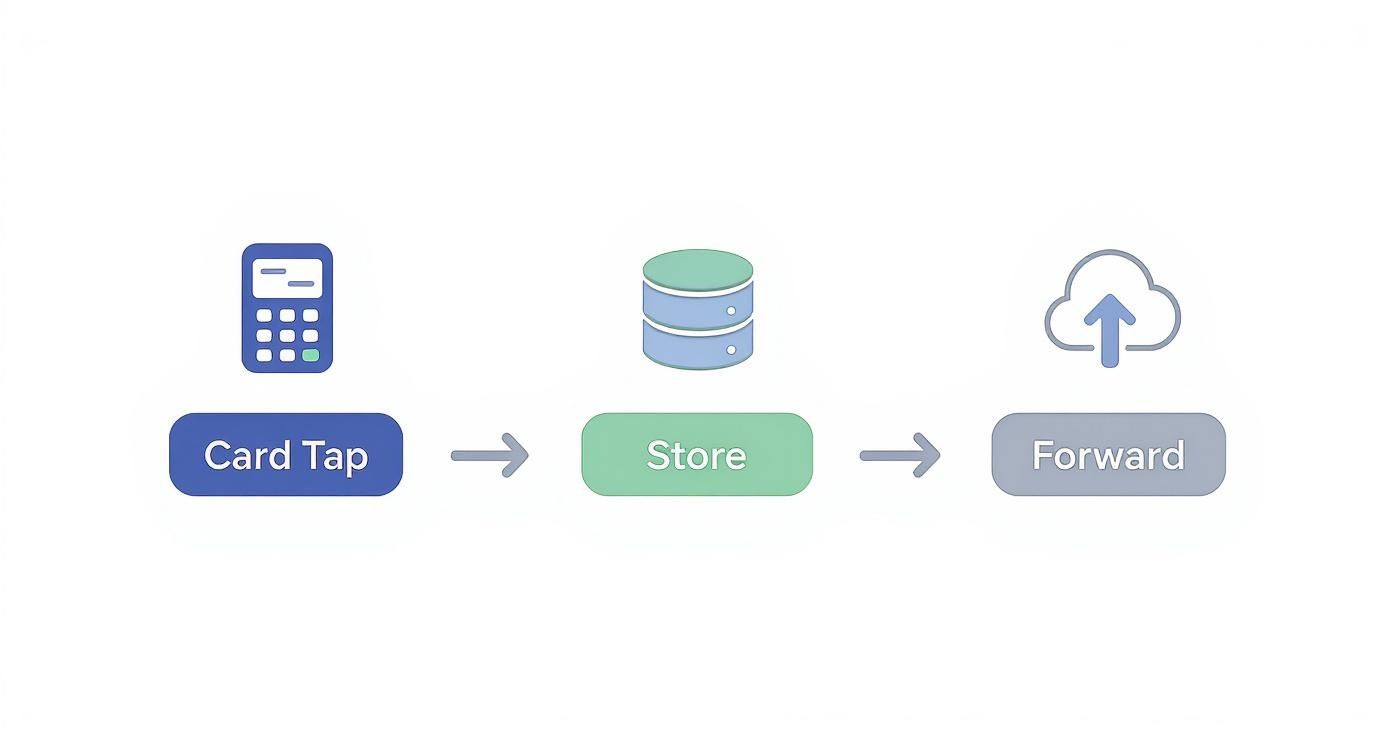
As you can see, it really just boils down to three simple actions: capture the payment data, hold it securely, and send it for approval when you can.
Both of these methods are crucial for modern commerce. Store-and-forward is the safety net for unexpected outages, while EMV offline authentication provides a reliable solution for businesses that operate in disconnected environments from the start. Each ensures that a spotty internet connection doesn't have to mean a lost sale.
The Journey of an Offline Payment
An offline credit card transaction doesn't move money in real-time. Think of it less like a direct wire transfer and more like collecting all your daily sales slips in a cash box to deposit at the bank the next morning. It's a two-part journey that lets you keep the line moving when your internet is down, but it intentionally creates a delay between making the sale and actually getting paid.
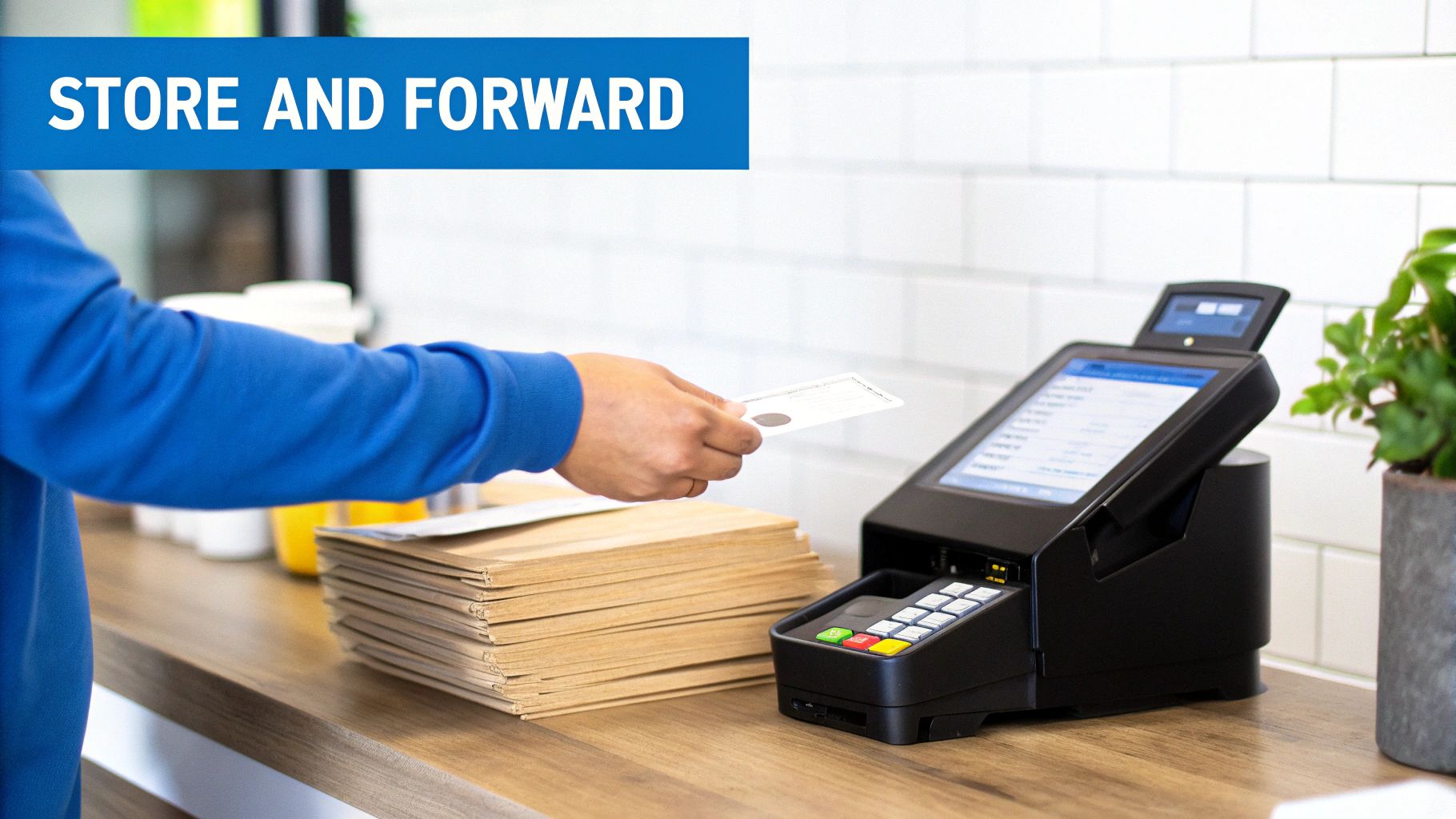
The whole thing kicks off the moment a customer taps, dips, or swipes their card. From there, the payment enters the first of its two distinct stages.
The Store Phase
First up is the "store" phase. This is where your point-of-sale (POS) terminal essentially becomes a secure digital vault. When you're in offline mode, the terminal grabs the customer's payment details, encrypts them, and stores the information locally right on the device. We're not talking about a simple text file here—it's a highly protected, unreadable packet of data.
This entire phase happens inside a bubble. No information is sent out, and no authorization request goes to the bank. The terminal just gives a provisional thumbs-up based on the offline rules you've programmed, letting the customer walk away with their goods. That transaction data then sits tight, waiting for you to get back online.
Think of your POS in offline mode as a trusted employee. It's collecting credit card slips throughout a busy shift, accepting payments in good faith. But the money hasn't actually been verified or deposited yet.
Once your system reconnects to the internet, it's time for part two of the journey.
The Forward Phase
The "forward" phase is when your POS finally gets to phone home. As soon as it detects a stable internet connection, it automatically sends the entire batch of stored transactions to your payment processor. From there, the processor acts like a switchboard, routing each individual transaction to the correct card networks (like Visa or Mastercard) and on to the customer's issuing bank for official approval.
This is the real moment of truth. Each payment is now treated just like a regular online transaction, and the bank runs its standard checks:
- Are there sufficient funds in the account?
- Is the card valid and active (i.e., not reported stolen, frozen, or expired)?
- Does the cardholder information match?
If the bank gives the green light, the funds are earmarked for transfer to you. But if it's declined, you get a notification long after the customer has left your store. This is the fundamental risk of offline transactions credit card processing. Unlike an online payment that gives you an immediate yes or no, you're left waiting for the whole batch to clear before you know for sure which sales went through and when you’ll see the money in your account.
Understanding Your Risks and Responsibilities
When you accept an offline credit card payment, you're essentially working on a trust basis. Without that live connection to the bank, your terminal can't instantly verify if the card is legitimate, has enough funds, or has been flagged as lost or stolen. This one simple change shifts the financial liability for that sale directly onto your shoulders, away from the card-issuing bank.
It’s a calculated risk, of course. The benefit is you can keep the line moving and make the sale. But it's crucial to understand that you're the one on the hook if something goes wrong.
This shift in responsibility is a big deal. If an offline transaction gets declined when you finally reconnect and send it for processing, that loss is yours to absorb. This is particularly painful with fraudulent payments and chargebacks, where you have far less ground to stand on because the sale wasn't authorized in real time.
Protecting Your Business and Your Customers
The moment your POS system stores card information—even just for a few hours—you become the guardian of that highly sensitive data. This automatically means you must comply with the Payment Card Industry Data Security Standard (PCI DSS). These aren't just suggestions; they are mandatory rules for any business that touches cardholder data.
Letting unencrypted card numbers sit on your system is a serious violation that can bring on hefty fines and penalties. It's a risk no business can afford.
Thankfully, modern POS systems are built to handle this challenge with powerful security features:
- End-to-End Encryption (E2EE): Think of this as an unbreakable code. The second a card is dipped, swiped, or tapped, the data is scrambled, making it completely useless to anyone who might try to intercept it.
- Tokenization: This is a clever substitution. The system replaces the customer's actual card number with a unique, randomly generated "token." This token can be safely stored and used for processing later without ever exposing the real, sensitive card details.
When you're processing payments offline, implementing robust security measures is non-negotiable. These technologies are your best defense, ensuring you can offer payment flexibility without putting your business or your customers at risk.
Risk Mitigation Checklist for Offline Transactions
To navigate the complexities of offline payments safely, it helps to have a clear plan. This checklist breaks down the essential steps to protect your business from fraud, chargebacks, and compliance penalties.
| Risk Area | Action Item | Why It's Important |
|---|---|---|
| Transaction Limits | Set a sensible per-transaction limit for offline payments in your POS. | Caps your potential loss on any single declined or fraudulent transaction. |
| Data Security | Confirm your POS uses E2EE and tokenization for stored transactions. | Prevents storing raw, unencrypted card data, which is a major PCI violation. |
| Staff Training | Train employees on offline procedures and how to identify suspicious behavior. | Your team is the first line of defense against potential fraudsters. |
| Reconciliation | Reconcile offline transactions daily as soon as your system is back online. | Quickly identifies any failed or declined payments, allowing for faster follow-up. |
| Hardware | Use modern, EMV-compliant payment terminals. | Chip cards offer superior offline security features compared to magnetic stripes. |
| Policy | Create a clear internal policy for when and how to use offline mode. | Ensures consistency and reduces the chance of procedural errors during an outage. |
Following these steps won't eliminate every risk, but it will dramatically reduce your exposure and give you the confidence to use offline mode when you truly need it.
The Growing Importance of Secure Offline Processing
The ability to process payments securely offline is becoming more critical every year. The global credit card payments market, valued at $677.63 billion recently, is expected to surge to $1.43 trillion as its growth compounds at 8.69% annually.
In regions like Europe, where merchants boast a 92% card acceptance rate, the ability to take offline payments isn't just a nice-to-have feature—it's a fundamental part of keeping the economy moving.
Ultimately, accepting offline payments is a trade-off. You get the benefit of operational continuity and can save sales during an outage, but you take on a higher degree of risk. By fully understanding your responsibilities and equipping your business with the right security tools, you can strike the right balance and manage that risk effectively.
Best Practices for Managing Offline Mode
So, how do you handle offline mode without taking on a ton of risk? It’s not just about flicking a switch when the Wi-Fi dies. It’s about having a game plan in place to protect your business and keep things running smoothly. A little bit of prep work—setting smart limits in your POS and training your team—can turn a potential disaster into a minor hiccup. The whole point is to keep ringing up sales without leaving your business financially exposed.
Your first and best line of defense is to set clear boundaries within your POS system before you ever need them. Let's be real: every offline transaction is a small gamble. You need to decide how much risk you’re comfortable with. Thankfully, modern systems like Biyo POS give you the controls to tailor these settings.
Think of it as setting the house rules. Your main goal is to limit any potential losses from cards that get declined later.
- Maximum Transaction Amount: This is a hard cap on how much a single offline sale can be. If you run a coffee shop, maybe that’s $50. A clothing boutique might feel comfortable with $150. The idea is to prevent someone from walking out with a high-ticket item on a card that might not go through.
- Total Floor Limit: This is your overall safety net. It’s the grand total of all offline sales you’ll accept before the system puts a stop to it. Once you hit that number, the POS won't take any more offline payments until you're back online and the pending transactions have been processed.
These two settings work together as an automated financial backstop. They ensure that a long outage doesn't snowball into a significant financial loss.
Empowering Your Team Through Training
Your POS settings are only half the battle. Your staff are the ones on the ground, and how they handle an outage is just as critical. When the internet goes down, you need your team to be confident, not panicked. They’re the key to keeping the checkout line moving and customers happy.
A well-trained employee knows the drill. They can explain the situation clearly to customers—"Our system is temporarily offline, but we can still securely process your credit card"—so there are no surprises. They should also know the store's specific rules, like only accepting credit cards (not debit, since those require a PIN) and being aware of that per-transaction limit you set.
Your staff is the frontline during an outage. Proper training transforms them from reactive employees into proactive problem-solvers who can protect your business and keep customers happy, even when systems are down.
Reconciling and Closing Out Sales
Once your internet connection is back, it's time for the final, critical step: reconciliation. This is where you find out which of those offline transactions were actually approved by the customer's bank. As soon as you're online, your POS will automatically send the stored batch of payments for authorization.
The moment that batch goes through, run a reconciliation report. This report is your source of truth and should break things down clearly:
- Successful Transactions: These are the payments that got the green light and are on their way to your bank account.
- Declined Transactions: These are the ones that were rejected.
For every declined transaction, you now have a problem to solve. Getting that money back is tough since the customer is long gone. But having a quick, clear reconciliation process lets you account for the loss right away. In some cases, you might be able to contact the customer for another form of payment. This last check closes the loop and is the final piece of managing offline transactions credit card processing responsibly.
Common Questions About Offline Transactions
Diving into offline payments can feel a little like navigating uncharted territory. As a business owner, you need to be ready for anything, from what to do when a card is declined after a customer leaves, to just how long your terminal can hold onto those sales. Let's clear up some of the most common questions so you can handle offline credit card processing like a pro.
What Happens if a Card Is Declined Later?
This is the big one—the primary risk you take when accepting offline payments. When your system comes back online and finally sends the transaction through, the customer's bank might reject it. Even though your terminal gave it a temporary green light, the final say comes from the bank.
By then, the customer is long gone with their purchase. Unfortunately, that means you're left with the loss. Your only option is to try and get in touch with the customer to ask for a different form of payment, which, as you can imagine, is rarely successful.
This exact scenario is why setting a sensible per-transaction limit for offline mode is so critical. Think of it as your financial safety net. A lower limit caps your potential loss on any single declined card, protecting your business from a major hit.
Can Debit Cards Be Used Offline?
Generally, you should steer clear of accepting debit cards for offline transactions. Most debit purchases need a PIN, and that PIN has to be verified with the customer’s bank in real-time to confirm the funds are actually there.
Some debit cards have a Visa or Mastercard logo and can technically be run as credit, but this is a gamble. The odds of these transactions being declined later are much higher. To keep things simple and avoid lost revenue, the safest bet is to only accept credit cards when your system is offline.
How Long Can a Terminal Store Transactions?
Most POS systems can store transactions for somewhere between 24 and 72 hours, depending on how it's set up and your processor's rules. But you really don't want to wait that long.
Card networks like Visa and Mastercard have rules about submitting transactions promptly. Getting them in quickly reduces fraud risk and helps you lock in the best processing rates. Holding onto a batch of transactions for too long can result in higher fees or even leave you more vulnerable to chargebacks. The best practice is simple: get that batch sent the moment your internet is back.
Is It Safe for a Customer?
Absolutely. From the customer's perspective, an offline transaction is very secure, as long as the merchant is following standard PCI compliance rules. Modern POS systems are built with security at their very core.
They rely on powerful tools to keep data safe:
- End-to-end encryption immediately scrambles card information as soon as it's swiped, dipped, or tapped.
- Tokenization swaps the real card number for a unique, single-use token that's useless to fraudsters.
This encrypted data is stored securely on the terminal, making it completely unreadable to anyone. In an offline transaction, the financial risk really falls on the merchant, not the customer.
Ready to manage offline payments with confidence? Biyo POS offers a secure, reliable offline mode with customizable limits to protect your business during any outage. Get started with a free 14-day trial and see how easy it is to keep your sales flowing, no matter what.