Inventory management sits at the heart of every successful retail store, restaurant, or service business. If you cannot accurately track what you sell, what you have in stock, and what you need to reorder, it becomes nearly impossible to maintain profitability and consistent customer satisfaction. Many businesses still rely on manual counts, spreadsheets, and intuition to manage inventory. While those methods might work for very small operations, they quickly become inefficient and error-prone as a business grows.
This is where modern POS system inventory tracking transforms the way businesses operate. A point-of-sale system connected directly to your inventory database allows every transaction to automatically update stock levels in real time. Instead of manually reconciling sales and inventory at the end of the day—or worse, at the end of the week—business owners gain a live, constantly updated snapshot of their product availability.
Think of a modern POS system’s inventory tracking as the central nervous system for your business. It connects every sale directly to your stock levels, updating them instantly. This isn’t just a minor upgrade; it’s a fundamental shift from risky guesswork to a smart, data-driven process. It essentially creates a live, self-updating shopping list for your entire operation.
For any business trying to grow, moving from manual counts to automated control is no longer optional—it’s essential for survival. Research from retail analytics firms consistently shows that businesses using automated inventory systems reduce stockouts by more than 30% while improving order accuracy and operational efficiency. With global retail competition increasing and customer expectations rising, accurate inventory tracking has become one of the most powerful tools a business can use to stay competitive.
Table of Contents
- From Guesswork to Growth: The Real Impact of Smart Inventory Tracking
- From Barcode Scan to Business Insight: How It All Works
- What to Look For in a POS Inventory System
- How to Adapt Your POS Inventory Strategy for Your Business
- A Practical Guide to Setting Up Your System
- Using Inventory Data to Make Smarter Decisions
- How Biyo Helps Businesses Master POS Inventory Tracking
- Frequently Asked Questions
From Guesswork to Growth: The Real Impact of Smart Inventory Tracking
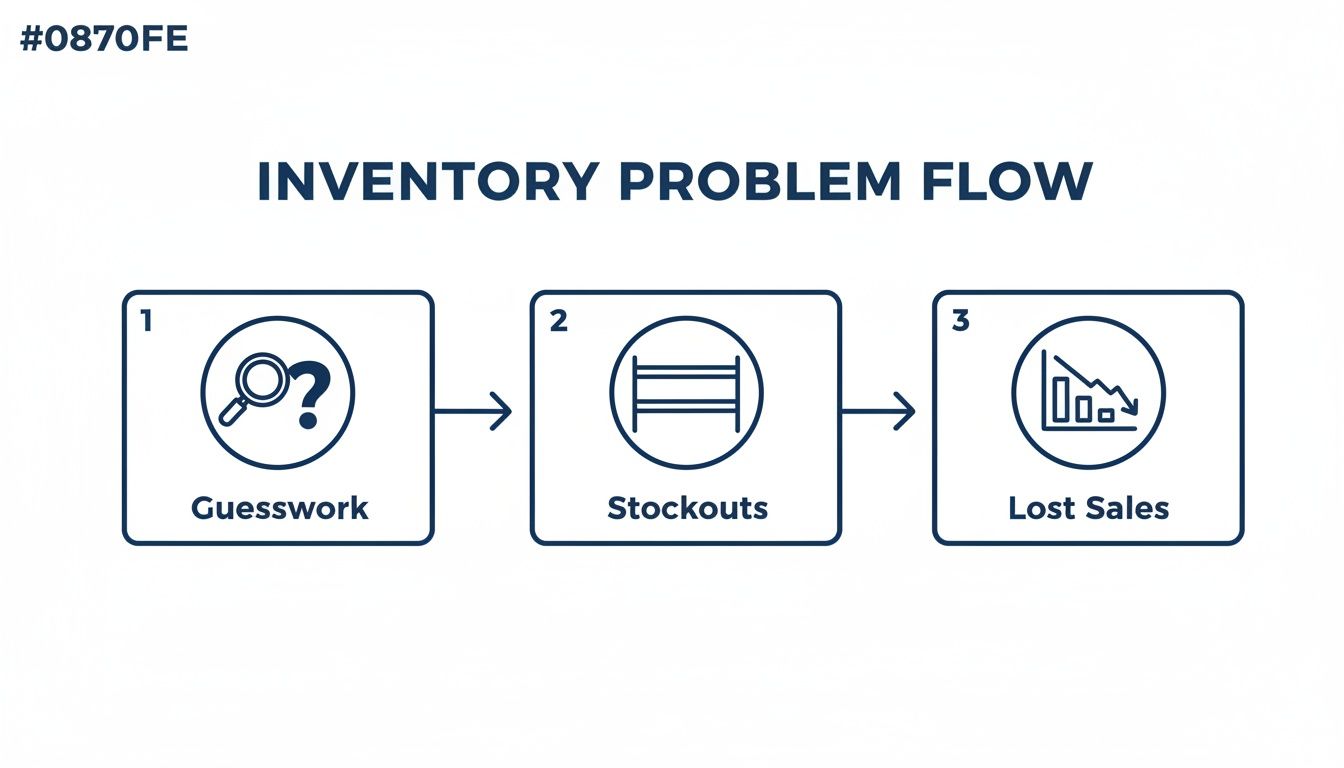
For too long, business owners have relied on clipboards, messy spreadsheets, and sheer gut instinct to manage their stock. This old-school approach isn’t just slow; it’s a minefield of costly mistakes. Staring at shelves, trying to guess what to reorder, creates a vicious cycle of uncertainty that eats directly into your bottom line. The fallout is real, and it shows up as lost sales and wasted money.
Without an automated system, you’re constantly fighting two battles: stockouts and overstocking. Running out of a popular item means an immediate loss of revenue. Worse, it creates a frustrated customer who might just take their business elsewhere. On the other hand, overstocking ties up your cash in products that are just sitting there, collecting dust, taking up precious space, and risking spoilage or becoming obsolete.
Industry research highlights just how serious these challenges can be. According to IHL Group retail studies, inventory distortion—which includes stockouts and overstocks—costs retailers more than $1.8 trillion globally each year. Much of that loss occurs because businesses lack accurate, real-time visibility into their inventory levels.
Think of it this way: manual inventory is like trying to navigate a busy city with a crumpled paper map. A POS system with inventory tracking is like using a real-time GPS. One relies on outdated information and a lot of hope, while the other gives you live data to make the smartest turn at every corner.
The Hidden Costs of Poor Inventory Management
The financial drain from bad inventory control is more than just a surface-level problem. It creates a domino effect that can ripple through your entire operation. You’re likely losing money from areas you haven’t even considered:
- Lost Sales: When a customer asks for an item and you don’t have it, that sale is gone for good. Studies consistently show this is a huge driver of customer dissatisfaction.
- Excess Carrying Costs: Every overstocked item on your shelf comes with hidden fees—storage, insurance, and the risk of damage or theft. That’s cash that could be reinvested in growing your business.
- Wasted Labor: Manually counting inventory is a tedious, time-sucking task that pulls your team away from what they should be doing: helping customers and generating revenue.
- Spoilage and Waste: For any business with perishable goods, like a restaurant or a café, overstocking is a direct path to throwing profits in the trash.
Manual vs POS-Powered Inventory Tracking
See the stark differences between relying on spreadsheets and embracing the efficiency of an integrated POS system for inventory management.
| Feature | Manual Tracking (Spreadsheets) | POS System Inventory Tracking |
|---|---|---|
| Data Updates | Manual entry, prone to delays and errors. | Real-time, automatic updates with every sale. |
| Accuracy | Low. Highly susceptible to human error. | High. System-driven for precise counts. |
| Time Investment | Extremely time-consuming. | Minimal. Frees up staff for other tasks. |
| Reporting | Basic and difficult to generate. | Automated, in-depth reports on demand. |
| Decision Making | Based on old data and gut feelings. | Data-driven insights for strategic buying. |
| Stockout Risk | High. Easy to miss low-stock warnings. | Low. Automatic alerts for reorder points. |
The Shift to Automated Precision
This is where a modern POS system inventory tracking solution completely changes the game. By tying sales data directly to your stock levels, it vaporizes the manual effort and guesswork. Every time an item is sold, the system instantly adjusts the count. This gives you a crystal-clear, accurate, and up-to-the-minute picture of what you have, what’s selling, and what you need to order.
The results are powerful. Retailers who adopted integrated, real-time POS systems saw a 37% reduction in stockouts and a major boost in customer satisfaction. You can explore more on how these integrations boost business outcomes.
This transition is about more than just being efficient; it’s about operating with confidence. It gives you the power to make purchasing decisions based on hard data, not hunches. You can finally stop staring at your shelves with anxiety and start making strategic moves that grow your profits and create an experience that keeps customers coming back.
From Barcode Scan to Business Insight: How It All Works
Ever wonder what actually happens in that split second after the cashier scans an item? It feels like magic, but it’s a beautifully simple process that turns a quick scan into powerful business intelligence. This is the core of POS inventory tracking, and it’s what gives you real control over your business.
Think of it as a perfect digital ledger. Every time you make a sale, process a return, or get a new shipment, the system instantly records the change. There’s no manual data entry, which means no more of those tiny human errors that always seem to creep into spreadsheets.
This constant flow of information is what really separates a modern POS from an old-school cash register. Getting a handle on this process is the key to unlocking its full potential. For a bigger picture on how these systems operate, check out our guide on how a POS system works.
Giving Every Item a Digital Fingerprint
The whole tracking system kicks off long before a customer even thinks about buying something. It starts the moment you give every single product its own unique identity—its digital fingerprint. We call this a Stock Keeping Unit, or SKU.
An SKU isn’t just a random number. It’s a hyper-specific code for each product variation. For instance, a t-shirt in your shop wouldn’t have just one SKU. The “Blue, Size Large” version gets one SKU, while the “Red, Size Small” gets a completely different one.
This level of detail is absolutely essential. It’s what allows your POS to know you didn’t just sell a t-shirt; you sold the exact blue, large one that’s now gone from the shelf.
The Barcode Scan: Capturing Data in an Instant
The most familiar part of this whole dance happens right at the checkout counter. The moment a barcode is scanned, your POS system uses that unique SKU to pull up the product’s entire file—price, description, current stock level, everything.
As soon as the sale is finalized, the system gets to work. It immediately subtracts the purchased items from your inventory count in real time. If a customer buys two of those blue, large t-shirts, the stock count for that specific SKU instantly drops by two.
This real-time update is the foundation of accurate inventory management. It guarantees that the numbers you see on your screen actually match what’s sitting in your stockroom.
Your POS system essentially translates every beep of the scanner into a perfect, automatic entry in your inventory log. It’s like a live conversation between your sales floor and your stockroom, making sure they’re always in sync.
What to Look For in a POS Inventory System
Not all POS system inventory tracking solutions are created equal. A basic system might just count what you sell, but a truly powerful one becomes the nerve center for your entire operation.
Picking a system with the right features is the difference between simply logging sales and actively steering your business toward growth.
The main job is to bring clarity. For instance, getting an accurate inventory count is a massive global headache. Across retail, self-reported accuracy often sits around a shaky 70%. That means without a modern, integrated system, roughly three out of every ten item records are just plain wrong.
It’s no surprise that 74% of businesses now rely on POS data to make smarter inventory decisions and improve operational efficiency.
Multi-Location Management
If you run more than one shop, keeping track of stock across different locations can quickly turn into a logistical nightmare.
That’s where multi-location management comes in. It allows businesses to monitor and control inventory across multiple stores, warehouses, or distribution centers from a single dashboard.
Automated Low-Stock Alerts and Purchase Orders
Running out of a popular item is one of the most frustrating—and avoidable—ways to lose a sale.
Automated low-stock alerts notify managers when product quantities fall below predefined thresholds. This ensures replenishment happens before customers ever encounter an empty shelf.
Specialized Tracking for Your Industry
Different industries require different inventory tracking capabilities. Restaurants require ingredient-level tracking, retailers need product variant management, and service businesses require tracking of consumable products used during services.
Offline Mode and Robust Reporting
Reliable POS systems include offline capabilities so businesses can continue processing transactions even when internet connectivity drops.
In addition, built-in reporting dashboards provide powerful insights into sales performance, product profitability, and purchasing trends.
How to Adapt Your POS Inventory Strategy for Your Business
A great POS inventory system isn’t a magical, one-size-fits-all solution. Its real power comes alive when you fine-tune your approach to fit your specific industry.
For Retail: Riding the Waves of Demand
Retailers must constantly adjust inventory based on consumer demand patterns, seasonal trends, and product life cycles.
POS analytics allows retailers to identify bestselling products, forecast seasonal demand, and reduce slow-moving inventory.
For Restaurants: Winning the War on Waste
Food businesses face unique challenges because inventory is perishable. Ingredient-level tracking allows restaurant owners to monitor consumption, reduce waste, and control food costs.
For Service Businesses: Blending Products with Appointments
Service businesses like salons and repair shops combine service revenue with retail product sales. POS systems help track both simultaneously while calculating the true cost of services.
A Practical Guide to Setting Up Your System
Rolling out a new POS system inventory tracking solution requires careful setup to ensure long-term accuracy.
Migrating Your Product Data
Most POS platforms allow businesses to upload product catalogs using spreadsheet imports. This simplifies migration from legacy systems.
The Crucial First Stock Count
A complete physical inventory count must be conducted to establish accurate baseline stock levels.
Configuring Your System for Success
Businesses should configure product categories, reorder points, supplier data, and user permissions to optimize system performance.
Empowering Your Team Through Training
Proper staff training ensures employees follow correct procedures when processing transactions, receiving shipments, and handling returns.
Using Inventory Data to Make Smarter Decisions
One of the biggest advantages of modern POS systems is the ability to transform transaction data into actionable business intelligence.
Uncovering Insights with Key Reports
Sales velocity reports and inventory turnover metrics reveal which products perform best and which ones require promotional strategies.
From Data to Demand Forecasting
Historical sales data helps businesses forecast demand for future seasons, holidays, and promotional periods.
Turning Insights into Action
When inventory data is used strategically, businesses can optimize purchasing decisions, reduce storage costs, and maximize product profitability.
How Biyo Helps Businesses Master POS Inventory Tracking
Implementing an advanced POS system is one of the most effective ways to modernize inventory management and eliminate costly inefficiencies. Biyo POS provides businesses with powerful inventory tools designed to simplify operations and improve decision-making.
With real-time inventory tracking, automated reorder alerts, and multi-location inventory management, Biyo helps businesses maintain accurate stock levels and reduce costly stockouts. Businesses can also access powerful analytics dashboards that transform raw transaction data into clear insights about sales trends, product performance, and purchasing patterns.
Companies looking to improve operational efficiency can schedule a consultation with the Biyo team to learn how the platform supports smarter inventory management. Businesses ready to upgrade their point-of-sale capabilities can also create a Biyo account and start optimizing inventory operations in just a few minutes.
By combining powerful POS functionality with intelligent inventory management tools, Biyo enables businesses to operate with greater confidence, efficiency, and scalability.
Frequently Asked Questions
What is POS inventory tracking?
POS inventory tracking is a system that automatically updates product quantities whenever a sale, return, or stock adjustment occurs. This real-time tracking allows businesses to maintain accurate inventory records without manual counting.
Why is inventory management important for retail businesses?
Inventory management ensures businesses always have the right products available for customers while minimizing excess stock. Effective management improves cash flow, reduces waste, and increases overall profitability.
Can POS systems manage inventory across multiple locations?
Yes. Many modern POS systems allow businesses to track inventory across multiple stores, warehouses, and online channels from a single centralized dashboard.
How does a POS system prevent stockouts?
POS systems use automated low-stock alerts and reorder thresholds. When product quantities fall below predefined levels, the system notifies managers so they can reorder inventory before it runs out.
What industries benefit most from POS inventory tracking?
Retail stores, restaurants, grocery stores, salons, pharmacies, and service businesses all benefit from POS inventory tracking because it improves operational efficiency and reduces costly inventory mistakes.
Is POS inventory tracking suitable for small businesses?
Absolutely. Small businesses benefit greatly from automated inventory systems because they eliminate manual tracking tasks and provide valuable insights into sales trends and product demand.
How accurate are modern POS inventory systems?
When properly configured and maintained, POS inventory systems can achieve accuracy levels above 95%. This significantly reduces inventory discrepancies and improves operational decision-making.