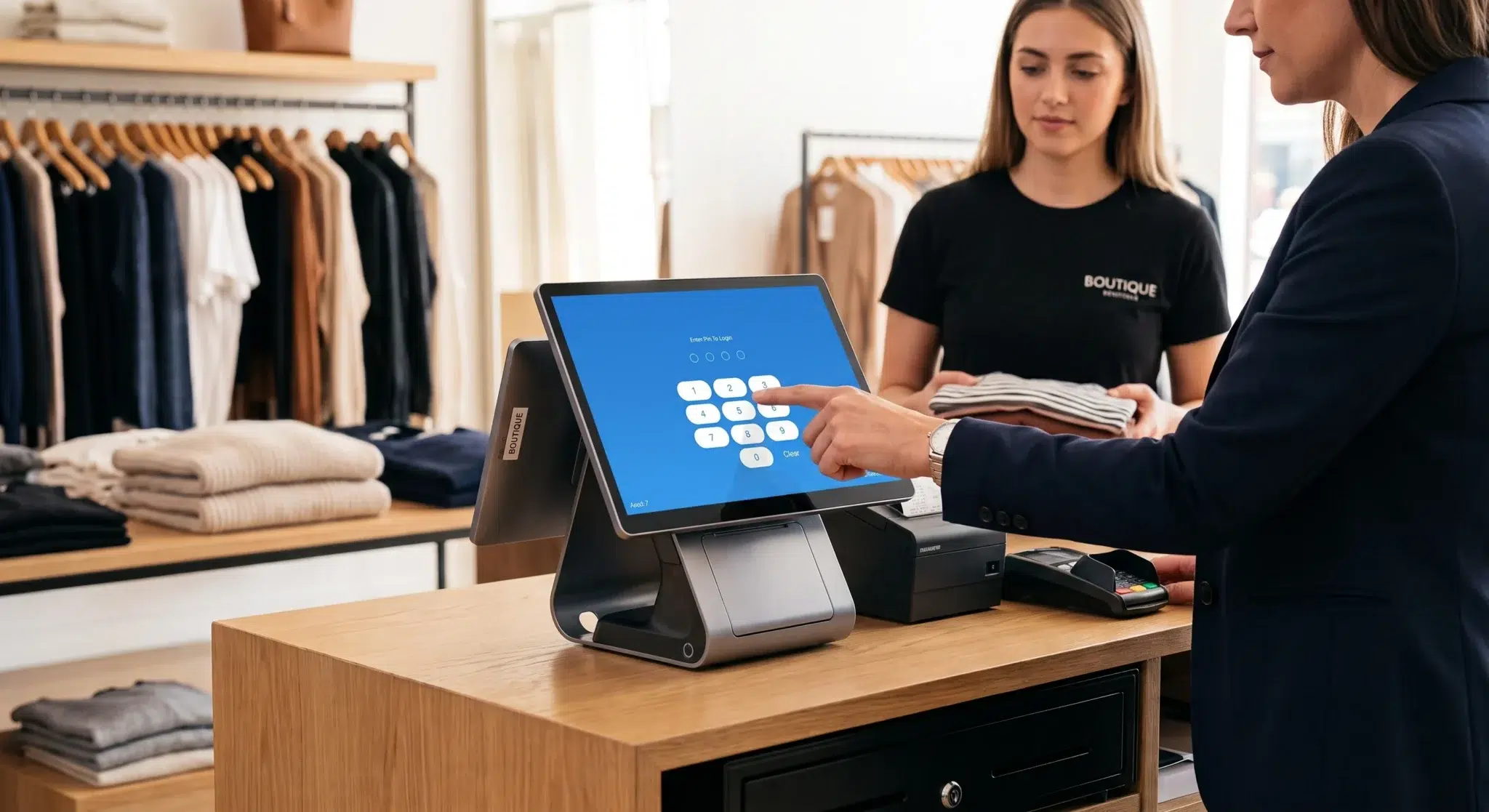
So, what exactly is a payment processor? A payment processor is the financial technology infrastructure responsible for securely moving money from a customer’s payment method to a business bank account. Every time someone taps a credit card, inserts a chip card, scans a mobile wallet, or completes an online checkout, a payment processor works behind the scenes to verify, authorize, encrypt, route, and settle the transaction between multiple financial institutions.
Without payment processors, modern commerce would struggle to function efficiently. Businesses today rely heavily on electronic payments because consumers increasingly prefer cards, contactless transactions, digital wallets, and online shopping over traditional cash payments. Whether operating a restaurant, retail store, e-commerce platform, salon, hotel, or service business, companies depend on payment processors to accept and manage digital transactions securely.
According to global payment industry reports, electronic transactions now account for the majority of consumer spending in many developed markets. Contactless payments, mobile wallets, and online purchases continue growing rapidly every year, making payment processors one of the most important components of global financial infrastructure.
For business owners, understanding how payment processors work is critical because they directly affect transaction speed, operational efficiency, security, customer experience, and processing costs. The right processor can improve checkout speed, reduce fraud risk, simplify accounting, and support business growth. The wrong provider can create unnecessary fees, technical problems, and operational limitations.
This guide explains how payment processors work, what role they play in transactions, how they differ from gateways and merchant accounts, what fees businesses should expect, and how companies can choose the right processing solution for long-term success.
Table of Contents
- Understanding the Role of a Payment Processor
- How a Payment Transaction Works
- Payment Processor vs Gateway vs Merchant Account
- Payment Processor Fees and Pricing Models
- How to Choose the Right Payment Processor
- Security and Compliance in Payment Processing
- Why Payment Processors Matter for Businesses
- The Future of Payment Processing Technology
- How Biyo Supports Businesses with Payment Processing
- FAQ
Understanding the Role of a Payment Processor
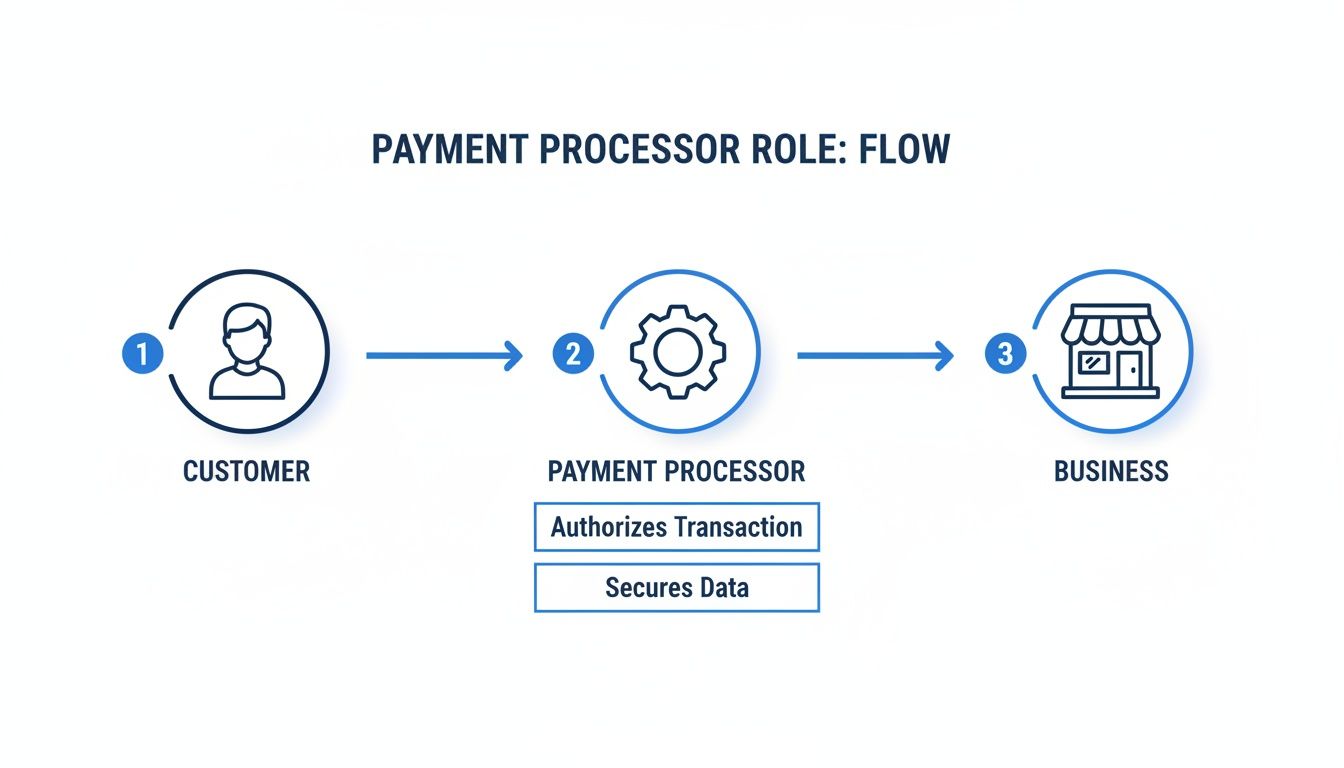
A payment processor acts as the communication bridge connecting merchants, customers, banks, and card networks. Every electronic transaction moves through this infrastructure before funds can successfully transfer from a customer’s account to the merchant receiving payment.
When a customer pays using a debit card, credit card, contactless payment, or digital wallet, the payment processor securely transmits the transaction request between multiple financial systems. The processor communicates with the card network and the customer’s bank to determine whether the payment should be approved or declined.
This process happens within seconds, but it involves several systems working together simultaneously. The processor verifies card validity, checks available funds or credit limits, screens transactions for fraud indicators, encrypts sensitive payment data, and routes information securely across financial networks.
If the transaction meets all security and financial requirements, the processor approves the payment and initiates the transfer of funds to the merchant. If issues arise, such as insufficient funds or suspected fraud, the transaction may be declined automatically.
The Core Function of a Processor
The two primary responsibilities of a payment processor are authorization and settlement. Authorization confirms whether the transaction is valid and whether sufficient funds or credit are available. Settlement ensures the approved funds are ultimately transferred from the customer’s bank account to the merchant’s account.
Authorization begins immediately after a customer submits payment information. The processor sends the transaction request through the appropriate card network, such as Visa, Mastercard, or American Express. The issuing bank evaluates the request and either approves or declines the transaction.
Once approved, settlement occurs later through batch processing systems. During settlement, approved transactions are grouped together and processed between financial institutions. This allows payment processors to efficiently manage millions of daily transactions worldwide.
Key Responsibilities Within the Payment Ecosystem
Modern payment processors perform several critical functions beyond simply moving money between accounts. One of their most important responsibilities is encryption and data security. Payment processors handle highly sensitive financial information, meaning they must maintain strict compliance with industry security standards.
Processors also help detect fraud using machine learning systems and behavioral analysis tools. These systems monitor unusual transaction patterns, suspicious geographic activity, rapid spending changes, and other indicators that may suggest unauthorized payment activity.
Additionally, processors maintain communication between businesses and financial institutions while supporting multiple payment methods including chip cards, magnetic stripe cards, contactless payments, QR code payments, online transactions, recurring subscriptions, and mobile wallets.
How a Payment Transaction Works
Although customers experience payment approvals almost instantly, a surprisingly complex series of events occurs behind the scenes during every electronic transaction.
Each purchase triggers communications between the merchant’s POS system, payment gateway, processor, card network, issuing bank, and acquiring bank before the payment is finalized.
Authorization: Verifying the Transaction
The authorization stage begins when a customer presents payment information through a physical card, online checkout form, or digital wallet. The business’s POS system or e-commerce platform captures the payment details and sends them securely to the payment gateway.
The payment gateway encrypts the data to protect sensitive information before forwarding it to the payment processor. The processor then routes the transaction request through the correct card network.
The card network communicates with the issuing bank, which checks several factors before approving the payment. These checks include card validity, available funds or credit, fraud detection signals, and account status.
If the bank determines the transaction is legitimate and sufficient funds are available, it sends an approval message back through the network to the payment processor and ultimately to the merchant’s system. The customer then sees a successful payment confirmation.
This entire process usually takes only a few seconds despite involving multiple financial systems and security checks.
Clearing and Settlement: Transferring the Funds
After authorization, the transaction enters the clearing and settlement stages. Clearing involves organizing approved transactions into batches that processors submit to card networks and banks for financial reconciliation.
Settlement occurs when the issuing bank transfers the payment amount to the acquiring bank that supports the merchant. The acquiring bank then deposits the funds into the merchant account before transferring them into the business’s operating account.
Settlement timelines vary depending on the processor, industry risk level, bank relationships, and transaction type. Most businesses receive funds within one to three business days, although some processors offer same-day or instant funding options.
Why Processing Speed Matters
Faster settlement improves business cash flow and operational stability. Restaurants, retailers, and service businesses often rely on quick access to funds for payroll, inventory purchases, supplier payments, and daily expenses.
Processors with delayed funding schedules can create operational pressure, especially for small businesses with tight cash flow management requirements.
Payment Processor vs Gateway vs Merchant Account
Many businesses confuse payment processors, payment gateways, and merchant accounts because these systems work together closely during transactions. However, each component serves a different purpose within the payment ecosystem.
What Is a Payment Gateway?
A payment gateway is the technology responsible for capturing and encrypting payment information at the point of sale or online checkout page. It acts as the digital entry point where payment data first enters the transaction system.
For example, when customers enter card information on an e-commerce website, the payment gateway encrypts the data before transmitting it securely to the payment processor.
The gateway also communicates approval or decline responses back to the merchant’s checkout system, allowing customers to complete purchases smoothly.
What Is a Merchant Account?
A merchant account is a specialized business bank account designed specifically for temporarily holding card transaction funds before they transfer into the business’s primary operating account.
When settlements occur, approved payments first move into the merchant account. From there, funds are transferred into the merchant’s standard business bank account after reconciliation and verification processes are complete.
This structure helps processors and acquiring banks manage chargebacks, refunds, settlement timing, and transaction risk more effectively.
How These Systems Work Together
During a transaction, the gateway captures payment information, the processor routes and authorizes the transaction, and the merchant account temporarily stores funds during settlement.
Modern payment service providers often bundle all three services together into unified platforms, simplifying setup and operational management for businesses.
Payment Processor Fees and Pricing Models
Payment processors charge fees because they facilitate transactions, maintain infrastructure, support security systems, and manage financial risk. Understanding processing fees is essential for accurately evaluating providers and forecasting operational expenses.
Interchange-Plus Pricing
Interchange-plus pricing is considered one of the most transparent pricing models available. In this structure, businesses pay the interchange fee set by the card network plus a processor markup.
Interchange fees vary depending on card type, transaction method, industry category, and processing risk. The processor’s markup is added separately, allowing merchants to clearly understand pricing structure and transaction costs.
This model is often preferred by larger businesses because it provides transparency and may reduce costs at higher transaction volumes.
Flat-Rate Pricing
Flat-rate pricing charges businesses a fixed percentage and per-transaction fee regardless of card type. This structure simplifies billing because merchants always know exactly what percentage applies to each transaction.
Many small businesses prefer flat-rate pricing because it is easy to understand and does not require analyzing interchange categories.
However, flat-rate pricing may become more expensive for businesses processing high transaction volumes or larger average ticket sizes.
Additional Fees Businesses Should Understand
Beyond transaction fees, processors may charge monthly service fees, PCI compliance fees, statement fees, gateway fees, chargeback fees, early termination penalties, or equipment costs.
Some providers also include hidden fees within contracts, making transparency extremely important when evaluating payment processors.
Businesses should carefully review merchant agreements and request complete fee breakdowns before selecting a provider.
How to Choose the Right Payment Processor
Selecting the right payment processor is an important business decision because it affects operational efficiency, customer experience, processing costs, and long-term scalability.
Evaluate Pricing Transparency
Transparent pricing is one of the most important factors when comparing processors. Businesses should understand transaction fees, monthly costs, hardware expenses, PCI compliance charges, and any contract penalties before signing agreements.
Transparent pricing structures help businesses forecast operational expenses more accurately while reducing the risk of unexpected charges.
Consider Integration Capabilities
Payment processors should integrate seamlessly with POS systems, accounting software, e-commerce platforms, inventory systems, and customer management tools.
Integrated payment environments improve operational efficiency by automating reporting, simplifying reconciliation, and reducing manual data entry.
Businesses using disconnected systems often experience accounting inconsistencies, operational inefficiencies, and reporting errors.
Review Security Standards
Because processors handle sensitive financial information, businesses should prioritize providers with strong security infrastructure and PCI DSS compliance support.
Encryption, tokenization, fraud monitoring, and secure authentication protocols are critical features for protecting customer data and reducing fraud risk.
Think About Scalability
Businesses should also evaluate whether processors can support future growth. Multi-location support, e-commerce compatibility, recurring billing, mobile payments, and advanced reporting become increasingly important as businesses expand.
Choosing scalable payment infrastructure helps businesses avoid costly migrations later.
Security and Compliance in Payment Processing
Security is one of the most important aspects of payment processing because processors handle highly sensitive financial information daily.
Cybersecurity threats, data breaches, and fraud attempts continue increasing globally, making strong payment security infrastructure essential for both businesses and consumers.
PCI DSS Compliance
The Payment Card Industry Data Security Standard (PCI DSS) is a global security framework designed to protect cardholder data during payment transactions.
Businesses accepting card payments must follow PCI compliance standards to reduce the risk of data breaches and maintain secure payment environments.
Payment processors help merchants meet these requirements through encryption, secure infrastructure, tokenization, and fraud prevention systems.
Fraud Detection and Prevention
Modern processors use advanced fraud detection systems powered by artificial intelligence, machine learning, and behavioral analysis.
These systems monitor transaction activity in real time to identify suspicious behavior patterns such as unusual spending locations, rapid purchases, account inconsistencies, or abnormal transaction volumes.
Fraud prevention tools help protect both businesses and consumers while reducing financial losses associated with unauthorized transactions.
Why Payment Processors Matter for Businesses
Payment processors directly influence operational efficiency, customer satisfaction, and financial stability. Businesses relying on outdated or unreliable payment systems often experience transaction delays, technical issues, poor reporting visibility, and frustrated customers.
Modern processors improve customer experiences by supporting multiple payment methods including chip cards, tap-to-pay systems, mobile wallets, online payments, and recurring billing.
Faster payment processing additionally improves checkout speed and reduces wait times, which is especially important for restaurants, retail stores, and high-volume businesses.
Integrated payment reporting also helps businesses track sales trends, reconcile finances more accurately, and simplify accounting processes.
For growing companies, reliable payment infrastructure becomes increasingly important because transaction volume, operational complexity, and customer expectations continue expanding over time.
The Future of Payment Processing Technology
The payment industry continues evolving rapidly as digital technology reshapes consumer behavior and financial infrastructure.
Digital wallets such as Apple Pay and Google Pay continue growing because customers increasingly prefer contactless and mobile-first payment experiences.
Biometric authentication technologies including facial recognition and fingerprint verification are also becoming more common in payment environments because they improve both security and convenience.
Artificial intelligence is transforming fraud detection, transaction routing, customer analytics, and payment automation. Future payment processors will likely rely even more heavily on predictive analytics and machine learning systems.
Cryptocurrency payments and blockchain-based settlement systems also continue developing, although mainstream adoption remains gradual in many industries.
As technology evolves, payment processors will continue adapting to support faster, safer, and more flexible transaction experiences for businesses and consumers worldwide.
How Biyo Supports Businesses with Payment Processing
Managing payments efficiently is essential for modern businesses, especially in industries where speed, reliability, and operational visibility directly affect customer experiences.
Biyo POS provides businesses with a centralized platform that combines payment processing with inventory management, reporting, customer tracking, and operational analytics.
By integrating payment functionality directly into the POS environment, businesses can simplify transactions while maintaining better visibility into sales performance and daily operations.
The platform helps restaurants, retail businesses, and service companies streamline checkout experiences, reduce operational complexity, and improve efficiency through integrated business management tools.
Businesses interested in learning more about the platform can explore its features through the Schedule Call option.
Companies ready to modernize their payment and operational systems can also create an account through the Signup page.
FAQ
What is the primary role of a payment processor?
A payment processor securely facilitates electronic transactions between businesses, customers, banks, and card networks by authorizing payments and managing fund transfers.
How long does payment settlement usually take?
Most payment processors settle funds within one to three business days, although some providers offer same-day or instant settlement options.
Do online businesses require payment processors?
Yes. E-commerce businesses rely on payment processors to securely accept online card payments, digital wallets, and other electronic transaction methods.
What is the difference between a payment gateway and a payment processor?
A payment gateway captures and encrypts payment information, while the payment processor routes transactions between banks and financial networks for authorization and settlement.
Can businesses switch payment processors?
Yes. Businesses can change processors if they want better pricing, improved technology, or stronger customer support, although contract terms should always be reviewed carefully beforehand.
Why is PCI compliance important in payment processing?
PCI compliance helps protect cardholder data through security standards designed to reduce fraud risk and prevent data breaches during electronic transactions.
What industries depend heavily on payment processors?
Retail stores, restaurants, healthcare providers, hotels, e-commerce businesses, transportation companies, and service providers all rely heavily on payment processors to accept electronic payments securely.
How do processors help prevent fraud?
Modern processors use encryption, tokenization, artificial intelligence, behavioral analysis, and real-time fraud monitoring systems to identify suspicious transactions and reduce unauthorized payment activity.