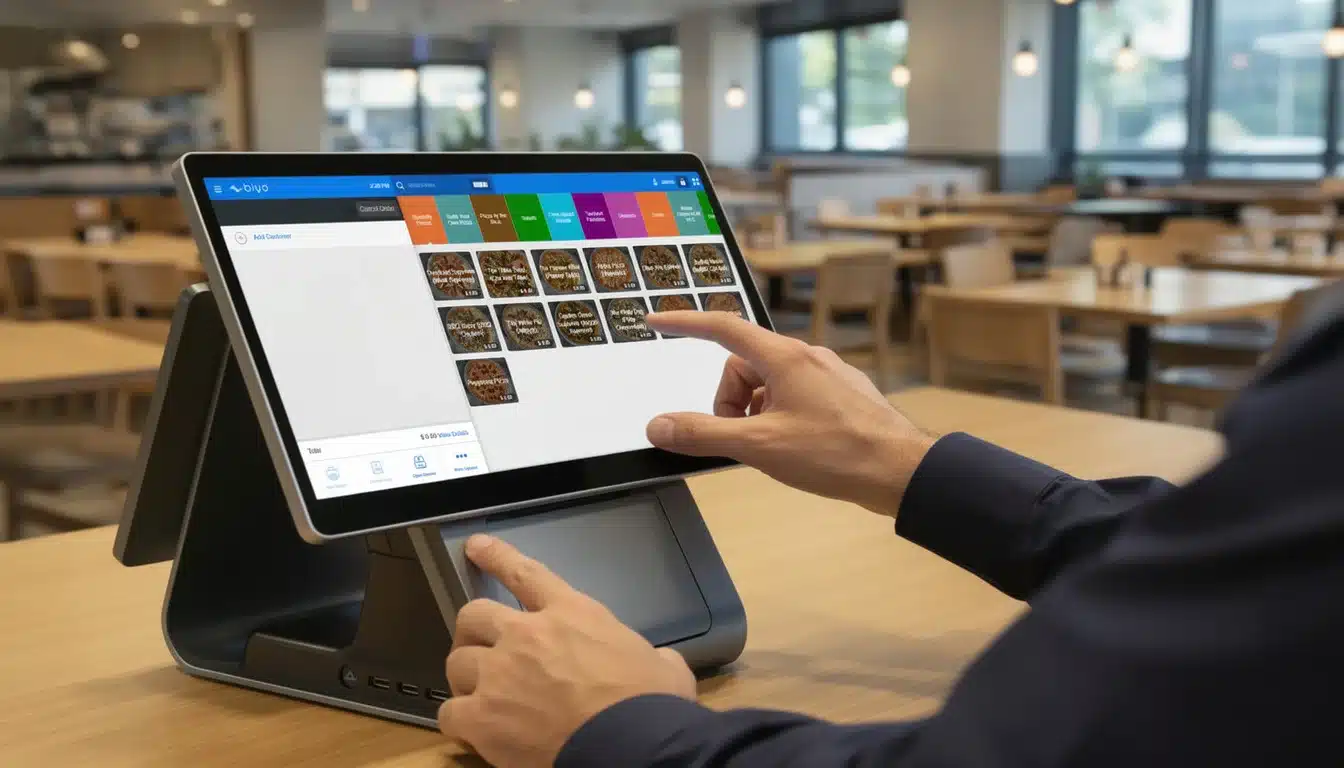
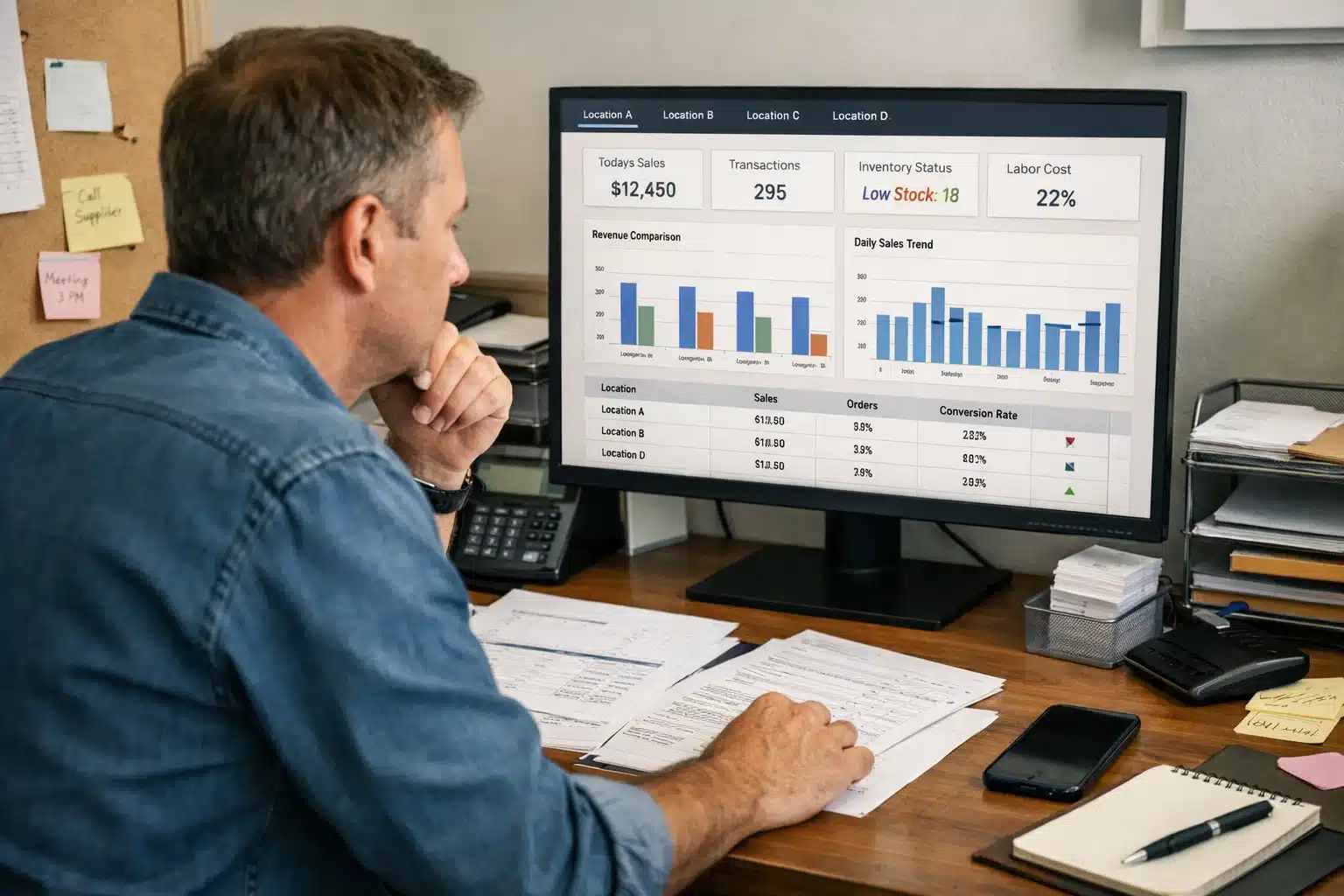
Picking the right tools for your restaurant can feel overwhelming. With so many options out there, creating a pos systems for restaurants list that actually makes sense for your business is the first and most important step. The truth is, there's no single "best" system. The best one is the one that becomes your restaurant's command center, tying together sales, inventory, and customer data in a way that just works.
This guide will help you build that custom, prioritized list, one that's a perfect fit for your needs.
Your Definitive Guide to Choosing a Restaurant POS System
Let's start by getting one thing straight: a modern Point of Sale (POS) system is so much more than a fancy cash register. Think of it as the operational heart of your restaurant. It's the central nervous system connecting the front-of-house hustle with the back-of-house kitchen, making sure every order is right, every payment is quick, and the whole operation runs like a well-oiled machine. A solid POS platform pulls your sales data, inventory counts, customer info, and key reports into one central hub.
My goal here is to cut through the noise and make this selection process easier. We’ll start with the foundational features that boost efficiency and then dive into the different service modes—whether you're running a busy coffee shop, an elegant fine-dining spot, or a growing chain. By the end, you'll have a clear framework to make a smart, confident decision.
Why This Decision Matters More Than Ever
Choosing a powerful POS isn't just about keeping up with trends; it’s a major business decision reflecting a massive shift in the industry. The global market for restaurant POS systems was valued at around $12.3 billion in 2024. It's expected to climb at a compound annual growth rate of 8.6%, hitting nearly $30.48 billion by 2035.
What's driving this? A huge demand for features like mobile payments, deep-dive analytics, and flexible cloud-based platforms that let you manage your business from anywhere.
Remember, your POS is just one piece of your restaurant's tech puzzle. For operations to run smoothly, great internal communication is non-negotiable. It might be helpful to look at how other tools fit in, like this guide on communication software for food and beverages companies.
A great POS system doesn't just process transactions. It provides the data you need to understand your customers, manage your costs, and grow your profits intelligently.
Before we get into the nitty-gritty details, let's start with a high-level view. Here's a quick summary of the most important factors to keep in mind when you start comparing systems.
Quick Glance Restaurant POS Selection Criteria
This table highlights the core areas you'll need to evaluate for any potential POS system. Think of it as your initial checklist to quickly size up a provider.
| Selection Criterion | Key Considerations |
|---|---|
| Core Functionality | Does it handle order taking, payment processing, and menu management efficiently? |
| Ease of Use | How intuitive is the interface for new staff? Is training straightforward? |
| Hardware Compatibility | What devices does it run on? Can you use existing hardware or is it proprietary? |
| Integration Capabilities | Can it connect with your accounting, payroll, and online ordering platforms? |
| Reporting & Analytics | Does it provide clear, actionable insights on sales, labor, and inventory? |
| Customer Support | Is support available 24/7? What do other restaurateurs say about their service? |
| Scalability | Can the system grow with you as you add locations or services? |
| Total Cost of Ownership | What are the upfront costs, monthly fees, and payment processing rates? |
This summary gives you a solid foundation. As we move forward, we’ll explore each of these criteria in much greater detail to help you find the perfect match.
What a Modern Restaurant POS System Actually Does
Think of your restaurant's Point of Sale (POS) system as its brain and central nervous system all rolled into one. It’s no longer just a fancy cash register for ringing up sales. A modern POS is the command center that connects and coordinates everything—from the moment a guest orders a drink to the time you're poring over monthly sales reports.
Getting a handle on what these systems can really do is the first step in figuring out which one is right for you and building a useful POS systems for restaurants list.
And they're not just a "nice-to-have" anymore; they're essential. The global market for restaurant POS software hit $11.49 billion in 2024 and is expected to climb to $12.38 billion in 2025. While quick-service spots make up about 57% of the market, full-service restaurants are catching on fast to the massive efficiency gains. You can dig into more of these market trends over at The Business Research Company.
Let's unpack the core features that make a modern POS the heart of a restaurant's operations.
It Manages Your Inventory—So You Don’t Have To
One of the biggest game-changers a good POS brings to the table is smart inventory management. Forget the late-night manual stock counts or, even worse, the gut-sinking feeling of running out of a key ingredient mid-service.
A modern system automates this entire headache. When a server punches in an order for a cheeseburger, the POS instantly deducts one bun, one patty, and a slice of cheese from your digital stockroom. This gives you a live, minute-by-minute picture of what you actually have on the shelves.
This isn't just about convenience; it's about protecting your profits. By tying every sale directly to ingredient usage, you can calculate your food cost percentage with pinpoint accuracy, spot waste before it gets out of hand, and make much smarter purchasing decisions. Most systems will even ping you with a low-stock alert, so you're never caught off guard again.
A POS with great inventory tools doesn't just count what you've got. It tells you the true cost of your food, shows you where your money is going, and knows exactly when it's time to reorder. It's your secret weapon for protecting your margins.
It Gives You Powerful Reports and Analytics
In today's world, data is gold, and a quality POS system is your personal goldmine. It goes way beyond a simple "Z" report at the end of the night, giving you clear, actionable insights that can completely change how you run your business.
You can pull up reports in seconds to answer the questions that really matter:
- What are my best-selling dishes? This is crucial for menu engineering and promoting your most profitable items.
- Who are my star servers? Tracking sales per employee helps you identify your top performers and see who might need a little extra coaching.
- When are my busiest hours? Use this intel to build smarter staff schedules, cutting down on labor costs during slow periods.
- Did that "2-for-1" special actually work? See exactly how much revenue a specific promotion brought in.
This kind of detail lets you stop making decisions based on gut feelings and start using real data to drive your business forward.
It Helps You Manage Your Team
A great POS system also takes a ton of the administrative weight off your shoulders when it comes to managing your staff. It acts as a central hub for everything from scheduling to tracking performance, which is vital for keeping the floor running smoothly.
Key employee management tools usually include:
- A Built-in Time Clock: Staff can clock in and out right on the terminal, making payroll a breeze and ensuring you're paying for the exact hours worked.
- Custom Permissions: You can give managers, servers, and hosts different levels of access, so sensitive functions and financial data stay protected.
- Performance Metrics: As we mentioned, you can easily monitor individual sales figures, average check sizes, and table turn times to reward your all-stars.
These features free up hours of a manager's time, slash the risk of payroll mistakes, and create a clear system for tracking how everyone is doing.
It Helps You Build Customer Relationships
Finally, your POS is a surprisingly powerful tool for building a loyal customer base. Many systems come with a built-in Customer Relationship Management (CRM) feature, allowing you to create a database of your guests.
You can track their visit history, their favorite dishes, and how much they typically spend. This information is pure gold. Use it to launch a loyalty program that rewards repeat business. Send out targeted emails with offers they'll actually care about, like a discount on their go-to appetizer or a free dessert for their birthday.
When you understand your customers on a deeper level, you can create the kind of personalized experiences that turn first-time visitors into lifelong fans.
2. Matching POS Service Modes to Your Restaurant Type
Choosing a POS system isn't about finding a one-size-fits-all solution, because your restaurant isn't one-size-fits-all. The best systems are chameleons, adapting perfectly to your specific service style. Getting this match right is a huge step in building your pos systems for restaurants list.
Think about it: a bustling coffee shop needs a system built for pure speed, while a fine-dining spot needs one that helps manage a complex, unhurried guest experience. The features that are make-or-break for one are just noise and clutter for the other. Understanding these different "service modes" is the key to picking a system that feels like a natural part of your team, not a piece of tech you have to fight with.
Full-Service and Fine Dining Needs
When you're running a full-service restaurant, everything comes down to the guest experience. Your entire operation is a delicate dance of table management, server coordination, and creating a seamless flow from the moment guests are seated until they pay the check. A generic, off-the-shelf POS just can't keep up.
These restaurants absolutely need specialized features that support a more detailed workflow. We're talking about tools for managing visual floor plans, tracking table status in real-time (is that table ordering, waiting on entrees, or ready for the check?), and effortlessly splitting checks for large parties. Server-specific tools are also crucial, like the ability to transfer a table to another staff member during a shift change.
Key features to look for:
- Advanced Table Management: A visual layout of your dining room for at-a-glance seating and status tracking.
- Split Check Functionality: Easily divide bills by item, person, or a custom amount without a headache.
- Server and Tip Management: Tools to track individual server sales and manage complex tip-outs fairly and accurately.
Quick-Service (QSR) and Fast-Casual Excellence
For Quick-Service Restaurants (QSRs) and fast-casual concepts, speed is the name of the game. Every part of the operation is designed to get customers their orders correctly and as fast as humanly possible. Your POS has to be built for this high-octane environment.
The main focus here is on lightning-fast order entry and perfect communication with the kitchen. An intuitive, easy-to-learn interface is non-negotiable; you want new hires to be comfortable with it in minutes, not days. The single most critical feature, however, is a rock-solid integration with a Kitchen Display System (KDS). This replaces messy paper tickets with digital screens, leading to much faster and more accurate order fulfillment.
This diagram shows how a modern POS acts as the central brain connecting all the vital parts of your business.
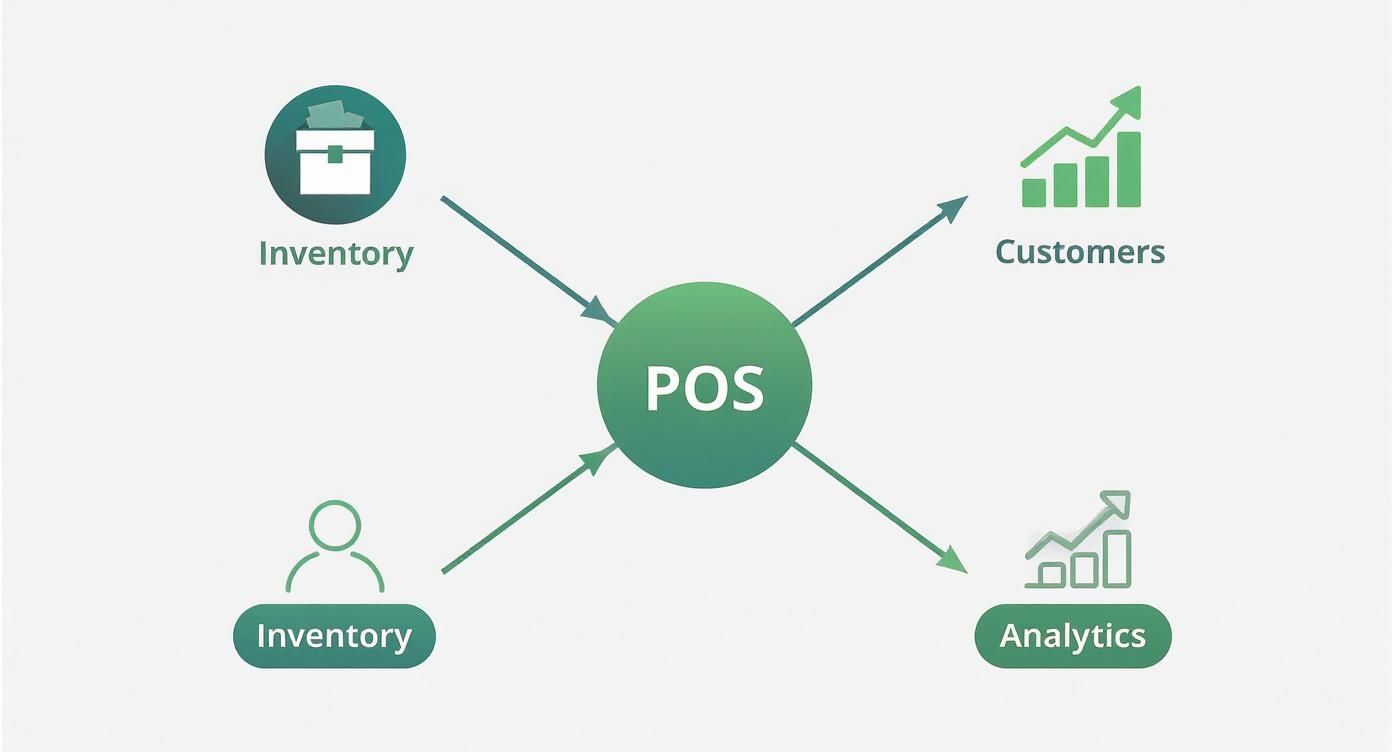
As you can see, the POS isn't just a cash register. It's the hub that links your inventory, customer data, and analytics, turning every single transaction into a piece of valuable insight.
Bars and Nightclubs Requirements
The bar and nightclub scene is a whole different beast—it's fast, chaotic, and demands a POS with a very particular set of skills. Your bartenders are often juggling multiple customers at once, managing a sea of running tabs, and need to process payments in seconds.
A POS built for a bar needs to be a master of tab management. Staff must be able to open, edit, and close out tabs with just a few taps, often by pre-authorizing a credit card to keep things moving. Quick payment options are just as vital to prevent a logjam at the bar. More and more, these systems are cloud-based for greater flexibility. You can learn more about how this technology can help by reading our guide on what a cloud-based POS system is and how it benefits fast-moving businesses.
The Rise of Self-Service Technology
Customer-facing tech is no longer just for the big chains. Self-service kiosks and self-checkout stations are becoming a popular way for restaurants of all sizes to boost efficiency and give guests more control.
These systems empower customers to place and pay for their own orders, which pays off in a few big ways. First, it dramatically improves order accuracy since the guest is punching in exactly what they want. Second, it frees up your staff from the repetitive task of taking orders, letting them focus on what matters most: preparing great food and taking care of customers. This mode is a game-changer for QSRs and fast-casual spots trying to bust the lines during their busiest hours.
POS Feature Requirements by Restaurant Type
To make it even clearer, let's break down which features are most important for each type of restaurant. Think of this as a cheat sheet for identifying your non-negotiables.
| Restaurant Type | Essential POS Features | Primary Benefit |
|---|---|---|
| Fine Dining | Advanced table & floor plan management, course firing, robust reservation integration | Elevated guest experience & operational control |
| Casual Dining | Split check & item modification, server & tip management, loyalty program integration | Staff efficiency & customer retention |
| Quick Service (QSR) | Fast order entry, Kitchen Display System (KDS) integration, conversational ordering | Maximized speed, accuracy, & throughput |
| Fast-Casual | Customer-facing displays, kiosk/self-order options, online ordering integration | Reduced wait times & improved order accuracy |
| Bar / Nightclub | Pre-authorization & tab management, ingredient-level inventory, fast payment processing | Increased turnover & tight cost control |
| Pizzeria / Delivery | Caller ID integration, driver management & dispatch, delivery zone mapping | Streamlined delivery & order management |
| Food Truck | Offline mode capabilities, mobile/handheld hardware, simple menu interface | Operational flexibility & service from anywhere |
As you can see, while some features overlap, the core priorities shift dramatically based on how you serve your customers. Choosing a system that’s purpose-built for your style of service will have a massive impact on your day-to-day operations.
Key Technical and Business Selection Criteria
https://www.youtube.com/embed/Iqb1_Ma5CLg
Choosing the right POS system is a huge decision. It's not just about the flashy features; it's about finding a reliable partner that can handle the daily grind while helping your business grow. You're balancing the raw technical power of the system with the real-world business implications.
To make the right call, you have to dig deeper. Think of it as vetting both the machine itself and the company behind it. Let's break down exactly what to look for, so you end up with a system that's a true workhorse and a strategic asset, not a source of frustration.
Evaluating the Technical Foundation
The tech side is all about the nuts and bolts. These are the things that determine if your system will be reliable day in and day out, keep your data safe, and play nicely with the other tools you rely on.
First up is hardware durability. Let's be honest, a restaurant is a battlefield for electronics. You've got spills, heat from the kitchen, and constant, heavy use. Your terminals need to be built for this chaos, with things like spill-proof screens and tough, sturdy construction. The hardware is so critical that the global restaurant POS terminals market is expected to hit $25.1 billion by 2025. Fixed terminals still dominate, holding about 61.3% of the market, simply because they are built to last.
Next, you absolutely have to consider software integration capabilities. Your POS can't be an island. It needs to be the central hub that connects everything, talking seamlessly with:
- Accounting Software: Imagine your sales data flowing directly into platforms like QuickBooks or Xero automatically. This alone can save you dozens of hours of mind-numbing data entry every month.
- Online Ordering & Delivery Apps: Direct integration with popular food delivery apps is a game-changer. It means no more staff members frantically punching orders from a separate tablet into the POS during a rush.
- Employee Management Tools: When your POS talks to your scheduling and payroll software, you get a single, unified system for managing your team.
Finally, don’t even think about compromising on security standards. Your system must be PCI compliant to protect your customers' credit card data. Strong data encryption is non-negotiable. A security breach isn't just a technical problem; it can destroy your reputation and cost you a fortune.
Analyzing Key Business Factors
Looking past the tech, a POS is a major business investment and a long-term partnership. These business factors determine the true cost of ownership, whether the system can grow with you, and what happens when you desperately need help.
Start by picking apart the pricing models. Is it a straightforward monthly subscription (SaaS), or are you looking at a big upfront purchase with extra maintenance fees? Watch out for hidden costs that can sneak up on you—things like extra charges for specific integrations, adding more terminals, or getting priority support. A low monthly fee might look great at first, but high payment processing rates can eat away at your profits over time. Our restaurant POS system comparison dives deeper into these different cost structures.
Scalability isn't just about adding more locations. It's about whether the system can adapt to new revenue streams like catering, retail merchandise, or online cooking classes as your business evolves.
Scalability is another huge piece of the puzzle. The POS that’s perfect for your cozy café today needs to be powerful enough to handle your mini-empire tomorrow. Ask vendors how their system handles things like multi-location management, running centralized reports, and pushing menu updates across all your sites. A system that can’t grow with you will eventually hold you back.
And please, never underestimate the power of good customer support. Picture this: it’s a packed Friday night, and your system freezes. You need help, and you need it now. Look for providers that offer 24/7 support through phone, email, and chat. Go read reviews and see what actual customers are saying about response times and how helpful the support team really is. Great support isn't a bonus feature; it's an essential part of the package. A great POS can also help with your marketing by making it easier to gather feedback, a topic covered in this comprehensive guide to getting reviews for restaurants.
Building Your Prioritized POS Systems Shortlist
Alright, you've got the concepts down—the features, the different service modes, and the key criteria. Now it's time to put that knowledge to work. We're going to build your personalized pos systems for restaurants list, and I don't mean some generic top-ten list from a blog. We're creating a powerful, curated shortlist of the top contenders that truly fit your restaurant.
This process is about cutting through the noise. It turns what can be an overwhelming search into a focused evaluation, making sure your final choice is based on your specific needs, not just a slick sales pitch.
Step 1: Start with Your Non-Negotiables
Before you even glance at a vendor’s website, you need to get crystal clear on what a "win" looks like for your restaurant. Think back on everything we've covered and sort those features and needs into three simple buckets.
Honestly, this is the most important step. It gives you a lens to look through, helping you instantly filter out systems that won't work for you.
- Must-Haves: These are your deal-breakers. If a system is missing one of these, it's out. For a busy diner, that might be a seamless kitchen display system (KDS) integration. For a fine-dining spot, it's probably rock-solid table management.
- Nice-to-Haves: These are the features that would make life easier or help you grow, but you can live without them for now. Think of things like a built-in loyalty program or advanced marketing tools.
- Don't Needs: These are the shiny objects. They sound great, but they don't solve a problem you actually have. A pizza joint that’s all about delivery has no use for complex course-firing features, for example.
Sorting your needs this way keeps you from getting distracted by bells and whistles that don’t add to your bottom line. It’s all about staying focused.
Step 2: Research and Gather Your Long List
With your priorities straight, it's time to start digging. The goal here isn’t to pick a winner yet—it's to assemble a "long list" of 5-7 potential systems that appear to check all your must-have boxes.
Cast a wide net. Check out industry review sites, read comparison articles, and—most importantly—ask other restaurant owners what they use and love. Look for systems built for your type of restaurant. For instance, if you run a smaller cafe, it makes sense to look into the best POS systems for small restaurants and see who specializes in that market.
As you find contenders, pop them into a simple spreadsheet. This will be your command center for comparing everything.
Step 3: Create Your Evaluation Scorecard
This is where we turn gut feelings into hard data. A scorecard makes your comparison objective and your final decision a whole lot easier. Just use that spreadsheet you started to build out a scoring template.
Here’s a simple format you can steal and adapt:
| Feature/Criterion | Priority (1-5) | Vendor A Score (1-5) | Vendor B Score (1-5) | Notes |
|---|---|---|---|---|
| KDS Integration | 5 (Must-Have) | |||
| Inventory Management | 5 (Must-Have) | |||
| Ease of Use | 4 (High) | |||
| 24/7 Support | 4 (High) | |||
| Loyalty Program | 2 (Nice-to-Have) | |||
| Total Monthly Cost | – |
Give each of your required features a priority score. Then, as you research each vendor and sit through demos, rate how well they deliver on that feature from 1 to 5. The numbers will quickly show you who the real front-runners are.
Step 4: Schedule Demos and Ask the Right Questions
A demo is your opportunity to see the software in action and put the sales rep in the hot seat. Don't let them drive the conversation with a canned presentation. You need to show up with a list of scenarios that happen in your restaurant every single day.
Ask them to walk you through exactly how the system handles your most common workflows, especially the tricky ones.
"A sales demo is not a passive viewing experience. It's an active interrogation. Your job is to test the system's limits and see if it breaks under the pressure of your real-world operational needs."
During the demo, pay close attention to how it feels to use. Is the interface clunky or intuitive? Could you teach a brand-new server how to use it in five minutes during a chaotic dinner rush?
After the demo, always ask for references—specifically, from restaurants that are similar to yours. Talking to someone who actually uses the system day-in and day-out will give you the kind of honest feedback a salesperson never will. This thorough process will help you confidently whittle your long list down to a final shortlist of 2-3 top candidates, making your final choice a no-brainer.
Got Questions About Restaurant POS Systems? We've Got Answers.
Diving into the world of restaurant technology can feel a little overwhelming. As you get closer to choosing a POS system, it's completely normal to have a few questions pop up. Let's clear up some of the most common ones that restaurant owners ask.
What’s a Realistic POS System Cost for a Small Restaurant?
Honestly, the price tag can swing quite a bit depending on what you need and who you go with. For a small restaurant, a good ballpark for a modern, cloud-based system is anywhere from $50 to $150 per month. That usually gets you the core software for one terminal.
Keep in mind, that's just the software. Hardware is typically a separate line item. You could get started with a simple tablet and card reader for a few hundred dollars, or you could invest several thousand in a full setup with a dedicated terminal, cash drawer, and kitchen printers.
A word of caution: watch out for providers offering "free" hardware. That cost is often baked into higher, locked-in payment processing fees. To see the real investment, you have to calculate the total cost of ownership—that means adding up the software subscription, hardware expenses, and payment processing rates over time.
How Can I Switch to a New POS Without Causing Chaos?
A smooth switch is all about good planning. The smartest move is to time the changeover for your slowest period. Think a quiet Monday afternoon or that lull you always get in mid-January.
Any reputable POS company will have a team dedicated to helping you move over. They'll walk you through getting your crucial data—like your menu, customer database, and inventory—out of the old system and into the new one.
Before you flip the switch, make training a priority. Get every single person, from your servers to your managers, comfortable with the new screens and workflows. If you can, try running the new system in the background for a day or two alongside your old one. It’s a great way to iron out any kinks before you go all in.
A successful transition really comes down to two things: keeping your team in the loop and leaning on your new POS provider’s support team. They’ve done this a thousand times and are your best guide.
Should I Get a Cloud-Based or an Old-School On-Premise POS?
For nearly every restaurant today, a cloud-based POS system is the way to go. The biggest win is flexibility. You can check your sales reports, update menu items, or manage inventory from anywhere with an internet connection—whether you're at home or on vacation.
Cloud systems also tend to have much lower upfront costs since you're paying a monthly subscription instead of buying the software outright. Plus, all the updates, security fixes, and new features are handled for you automatically. It’s one less thing on your plate.
On-premise systems, where all your data lives on a server in your back office, can be reliable if your internet is spotty. But they chain you to the restaurant, have no remote access, and force you to manage your own backups and updates. They just aren't built for the fast-paced, dynamic nature of a modern restaurant.
What are the Most Important Integrations for a Restaurant POS?
While every restaurant is different, a few key integrations are game-changers for just about everyone, helping you work smarter and make more money.
- Payment Processors: Find a POS that plays nicely with multiple processors. Having the freedom to shop around for the best rates can save you thousands of dollars a year.
- Online Ordering & Delivery: This is non-negotiable now. A direct link to popular delivery services, or your own website's ordering page, is a lifesaver. It stops staff from having to manually punch in orders from a sea of tablets, which cuts down on mistakes and frees them up during a rush.
- Accounting Software: An integration that automatically sends your daily sales figures to QuickBooks or Xero can save you hours of tedious bookkeeping and prevent costly human errors.
- Employee Management: When your POS talks to your scheduling and payroll software, you get a powerful, unified system for tracking hours, keeping labor costs in check, and making payday a breeze.
These connections are what elevate your POS from a simple cash register to the true command center of your entire operation.
Ready to find a POS that ticks all the boxes and grows with your business? Biyo POS offers an all-in-one solution designed for restaurants like yours, with flexible service modes, powerful integrations, and dedicated support. Discover how Biyo POS can transform your operations today.